Create or Update Google Contacts AFTER "Search Contact" Filter
Status: Closed · Asked by Jordan Dayton on · 0 views
Can you help provide the best workflow to do the following:
- OpenPhone: When "Contact Updated"
- Google Contacts: "Search Contact" to see if the OpenPhone number exists
- Using this datapoint: 1. Data Object Fields Phone : +1##########
- Router???
- If the phone number provided by OpenPhone "Does Not Exist" then Create New Google Contact
- If the phone number provided by OpenPhone "Exists" then Update the existing Google Contact
In this video clip, I've illustrated that the "Google Contacts: Search Contact" function does not seem to be working when searching for 1. Data Object Fields Phone : +1########## but it does work when I search Google Contacts for "First Name" [space] "Last Name"
First/Last name is not an effective unique identifier b/c I often have several contacts with the same first and last name, spelled the same way.
I'm going to temporarily switch this workflow to search by "First and last name" until we can get the search by phone number as unique ID solution working.
Thanks in advance for the help!
Hey @jord8on
Can you please tell at what part of the automation you facing issues with? So that we can look into it.
Further, the "Search Contact" doesn't work that way, you need to pass the phone number and email address accordingly.
Further, try passing the phone number without + or country code.
Having the same issue
Searching for a contact email to see if it exists
If it does exist the answer is like
Res1 results 0 person…
Than do router 1
But if it doesnt exists, there is a different result
Res 1 response
And its empty
So if i map 1 the other will fail and viceversa
Can you please show us how to map properly
If contact exists do this
If contact doesnt exists, do this
Searching for a contact email to see if it exists
If it does exist the answer is like
Res1 results 0 person…
Than do router 1But if it doesnt exists, there is a different result
Res 1 response
And its emptySo if i map 1 the other will fail and viceversa
Can you please show us how to map properly
If contact exists do thisIf contact doesnt exists, do this
Can you please share the workflow URL once in which you have tried the same?
@Supreme
this workflow doesn't work properly
router at the end
https://connect.pabbly.com/workflow/mapping/IjU3NjUwNTZkMDYzZjA0MzI1MjZhNTUzNTUxMzQi_pc
this is a test workflow I created, weird, same like the one from above, but seems to be working correctly
https://connect.pabbly.com/workflow/mapping/IjU3NjUwNTY4MDYzNjA0MzU1MjZlNTUzNDUxM2Ii_pc
his workflow doesn't work properly
router at the endhttps://connect.pabbly.com/workflow/mapping/IjU3NjUwNTZkMDYzZjA0MzI1MjZhNTUzNTUxMzQi_pc
As I can see from your workflow the Router indeed working as per the filter condition accordingly.
this is a test workflow I created, weird, same like the one from above, but seems to be working correctly
https://connect.pabbly.com/workflow/mapping/IjU3NjUwNTY4MDYzNjA0MzU1MjZlNTUzNDUxM2Ii_pc
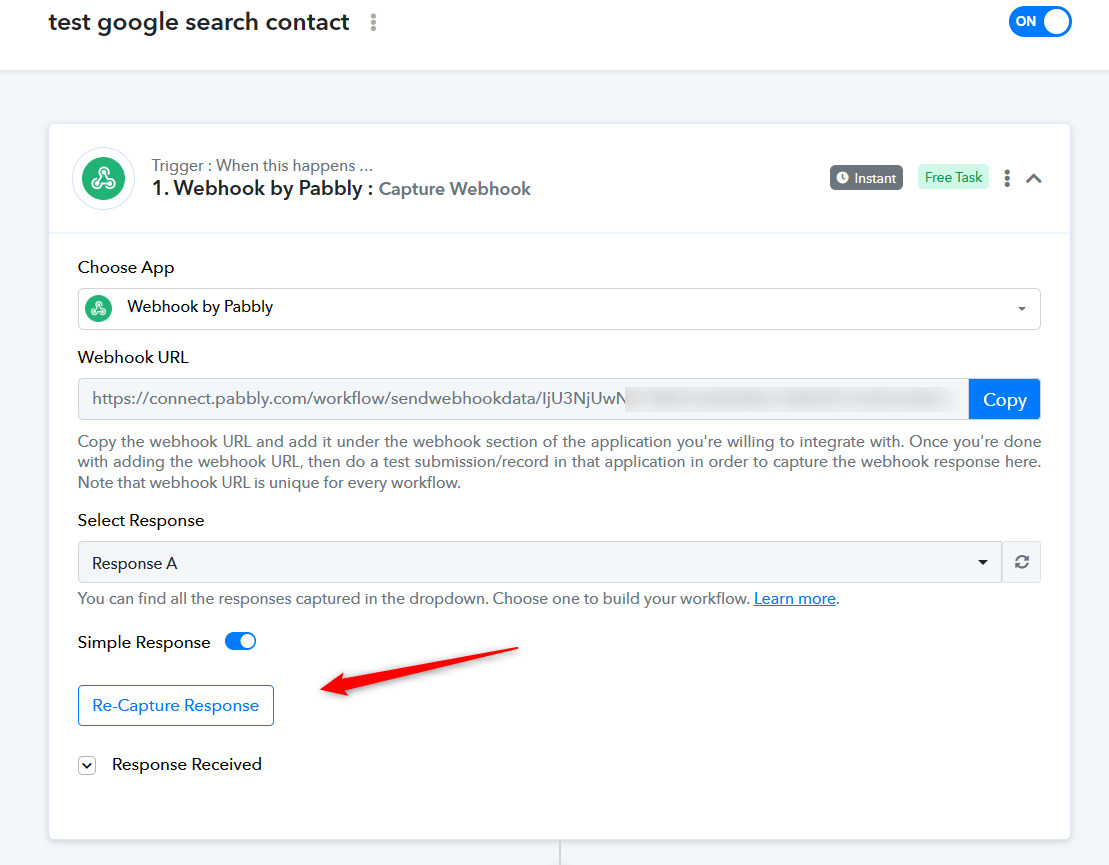
Can you please try recapturing the webhook response once and then try again?
@Supreme
Delete your previous picture please that shows my tasks history
The webhook seems to be working correctly
The workflow runs daily a couple of times
But ill try recapturing it again. Np
Delete your previous picture please that shows my tasks history
Sure we have already deleted it. Hope that works for you.