Create Sales Invoice Zohobooks
Status: Closed · Asked by deshmukhashay on · 0 views
I have to create sales invoice using automation process.
But while creating multiple item order placed from Shopify invoice only display single item in invoice and also I have to avoid security deposit amount calculation for GST applied.
Pleas check my workflow I have to create for exit customer and non existing customer for invoice creation
Hey @deshmukhashay
Could you clarify whether the tax rate will remain consistent for all products or if it will vary based on the specific products
Manthan
P.S. - Do check our Pabbly YouTube Channel where we have more than 7400+ automation tutorials.
Hey @deshmukhashayCould you clarify whether the tax rate will remain consistent for all products or if it will vary based on the specific products?
It basis on all products but We have create item for security deposit which will not applicable for tax.
How will create sales invoice using multiple products.
Hey @deshmukhashay
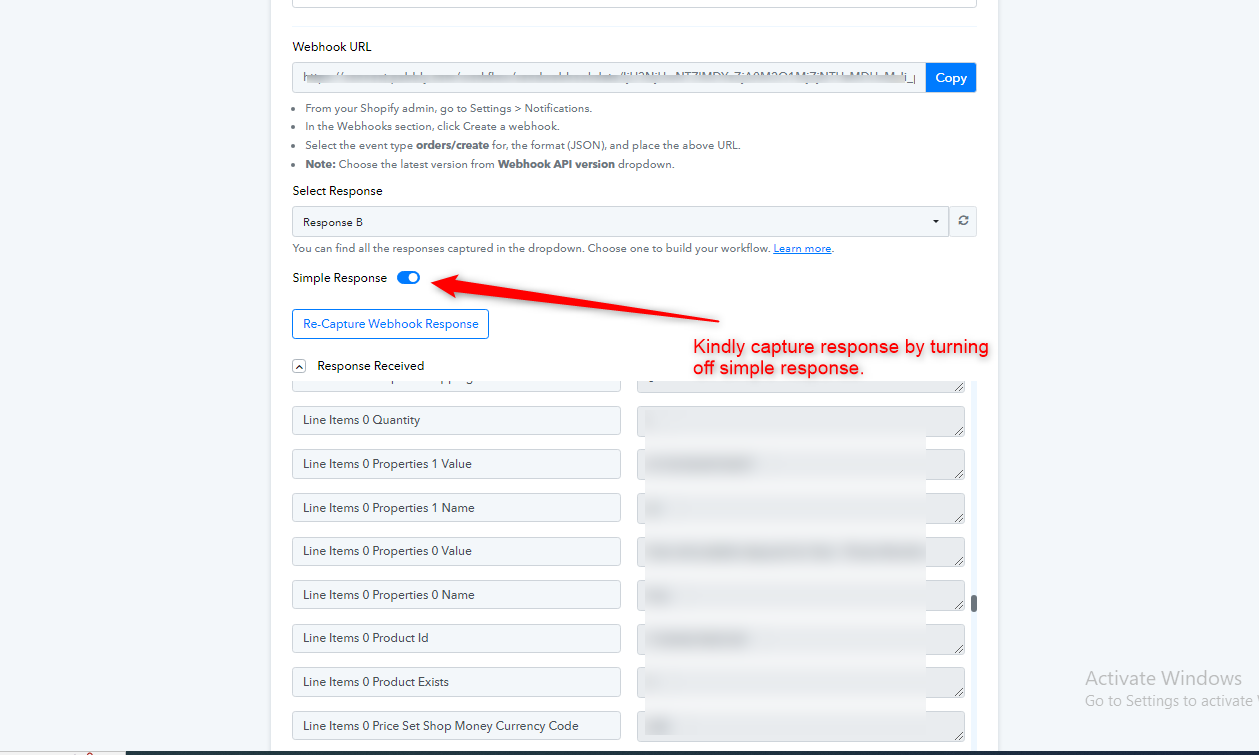
To include multiple products, you should capture advanced responses by closing the simple response button. Then, utilize the Line Itemizer. This method allows you to create invoices for multiple products.
Please refer to the link provided below for detailed information on the Line Itemizer. Additionally, you can view the attached screenshot for reference.
youtube.com/watch v=GqaiQO_ekUQ
Can you clarify if the security amount will be uniform for all products, or if it will vary depending on the specific product
Manthan
P.S. - Do check our Pabbly YouTube Channel where we have more than 7400+ automation tutorials.
Hey @deshmukhashayTo include multiple products, you should capture advanced responses by closing the simple response button. Then, utilize the Line Itemizer. This method allows you to create invoices for multiple products.
Please refer to the link provided below for detailed information on the Line Itemizer. Additionally, you can view the attached screenshot for reference.youtube.com/watch?v=GqaiQO_ekUQ
Can you clarify if the security amount will be uniform for all products, or if it will vary depending on the specific product?
It Varies from product to product
Hey @deshmukhashay
How do you differentiate or recognize the security amounts associated with various products
Manthan
P.S. - Do check our Pabbly YouTube Channel where we have more than 7400+ automation tutorials.
Hey @deshmukhashayTo include multiple products, you should capture advanced responses by closing the simple response button. Then, utilize the Line Itemizer. This method allows you to create invoices for multiple products.
Please refer to the link provided below for detailed information on the Line Itemizer. Additionally, you can view the attached screenshot for reference.youtube.com/watch?v=GqaiQO_ekUQ
Can you clarify if the security amount will be uniform for all products, or if it will vary depending on the specific product?
We are trying to do this but we need for this zohobooks . Shopify to Zohobooks once new order placed by user
Hey @deshmukhashayHow do you differentiate or recognize the security amounts associated with various products?
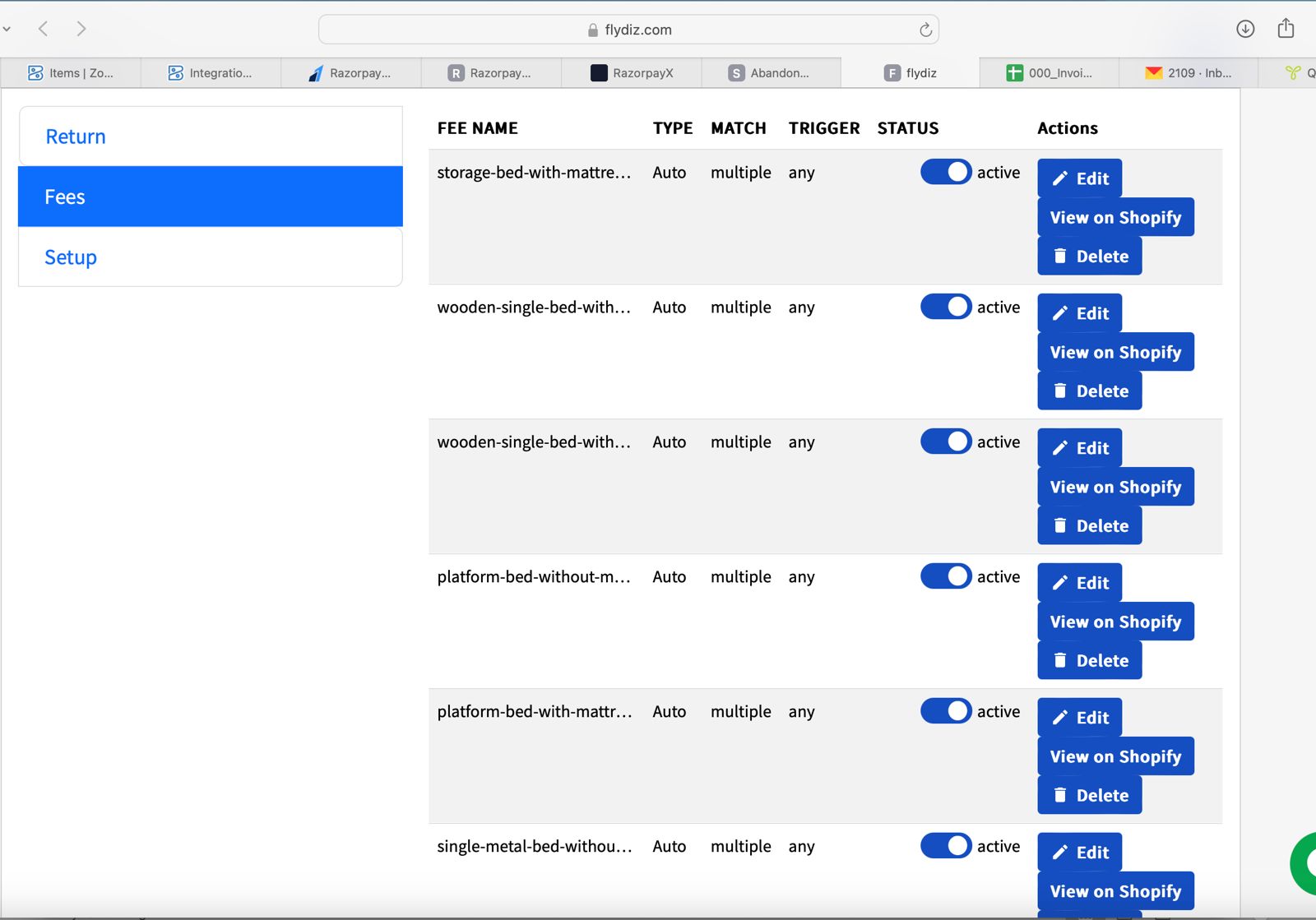
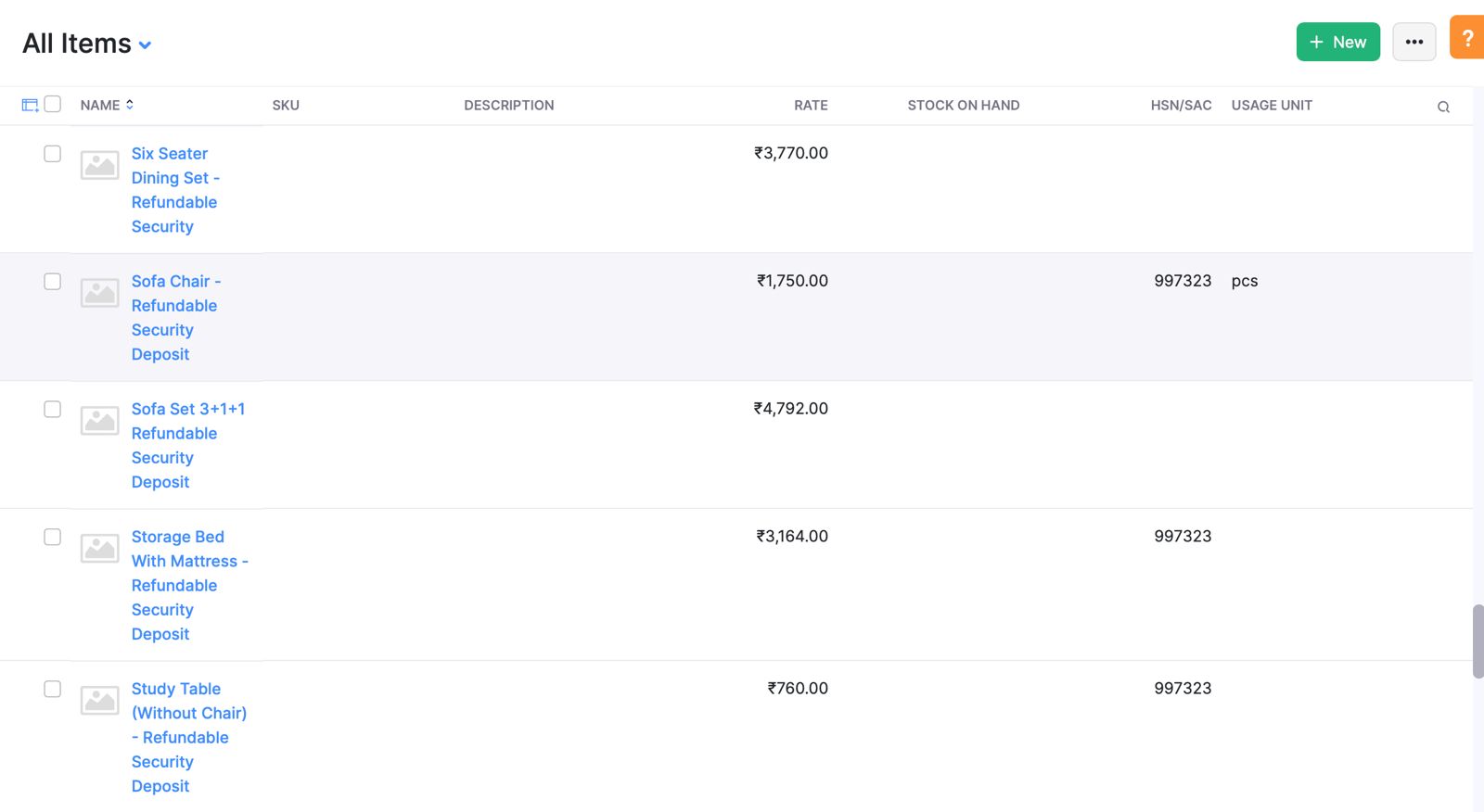
Hi, we have specified the deposit rates for every product. I'll share a screenshot for your easy reference.
Attachments
Hey @deshmukhashay
The security amount is not apparent in the provided screenshots.
Manthan
P.S. - Do check our Pabbly YouTube Channel where we have more than 7400+ automation tutorials.
Hey @deshmukhashayThe security amount is not apparent in the provided screenshots.
The second screenshot specified security deposit amount.
Security Deposit Rates for each product in Zoho
We are trying to do this but we need for this zohobooks . Shopify to Zohobooks once new order placed by user
Please let me know about this also
Hey @deshmukhashay
Can we schedule a Google Meet call to discuss this further
Manthan
P.S. - Do check our Pabbly YouTube Channel where we have more than 7400+ automation tutorials.
Hey @deshmukhashayCan we schedule a Google Meet call to discuss this further?
Yes when please share time for tomorrow
Hey @deshmukhashay
Can you please confirm your availability for tomorrow at 12:30 PM IST? This will allow us to schedule a Google meeting to address and resolve your concerns.
Hey @deshmukhashayCan you please confirm your availability for tomorrow at 12:30 PM IST? This will allow us to schedule a Google meeting to address and resolve your concerns.
Ok we are available Please schedule meeting and share link
Sure, here is the Google Meet link for the scheduled meeting for tomorrow at 12:30 pm IST
Google Meet joining info
Video call link: https://meet.google.com/smn-zxya-gix
Or dial: (US) +1 484-416-1452 PIN: 329 157 656#
More phone numbers: https://tel.meet/smn-zxya-gix?pin=1425546823708
Sure, here is the Google Meet link for the scheduled meeting for tomorrow at 12:30 pm ISTGoogle Meet joining info
Video call link: https://meet.google.com/smn-zxya-gix
Or dial: (US) +1 484-416-1452 PIN: 329 157 656#
More phone numbers: https://tel.meet/smn-zxya-gix?pin=1425546823708
Ok Thanks ?.
Hey @deshmukhashay
You can streamline the process by adding all Shopify products as Line items in Zoho Books, using the exact same names as they appear on Shopify. Maintain the item prices in Zoho Books according to your MRP (after deducting the security deposit). When setting up the integration in Pabbly Connect, in the action step for Zoho Books, refrain from mapping any data in the Line Item Rate field. This way, you'll only be sending the product name and quantity to Zoho Books, and the system will automatically use the price you entered for the respective item during item creation.
Manthan
P.S. - Do check our Pabbly YouTube Channel where we have more than 7400+ automation tutorials.
Hey @deshmukhashayYou can streamline the process by adding all Shopify products as Line items in Zoho Books, using the exact same names as they appear on Shopify. Maintain the item prices in Zoho Books according to your MRP (after deducting the security deposit). When setting up the integration in Pabbly Connect, in the action step for Zoho Books, refrain from mapping any data in the Line Item Rate field. This way, you'll only be sending the product name and quantity to Zoho Books, and the system will automatically use the price you entered for the respective item during item creation.
Can you please explain in detail or share some link reference.
Hey @deshmukhashay
Would it be possible to schedule a call for tomorrow
Manthan
P.S. - Do check our Pabbly YouTube Channel where we have more than 7400+ automation tutorials.
Hey @deshmukhashayWould it be possible to schedule a call for tomorrow?
Yes 2 PM.
Please Share meeting link
Hey @deshmukhashay
Can we do it at 3:30 pm
Manthan
P.S. - Do check our Pabbly YouTube Channel where we have more than 7400+ automation tutorials.
Ok
Hey @deshmukhashayCan we do it at 3:30 pm?
Hey @deshmukhashay,
Sure, here is the Google Meet link for the scheduled meeting for today at 3:30 pm IST
Tuesday, December 19 · 3:30 – 4:00 pm
Time zone: Asia/Kolkata
Google Meet joining info
Video call link: https://meet.google.com/tgj-xwkw-krf
Manthan
P.S. - Do check our Pabbly YouTube Channel where we have more than 7400+ automation tutorials.
Hey @deshmukhashay,Sure, here is the Google Meet link for the scheduled meeting for today at 3:30 pm IST
Tuesday, December 19 · 3:30 – 4:00 pm
Time zone: Asia/Kolkata
Google Meet joining info
Video call link: https://meet.google.com/tgj-xwkw-krf
Ok.Will available
@manthan any update
Please allow us some time. We will update you shortly.
Hey @deshmukhashay
Given the intricacy of this matter and the potential need for Code By Pabbly, I recommend seeking guidance from a Pabbly Connect Consultant for a comprehensive resolution.
https://forum.pabbly.com/threads/pabbly-connect-experts-and-consultants.22/
Manthan
P.S. - Do check our Pabbly YouTube Channel where we have more than 7400+ automation tutorials.