Create Update in Monday.com only if email exists
Status: Closed · Asked by Jacob1733 on · 0 views
My goal: If a note is added in High Level, search Monday.com board and group, and if email exists, create an update on that item.
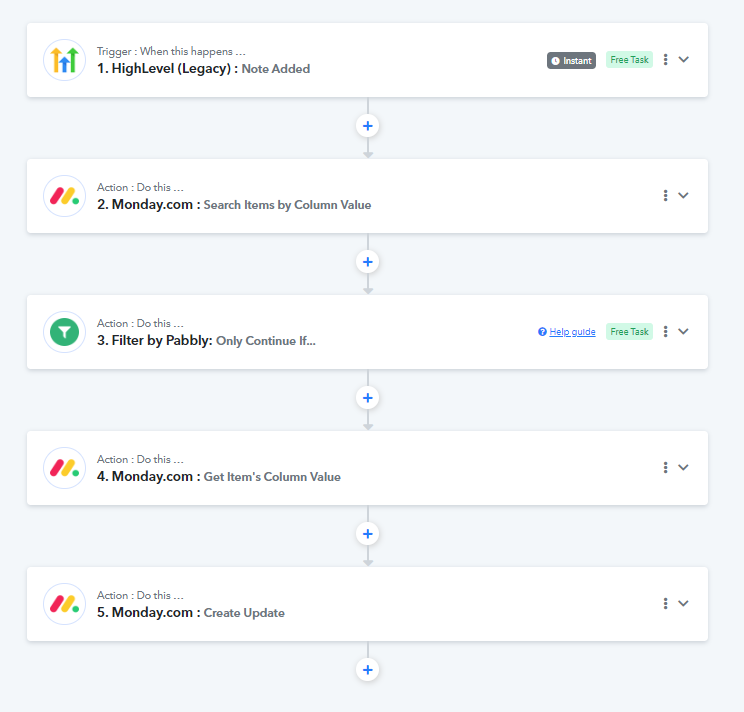
My current workflow:
1. Webhook Trigger: If note is added in High Level, trigger pabbly
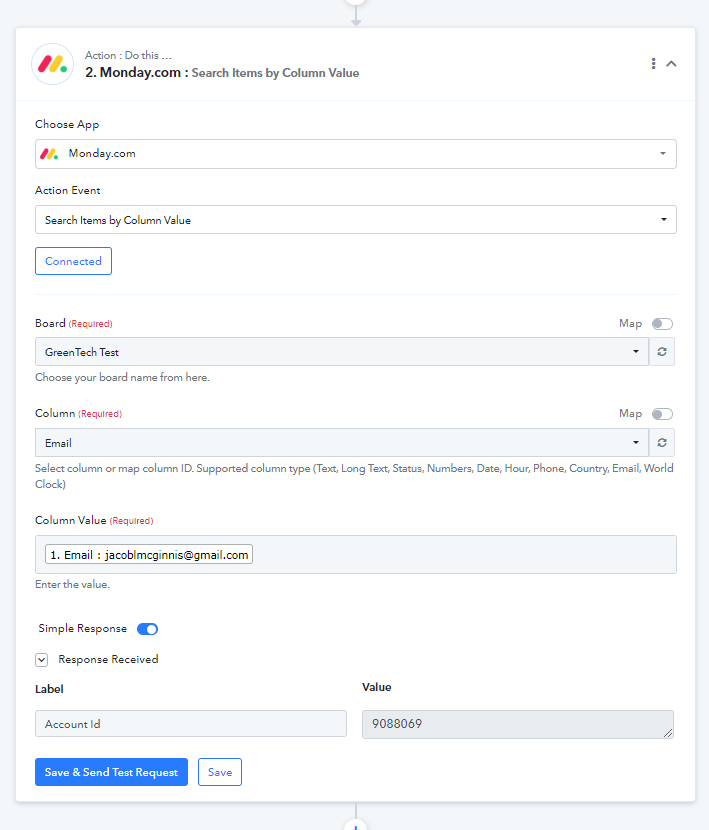
2. Search item column value: Search email field in Monday
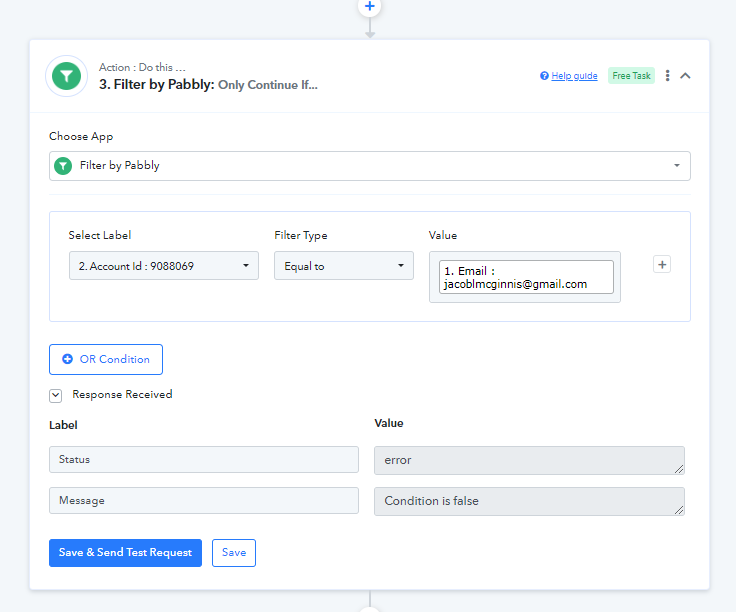
3. Filter: Only continue if email in High Level matches Monday
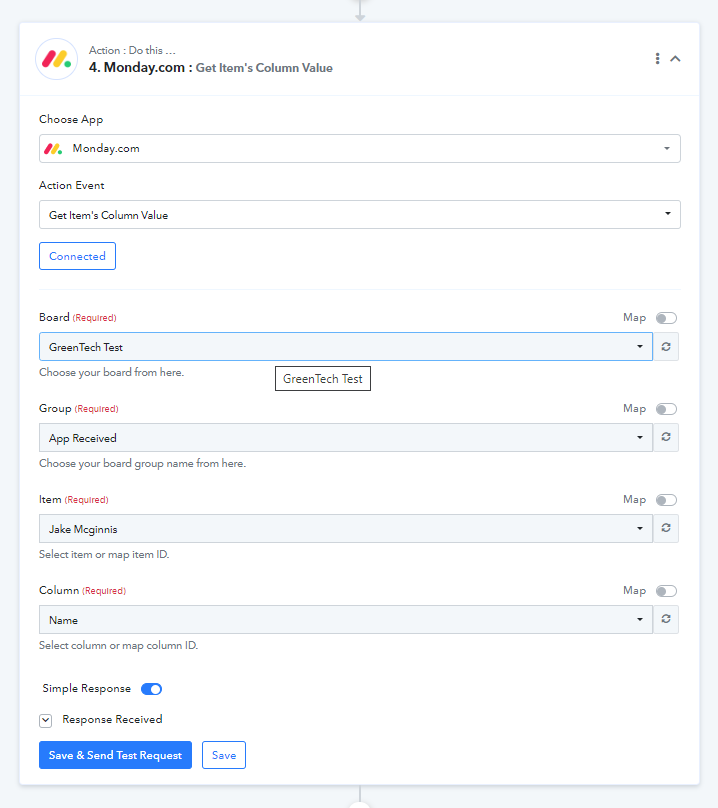
4. Get Column Value: Find the column value in Monday (for the item)
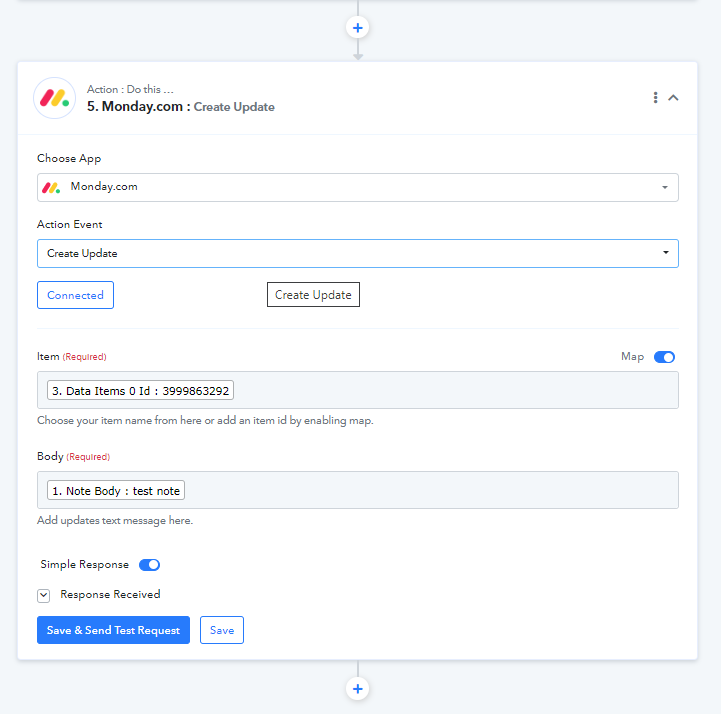
5. Create update: Add note from High Level into Monday
I think I'm close, because if I delete the filter in step 3, it will add a note to my name in Monday every time a note is added to anyone in High Level. Now, I just need to get the filter to work, so it only continues if it finds an email in the group of the board... and then fix it so the note is only added to the matching item that contains the corresponding email address. Help is greatly appreciated.
Attachments
Hey @Jacob1733
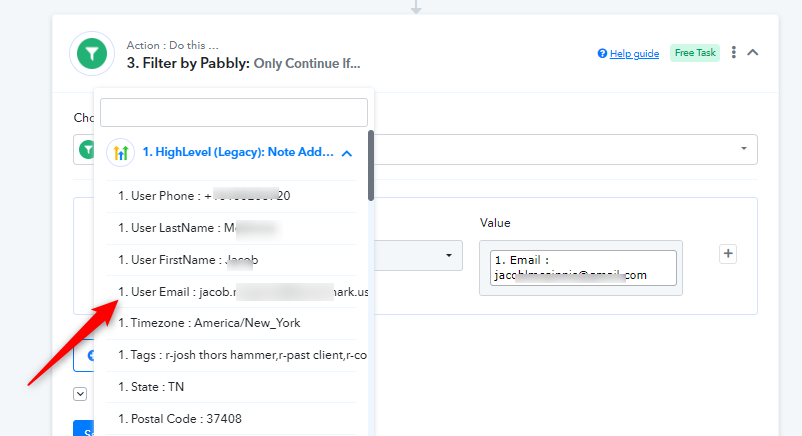
You should select the email address from the trigger response instead of selecting the account id field.
Thanks @Supreme
When I change the Trigger response ("select label") to the email in HighLevel, and change the value to the account ID field in Monday.com, it doesn't work. If I keep both the trigger and the value the same email address in HighLevel, it's allows any note to pass through, and they all appear as a note on my specific name in Monday, even if I added a note to someone else in HighLevel. One of the values for the filter needs to be the Monday ID field, correct? If the HighLevel email equals the Monday email field, continue. Thanks for continuing to help!
Hey @Jacob1733
It appears that the HTML you are passing is not in the correct format and because of that the content you passing is not appropriate.
So, please remap the HTML content from your trigger response and then try again.
If the issue still persists then kindly map the Body Text field in the WordPress action step.