Creating a Google Drive folder if none exists but continuing the workflow after applying the filter step
Status: Closed · Asked by djelal on · 0 views
Hi - I have a workflow which includes the below steps:
Workflow name: GHL Quotation
1- Lead connector trigger: contact updated
2- Lead connector search opportunity
3- Date/time formatted to get current date
4- Google drive - search folder
5- Filter - check if folder name exists
6- Create sub-folder in shared drive
7- Google Doc - create document from template in shared drive
8- Lead connector: Update contact
My issue arises in step-5 where we're checking if a folder exists. If it doesn't, it creates the folder just fine, if it does, the workflow stops, however, I need it to continue and complete steps 7 and 8. How do I action step-6 (create a folder only if one doesn't exist) and continue the workflow?
Hey @djelal
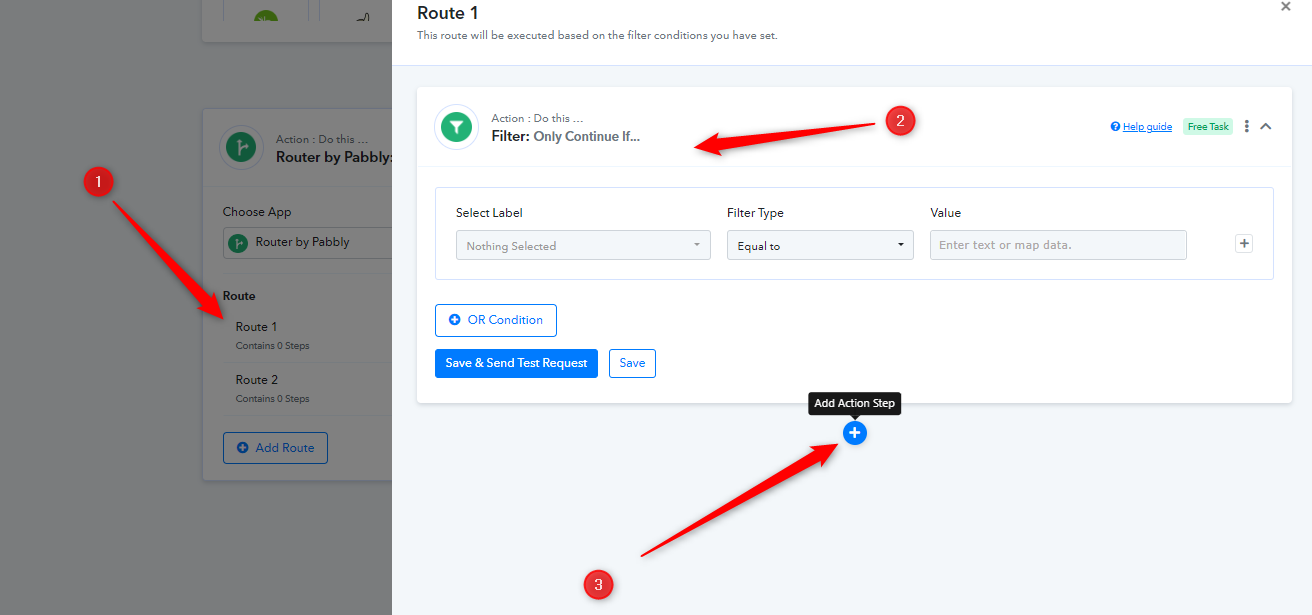
Regarding your concern, we recommend you use the Router action step if the folder exists or is now in your Google Drive to process the if condition.
Have tried that but the router action can only be used as the last step which won't work here.
Hey @djelal
Yes, you are correct that Router can be used as a last step only but you can add more action steps inside the router. When you click on the Router step, please click on set filter and action step option and add the action step there to complete your workflow.