Creating a new invoice in Wave
Status: Open · Asked by wgstarks on · 0 views
I used this youtube video to create a workflow which creates a new invoice in Wave whenever a new order is placed in Woocommerce. Each section works but when I place test orders with multiple items only the first item in the order is added to the Wave invoice. How can I modify the workflow so that all items are added including the total shipping cost?
Hi @wgstarks,
Disable the 'Simple Response,' then place a test order with multiple products; this will provide you with all the items of a particular order in JSON format.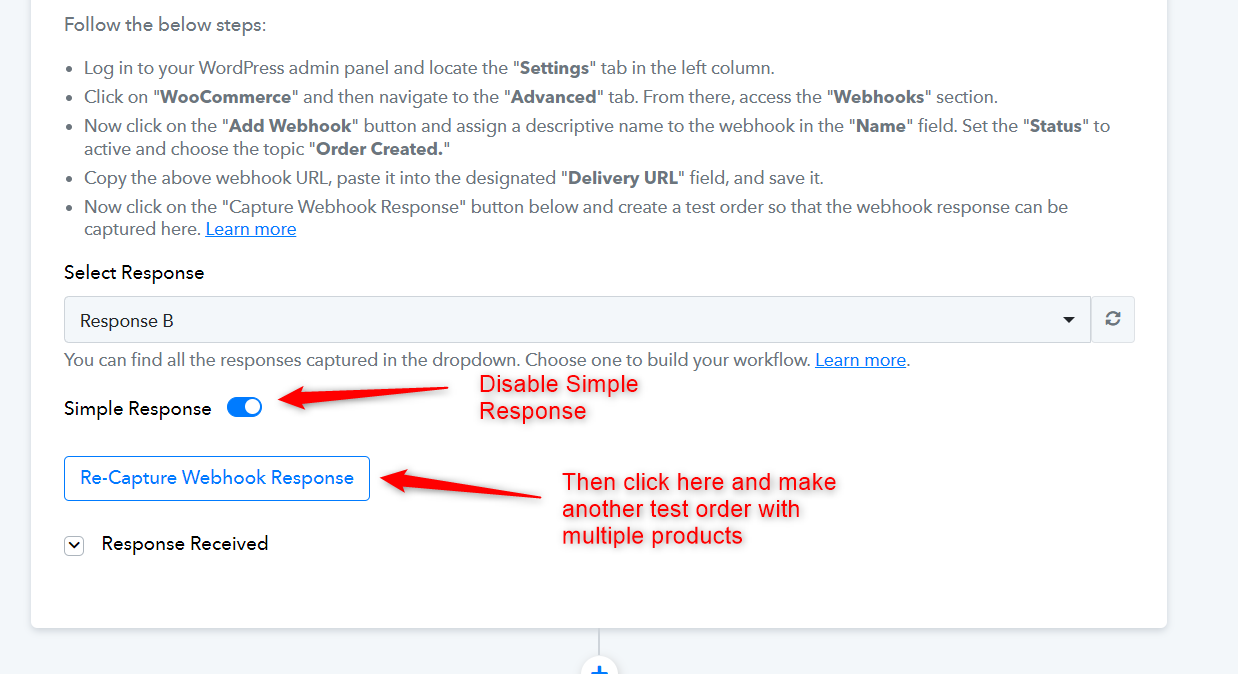
You can then add a Line Itemizer to your workflow, which will provide you with comma-separated values. These values can be mapped in your Wave action steps.
Thanks. I'm working on the modifications but now the Lookup Table app fails when I use the Name item mapped from the Data Transformer app for the lookup key.
Update:
I have been able to bypass the need for the Lookup Table app by adding the Wave product ID's to my Woocommerce products as an SKU which I can then map the Wave invoice create to the SKU line in Data Transformer.
I still can't find a way to get the shipping total into the Wave invoice though????
Currently, its not possible to add the shipping amount in Wave: Create an Invoice action event.
Create an Invoice action event.
Sorry but I don’t understand what this is or how to create it.
Currently, its not possible to add the Shipping Total in Wave invoice.