Creating multiple line items on Zoho Books
Status: Open · Asked by Foreal on · 0 views
Hi Pabbly Connect Community,
I'm trying to automate creating estimates in Zohobooks whenever a Jotform is submitted for our Airbnb-style business. I've successfully set up the Zap to create the estimate with the rental fee as the first line item. However, I need to add a second line item for the refundable security deposit in all estimates.
I tried adding a "Zohobooks - Update Estimate" action after the initial creation, but it replaced all existing data instead of adding the deposit as a new line item.
My Goal:
- For every JotForm submission, automatically create a Zohobooks estimate with two line items:
- Line Item 1: Rental Fee (already working)
- Line Item 2: Refundable Security Deposit (from JotForm field)
What I've Tried:
- Created a Zap with JotForm trigger and Zohobooks "Create Estimate" action for the rental fee.
- Added a subsequent "Update Estimate" action to include the deposit, but it overwrites everything.
How can I modify my Zap to automatically add the security deposit as a second line item to all Zohobooks estimates generated from JotForm submissions? I'm open to different approaches, including custom fields or alternative actions.
Thank you for any help you can provide!
Hi @Foreal,
You can use a comma to separate two line items and enter the 'Refundable Security Deposit' as Line Item 2 in this manner.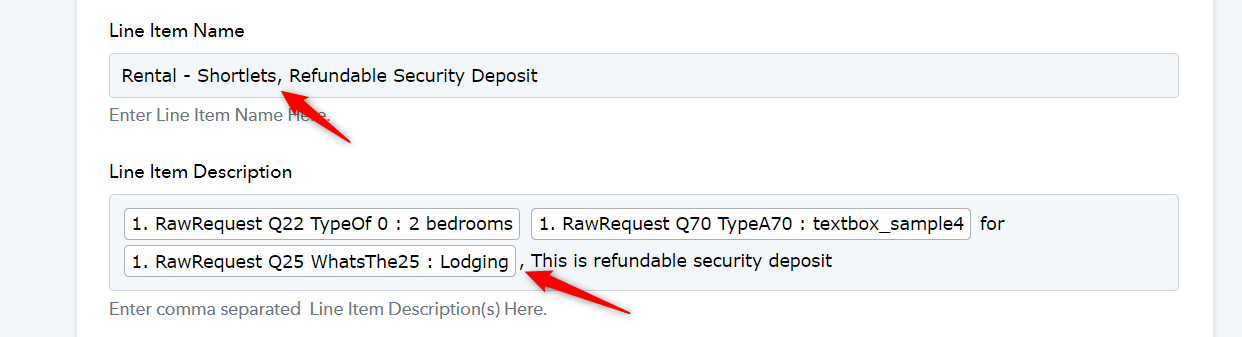
Hi @Foreal,You can use a comma to separate two line items and enter the 'Refundable Security Deposit' as Line Item 2 in this manner.
I'm trying to check it out, but I have a new error message.
I am not using any tax settings. I want tax completely left out of the calculation.
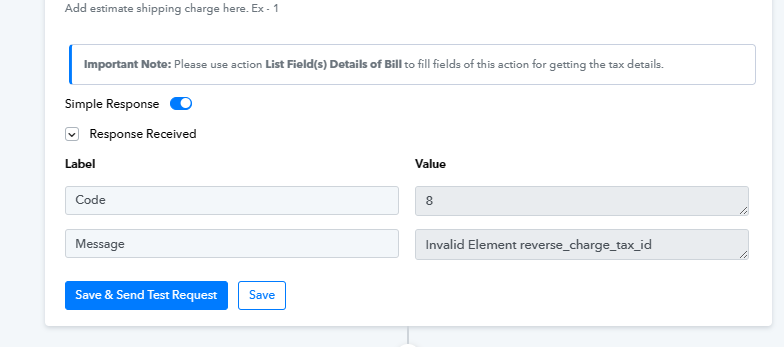
Please try clearing this entire field of Line Item Reverse Charge Tax Id and see if this fixes the issue for you.
Please try clearing this entire field of Line Item Reverse Charge Tax Id and see if this fixes the issue for you.
Thank you so much for your responses. I am still getting the same error message after clearing this Line Item Reverse Charge Tax ID.
Kindly note that i was just trying out different ideas to fix this and this is why the field was even filled. It used to be empty, meanwhile i get the same error message.
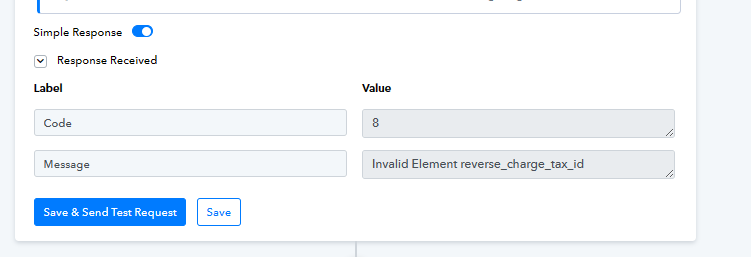
Please allow us some time to look into this concern. We will get back to you with an update soon.
Hey @Foreal
Could you please confirm whether you have set the "Reverse Tax ID" field as required in your Zoho Books account? This field might be the reason why you are facing difficulties in creating estimates in the Zoho Books account.

I
Hey @ForealCould you please confirm whether you have set the "Reverse Tax ID" field as required in your Zoho Books account? This field might be the reason why you are facing difficulties in creating estimates in the Zoho Books account.
never heard of a Reverse Tax till now. I checked Zoho Book's Settings, and it's not enabled.
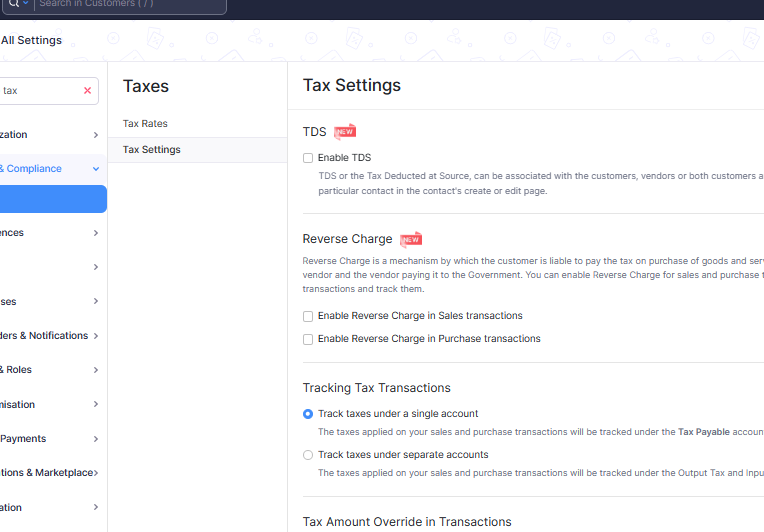
Thank you for confirming.
Please allow me some time to check your concern with our team. I will get back to you soon.
Thank you for confirming.Please allow me some time to check your concern with our team. I will get back to you soon.
Hoping for a solution soon.
We require additional time to investigate your concern thoroughly. Rest assured, we will notify you with an update. Your patience is highly appreciated.
We require additional time to investigate your concern thoroughly. Rest assured, we will notify you with an update. Your patience is highly appreciated.
I understand the team needs some more time on this. I just thought to follow up.
Our discovery of Pabbly and it's ability to create multi-steps is one game changer for us. It would totally elevate our game in 2024.
Anticipating a response at your convenience.
Thanks
Hey @Foreal
I appreciate your follow-up, and I want to assure you that our team is diligently working on your inquiry. I assure you that we are doing our best to address your needs comprehensively.
I truly appreciate your patience in this matter.
Hey @ForealI appreciate your follow-up, and I want to assure you that our team is diligently working on your inquiry. I assure you that we are doing our best to address your needs comprehensively.
I truly appreciate your patience in this matter.
Hi Arshita,
Happy New Year!
I wanted to check in once more. This automation could be a gamechanger for my organization if it works.
Or should I consider breaking it into two single steps to achieve the multi-step process?
Hey @Foreal
I appreciate your follow-up, and our team is working on your concern. I assure you that we are doing our best to address your needs comprehensively.
I truly appreciate your patience in this matter.
Hey @Foreal
Could you please help me with the Zoho Books account credentials so our team can check and help you?
Hey @ForealCould you please help me with the Zoho Books account credentials so our team can check and help you?
Yes sure,
[email hidden]
User ID : 20085485714
Organization ID: 20092035757
Europe data center
please let me know if you need any additional information.
Thank you for sharing the credentials.
Please allow me some time to check with our team. I will get back to you soon.
I truly appreciate your patience in this matter.
Hey @Foreal
Thank you for your patience.
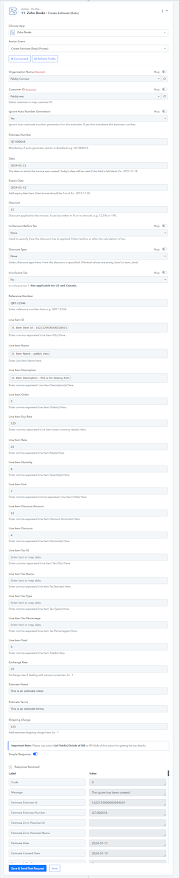
We've removed the "Reference line item Tax ID" field from the action step of creating an estimate in Zoho Books. Kindly confirm from your end and inform us if it is functioning as expected.
Hey @ForealThank you for your patience.
We've removed the "Reference line item Tax ID" field from the action step of creating an estimate in Zoho Books. Kindly confirm from your end and inform us if it is functioning as expected.
Thank you so much.
I noticed there's a "Create Estimate (beta)". It works now.
But i am facing another challenge.
While the automation works, it will encounter an error if the customer already exists. Is there a way to set a condition that if the customer exists, maybe using email as a unique identifier, find the contact and use that to create the Estimate?
Thank you so much for your relentless support, I'm grateful.
Ade
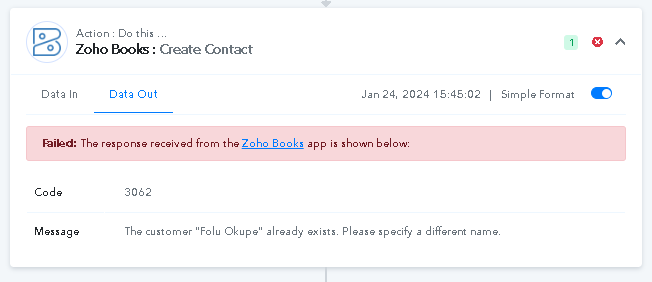
For this use case you can add a Router to your workflow in this manner. Please check out this workflow for reference.
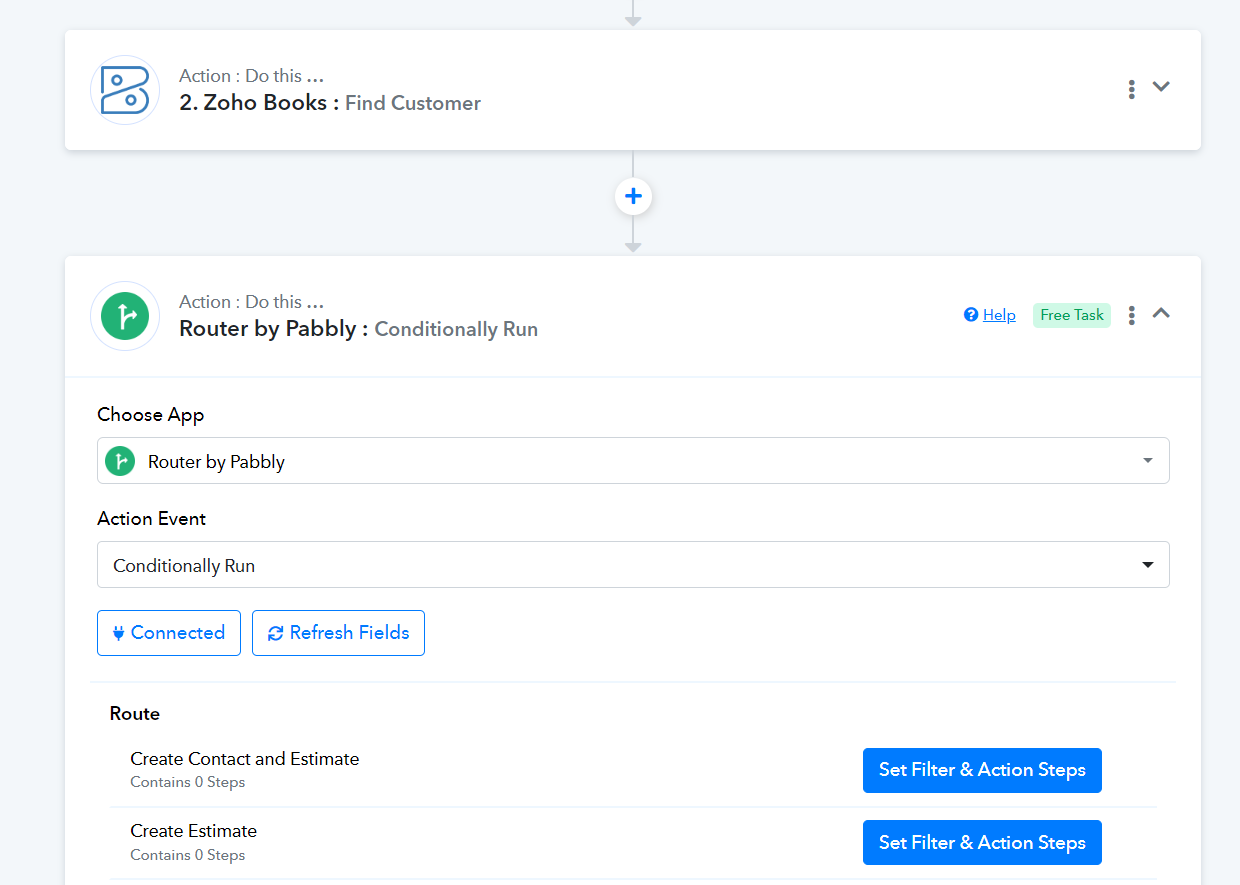
Thank you so much. I have followed this instruction.
Now at the latest issue, I am not sure of the filter to use to accurately get what i want.
Kindly check and suggest.
https://connect.pabbly.com/workflow/mapping/IjU3NjUwNTY4MDYzNjA0MzI1MjZjNTUzZDUxMzIi_pc
For this use case you can add a Router to your workflow in this manner. Please check out this workflow for reference.
Please check out the reference workflow I shared above; I have already set the filter conditions for your use case.
Please check out the reference workflow I shared above; I have already set the filter conditions for your use case.
Sure, i set up the conditions properly, as seen in the image.
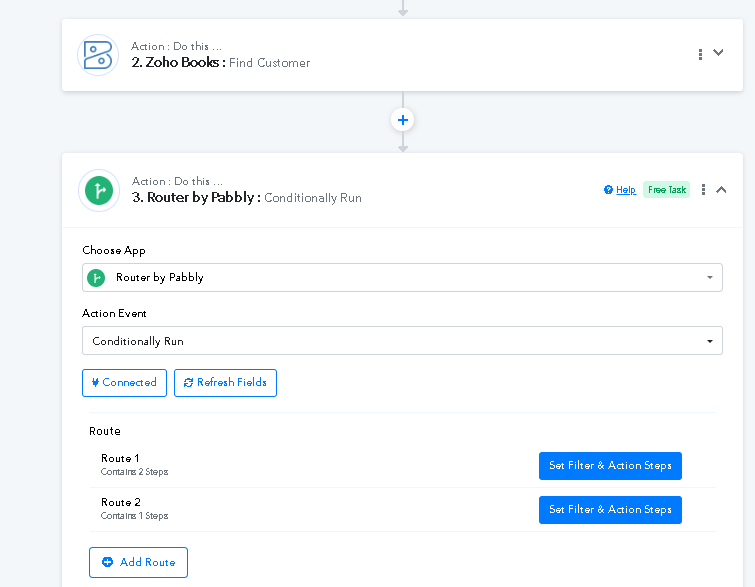
Picture 2: However, the exact "filter" is what i'm having issue with: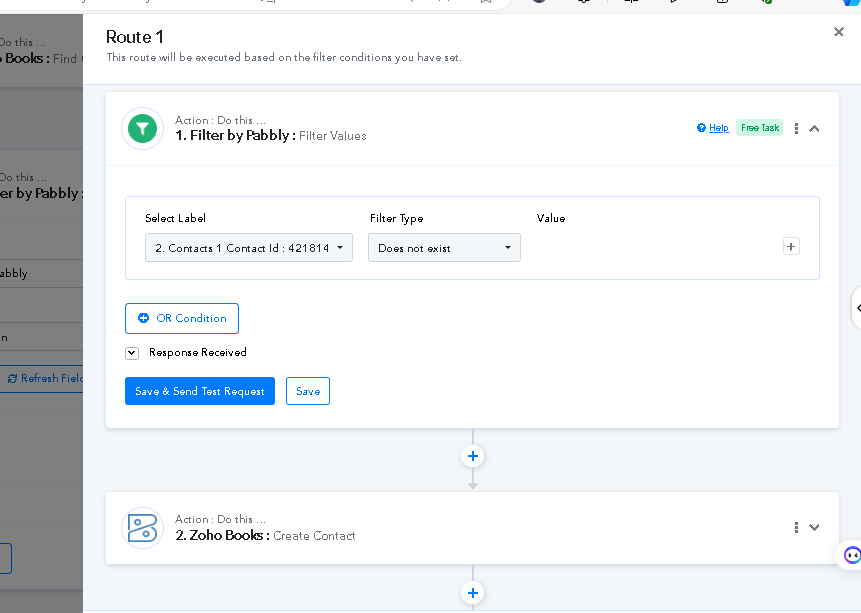
Sure, if the contact already exists, you can use the Zoho Books: Get Contact by Email action step and set up a condition using a router.
If the contact exists, update the contact; otherwise, create an estimate. Please review all the available action events within Zoho Books for more options.
It's me again. There is definitely something not working in this zone...
so i used the filter properly, but it shows me 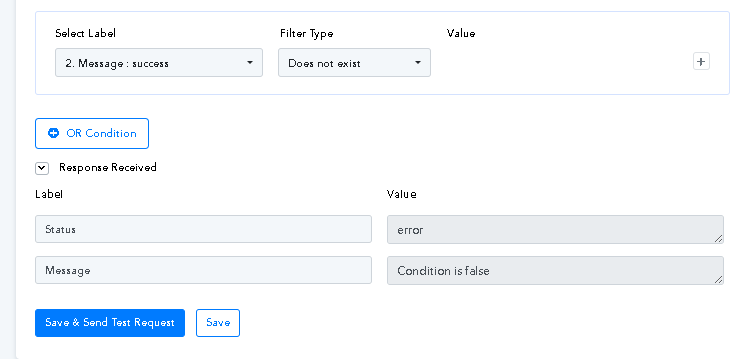
i was thinking logically, the status should be "success" and message should be "Condition is false".
This is what it shows when the filter is correct:
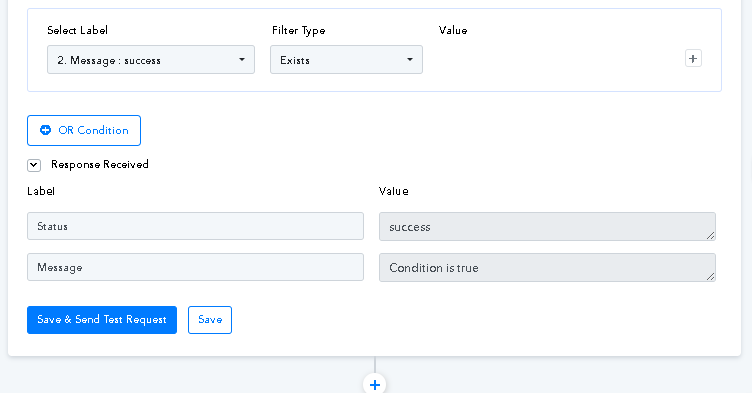
I have asked assistance from chatgpt and bard, and here's a reply from Bard:
Here are some possible explanations for the "Status: Error" message:
- Pabbly Connect might be misinterpreting the "Message" field value. Ensure the field name and condition operators are entered correctly (e.g., "Message" instead of "message" and "contains" instead of "equals").
anyway, the implication of just going on as it is is, the zap just does not work. I do not get any thing in Task History as if anything even happened.
I hope i was able to explain this issue properly.
I have set the proper Filter conditions of both your Routes on your behalf.