Creating sub-folders within folders - Google Drive
Status: Closed · Asked by Francis Rodino on · 0 views
I need to create a sub-folder within a sub-folder within a folder etc...
Is there no way to navigate Google Drive folders in Pabbly? Currently I see we only have access to the rooft folder and one sub-folder (only one level down)
Please advise?
Francis
Hey @Lead Hero
It seems like you have passed the subfolder id in it, whereas to get the subfolder details from that parent folder you need to pass the parent folders' id in the field.
Please check out the following screenshot-
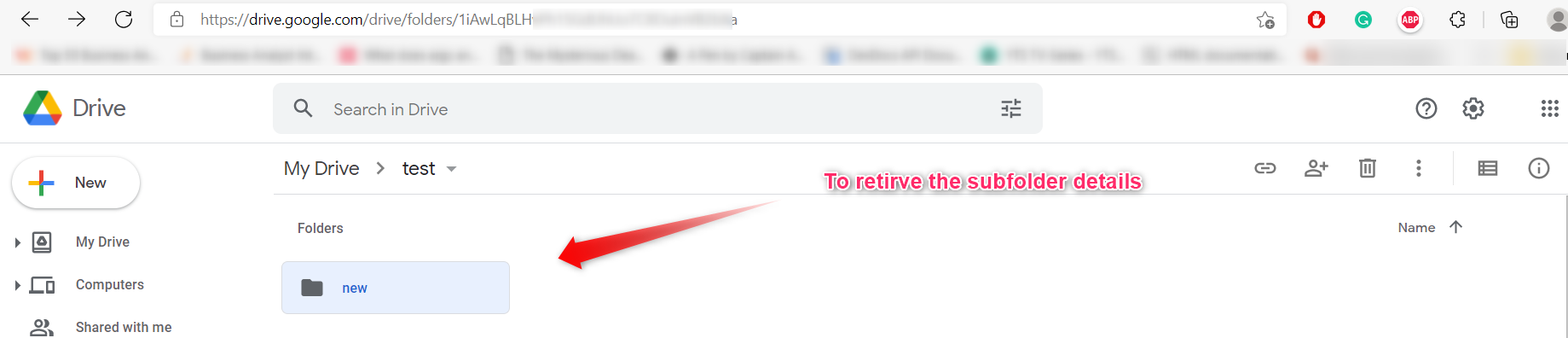
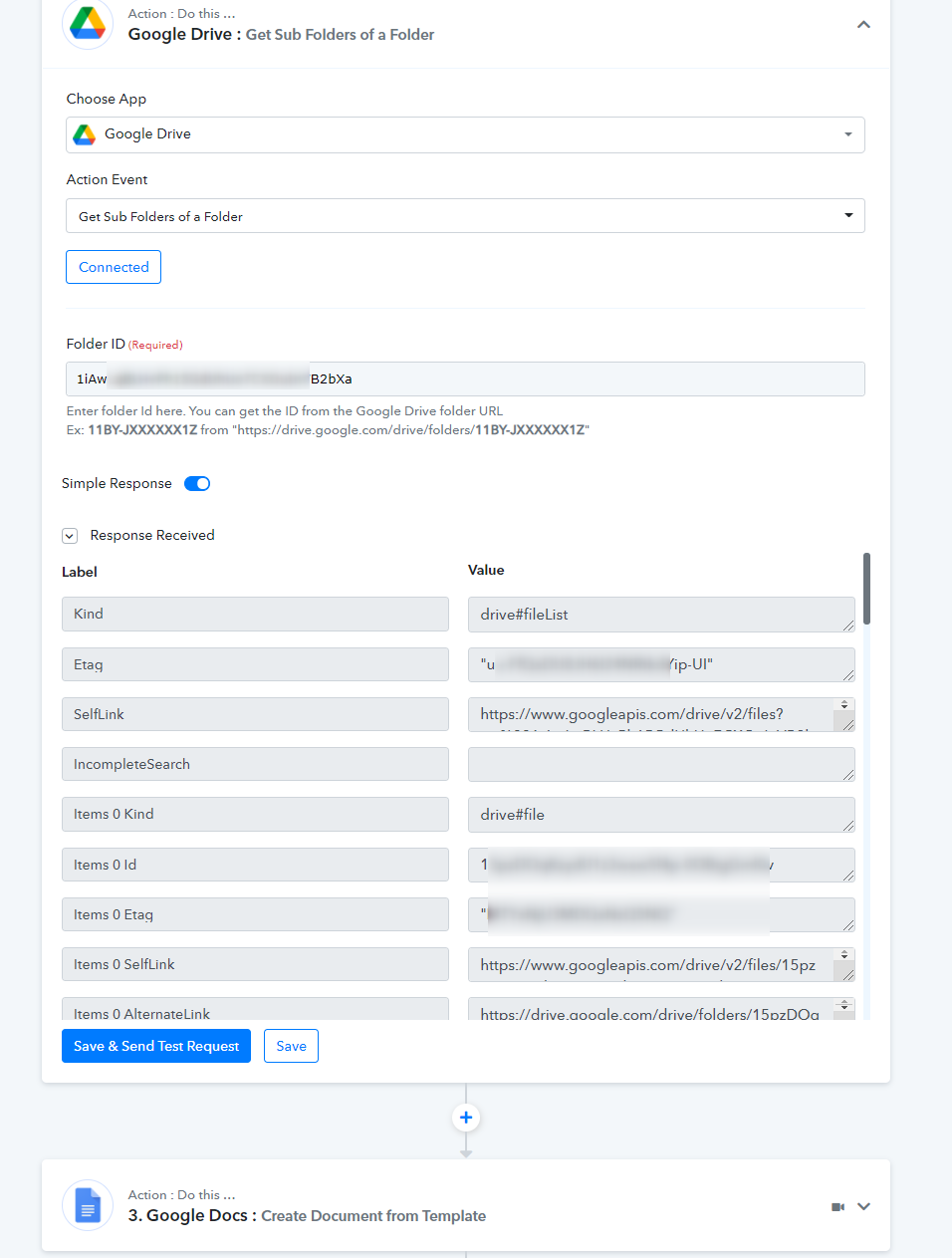
Hey @Lead HeroIt seems like you have passed the subfolder id in it, whereas to get the subfolder details from that parent folder you need to pass the parent folders' id in the field.
Please check out the following screenshot-
Currently this module is built on the API v2. I need to get subfolders of a folder in a shared drive.
https://www.googleapis.com/drive/v2/files?q="{parent folder ID here}"+in+parents+and+trashed=false+and+mimeType="application/vnd.google-apps.folder"
the supportsAllDrives=true must be included in the query in order to support shared drives.
Hey @BusinessOnSteroids
Regarding your concern, you can use the following action step where you need to pass the Id of the Folder only.
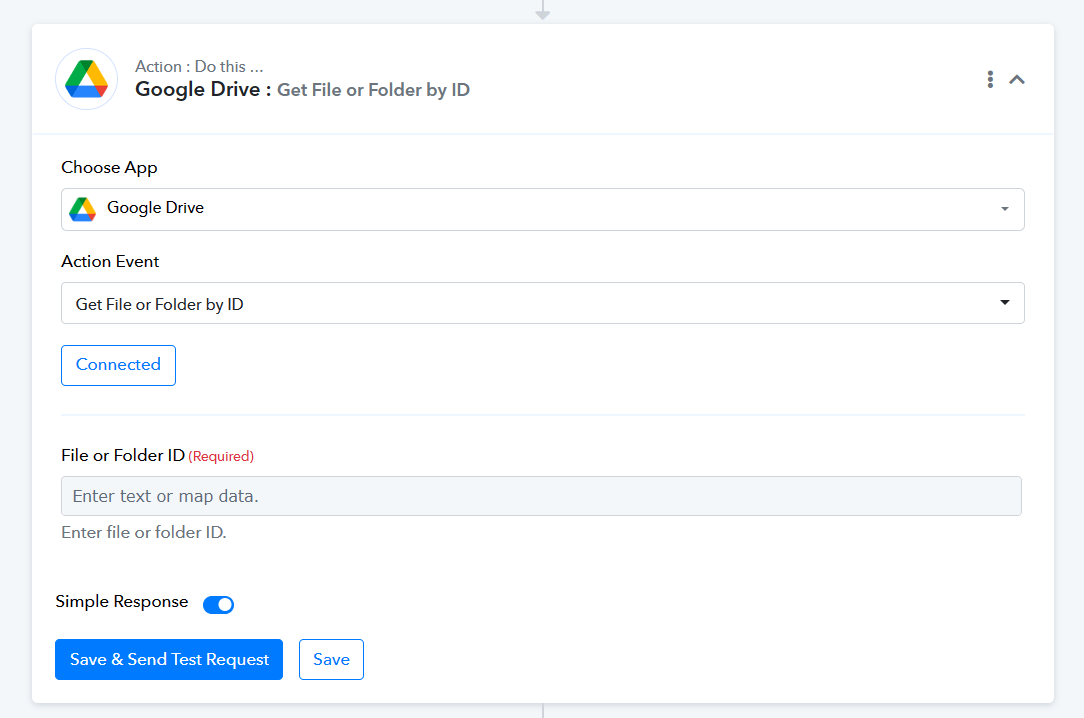
Thank you @Supreme please allow me some time to check if it can be used as alternative, I'll keep you posted.
Unfortunately, "Get File or Folder by ID" only return the folder itself thus It's not acceptable.
Please give me another solution to retrieve folders in a subfolder
(eg. https://drive.google.com/drive/search?q=type:folder parent:{parent folder id}
OR
https://www.googleapis.com/drive/v2/files?q=supportsAllDrives=true+"{parent folder ID here}"+in+parents+and+trashed=false+and+mimeType="application/vnd.google-apps.folder")
Please check the following screenshot and then try accordingly.
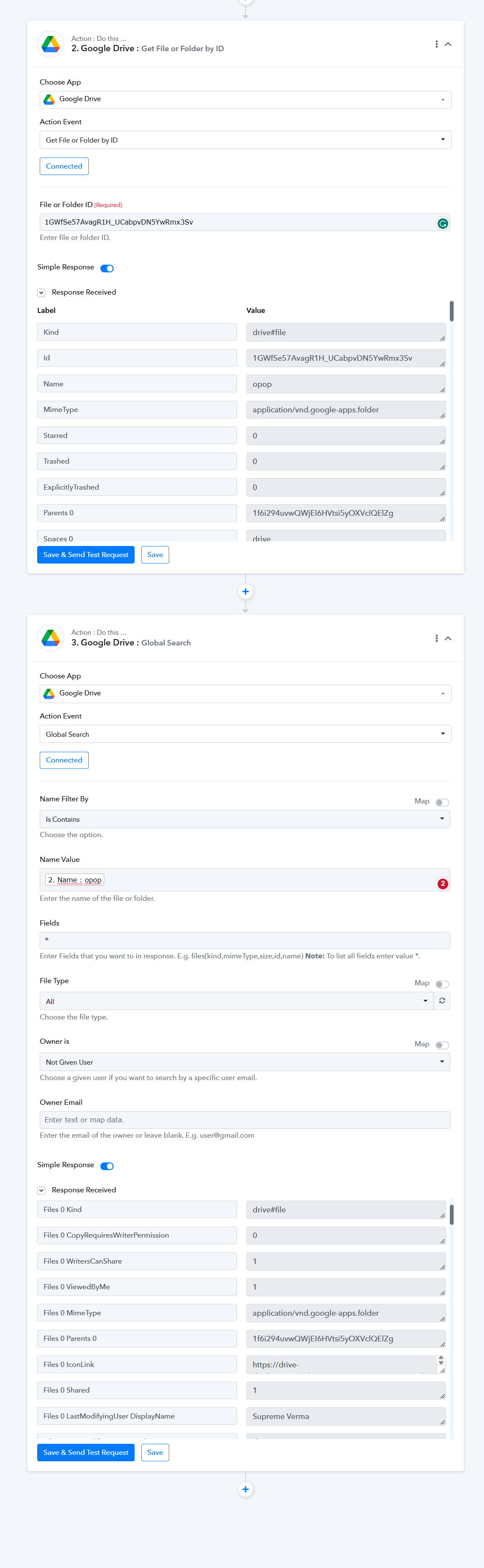
Please check the following screenshot and then try accordingly.
Thank you.
But again, unfortunately, I can't use that method as It uses the folder's name as the only key which is not unique.
Probably you don't have many folders with the name "opop", but I have approx. 700 folders with the very same name. See attach for reference.
Please provide another solution or give me the possibility to customize the search query by hand.
I tried injecting it in the field but it didn't work and I don't wish to pay for a service that I need to hack in order to make it of some use for my projects.

We are currently looking into the possibility. So, please allow us some time.
We have made some adjustments in the Google Drive: Global Search, so please give it a try.
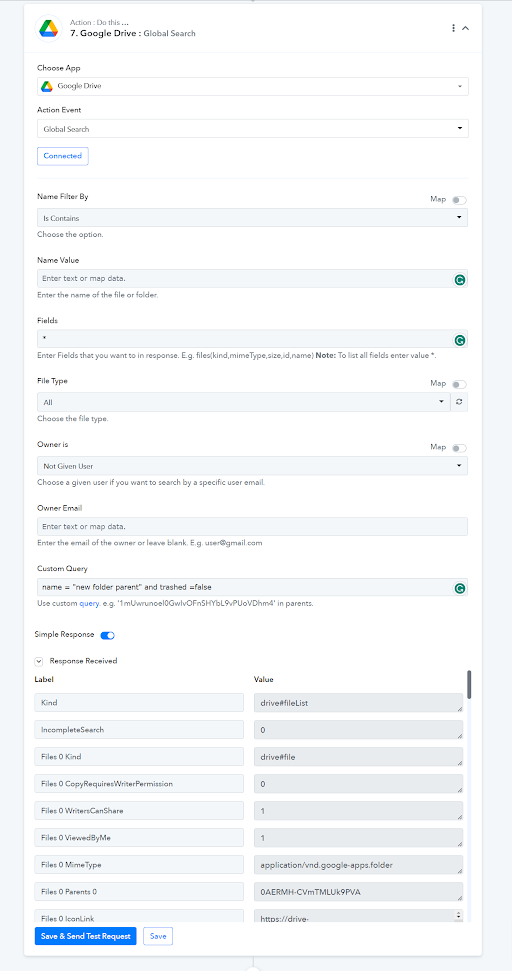
I love it. This feature is all I needed. I've just fixed 3 of my workflows in 15 minutes that I've been working on all night for days!
The custom search is so powerful that enables you to filter ANYTHING from your drive, by name, id, parent folders, metatype. You can get whatever you want with a single request. A tutorial would be great for your customers who work with Google Workspace. Maybe one day I'll do it myself, and if thas happens I'll tag your channel on youtube.