custom column Heading fields
Status: Open · Asked by WSC Image on · 0 views
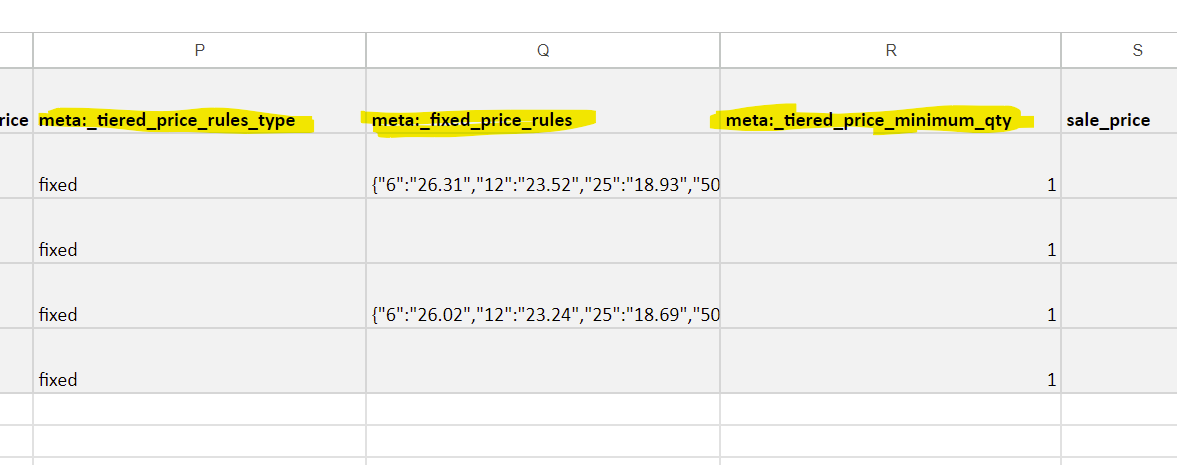
Maybe I dont see it but... when creating a new product via google sheets can I not add custom fields and link them via pabble. i know the field works cause I manually update them with excel but in pabble I don't see how I can add these fields. example
meta:_tiered_price_rules_type
This doesn't show up in my fields but I want it to cause I need the value in there to process
Hi @rickwsc,
Could you please elaborate a bit more on your exact concern and to which application it is related? Also, could you share the Workflow URL in which you have this concern?
here is the work flow url - https://connect.pabbly.com/workflow/mapping/IjU3NjUwNTZiMDYzZjA0M2Q1MjY1NTUzMTUxMzYi_pc
i am trying to use pabble connect to add new products in woo commerce with google sheets
how do I create custom headers in pabble connect so that it maps all the headings I need
Example attached of my sheets headers and my pabble workflow where those headers are not listed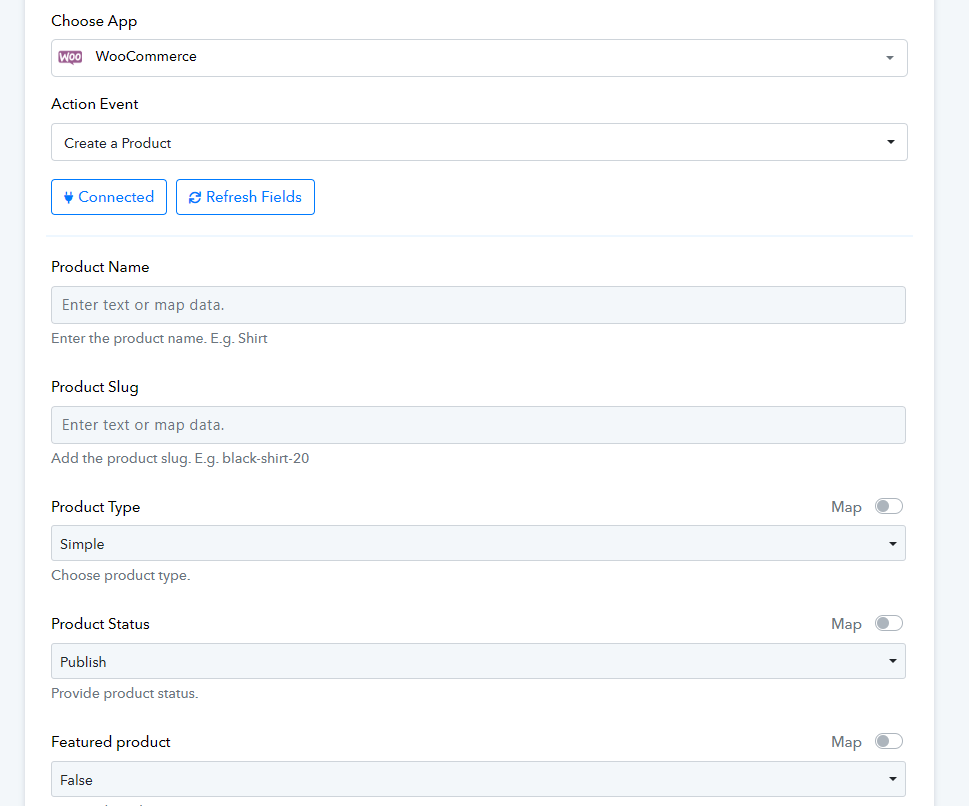
Hey @rickcmhp
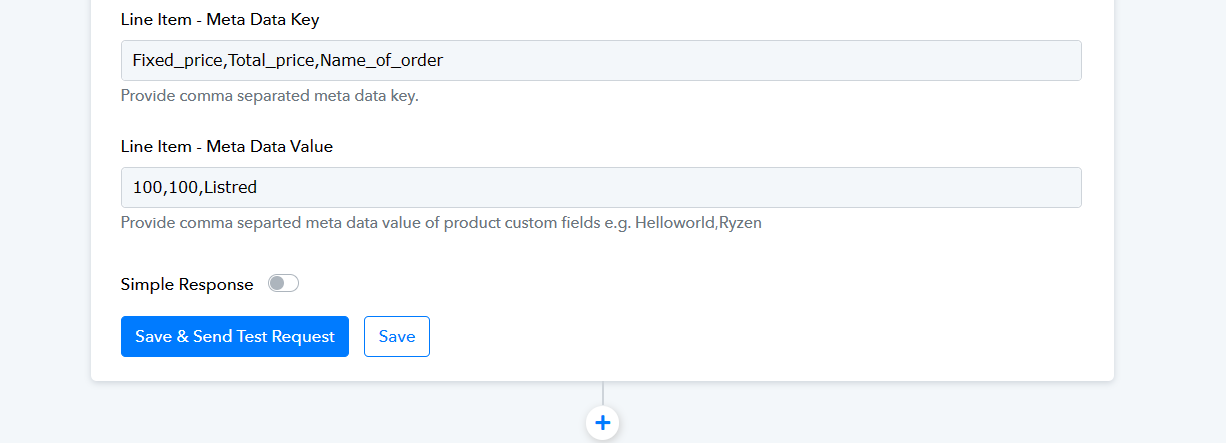
In WooCommerce: Create a Product you can pass the metadata in the Meta Data Key and Value fields separately.
Please check the following screenshot for the same.
i cant seem to get it to work. is there someone that I can hire to create this workflow for me?
Here is a list of Pabbly Connect experts. They have shared their contact details; you can hire them to create and manage your workflow on your behalf.
https://forum.pabbly.com/threads/pabbly-connect-experts-and-consultants.22/