Custom Klaviyo Fields
Status: Closed · Asked by mgoess on · 0 views
How can I add more fields to send to klaviyo?
This is the flow we have https://connect.pabbly.com/workflow/mapping/IjU3NjUwNTZiMDYzZjA0M2M1MjZiNTUzYzUxM2Ei_pc
And I would like to send more fields/data that we have captured but can't see an option to add more fields.
Also, what do I enter in the 'Profile' field to update/add new profile? Or do I leave this as it is?
Thank you,
Markus
Hey @mgoess
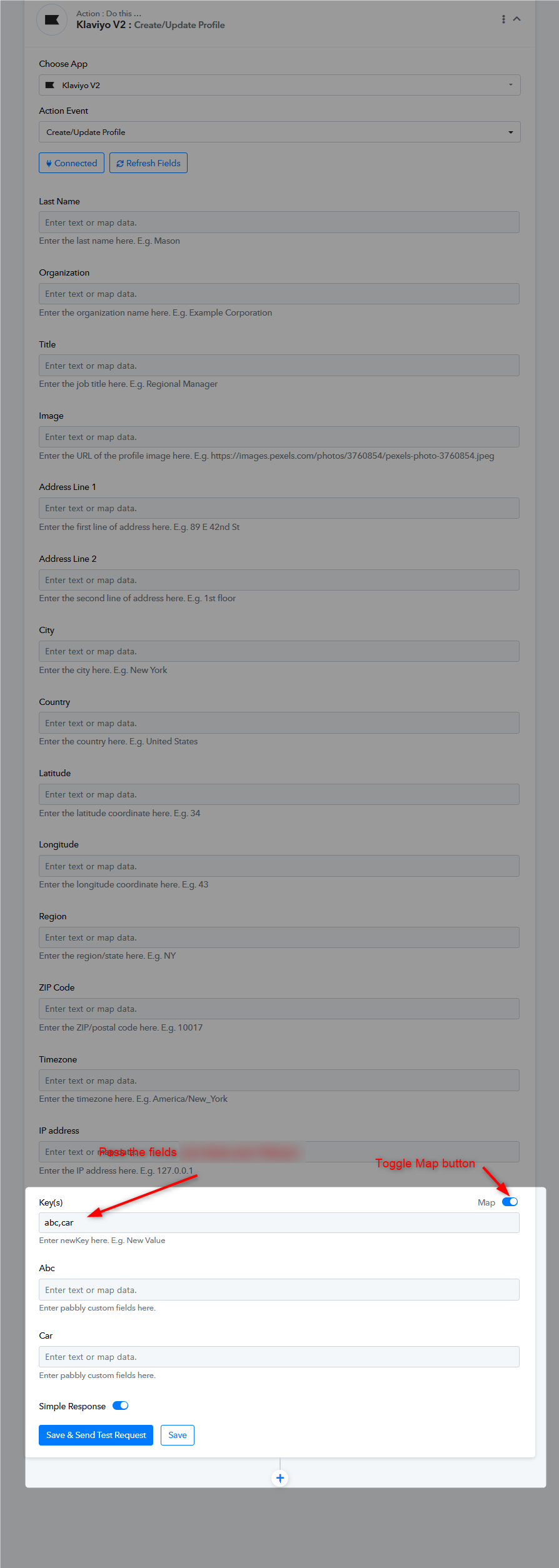
And I would like to send more fields/data that we have captured but can't see an option to add more fields.
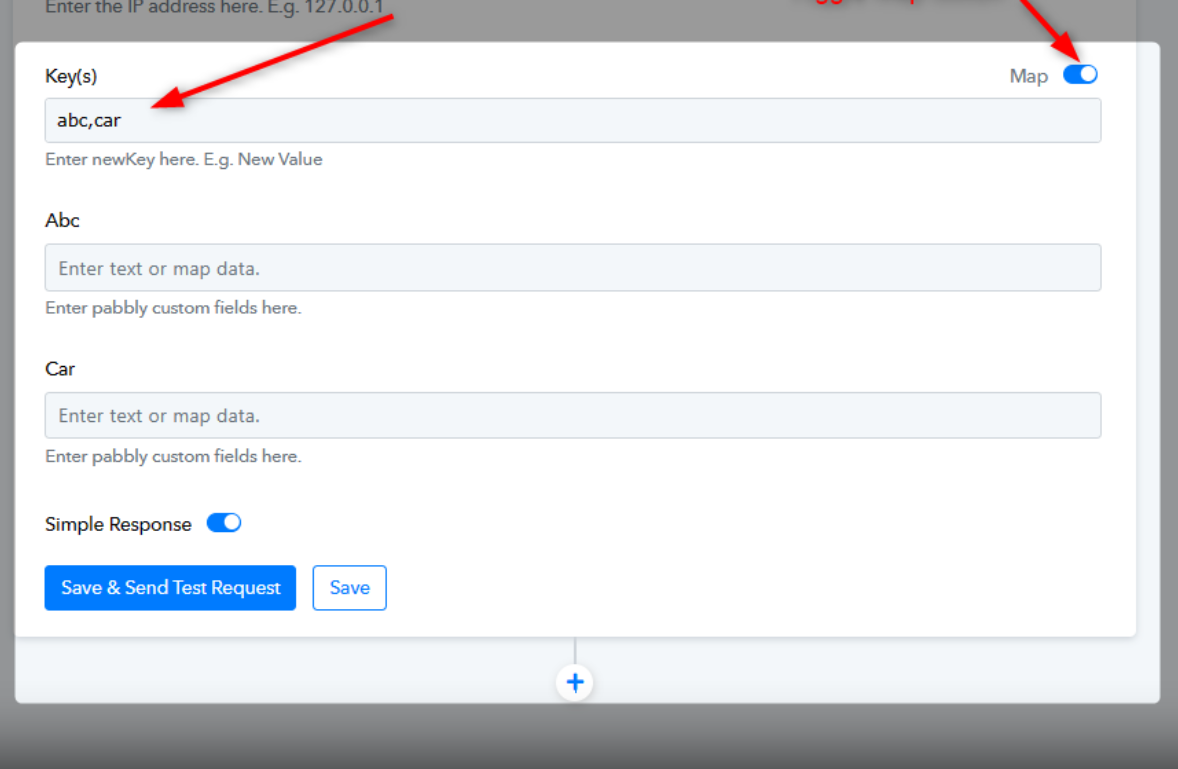
Please refer to the following screenshot to add more fields in the Klaviyo action step.
Also, what do I enter in the 'Profile' field to update/add new profile? Or do I leave this as it is?
You can leave the Profile field empty if you are creating new profiles from your Klaviyo action step. However, if you are updating the profile, you need to pass the profile ID by searching for it.
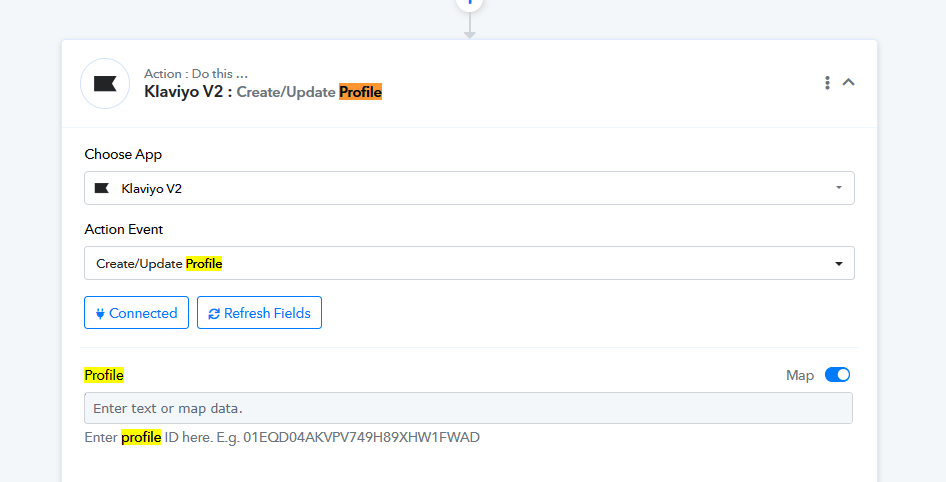
For me it looks like this. Is that right?
I have added a search step to find the ID. Is that right?
What do I then need to put in the third step?
Attachments
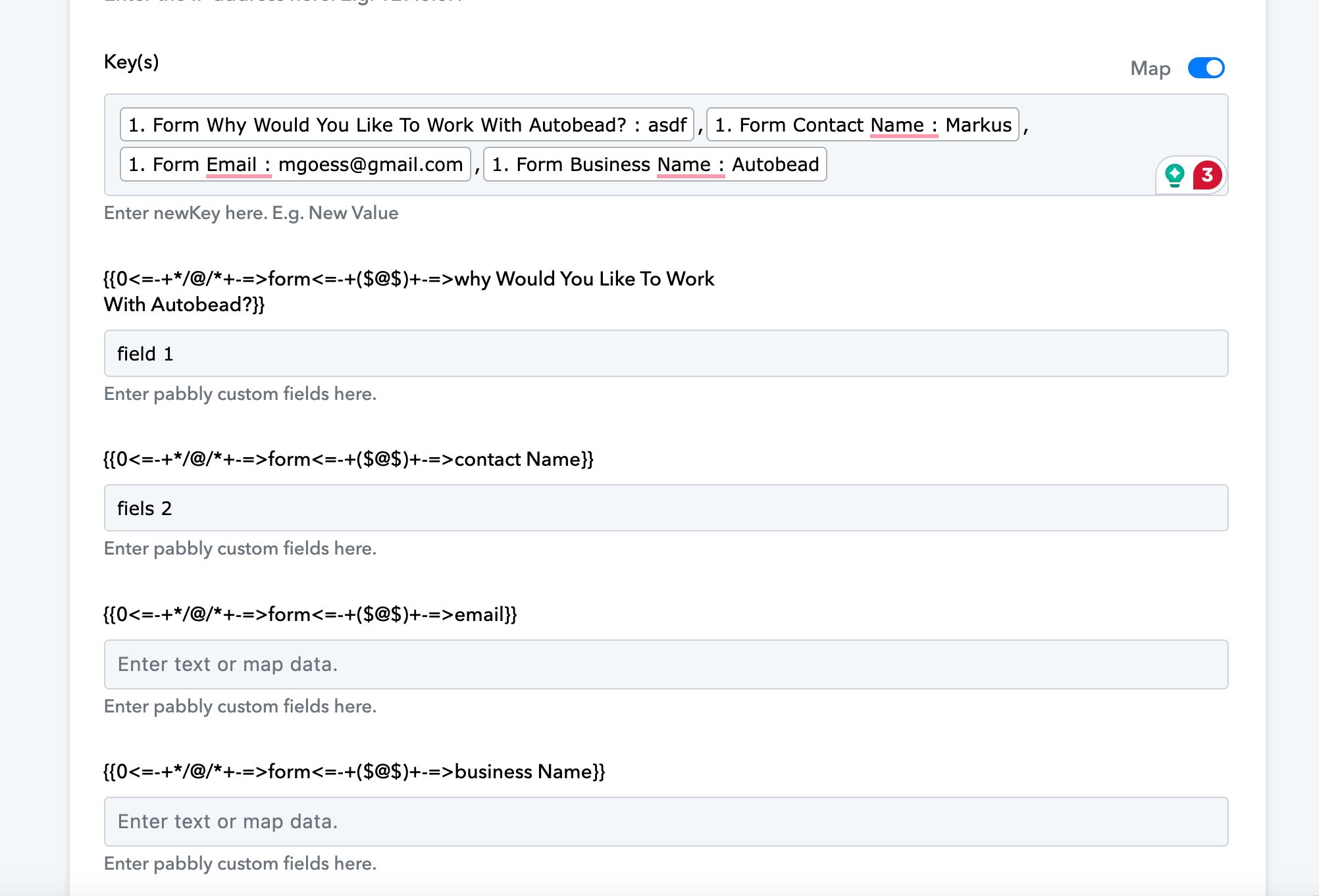
Hey @mgoess
It appears that you passed the values directly in place of the key, kindly manually type the custom field name in comma comma-separated manner and then try again.
Further, please try configuring the action once in the incognito mode of your browser.