Data Forwarder Webhook Not working
Status: Closed · Asked by jorgeczar on · 0 views
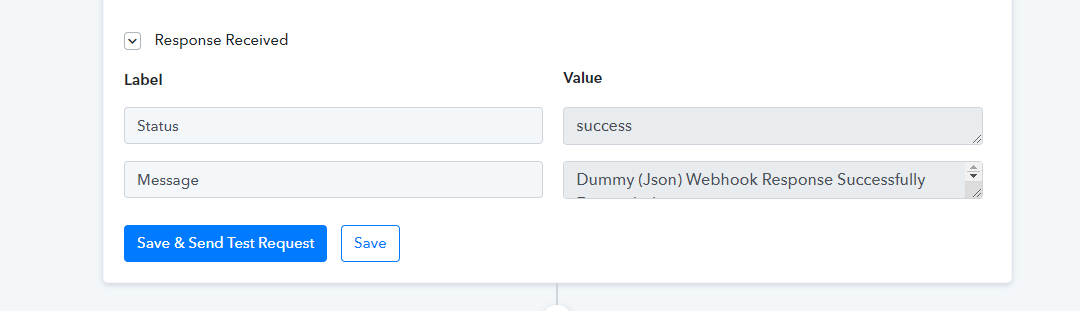
In the past data forwarder webhook is working on my autonami(Wordpress) Now it's not even working. When I test. It's only showing the status and message which is the json check image below. It should be the data from the webhook data In my first step before this sending data using the dataforwarder "Webhook".
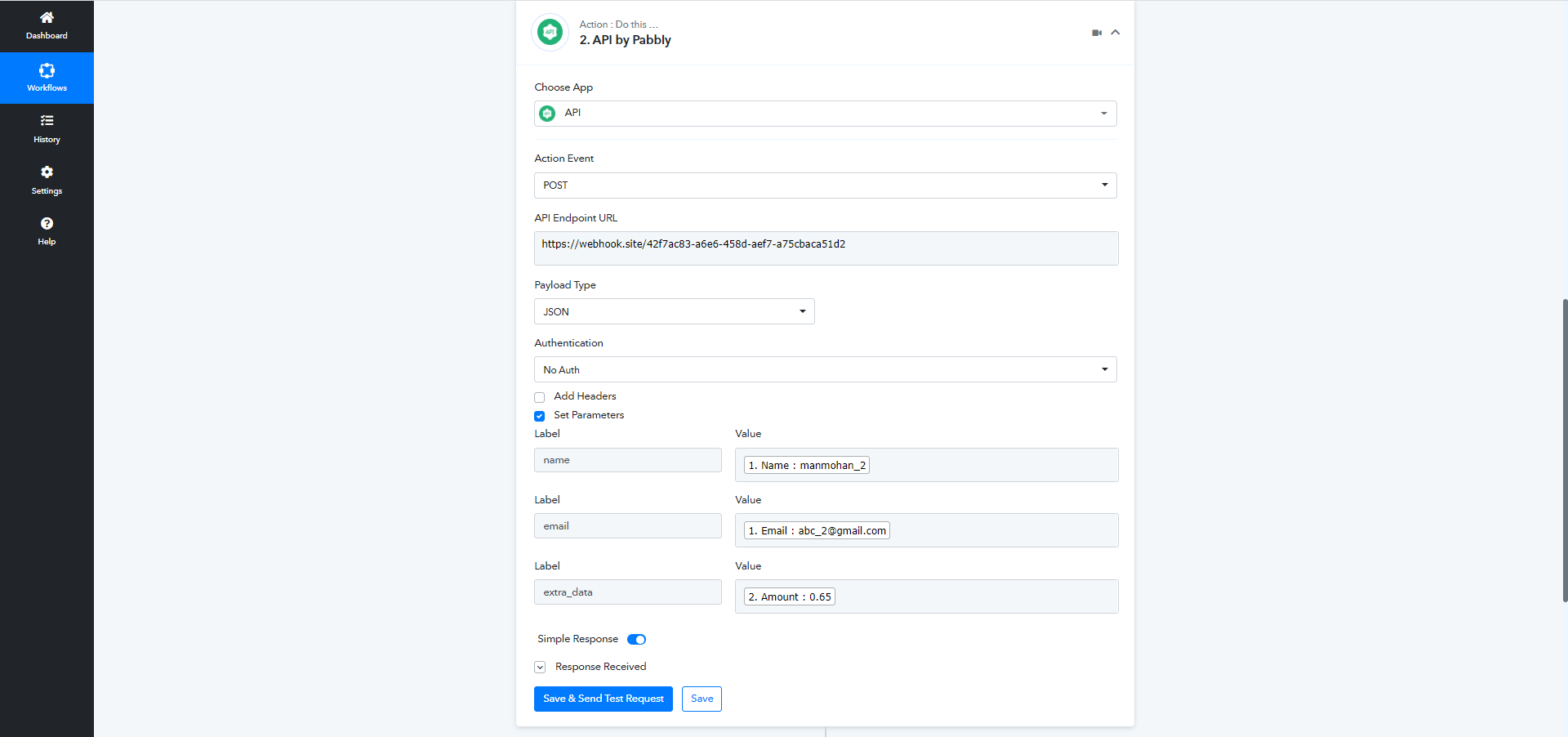
And also what's the meaning of label and value I added with the email. I tested it and it's not working but in the past I manage to get the data. But now it's not. Can you please check this and plus you don't have any tutorial for webhook using dataforwarder you only have json
Hey @jorgeczar
We cross-checked the "Data Forwarder by Pabbly: Forward Webhook" at our end and it is working accordingly. And for your concern, the action event wouldn't show any response of data in the API response with success status. Though it will forward your data to the passed webhook URL accordingly.
Further, the Label and Values are the query parameter if you want to add some fields to pass on the data further to the API.
Regards
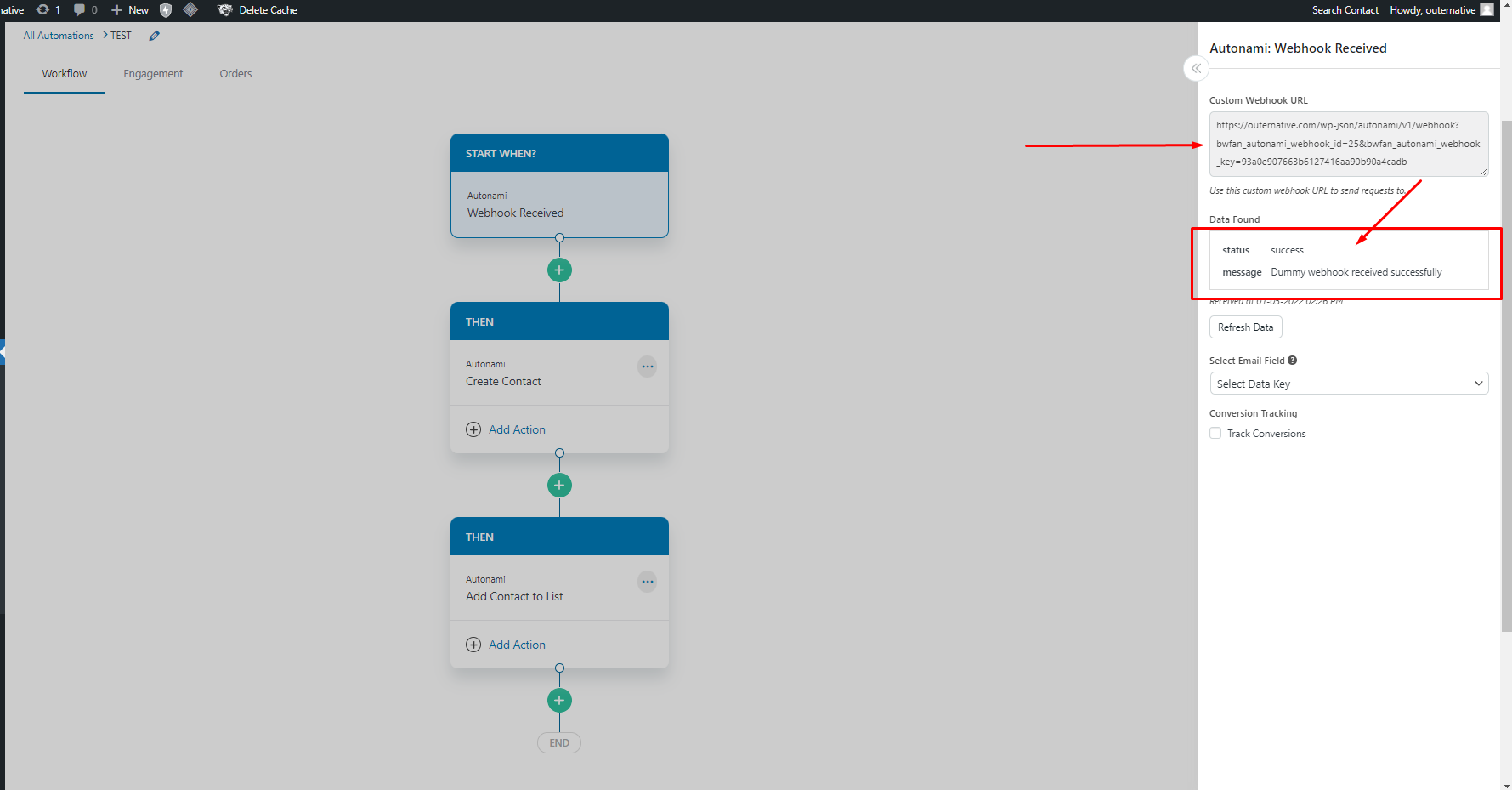
Yes it's perfectly working. But the problem is the other application who get your data from your JSON doesnt recognize it all. So I have an webhook url from my FORM at the first step and sending it using data forwarder but the problem is I cannot see the data itself and when I tried to get the data from the webhook data forwarder as you mention. The application Autonami only recognize Message and Status. not the data itself from the previous webhook from my form.
The data from previous form is the email I created in the image as you mentioned that is a query parameter to add some data to the API but it doesnt recognize at all
Hey @jorgeczar
As we have tested the data is perfectly being sent to the calling webhook URL. Currently showing the data in the API response might not be possible.
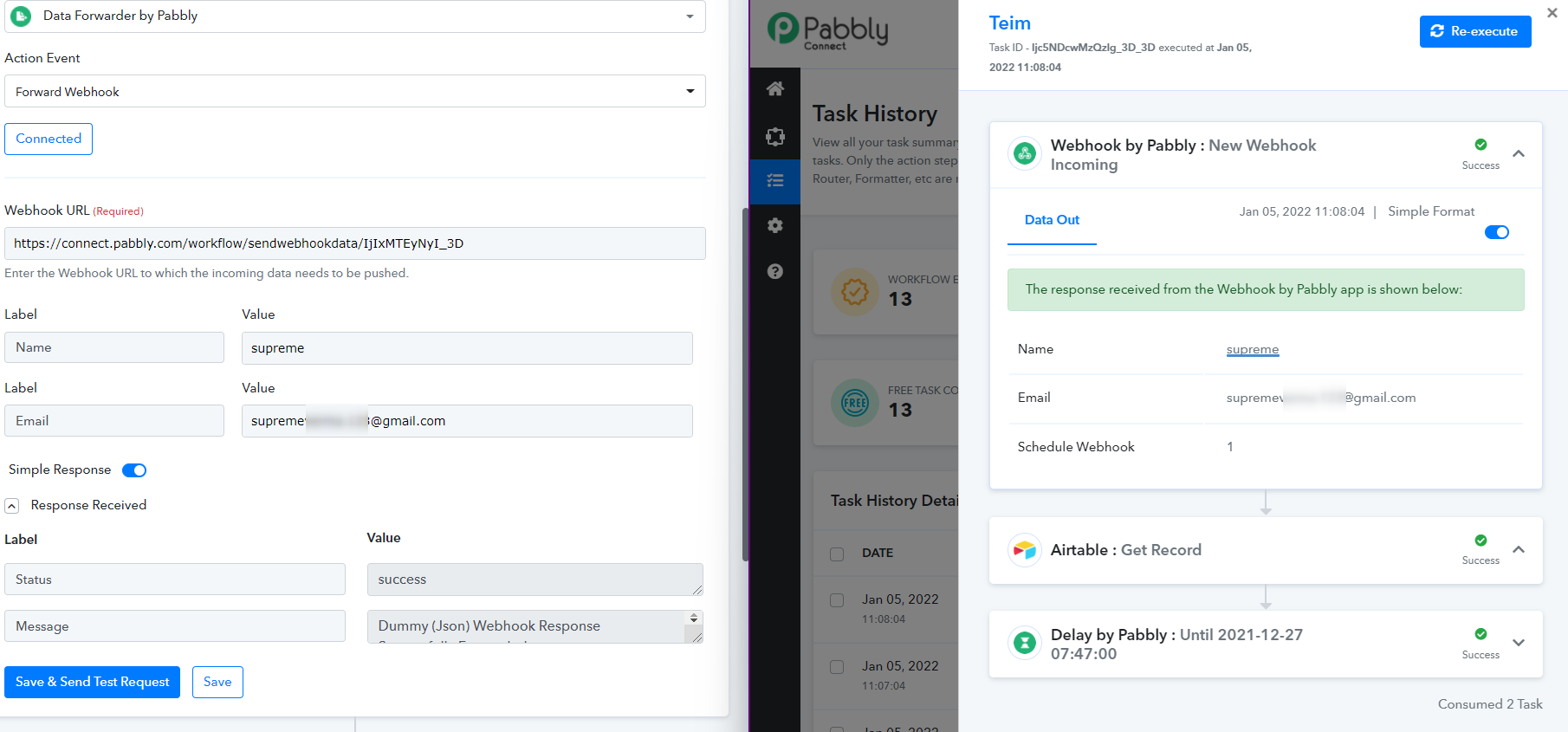
Although we are currently looking into the possibility of your cocnern. Kindly let us know if you need any further assistance.
Thanks
Yeah that's working on your end but it's not working on my webhook data forwarder 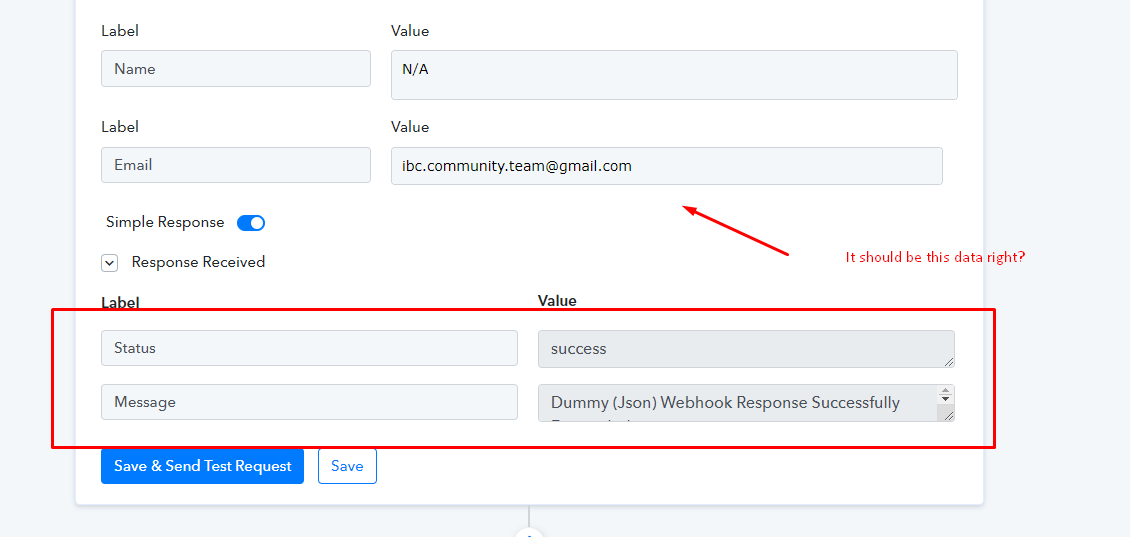
Hey @jorgeczar
I think I may not have explained to you clearly and informed you about the change. The "Data Forwarder by Pabbly: Forward Webhook" only forwards the webhook data from the current workflow's webhook response to the destined webhook which was set up when it runs in a live execution. It wasn't supposed to send the additional data by adding the fields with Label and Values.
Though when we do the "Save & Send the Request" setting up the action event in the Workflow it will send the response with Dummy JSON. But when you perform the real execution it will work accordingly and shows the data to the destined API where the data has been forwarded.
[IMG alt="1641392895691.png"]https://forum.pabbly.com/attachments/1641392895691-png.6719/[/IMG]
Further, to clear out the confusion while setting up the action event, we have removed the + button to add the fields.
Also, if you want to send additional data to your application/webhook, you can use the API by Pabbly for that. Please check out the following screenshot for a better understanding.
Thanks
so How we supposed to check if it's workin' or not? :D
I just use the API
Hey @jorgeczar
You can check the response by executing in live workflow or you can check it after in the history log of your workflow.
Thanks
Fix it :) thanks for your help