Data isn't showing in my workflow
Status: Closed · Asked by Karim Emara on · 0 views
Here is an image of my test sheet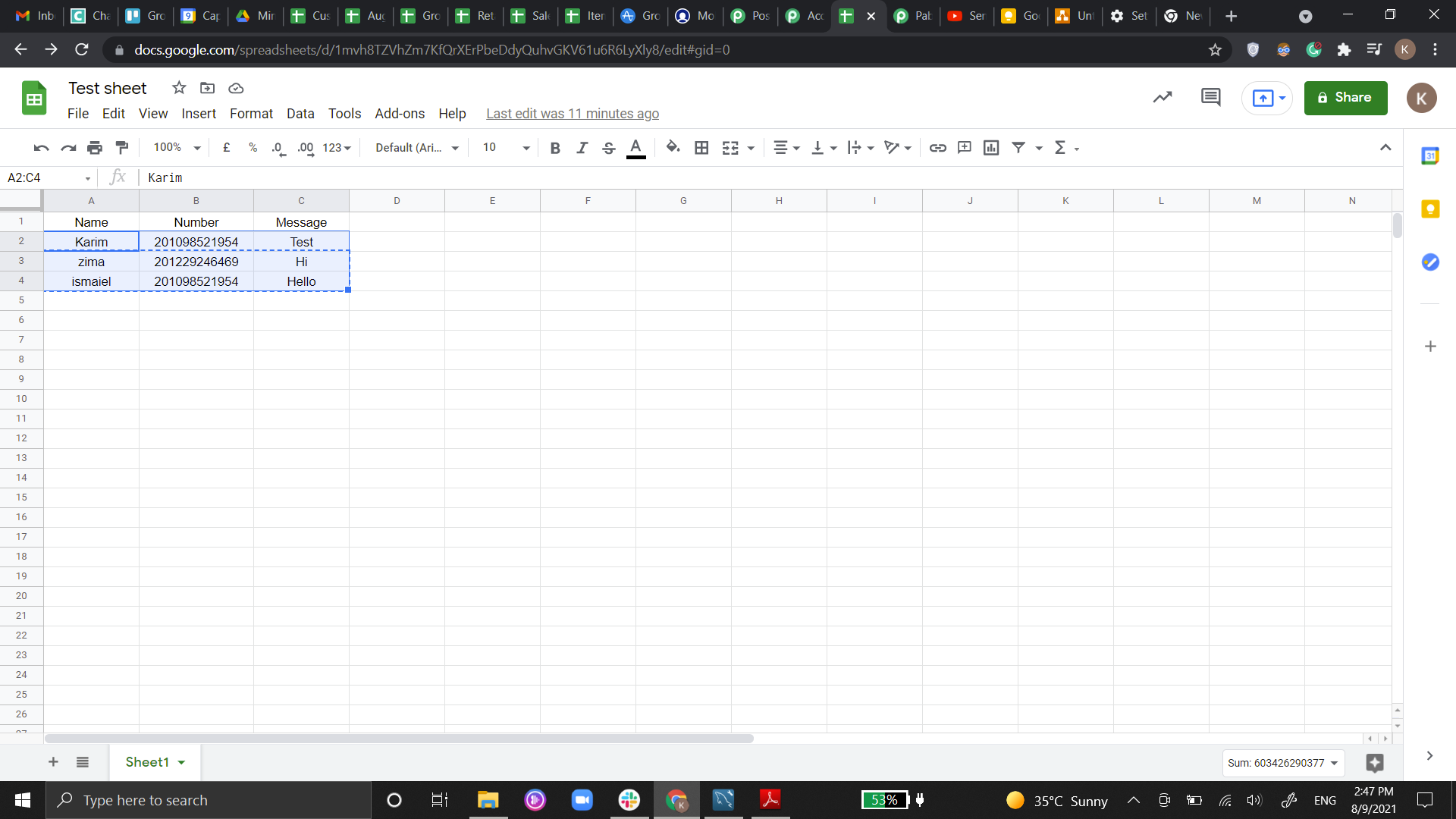
but here in iterator it only shows the first row of the sheet and it doesn't recognize the rest of the sheet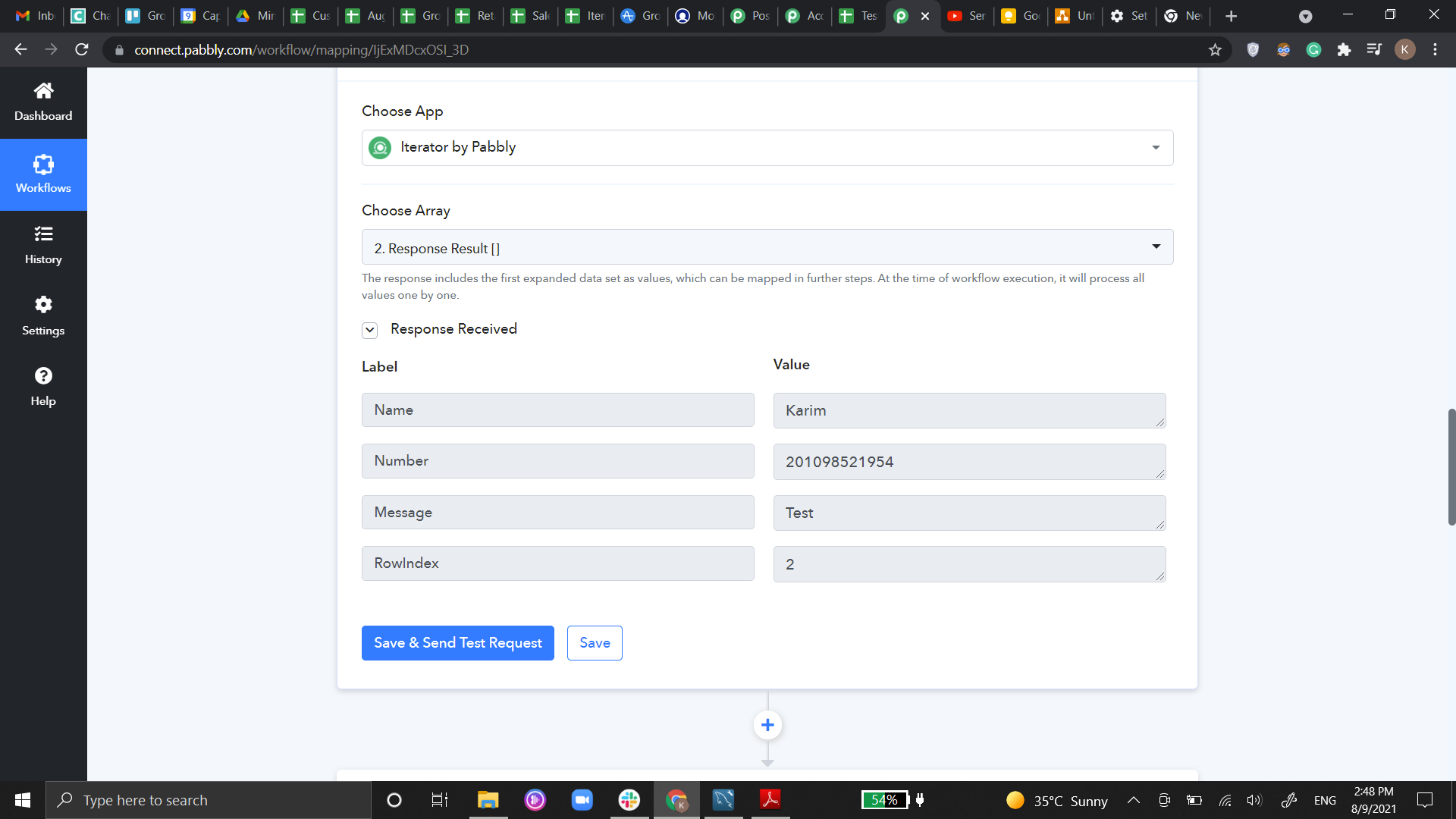
and here it shows only the first row in the data
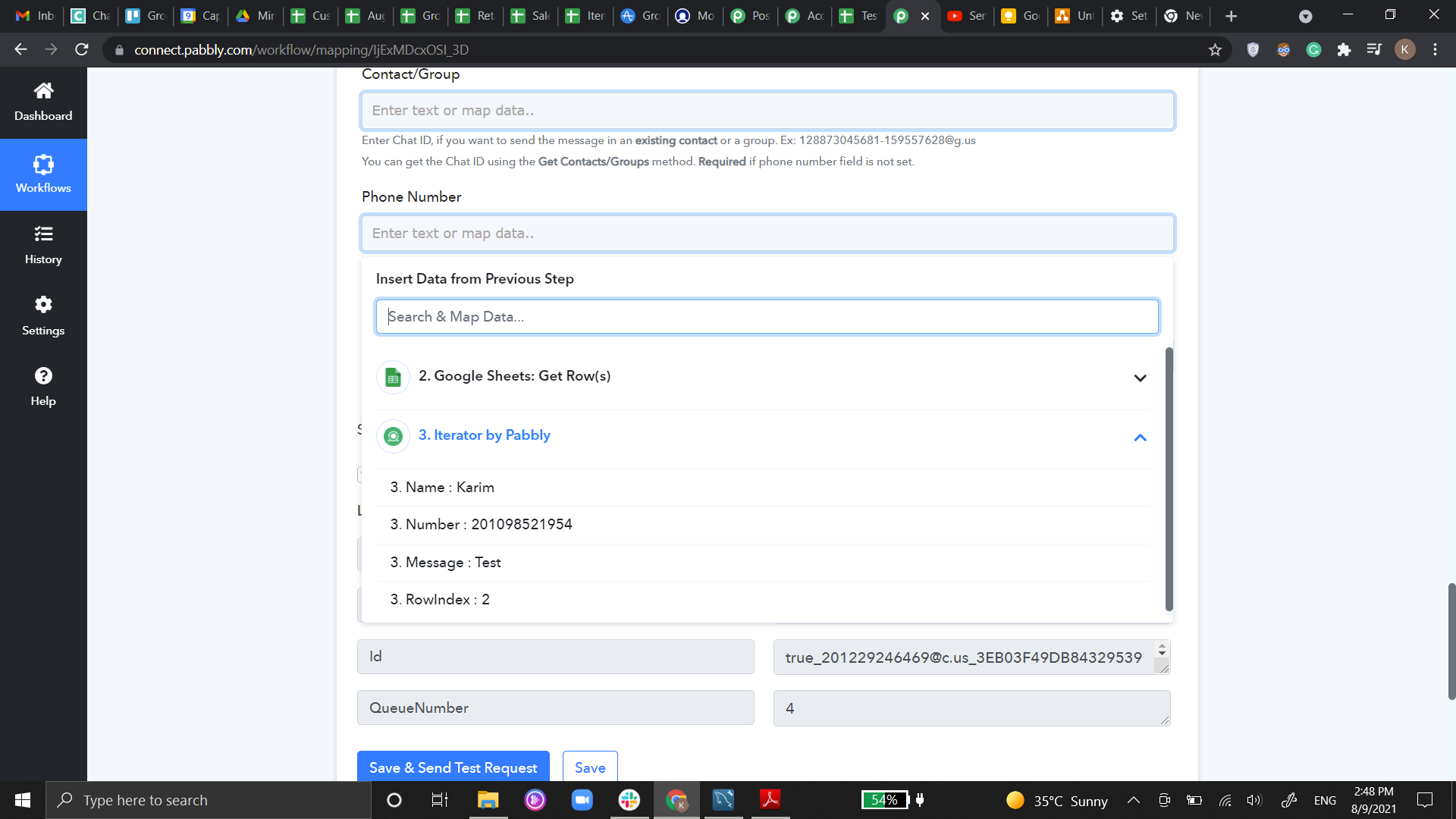
Be advised Im looking to send automated messages every week or daily ( TBD ) and I wanted to send bulk messages with messages that change daily please advise me if its possible or no.
thanks
Hey @Karim Emara
here in iterator it only shows the first row of the sheet and it doesn't recognize the rest of the sheet
[IMG width="541px" alt="1628513323195.png"]https://forum.pabbly.com/attachments/1628513323195-png.2745/[/IMG]
The Iterator will only show the single row of your Google Sheets when setting up the workflow but while executing the workflow, it will take each and every row from the Google Sheets. In the next action step, the Chat API application will automatically fetch details from each row and will send the message to every user.
Thanks!!
I'm sorry but I didn't happen, it did not fetch the remaining rows only the first one I can't choose any other rows
You do not need to map all rows while setting up our workflow.
You can and you only need to setup/map first row data.
Other rows data will be filled in automatically when you actually trigger the automation.
Here you can understand how iterator module works in pabbly connect -
How many steps after the iterator are affected by the iteration - one or the rest of the workflow?
Rest of the workflow.
Rest of the workflow.
That is a weird design decision... Oh well, not the first one.
That is a weird design decision... Oh well, not the first one.
Why it is a weird decision
What exactly you are trying to acheive in workflow May be I can help you.
I'm building a plutio invoice out of woocommerce order
The order has multiple items (so an array) and every item contains an array of metadata. So I want to have 2 loops - one over items and for every item a loop of the metadata to add those key-value-pairs to the item, so basically loop inside the loop. With their iterator taking over the rest of the workflow i don't see how that can be possible.
I would really like to see the array in a screenrecording to help with exact solution.
What output you get when you pass woocommerce line items in iterator
May be try sending data to another workflow for 2nd loop using pabbly Api module.
If you want, you can PM me on fb messenger with screenrecording and I will take a look.
My messenger url is below.
Here's another headscratcher and also with arrays - adding an attendee to a google calendar event. Well, first I need to get all current attendees - okay, I did that. And then Pabbly suggests to add another json object to the array (which should not be passed as an array - another weird decision) {"email":"[email hidden]"}
So here's the question. Get Event returns either this (if I check Simple Response)
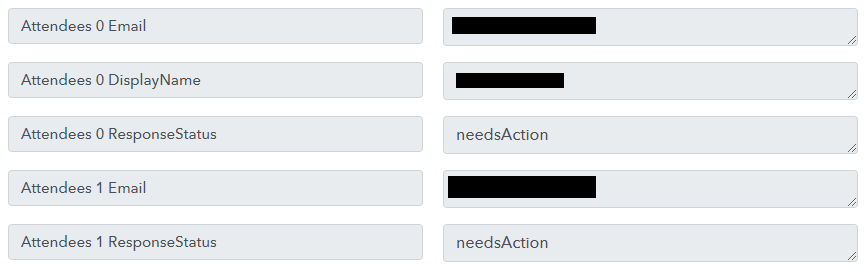
or this (a json array):

what's the easy way to take ANY of these, add another {"email":"[email hidden]"} email to it and send that to Add Guest to Event?
Also I will have arbitrary number of attendees, so I can't "hardcode Attendees 0->email, Attendees 1-> email and so on. I need either a string operator, or array iterator. I am lost - this needs to be simple.
Here's another headscratcher and also with arrays - adding an attendee to a google calendar event. Well, first I need to get all current attendees - okay, I did that. And then Pabbly suggests to add another json object to the array (which should not be passed as an array - another weird decision) {"email":"[EMAIL][email hidden][/EMAIL]"}So here's the question. Get Event returns either this (if I check Simple Response)
or this (a json array):
what's the easy way to take ANY of these, add another {"email":"[EMAIL][email hidden][/EMAIL]"} email to it and send that to Add Guest to Event
Also I will have arbitrary number of attendees, so I can't "hardcode Attendees 0->email, Attendees 1-> email and so on. I need either a string operator, or array iterator. I am lost - this needs to be simple.
After some trial and error I was able to get array of emails of existing email ids in pabbly's desired format for Adding Google Calendar Event Attendees -
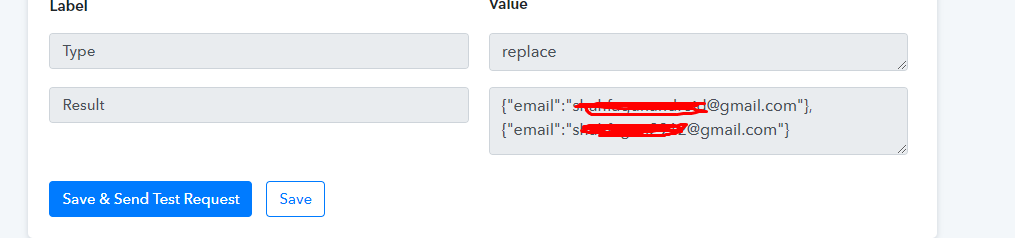
But to add new email addresses to that array, I need to know in which format are you getting New Email IDs Can you share the screenshot of that
it's just an email - [EMAIL][email hidden][/EMAIL]
See, my point is it should not be this hard - web automation is not about gluing the whole thing together and praying it sticks together, it's about making things easy - and this is NOT EASY. I would have imagineed that inviting a guest to a google event would be as simple as specifying an event and a guest email, and Pabbly does the rest. Boy was I wrong :)
Well, I got to a similar point where you are - getting a list of emails (for which I need to know regex - how many people who use pabbly know regex???), 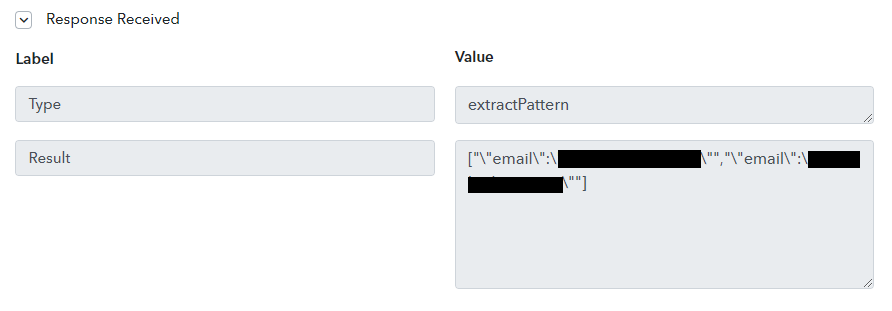
I can even turn it into an array and all that, but then I am again stuck with a simple operation of assembling an array into a string - THIS SHOULD BE SIMPLE.
I almost wish for node-red-like commands here :)
it's just an email - [EMAIL][email hidden][/EMAIL]
See, my point is it should not be this hard - web automation is not about gluing the whole thing together and praying it sticks together, it's about making things easy - and this is NOT EASY. I would have imagineed that inviting a guest to a google event would be as simple as specifying an event and a guest email, and Pabbly does the rest. Boy was I wrong :)Well, I got to a similar point where you are - getting a list of emails (for which I need to know regex - how many people who use pabbly know regex ),
I can even turn it into an array and all that, but then I am again stuck with a simple operation of assembling an array into a string - THIS SHOULD BE SIMPLE.
So this how you can get all the already present attendees in pabbly desire format and then pass extra attendee with them again to google calendar event -

@akudinov and I agree this little bit more complex for normal End User, so tagging @Pabbly to make get their attention to make this easier.
Let me know if you need any more help.
Alright, great idea, that points me in the right direction. The reason I can't use it verbatim is because google calendar Attendees list might contain many more permutations and attributes inside a single attendee object, so figuring them all out gonna be an impossible task. So basically here's how I am solving it, first regex all emails,
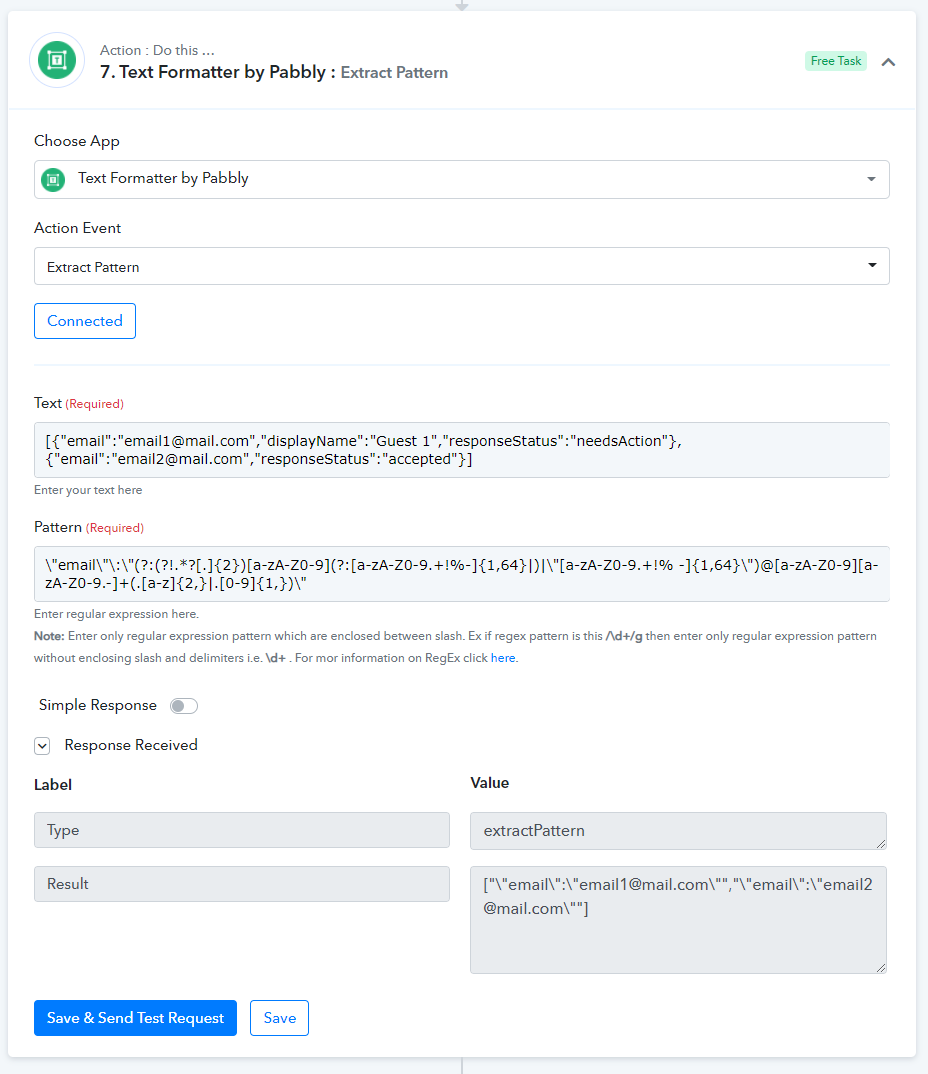
and then do 5 (FIVE!!!) text replacements (@Pabbly if you ever are looking to improve your text replacement - make it so we could specify a list of "from/to" pairs in the same action)
basically here's my list of replacements I did in that list (from -> to)
[" -> {
\" -> "
"" -> "
"," -> "},{"
] -> }
which results in what I need
{"email":"[email hidden]"},{"email":"[email hidden]"}
now I can add comma to that and {"email":"[email hidden]"} and then send it to google. So all in all it takes 8 (EIGHT!!! @Pabbly, seriously???) steps to add a recipient to a google calendar event. That's just bad, plain and simple.
Alright, great idea, that points me in the right direction. The reason I can't use it verbatim is because google calendar Attendees list might contain many more permutations and attributes inside a single attendee object, so figuring them all out gonna be an impossible task. So basically here's how I am solving it, first regex all emails,
and then do 5 (FIVE!!!) text replacements (@Pabbly if you ever are looking to improve your text replacement - make it so we could specify a list of "from/to" pairs in the same action)basically here's my list of replacements I did in that list (from -> to)
[" -> {
\" -> "
"" -> "
"," -> "},{"
] -> }which results in what I need
{"email":"[EMAIL][email hidden][/EMAIL]"},{"email":"[EMAIL][email hidden][/EMAIL]"}
now I can add comma to that and {"email":"[EMAIL][email hidden][/EMAIL]"} and then send it to google. So all in all it takes 8 (EIGHT!!! @Pabbly, seriously ) steps to add a recipient to a google calendar event. That's just bad, plain and simple.
This is still hard to do if people do not know how to use regex. So pabbly should improve this.
Do you know how to use regex or is there any tool to generate this regex
This is still hard to do if people do not know how to use regex. So pabbly should improve this.Do you know how to use regex or is there any tool to generate this regex?
I know it AND there's a tool - https://regex101.com/
I know it AND there's a tool - https://regex101.com/
Thank you for sharing the tool.