Date Time Formatter
Status: Open · Asked by mgoess on · 0 views
Hi,
I have this flow which has a Date/Time formatted step https://connect.pabbly.com/workflow/mapping/IjU3NjUwNTY4MDYzNzA0MzQ1MjZhNTUzMDUxMzIi_pc
This turns a field into dd/mm/yyyy format
I am trying to use it in the update contact in hubspot step but can't see it.
What do I need to do?
Thank you,
Markus
Hi @mgoess,
Please try using the date received in Date/Time formatter now.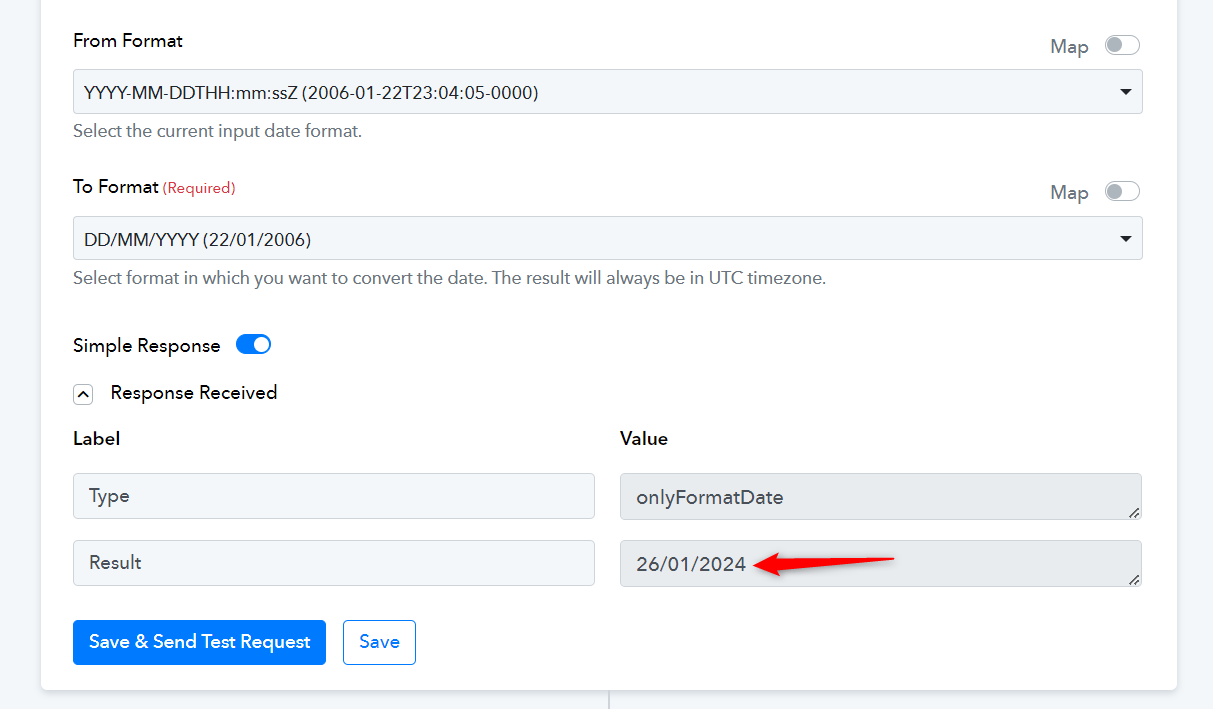
Thank you.
I have done that and tried to do a test and now get this error:
Property values were not valid: [{"isValid":false,"message":"26/01/2024 was not a valid long","error":"INVALID_LONG","name":"lead_enquiry_date"}]
What is causing that?
Kindly try passing date in the 'YYYY-DD-MM' format.

I have updated the date and tried rerunning previous tasks but I think it has caused multiple failures.
An example is here IjU3NjMwNTZlMDYzNjA0MzA1MjZiNTUzMTUxMzY1MTY2NTQzMiI_3D_pc
But there are many more which seem to be duplicates in the task history list?
The key you receive when re-executing your workflow is different from the one you receive during your workflow setup. Because of this, the email and other details are not being mapped to the action steps, and you are encountering this error.
https://drive.google.com/file/d/1A20PiUSUzo-edzOQbPg2xGsiVBhlR5k2/view?usp=sharing
I suggest you try capturing a new Facebook Lead instead of re-executing the workflow.