Date/Time Formatter by Pabbly and SMS-it
Status: Closed · Asked by peter@hivecreatives on · 0 views
I have used Pabbly to connnect Amelia and SMS-it to send out reminders.
It has been working until recently when the date formatter is not working properly any more. I can't get the date into to sms-it.
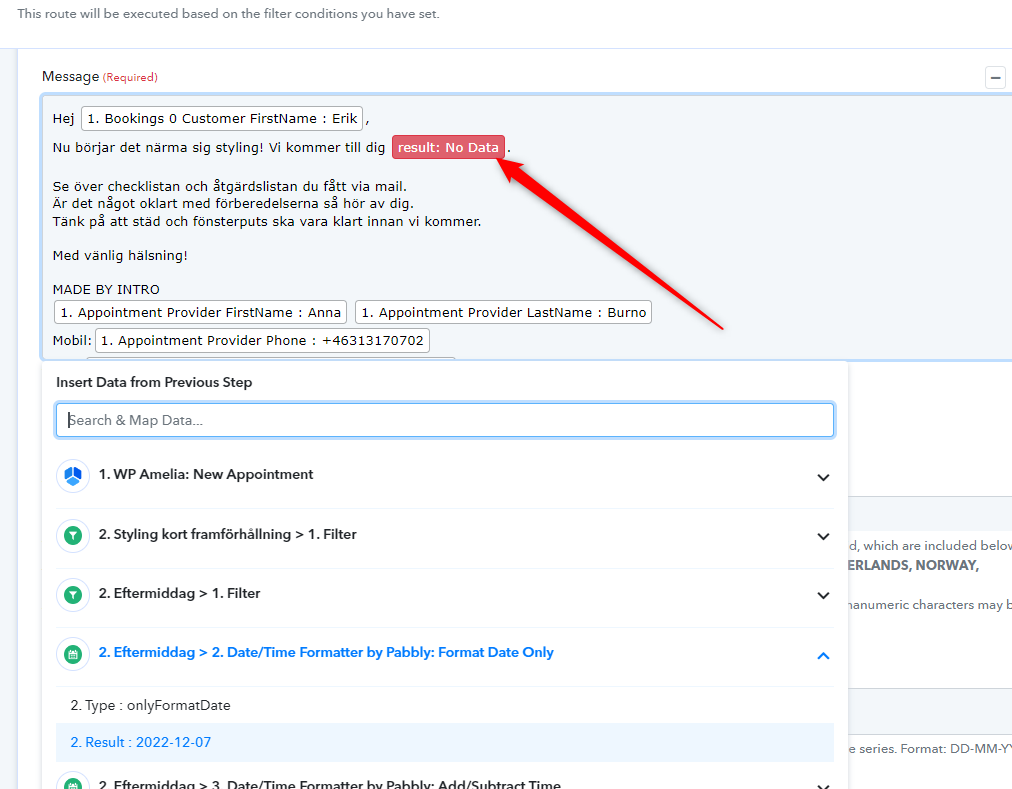
Nothing has changed and it worked previously but now I keep getting "result: no data". I works if I do it manually but not when i start it or if I check it again it's not working.
You can see down here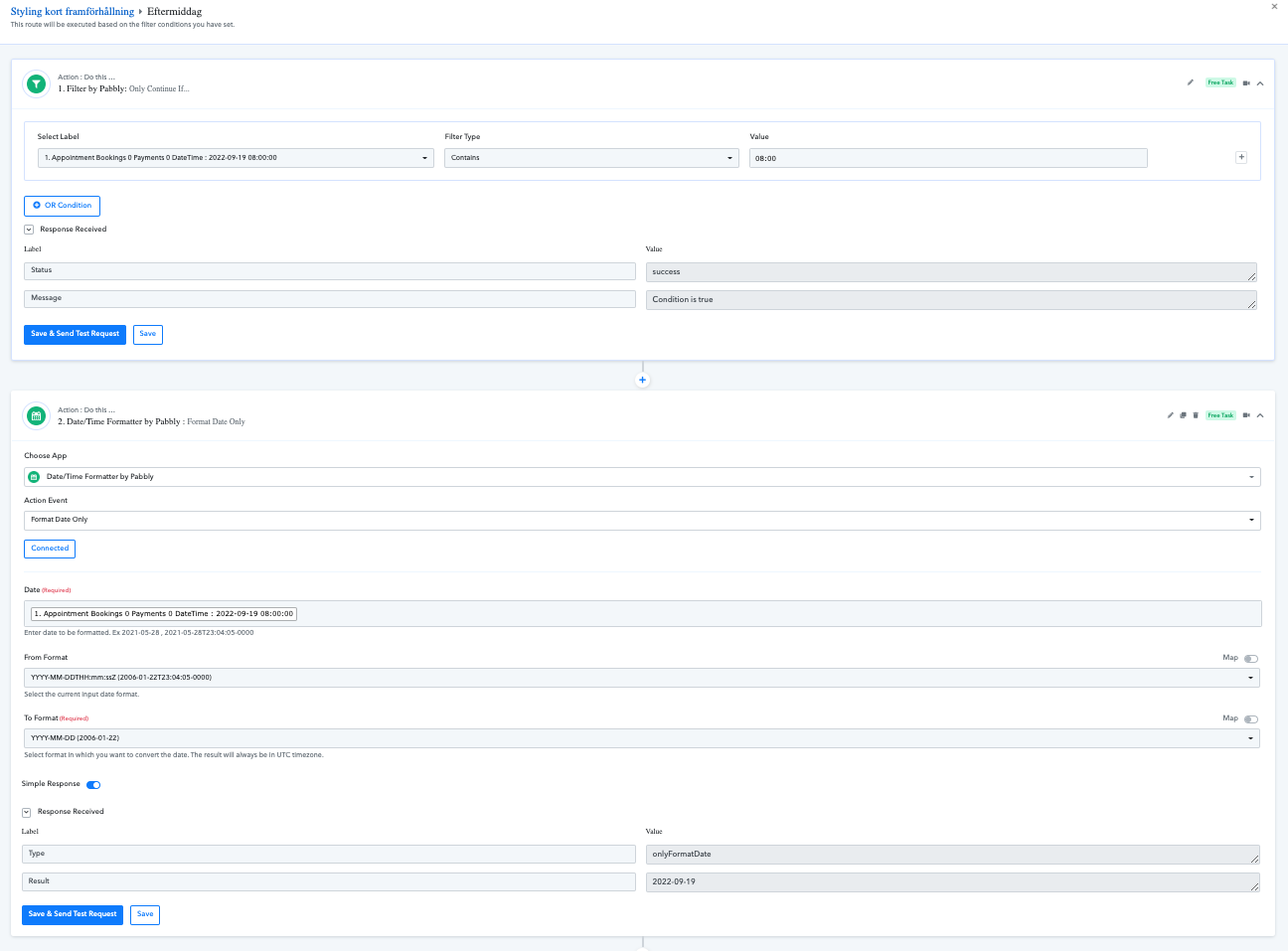
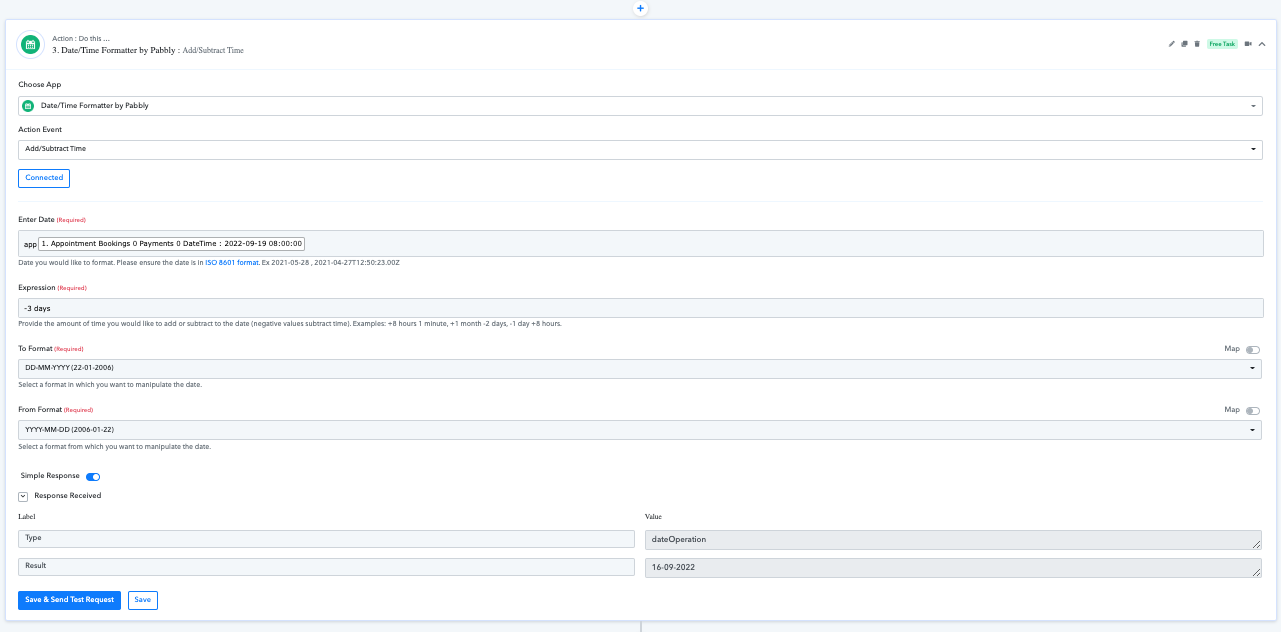
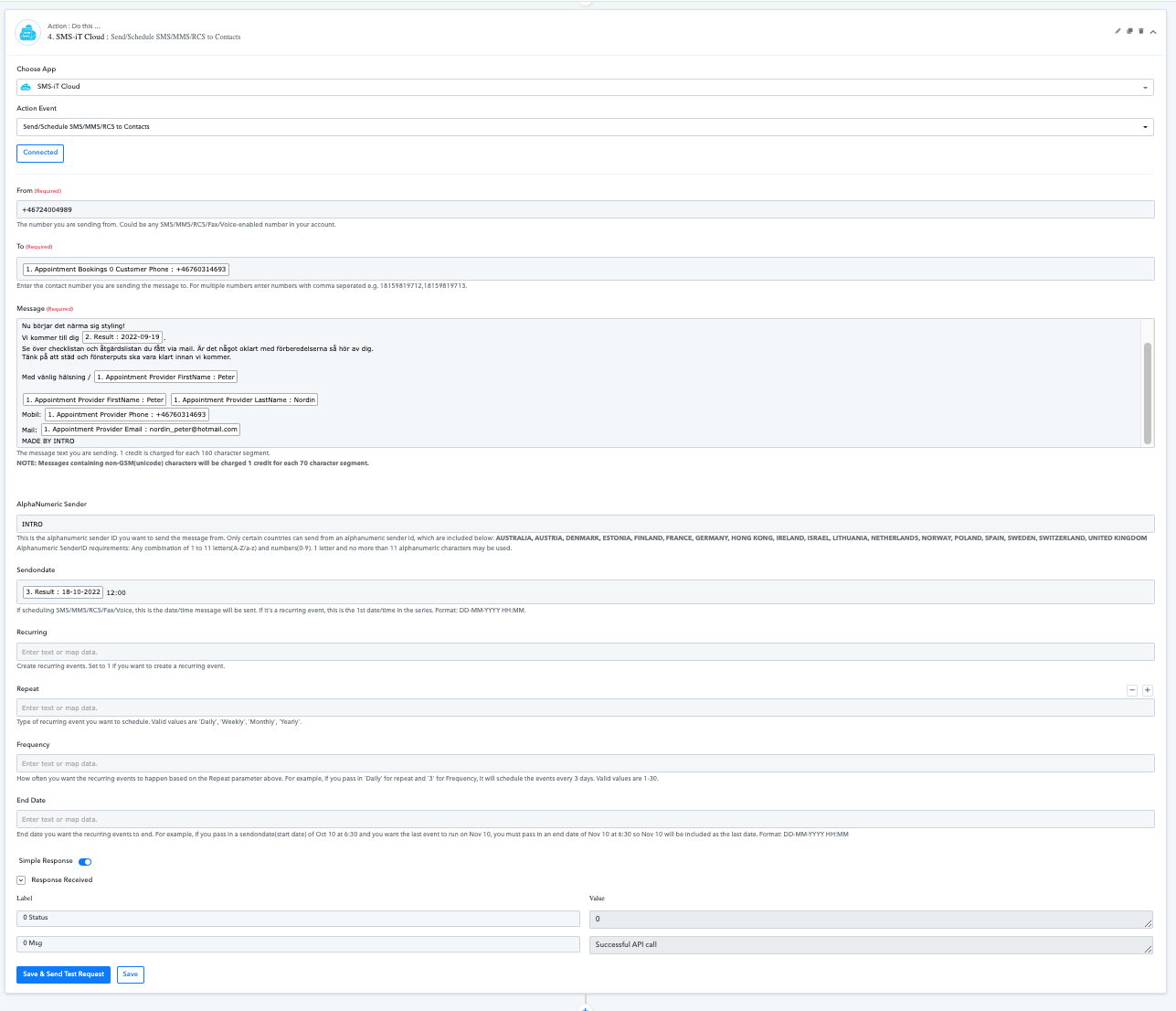
But after I have saved it and try to run it I get this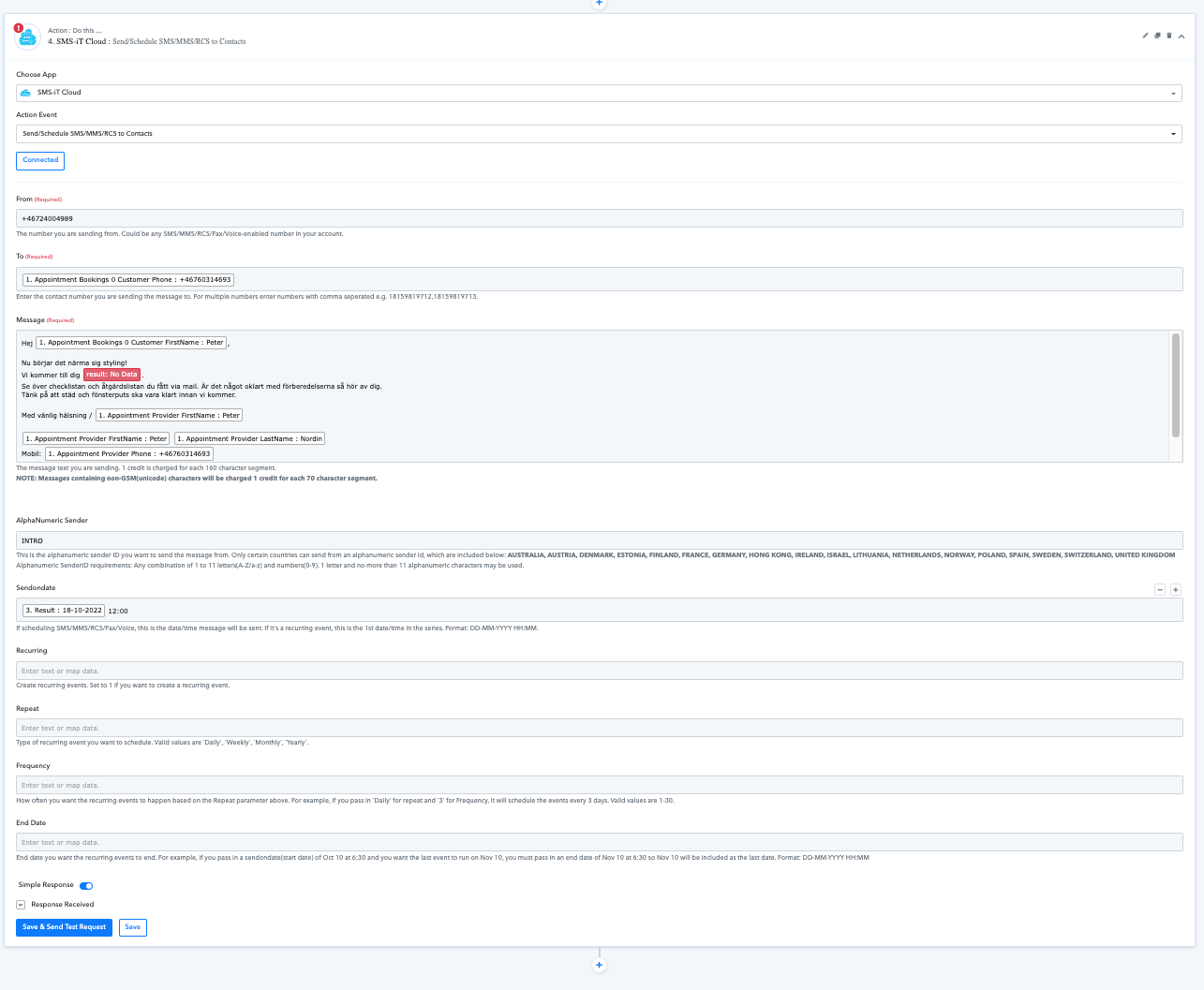
What is happening? why does it suddenly not work?
Hey @peter@hivecreatives
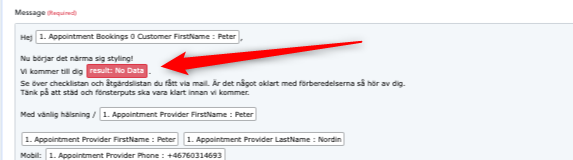
Kindly avoid passing text in the DateTime Formatter action and please remap the value which is missing in the "SMS- IT Cloud" action step.
Kindly try this on your end and let us know if that is working for you.
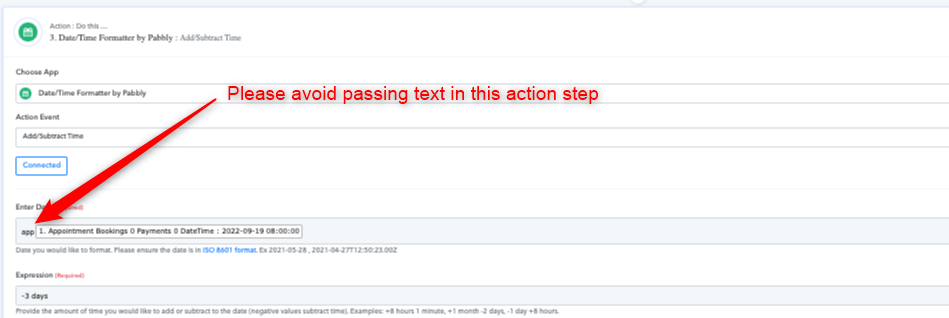
No that is not the problem.
That was a misstake i did just for this picture. But even with that text removed it dosen't work
... it worked earlier but suddenly it has stopped working.
I thought I had found a workaround by not using simple response.
But no ! it doesn't work.
I thought I had found a workaround by not using simple response.
Why ain't you remapped the date label in the action step again, kindly remap the field once and try again.