Date/Time Formatter - Issue with Slack Date Format Integration
Status: Open · Asked by unimento on · 0 views
Hello Pabbly Support Team and Community,
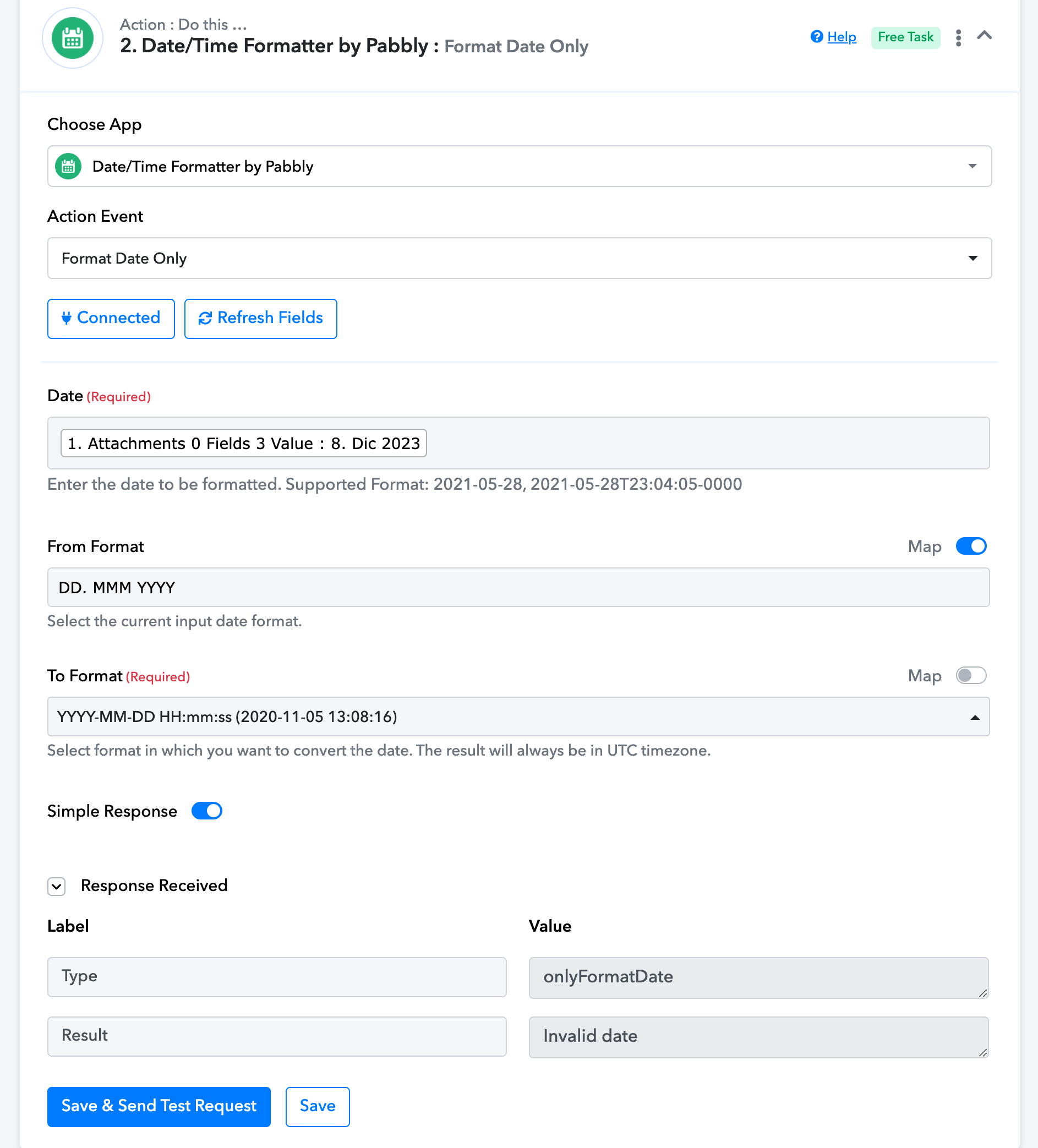
I'm reaching out for some assistance with the Date/Time Formatter within Pabbly Connect. I am currently integrating Slack with another service and I'm having issues with the date format that I'm receiving from Slack.
I've attached an image below which shows the date format as it appears in Slack. Despite several attempts, I cannot seem to get the Date/Time Formatter to recognize and correctly process this format. Could someone please guide me through the steps I need to take to resolve this issue?
I appreciate any help or suggestions you can provide.
Best regards
Hi @unimento,
Based on the screenshot you have shared, it appears that the abbreviation you are attempting to input for December is incorrect. It should be 'Dec,' not 'Dic'.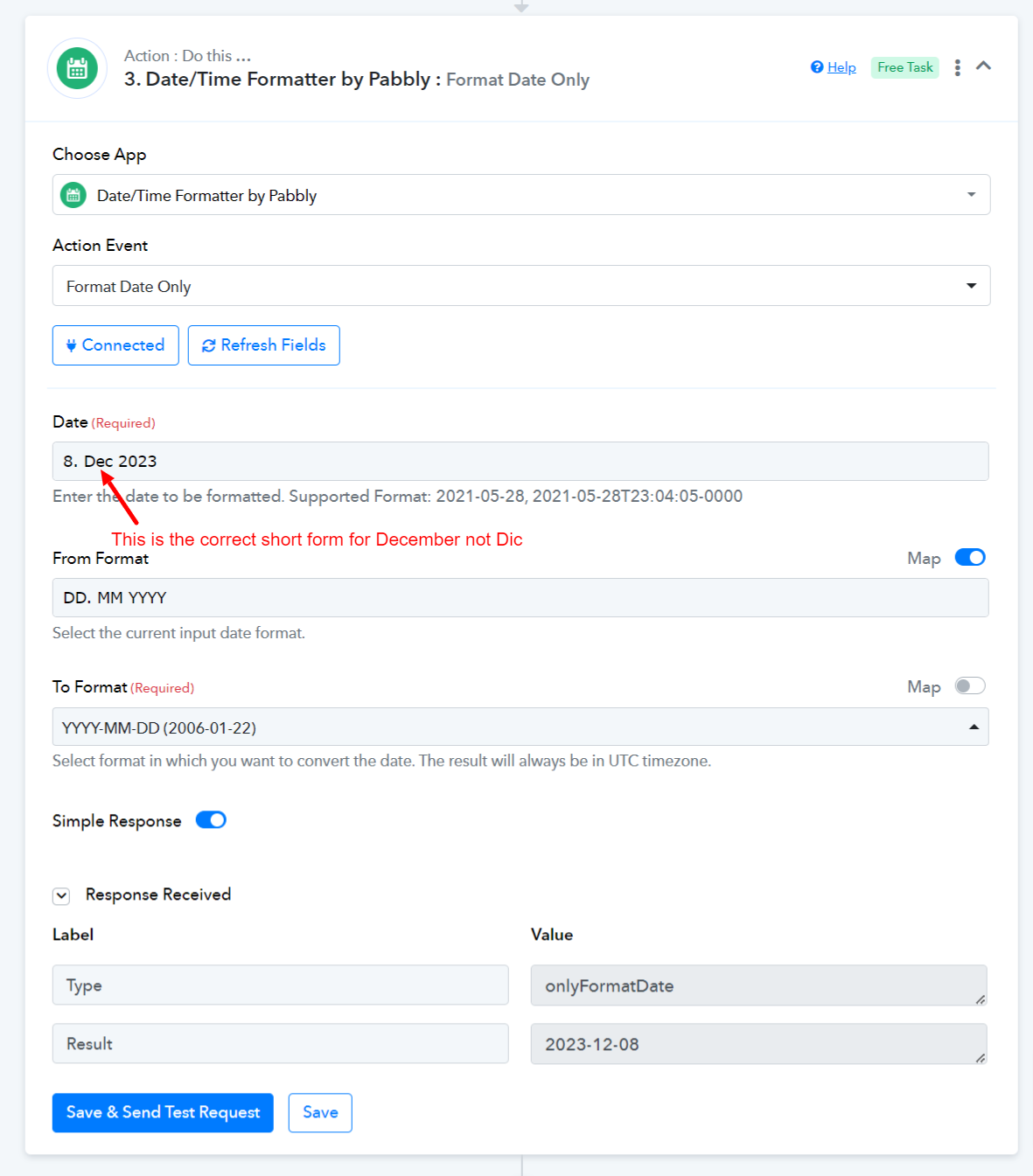
Thank you! 12. Dic 2023 is how i receive the date from slack because my language is spanish. How can i change that? using the look at table right?
Yes, you can use Lookup Table to change Dic to Dec.