Date/Time Formatter not converting correctly
Status: Closed · Asked by virsingh77 on · 0 views
Hi,
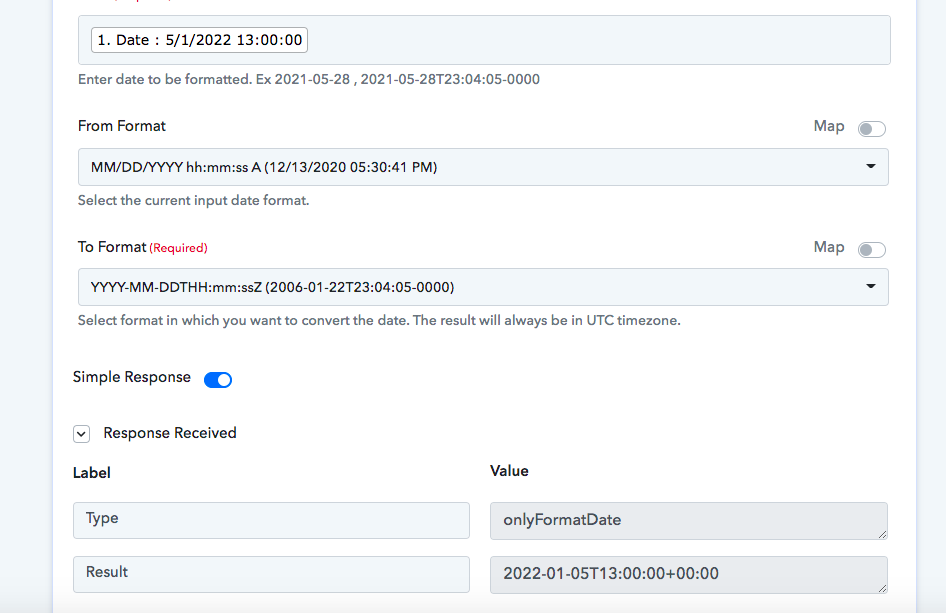
Pls see the attached screenshot, the date/time formatter plugin is not converting the date correctly
Its converting 1st May 2022 into 5th Jan 2022
Attachments
Hey @virsingh77
As we can see you are not getting the date-time in proper format and because of that the data is not getting converted accordingly.
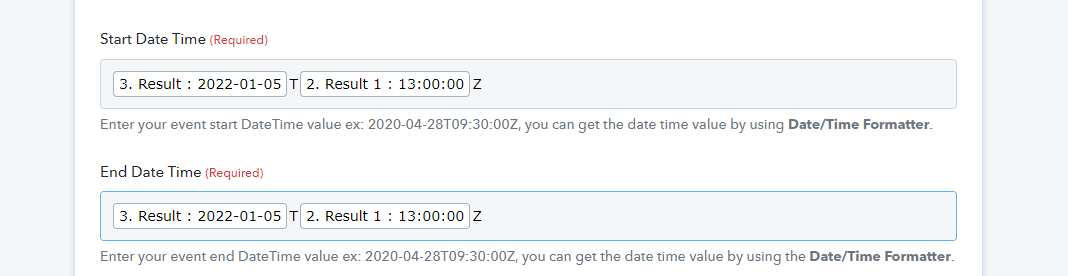
Though have made a small workaround in your workflow and it is working fine. Kindly review that and let us know if that works for you.
Hello,
This is till not correct the date I am passing is 5/1/2022 (MM/DD/YYYY) which is 1st may 2022
The output I'm getting is with YYYY-MM-DD conversion is 2022-01-05 which is 5th Jan 2022
Hey @virsingh77
Please check your workflow again and let us know if that works for you.
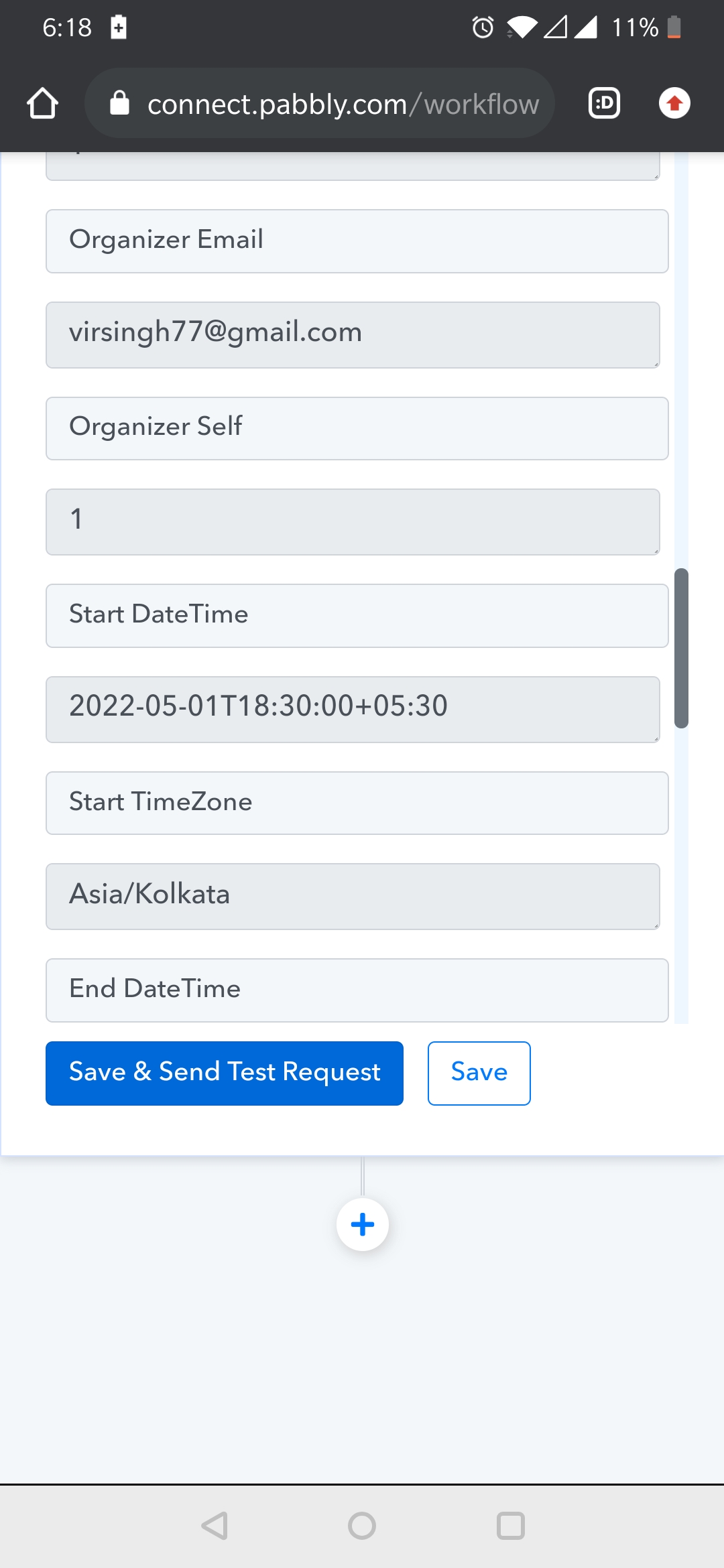
Thanks, almost there, just the the event is being created at 6:30pm instead of 1pm
Hey @virsingh77
Kindly use the TimeZone accordingly and then try again.
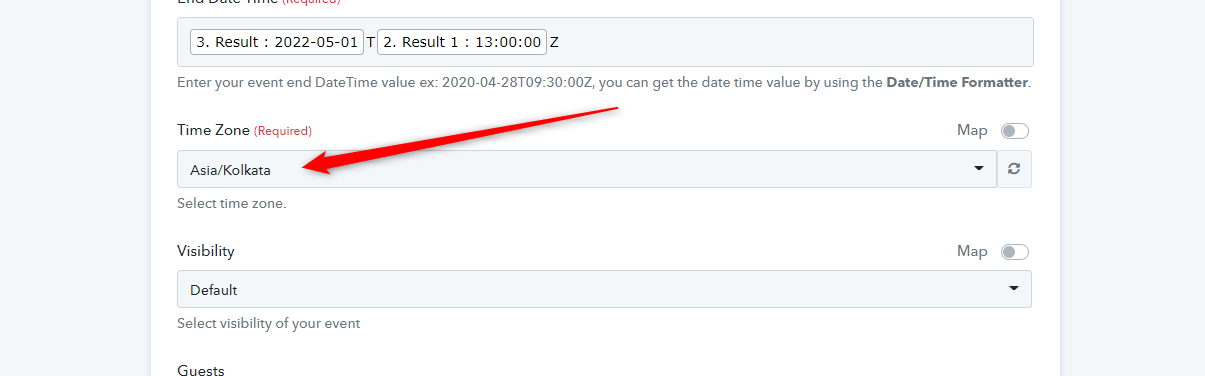
Hello, have tried Asia/Kolkata and few other time zones, but it doesn't help
Attachments
Hey @virsingh77
Can you change the Data Time format which is coming from your Google Sheets to this Eg- "2022-05-01 06:30:00 +0000" then it would be easy to convert the time and timezone as Google Calendars asks for.

Actually I use Google forms to populate the excel sheet and in google forms the date is sent in that format only, i.e., in MM/DD/YYYY
Hey @virsingh77
Kindly check your workflow now and try your complete workflow. Kindly let us know how it works for you.
Hi, it's fine now but the workflow is not sending data forward once new data gets populated in Google sheets
Hey @virsingh77
Could you please tell us if your data is coming from another application or if you are manually feeding it? So if you getting data from a third-party application, in that case, you need to check both the options of "Send On Event" and "Auto Send on Schedule" and by enabling both the options then the data can be forwarded in 1hr. That is something associated with Google API and we cannot change or manipulate it.
And if you are adding the row manually then kindly select "Send on Event" only. Then try adding a new row to test the workflow.
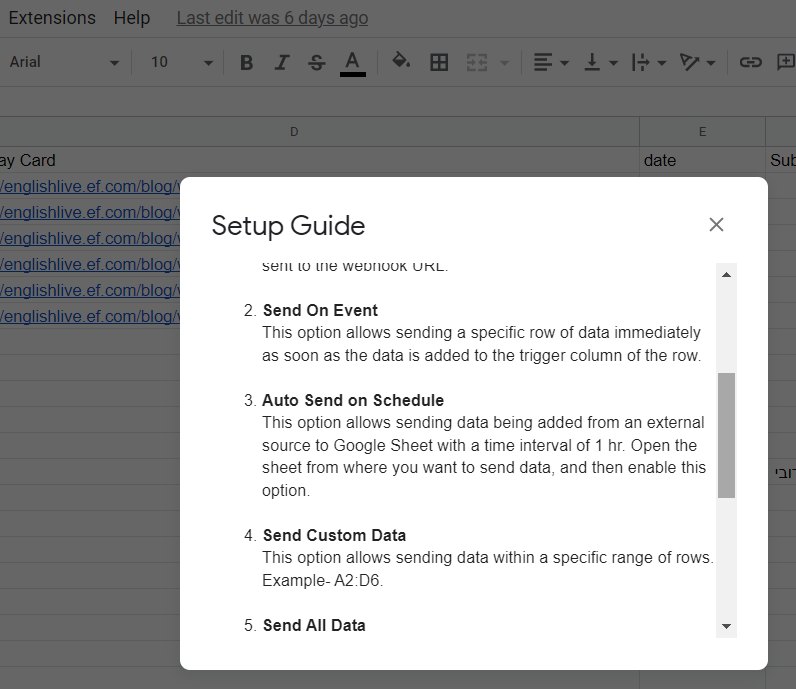
Else you can re-capture the webhook response again and remap the action event if you made any changes in your Google Sheets.
Hello,
My data is getting populated through Google forms. So it's manually entered to Google forms, from where it's automatically fed into the Google sheets
I've selected both Send On Event" and "Auto Send on Schedule" in my Google sheet but it still is not creating the event in Google calendars using pabbly
Hey @virsingh77
Kindly clearly explain your concern, was the data not getting into your workflow or the data is coming to your workflow but Event is not creating.
If data is coming from your Google Sheets but unable to create an event then kindly cross-check the data which is required to pass in Google Calendars' action event to create an event once.
Else you can share the name of the workflow in which you are having trouble configuring.
The event is not getting created in final destination, i.e., in Google calendars
Hey @virsingh77
As we can see from your workflow's recent history log, it seems like you haven't sent the Google Sheets data properly as a result no data is received by the Google Sheets trigger event and the further action steps didn't get the required data.
Kindly re-capture the webhook response and try again.
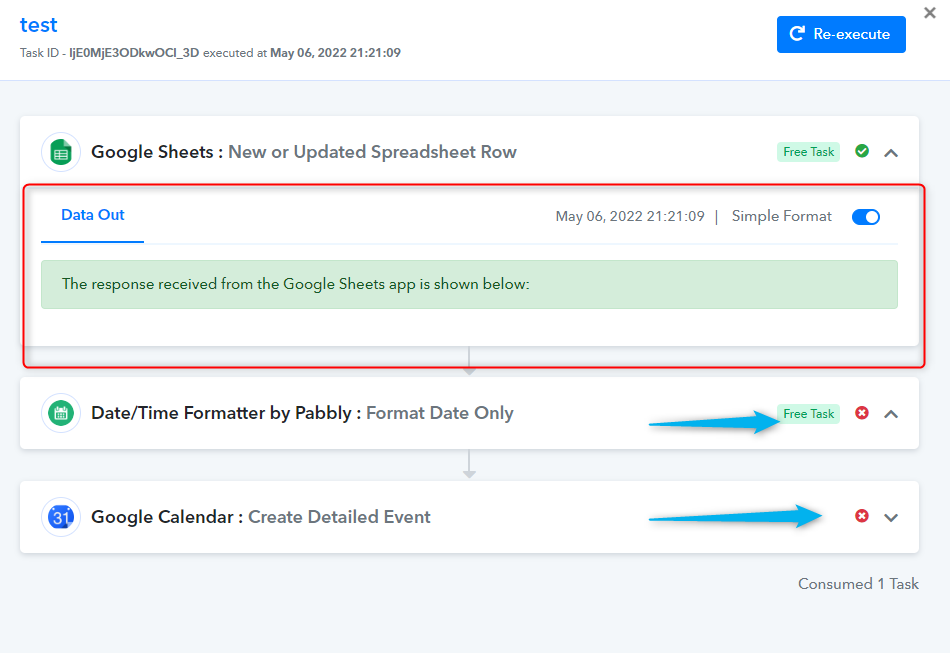
Hi, the workflow I'm referring to is called 'sheets to Google calendar'
Hey @virsingh77
Kindly re-capture the webhook response again, map the required fields in Google Calendar action event and try again.
Do I need to map the fields in Google calendar again? They are already mapped
I'll recapture the webhook response again
Hey @virsingh77
Do I need to map the fields in Google calendar again? They are already mapped
Yes.
I've recaptured the webhook response
I deleted the fields from google calendar and have mapped them again
Thank you so much for your patience and help! The workflow is working perfectly now!