Deactivate "Partial Failed" for specific task outputs
Status: Closed · Asked by Matchspace AG on · 0 views
Hi there Pabbly team,
I have a workflow that does the following steps:
- Trigger: Facebook Lead arrives
- Steps:
- Get Contact Information in Sendinblue
- Filter:
- If email does not exist in Sendinblue, then continue to next step
- If email exists in Sendinblue, then stop
- Next Steps.... (multiple other connected applications)
Currently, when the result of Step 1 (Get Contact Information in Sendinblue) is done with an inexistent email, I get the following output in Pabbly
Here is the workflow id: IjU3NjIwNTZiMDYzMDA0MzQ1MjZlNTUzMiI_3D_pc
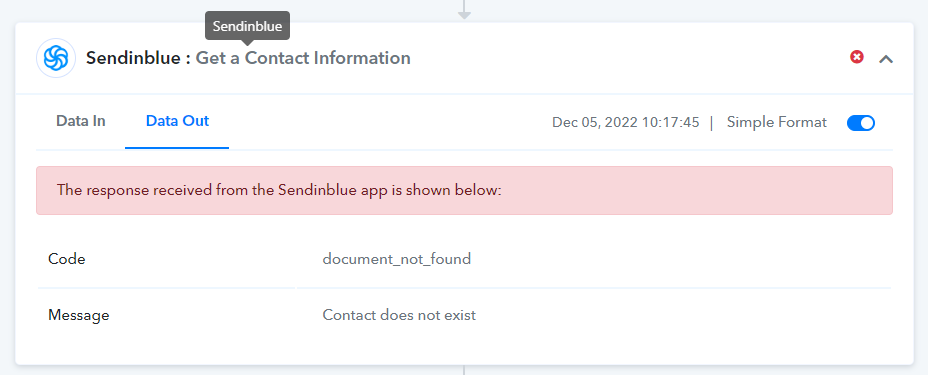
In my workflow, this output is INTENDED and EXPECTED to continue with the flow, as per the Step 2:
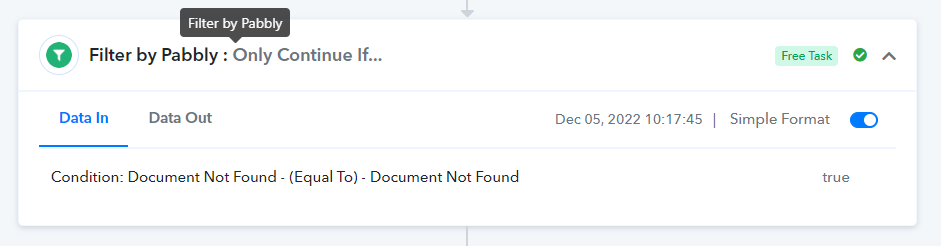
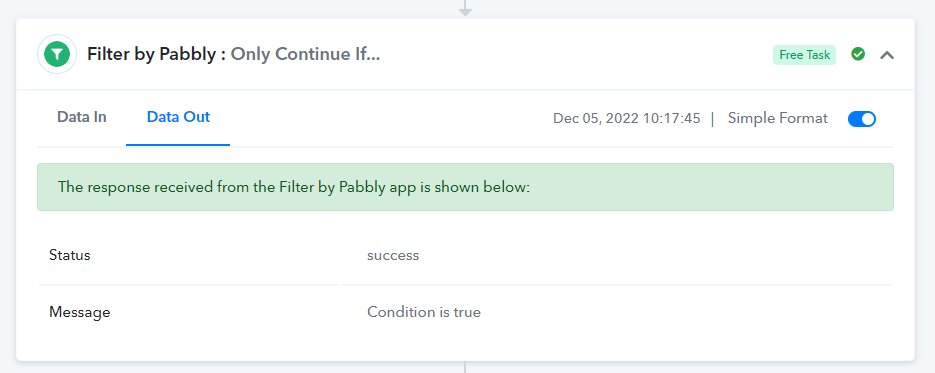
However, when this flow runs successfully, it gets marked as "Partial Fail" due to the Step 1. Get Contact Information:


My request is to be able to ignore SPECIFIC outputs in SPECIFIC steps in a workflow, for Pabbly not to recognize them as "Partial Failed"
Otherwise I get emailed every time this flow runs even though the outputs are expected (no error)
Thanks in advance for your feedback
Pablo
Hey @matchspace-music
Regarding your concern, if the email comes from the trigger response or not and to process its response further, you can use the router actions step.
@Supreme - no, the trigger to define if a process must continue comes from the API call step to Sendinblue, not from the trigger.
It is this API call which returns the "Partial failed" response in the workflow
Many thanks for your feedback in advance
Hey @matchspace-music
It appears that in response SendinBlue sends a status code above 400 to the system which will consider it an error/failed task, you need to change the API's status code from the application level to less than 400 with any code to justify the HTTP code as success.
@Supreme Hi Supreme. Thanks for the information. How do I change the API status code from the application level? Is this doable in Pabbly?
Hey @matchspace-music
Thanks for the information. How do I change the API status code from the application level?
The status code was delivered to the platform from the application's server, Pabbly does not interfere or manipulate with the incoming from any application's response.
@Supreme I have a similar issue where a "find user" step is partially failing when it can't find the user.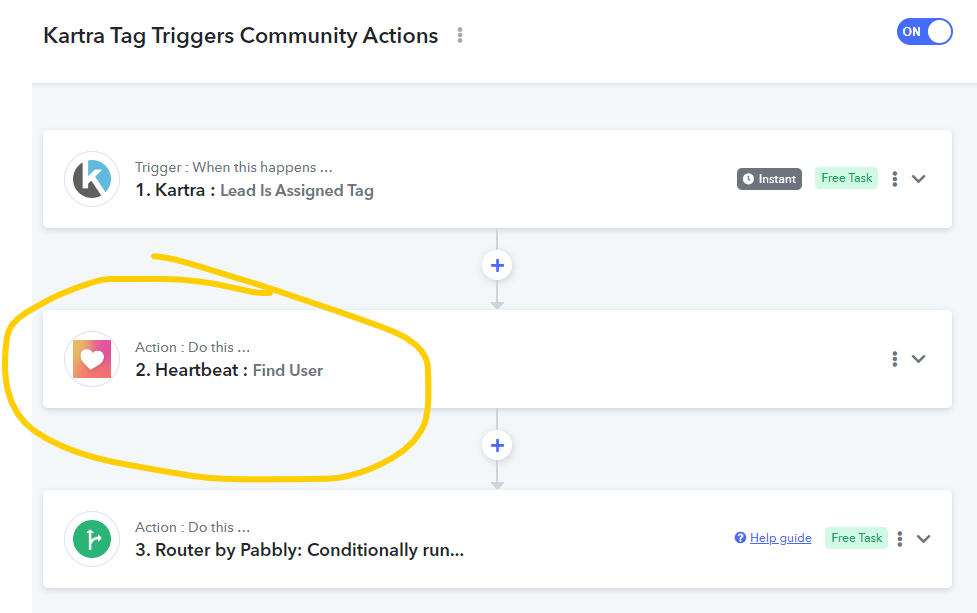
My router then does things like remove or add user to a group in Heartbeat. If I removed the find user step, would it then fail in the router when it's unable to add or remove them from a group because they're not in Heartbeat? If it would fail, what is the better way to do this? I don't want an email every time this step fails because for this workflow, I don't care if it finds the user or not. I would prefer if instead of failing, this type of step would give a status of succeeded or failed & we could then filter/router based on that.
Hey @lifeninjamisty
It appears that the HeartBeat API sends an error response if the user didn't get searched.
@Supreme when any search/find action fails, I want the option for if/how to continue the workflow.
I would like to have an option similar to Zapier where I can determine if I want the workflow to consider it a success if nothing is found: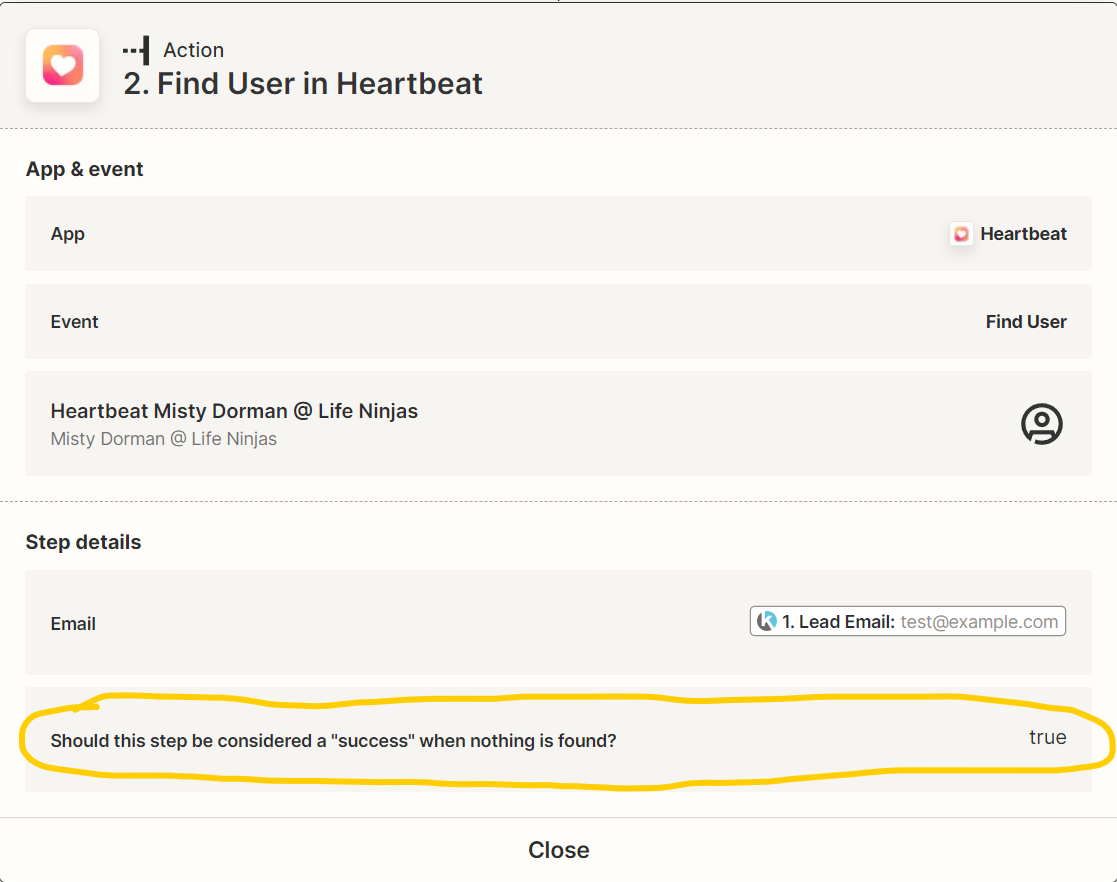
Hey @lifeninjamisty
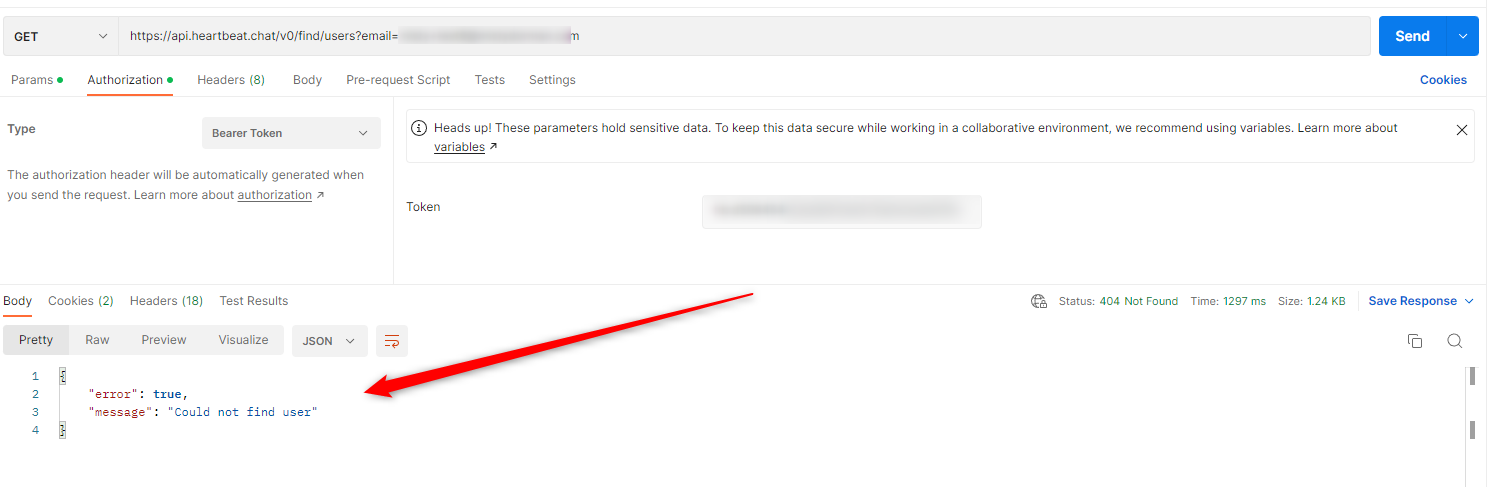
As per the HeartBeats API documentation, if the user didn't get found in the automation the API shows the response of error from their end.
Tested on Postman application -
@Supreme I heard you on that, but what I'm asking for is the ability to CHOOSE what to do if the search fails (similar to the Zapier screenshot I shared above). I believe the original poster was wanting this as well.
Hey @lifeninjamisty
With respect to your workflow, the workflow is fine and works fine. Whereas related to the error message coming in the HeartBeat action step we can only suggest you ignore the message for the failed task since it has provided the search record accordingly.
Further, we recommend you contact the HeartBeat team to provide the success status code from their end if the user didn't get found.
@Supreme I'm not sure having Heartbeat change this to success when not found is the answer. I believe we need something like I showed in my screenshot on Feb 8th that Zapier does, which is allows US to select if we want a failed search to be considered a success in order for the workflow to continue. This would allow us to set up a router that performs different actions based on if the user was found or not. We need to know if they were found or not, so it's right for Heartbeat to mark it as a failure if they're not found.
Hey @lifeninjamisty
As we have already tested their API request in Postman and the same API request is implemented on the platform which is mentioned in the API documentation of HeartBeat whereas we can only show the response which was sent by the HeartBeat application.
So, in such a scenario, we cannot interfere with the incoming data from the application. So we can only recommend you contact their support team.
@Supreme I took a look at another workflow in Pabbly & noticed that a similar search to see if a user exists in Kartra does not cause a workflow error when the user isn't found: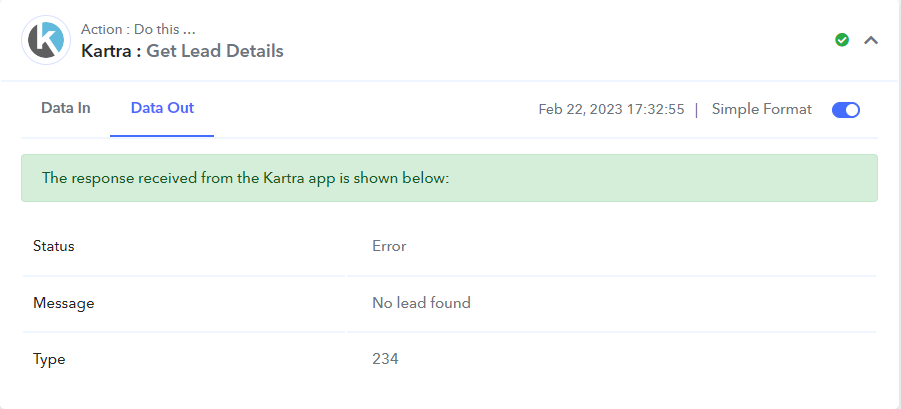
The status does show "error" but the workflow continues & allows me to perform different actions in my router based on the status.
Why wouldn't the Heartbeat search do the same (show an error status & continue to the next action instead of stopping the entire workflow)?
As you can see in this screenshot, my workflow continued despite user not being found in Kartra. This is what I want to be able to do when a user isn't found in Heartbeat as well.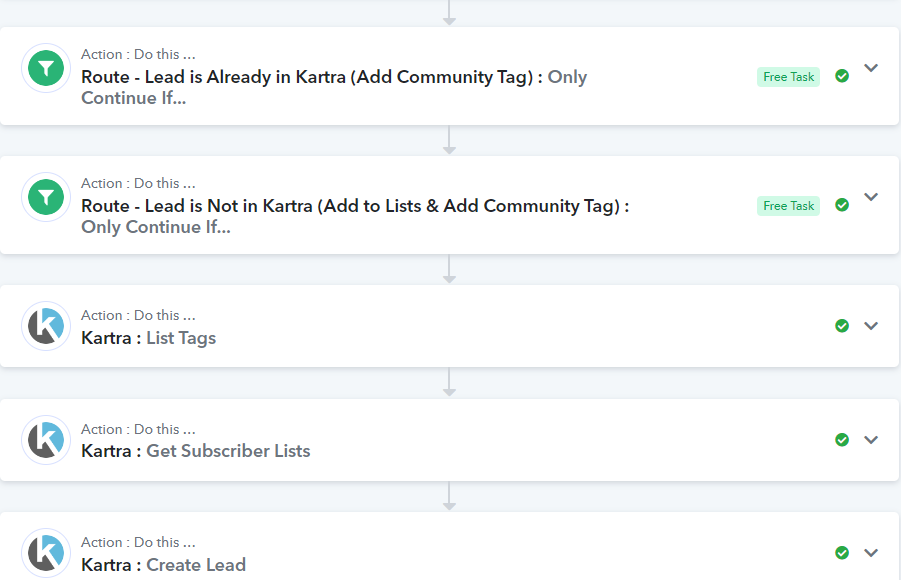
Misty
I took a look at another workflow in Pabbly & noticed that a similar search to see if a user exists in Kartra does not cause a workflow error when the user isn't found:
[IMG width="517px" alt="1677625029331.png"]https://forum.pabbly.com/attachments/1677625029331-png.22537/[/IMG]
The status does show "error" but the workflow continues & allows me to perform different actions in my router based on the status.
As we've already mentioned, the HeartBeats API documentation indicates that when a user is missing from automation, the API displays an error response.
Why wouldn't the Heartbeat search do the same (show an error status & continue to the next action instead of stopping the entire workflow)?As you can see in this screenshot, my workflow continued despite user not being found in Kartra. This is what I want to be able to do when a user isn't found in Heartbeat as well.
Further, the workflow will work exactly the same there will be no issue performing the same workflow but the error message from Heartbeat cannot be handled from our end you need to ignore it.
Ok, I looked at some logs and am seeing that the workflow does continue even if there's partial failure. I'm not sure we should be training ourselves to ignore those errors though.
I'm not sure we should be training ourselves to ignore those errors though.
We understand your point of concern and we cannot do anything until Heartbeat sends the success status for the search action step.
@Supreme Thanks for your continued feedback on this. Our request is to add it as a product roadmap feature request for Pabbly to treat specific Step API responses differently based on user's input, even if the standard 3rd Party API returns "error" instead of "success"
Hey @matchspace-music
For your concern about the API response, you may post the request to add a feature here - https://pabbly.hellonext.co/
Our team will look into it and if possible they will add it too in near future.