Delay Module send WhatsApp between 8am and 8pm
Status: Closed · Asked by Oliver on · 0 views
Hi
Use case: Sending follow up message to customer on whatsapp
once new row is added to google sheets with persons contact details then automation starts
Day 1 - message is sent
Day 3 - message is sent
Day 7 - message is sent
The key here is not to send message in the middle of the night. (I don’t want to upset someone if they sleeping, or I want person only to get message during specific times of day) So I want to send message only between 8am and 8pm but on those specific days, regardless of when I add the person to the google sheet. (Ie I could be updating google sheet at 3am and then delay for 1 day and WhatsApp message is sent at 3am next morning)
Another Use case:
if I want to send a motivational message or motivational image on WhatsApp to a customer every Monday morning also in time parameters 8am and 8pm
so every Monday a new image is sent to customer.
please assist if you already have this then my apologies. I would appreciate assistance
HiUse case: Sending follow up message to customer on whatsapp
once new row is added to google sheets with persons contact details then automation starts
Day 1 - message is sent
Day 3 - message is sent
Day 7 - message is sentThe key here is not to send message in the middle of the night. (I don’t want to upset someone if they sleeping, or I want person only to get message during specific times of day) So I want to send message only between 8am and 8pm but on those specific days, regardless of when I add the person to the google sheet. (Ie I could be updating google sheet at 3am and then delay for 1 day and WhatsApp message is sent at 3am next morning)
Another Use case:
if I want to send a motivational message or motivational image on WhatsApp to a customer every Monday morning also in time parameters 8am and 8pm
so every Monday a new image is sent to customer.
please assist if you already have this then my apologies. I would appreciate assistance
For 2nd usecase check this answer where I replied for almost similar usecase -
https://forum.pabbly.com/threads/schedule-by-pabbly-for-every-saturday-at-a-specific-time.508/#post-2158
For 1st usecase tagging @Pabbly
Hey @Oliver
Use case: Sending follow up message to customer on whatsapponce new row is added to google sheets with persons contact details then automation starts
Day 1 - message is sent
Day 3 - message is sent
Day 7 - message is sentThe key here is not to send message in the middle of the night. (I don’t want to upset someone if they sleeping, or I want person only to get message during specific times of day) So I want to send message only between 8am and 8pm but on those specific days, regardless of when I add the person to the google sheet. (Ie I could be updating google sheet at 3am and then delay for 1 day and WhatsApp message is sent at 3am next morning)
For your use case - We have two ways.
1) First way (Without updating the Google Sheets between 8 PM to 8 AM) -
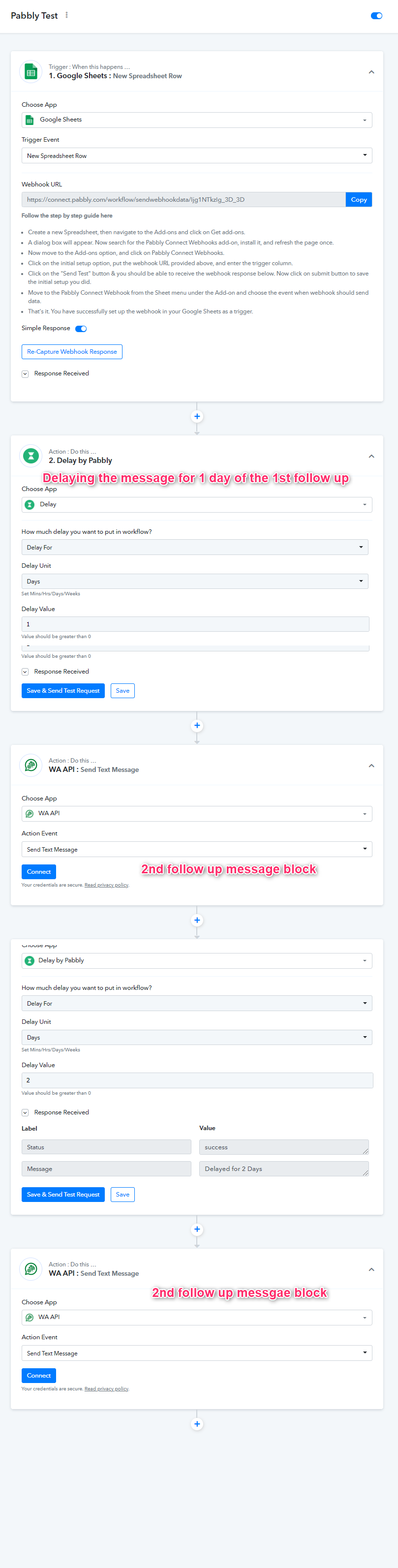
Please refer to the sample workflow - https://connect.pabbly.com/workflow/share/D0dVZwNmVzZVHwdTBWgAKlhLCj0DXwkzAxNWX1QxBUM#
2) Second way by adding one more column with the date/time by which user must get the message -
Google Sheets Data with the time format (UTC +0)
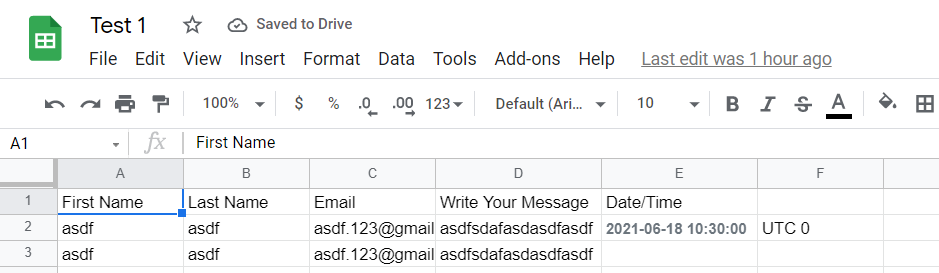
Workflow Sample -

Thank you so much for the speedy and incredible support!!!
I have taken the amazing advice and I'm starting to understand the way Pabbly Connect works.
This is what i have done.
Firstly i get current time and i add 2 hours because i predominantly work in South Africa which is gmt+2
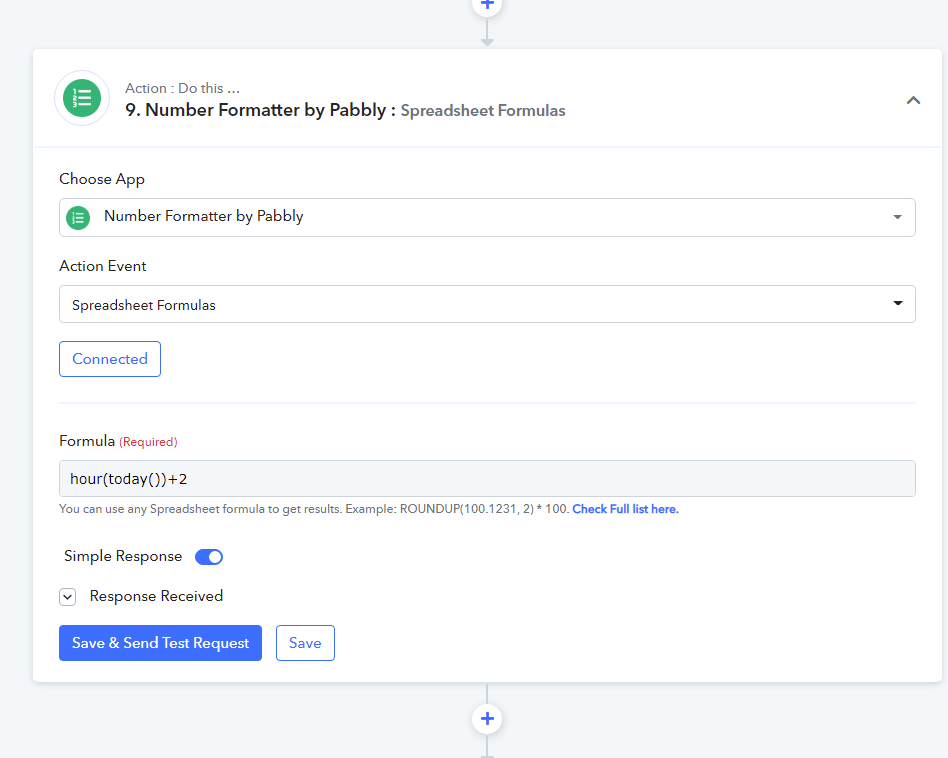
Then i use Pabbly Router with 3 conditions.
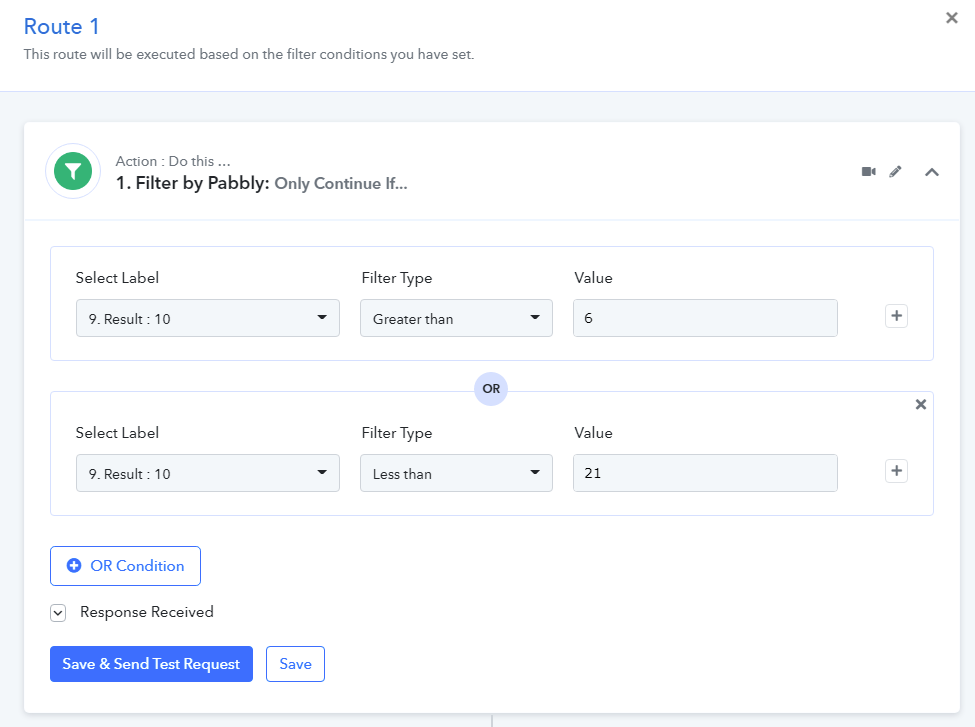
Route 1. If the current time is less than 6am OR more than 9pm or 21h00 then do nothing. (next step out of router is send WhatsApp message)
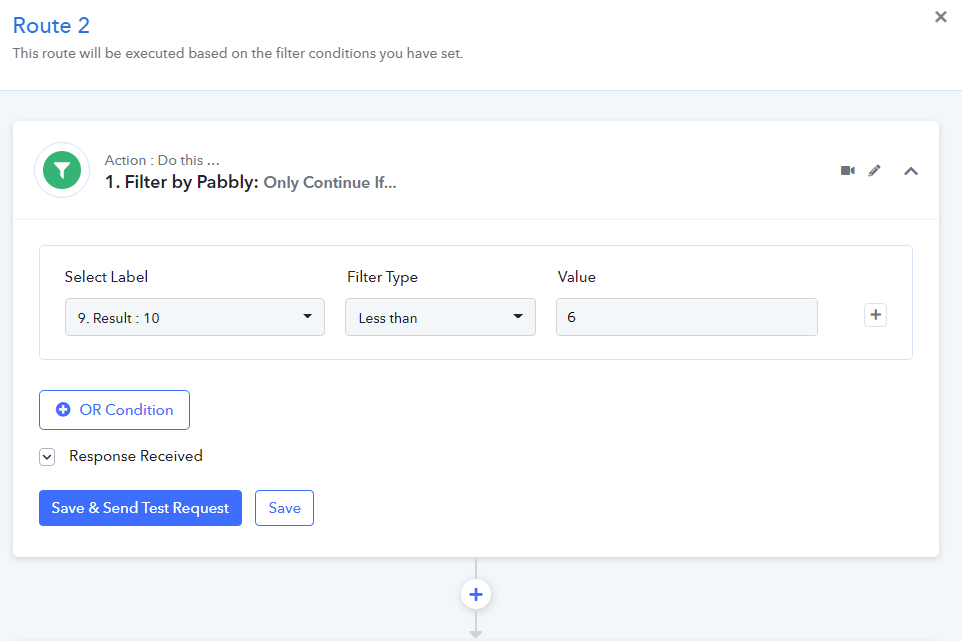
Route 2. If the current time is is less than 6am then i work out the difference in time and use that difference for a delay. eg if current time is 4am then i subtract 6-4=2 and delay for 2hours. (next step out of router is send WhatsApp message)
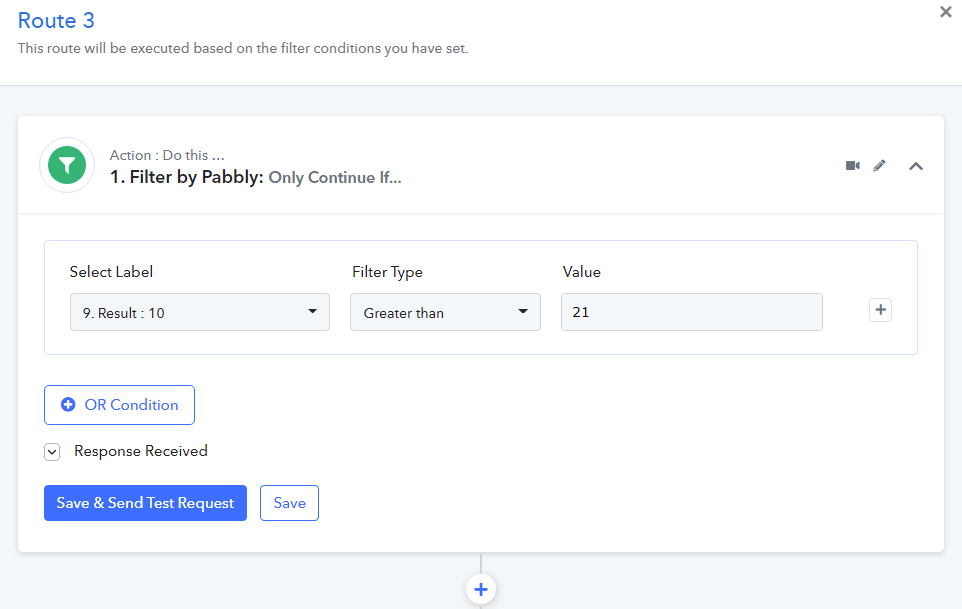
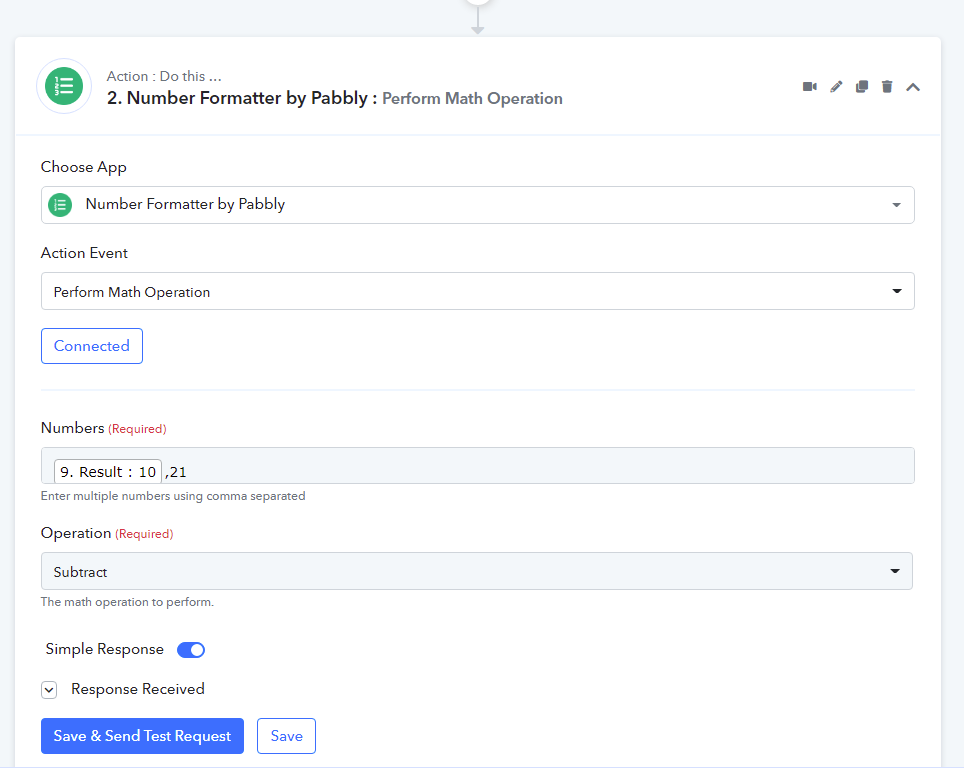
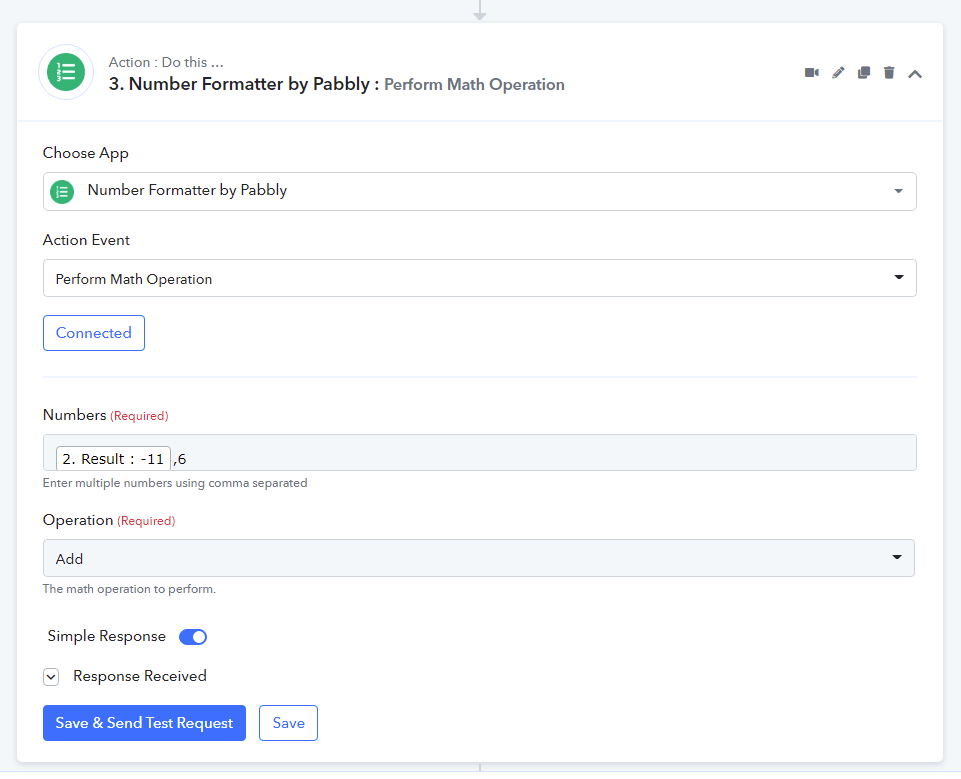
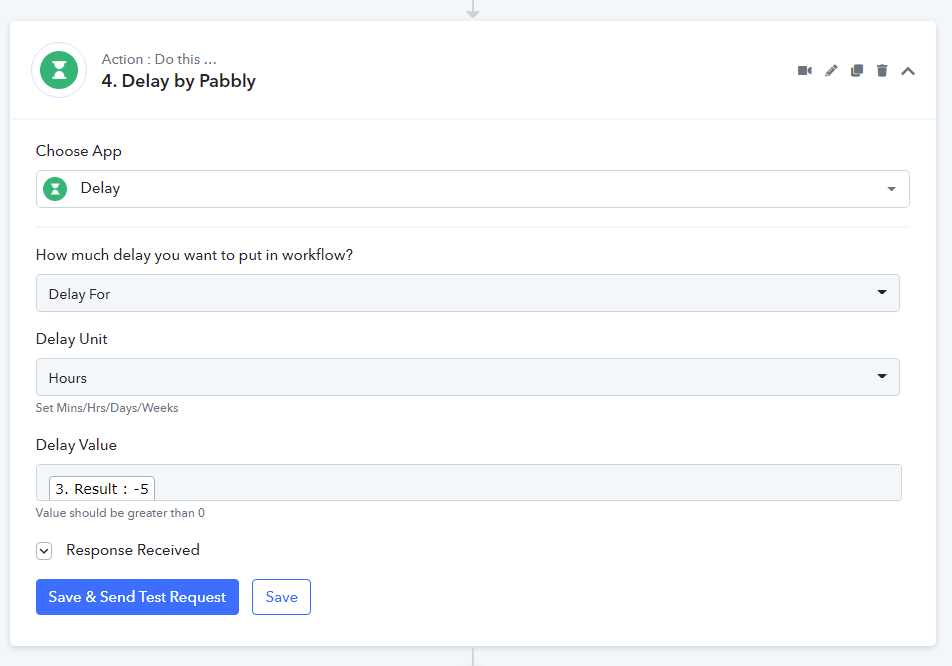
Route 3. If the current time is is greater than 21 (21h00) then i work out the difference in time and use that difference for a delay. eg if current time is 10pm (22h00) then i subtract 22-10=2 then that tells me that there is 2hrs until midnight, so i add 6 so that i get to 6am. So 6hr + 2hrs = 8hrs and delay for 8hours. (next step out of router is send WhatsApp message)
SIDE NOTE: As I'm typing this I'm realising that route 1 is not needed... (if im not mistaken)
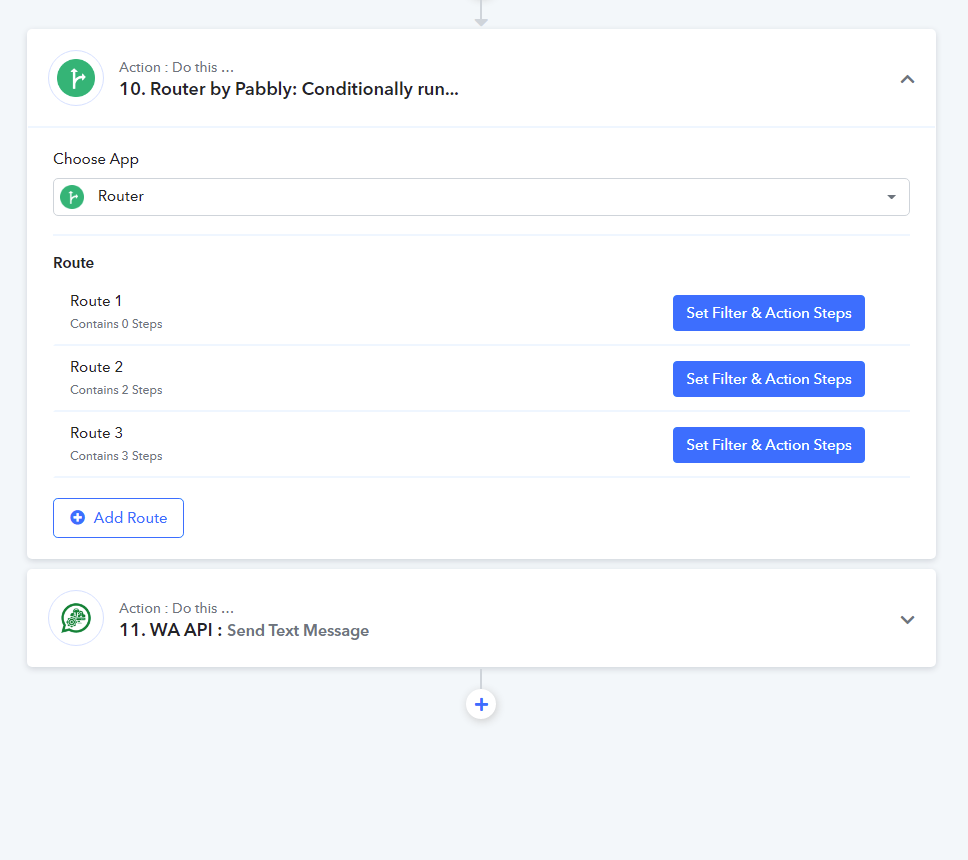
ROUTE 1
ROUTE 2
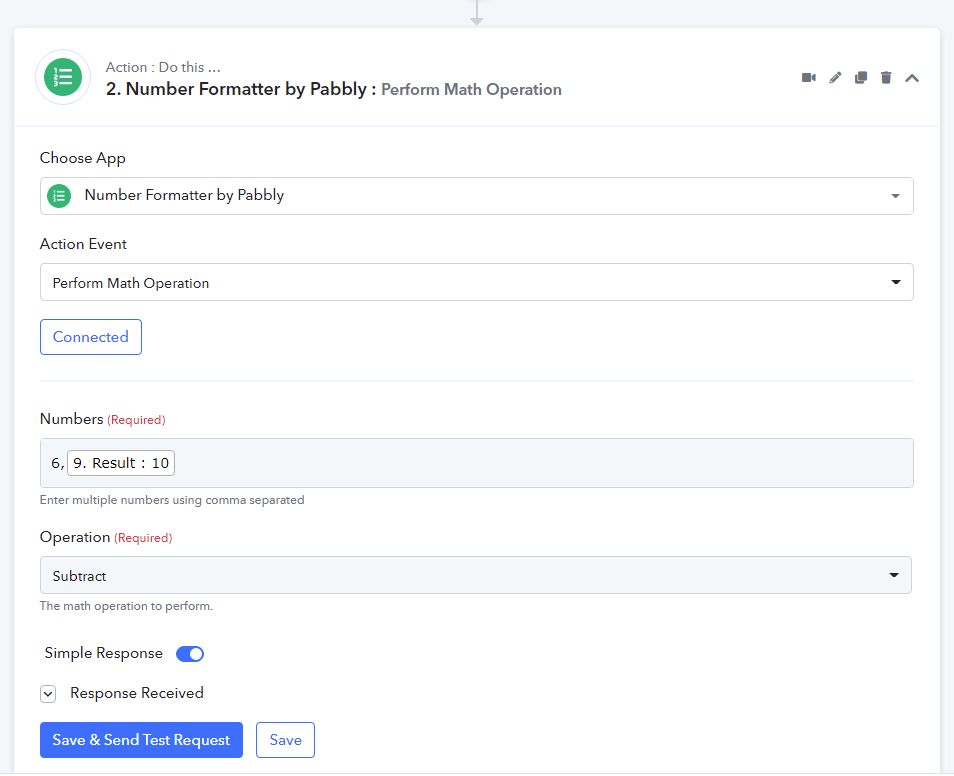
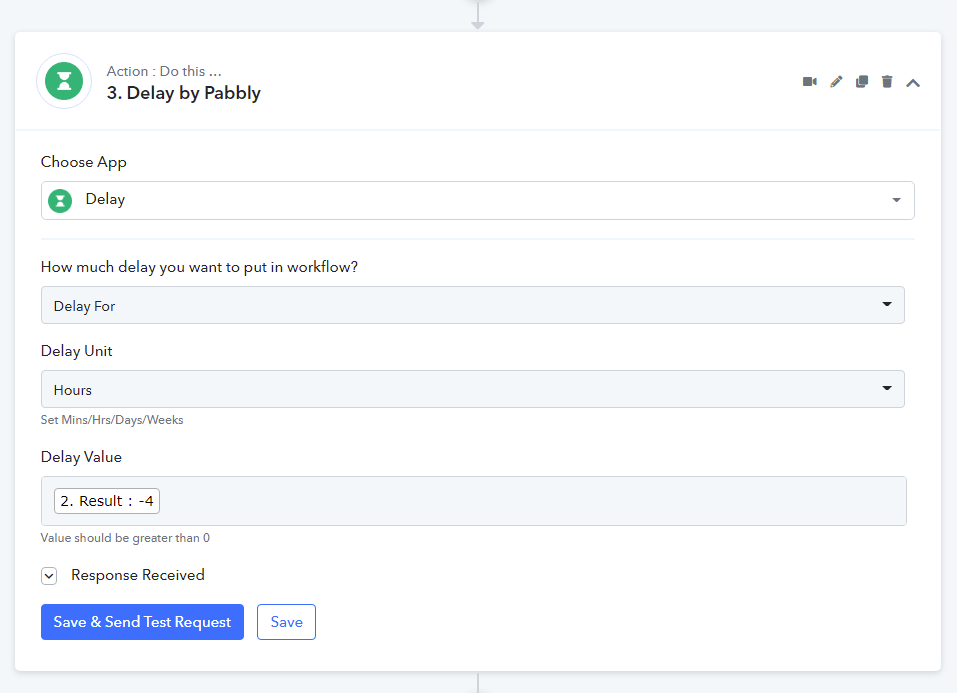
ROUTE 3
Hope this makes sense.... Hopefully it works...
THANK YOU FOR ALL THE SUPPORT....
Hey @OliverFor your use case - We have two ways.
1) First way (Without updating the Google Sheets between 8 PM to 8 AM) -
Please refer to the sample workflow - https://connect.pabbly.com/workflow/share/D0dVZwNmVzZVHwdTBWgAKlhLCj0DXwkzAxNWX1QxBUM#
2) Second way by adding one more column with the date/time by which user must get the message -
Google Sheets Data with the time format (UTC +0)
Workflow Sample -
Thank You.
For 2nd usecase check this answer where I replied for almost similar usecase -
https://forum.pabbly.com/threads/schedule-by-pabbly-for-every-saturday-at-a-specific-time.508/#post-2158For 1st usecase tagging @Pabbly
Thank you so much!