Delay until and then send twilio text message
Status: Closed · Asked by Lorena Tomasini on · 0 views
Hello, I have a delay until a specific date and time but when I'm testing it is not sending the message through twilio at that date and time...any ideas...I can share a screenshot if needed...
Please share a Screenshot and make sure you setup the delay until time in UTC + 0 timezone format.
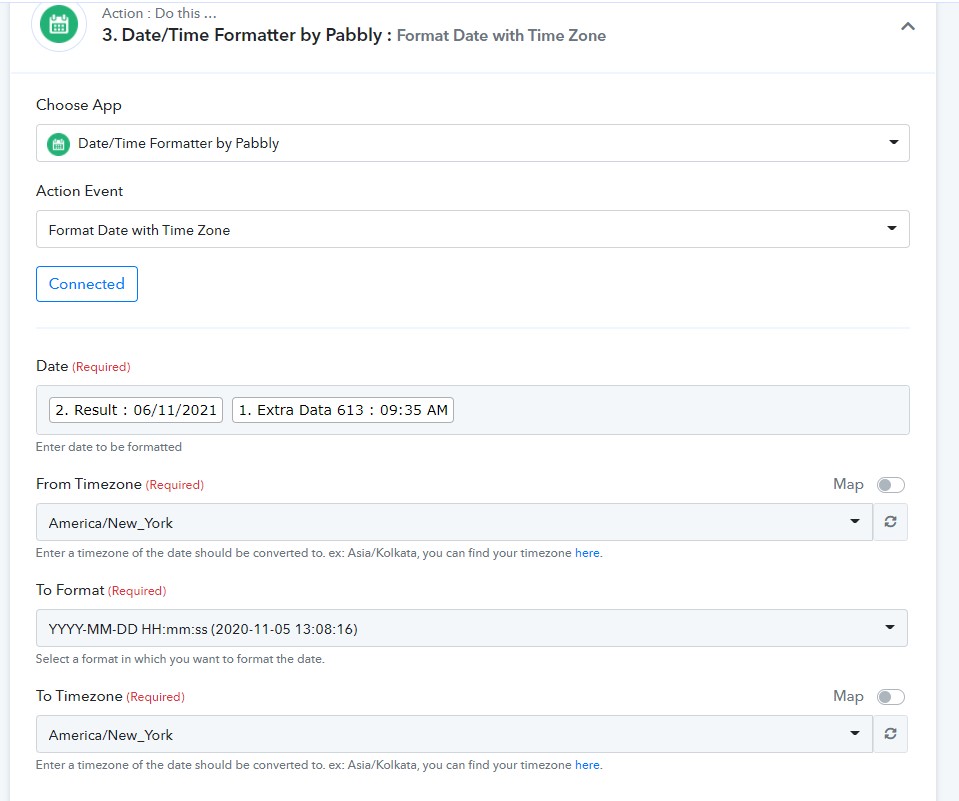
Attachments
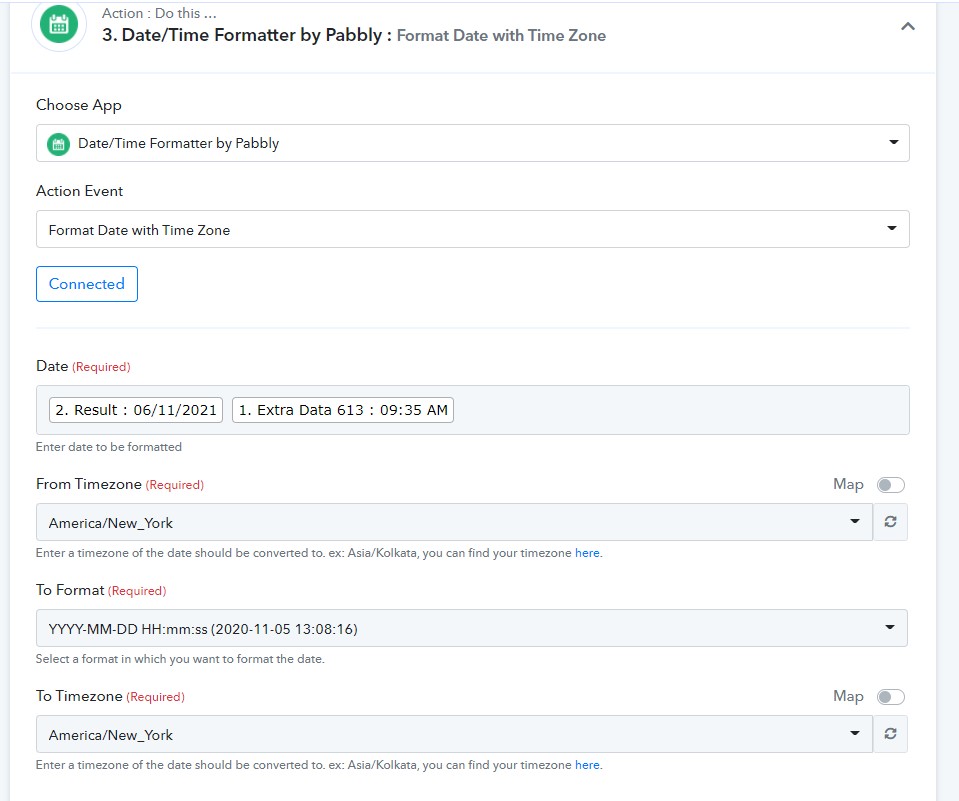
When I do save and test it sends it right away which is fine as I'm setting it up...then I added some dummy text and waited to send the twilio text at a specific time and it's not triggering or providing any error messages.
Please share full workflow screenshot. Specially screeshot Delay until action step.
When I do save and test it sends it right away which is fine as I'm setting it up...then I added some dummy text and waited to send the twilio text at a specific time and it's not triggering or providing any error messages.
Also did you check this in History of that particular workflow
C
When I do save and test it sends it right away which is fine as I'm setting it up...then I added some dummy text and waited to send the twilio text at a specific time and it's not triggering or providing any error messages.
Check step 2 and 3 -
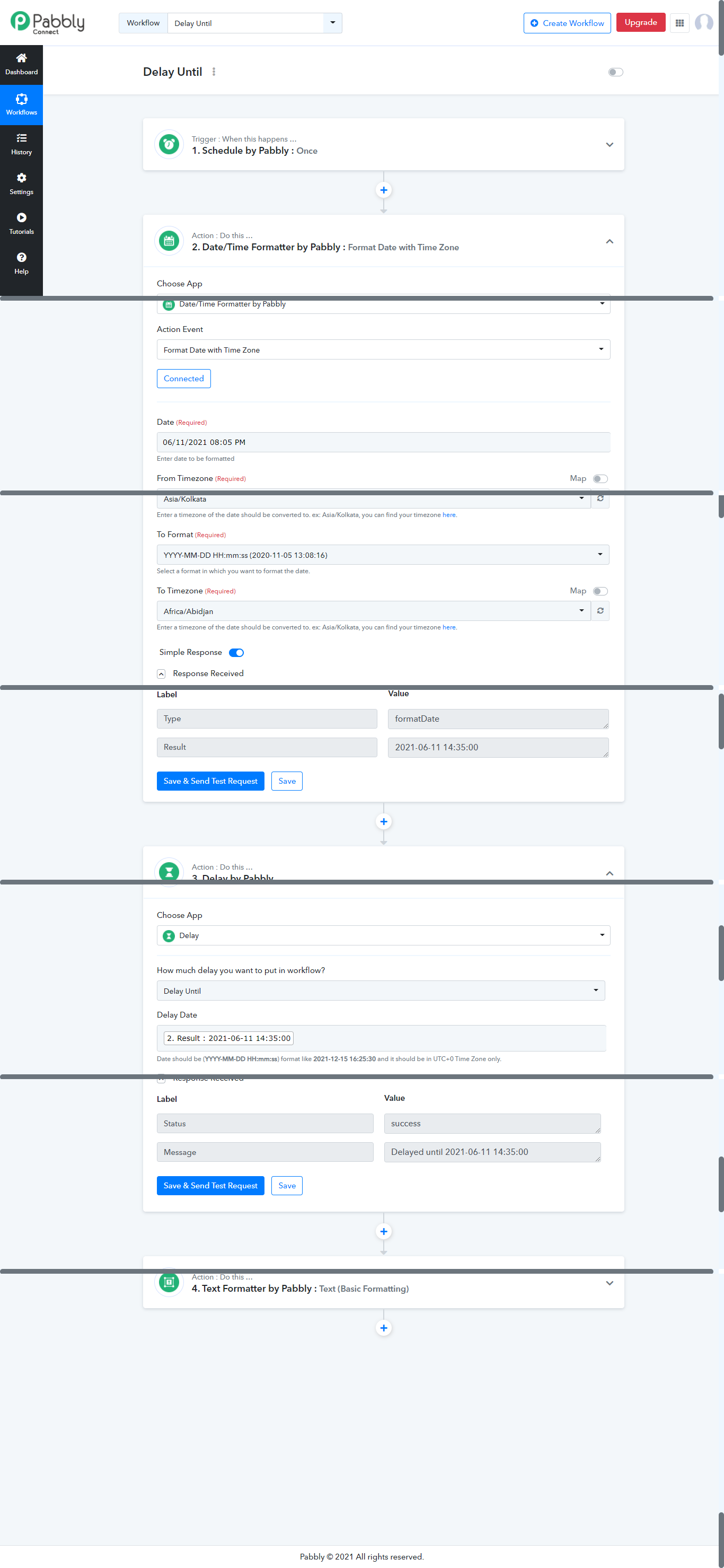
The step after this should be send a twilio message at that time it's been delayed until...that time has passed now lol
Attachments
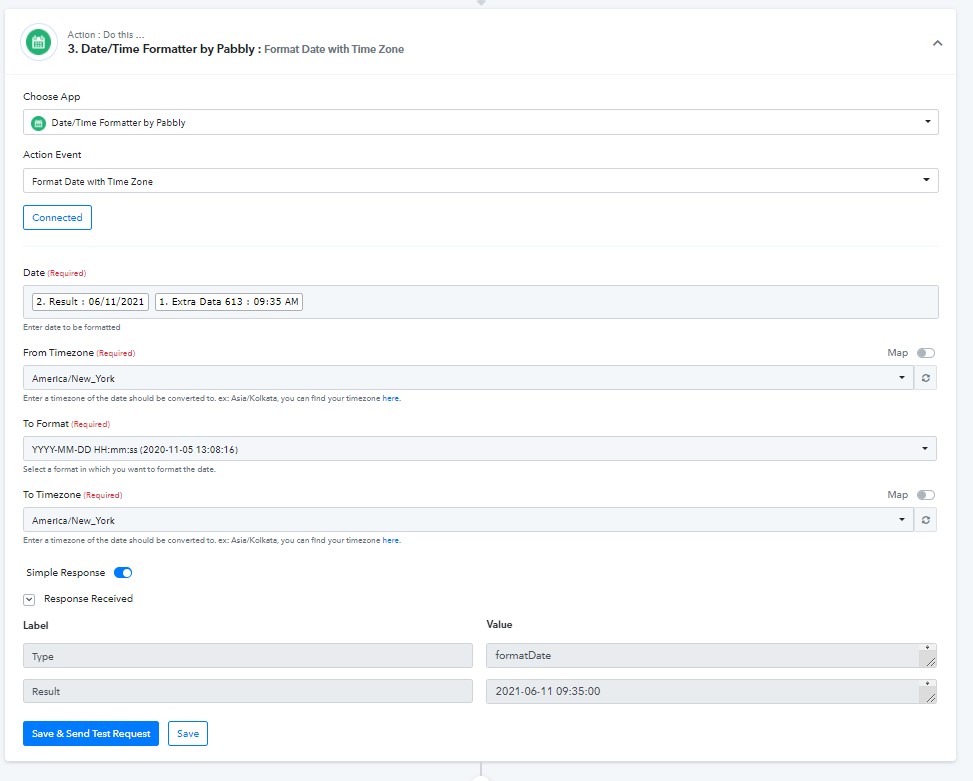
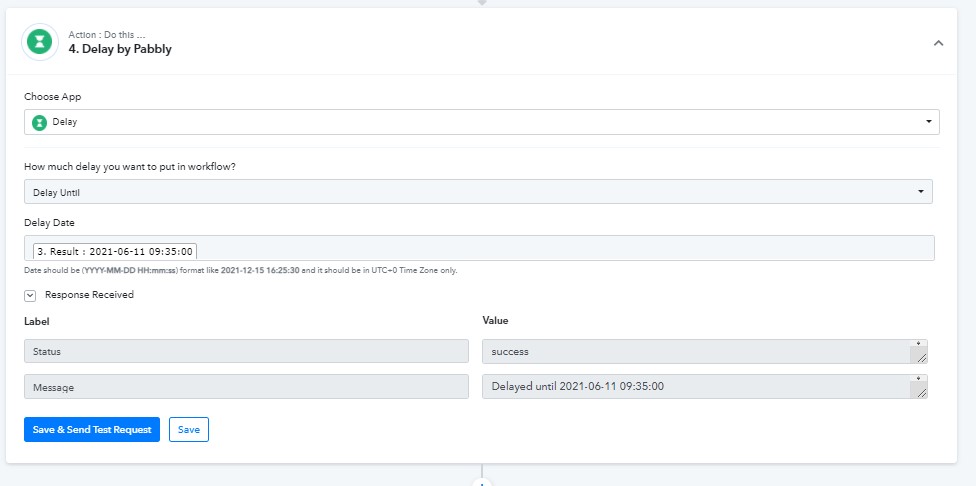
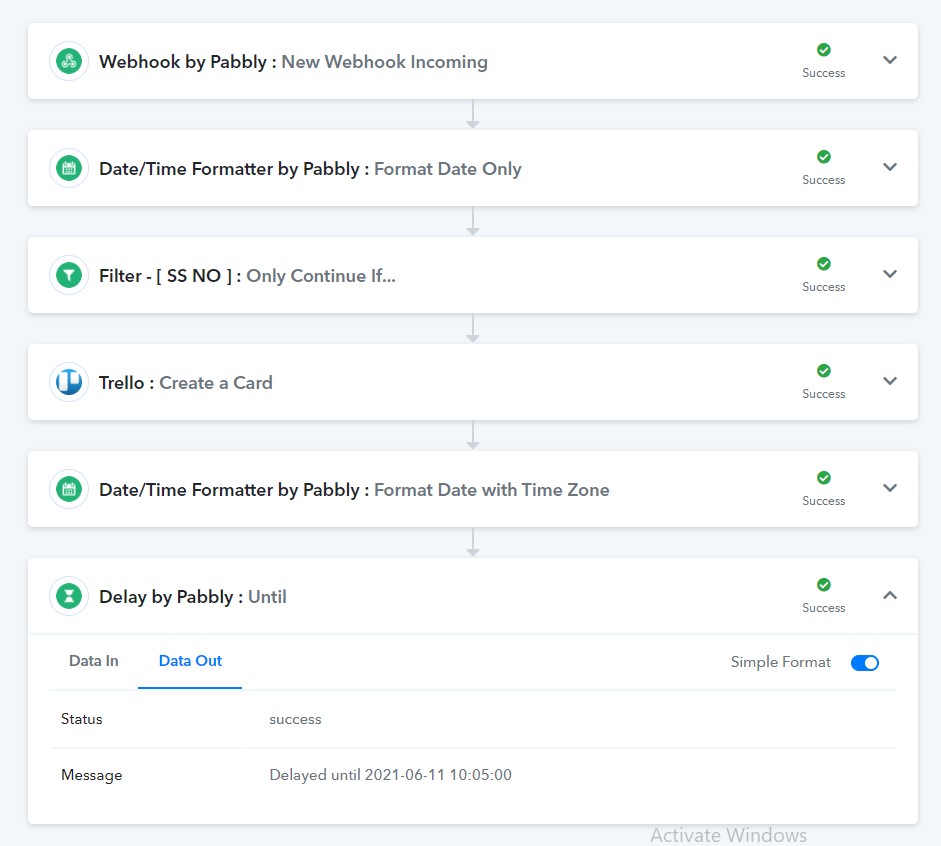
CCheck step 2 and 3 -
It's set both to America/New York
I don't have Schedule by Pabbly set up don't know if that matters.
Here is a video for you explaining how to test delay module and issue in your workflow - https://www.loom.com/share/f1c0462a17714b0baea4027629bc9090
It's set both to America/New York
To Timezone Value shouuld be -

PM me on FB if you need more help, I would love to help you over a zoom call.(no charges) - https://www.facebook.com/fagun.shah.7/
Thank you for the video, when I change to ETC/UTC it changes the time and does not keep it eastern.
Thank you for the video, when I change to ETC/UTC it changes the time and does not keep it eastern.
Share screenshot again or let's connect on chat - https://www.facebook.com/fagun.shah.7/
Solved! Thank you Fagun :)