Deleting folders from the Pabbly Connect Dashboard
Status: Closed · Asked by Comercial Tesalia on · 0 views
Hi. I know I am risking a stupid question, but I need to know how to delete folders from the Pabbly Connect Dashboard. Some of them have left emptys after removing some workflows. Thank you.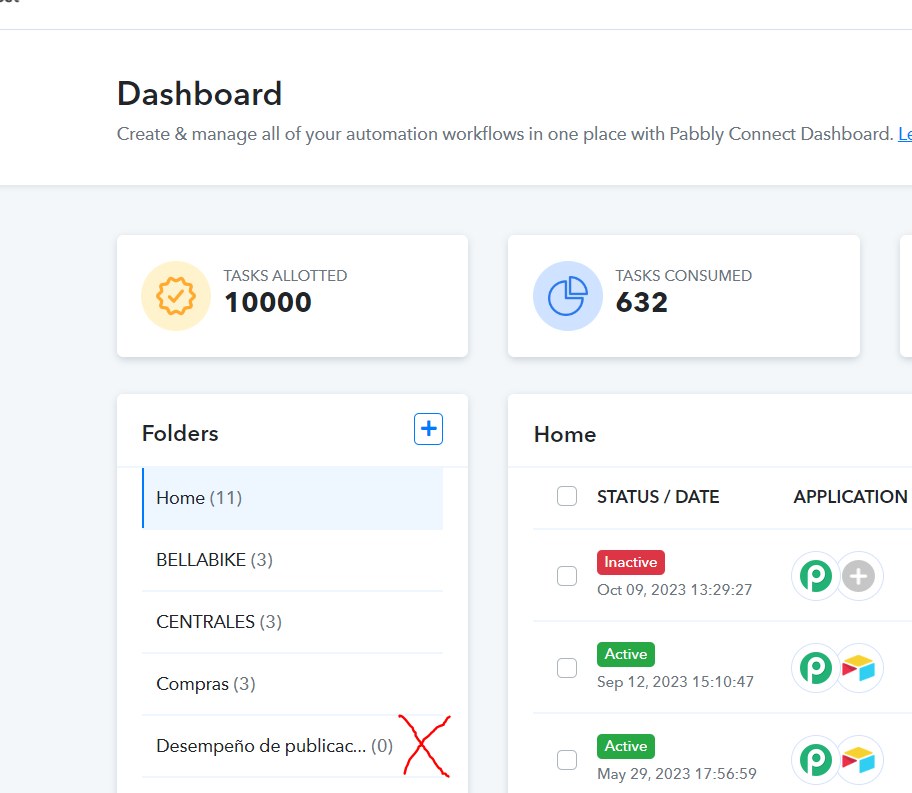
Hey @Krztvl
We provide an option to delete a folder. Simply locate the three dots next to the folder name, and you can choose the delete option.
If you cannot see the delete option, please refresh the page, clear the cache and cookies of your browser, and then check again. We have deleted the folder on your behalf.
Thank you very much. I did not realized there was an horizontal scrollbar at the bottom, so because of that the three dots were out of my view.
Regards