Deleting One Row in Google Sheets
Status: Open · Asked by SheaOliver on · 0 views
Hey Team,
I have a number of workflows that end with deleting one row in Google Sheets. However, it is deleting more row when these workflows run.
The spreadsheet looks like this:
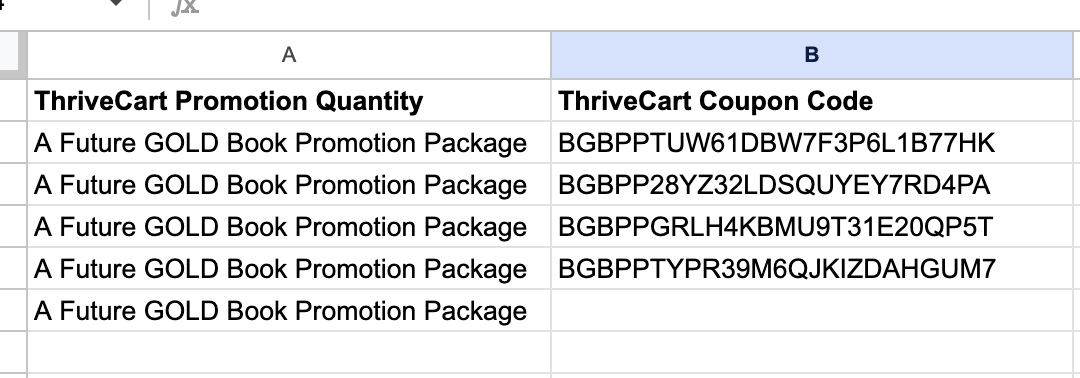
And I simply want to delete row number two. Here's what I have in the workflow.
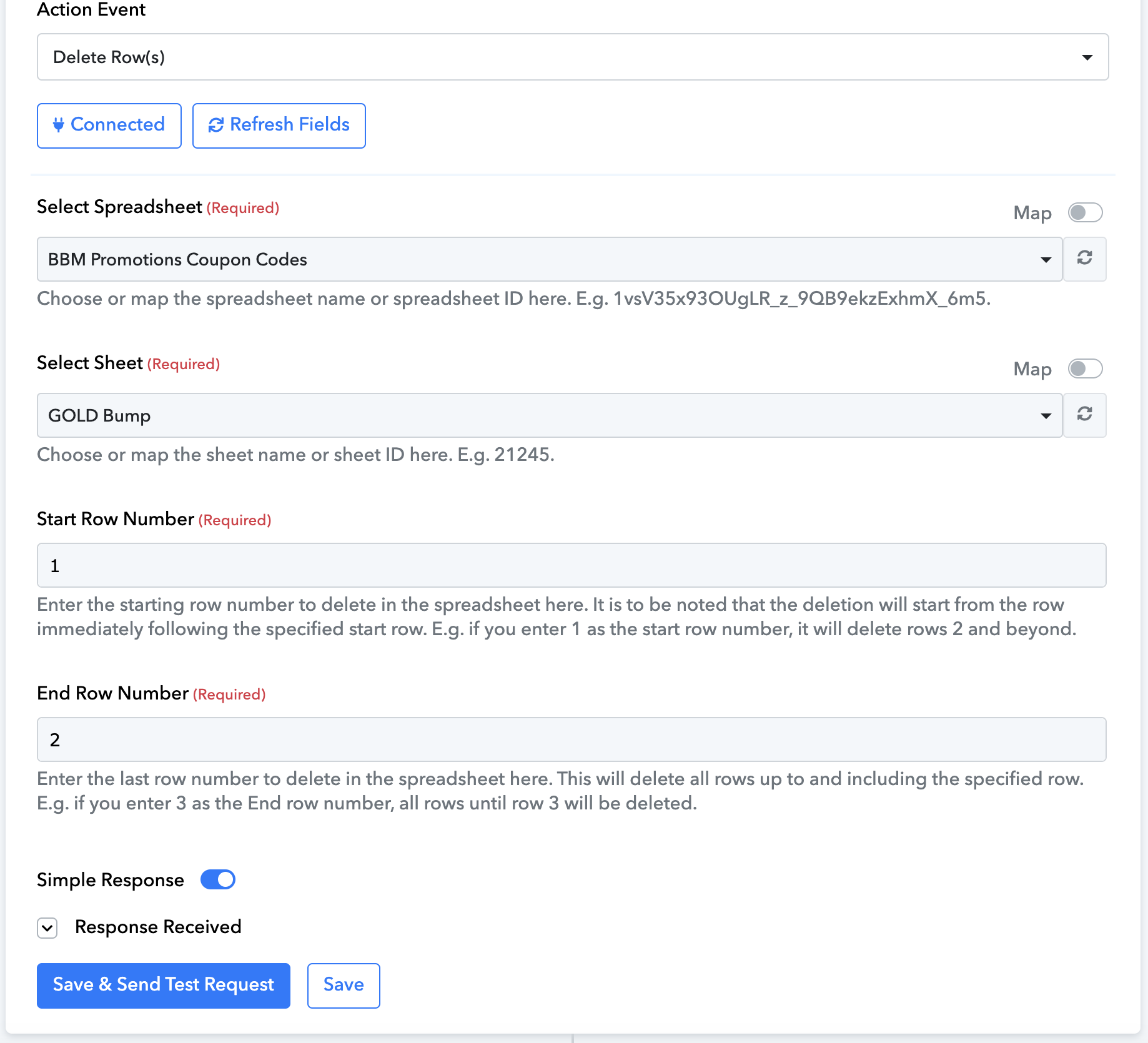
Why would this delete more than one row? More importantly, how do I make the workflows only delete row number two?
Thanks for the help.
Cheers!
Shea
Hi @SheaOliver,
Could you please share the Workflow URL in which you have this concern?
Hi @ArshilAhmad,
I have a bunch. Here's one: https://connect.pabbly.com/workflow/mapping/IjU3NjUwNTZkMDYzMDA0MzY1MjZiNTUzNzUxMzIi_pc
Cheers!
Shea
The 'Delete Row(s)' action step can delete a single row at a time. This action not only deletes the content of Row 2 but also the entire row. So, when Row 2 is deleted, Row 3 replaces its original position, and now it becomes Row 2.
https://drive.google.com/file/d/1XSGcEsXvstvTmhEsxY3alokbQfw8kaen/view?usp=sharing
If you want only the content of Row 2 to be deleted while keeping the position of other rows unchanged, you would have to use the 'Update Row' action step.
https://drive.google.com/file/d/1r3Rfyby8c_HZYkESUCq2BNTMmareTcXk/view?usp=sharing