Deliver upsells and bump orders?
Status: Closed · Asked by Ivandih98 on · 0 views
Hey,
So I was wondering how to exactly deliver the different products like upsells or bump offers when someone buys from a funnel.
I know using filters is the way of sorting this out, but what id or thing do I need exactly to retrieve in order to deliver the product?
I use a program called Converdy and deliver the products via a membership site based on certain tagging that happens using AC.
Hey @Ivandih98
As of now, Converdy's action events are not available on the platform, so for your concerned use case, you can post the request to add the request here - https://pabbly.hellonext.co/
Our integration team will look into it and add the action step accordingly.
Hey,
Thanks for the help.
While I have requested to add this already, my main concern for now is in terms of how to use current webhooks and extract the information it gets to deliver the upsells or a specific product.
I would like to know how to do this, thanks :)
Hey @Ivandih98
You can check with the application team whether they support normal webhook in their API or not
If yes then you can make use of the "Webhook by Pabbly" trigger event to capture the data for the application.
I appreciate your patience and prompt response.
My application does support normal webhooks, so I know it's possible and I've captured some responses already.
What I'm really asking is how to use filters to deliver different products.
Here's the video to which I'm referring when I say this:
youtube.com/watch?v=W3HMbI5Q68U
At minute 8, it explains how I can use filters to deliver different products. My question is... what field should the filter be to make sure that only those who buy a certain product (on upsells or bump offers) get that extra product they bought.
Hope I'm not making this confusing :)
Here's the video to which I'm referring when I say this:
For your concern about processing different products in a single workflow, we suggest using the "Router" action step.
Please check this video and try it on your end. I hope this might help you out.
Here's the video to which I'm referring when I say this:
For your concern about processing different products in a single workflow, we suggest using the "Router" action step.
Please check this video and try it on your end. I hope this might help you out.
Thanks so much for the recommendation.
I am using routers, and they are what they need. My only question is... what parameter should I use when filtering for those who get a product like an upsell vs those who don't?
That would help me a lot :)
Hey @Ivandih98
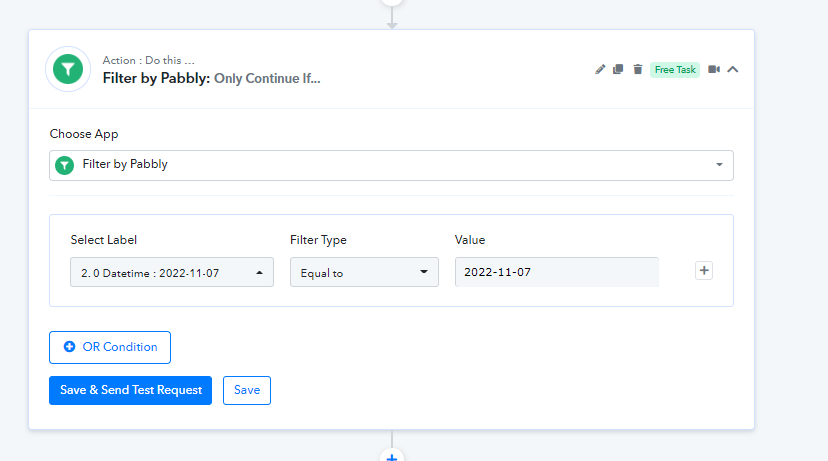
You can pick the "Equal to" filter type according to the data which you can check while processing the sales.