Discord bot posts the same message multiple times per trigger in Jira.
Status: Closed · Asked by Anh Le on · 0 views
Please help me to check. ID: IjEzMzk1MSI_3D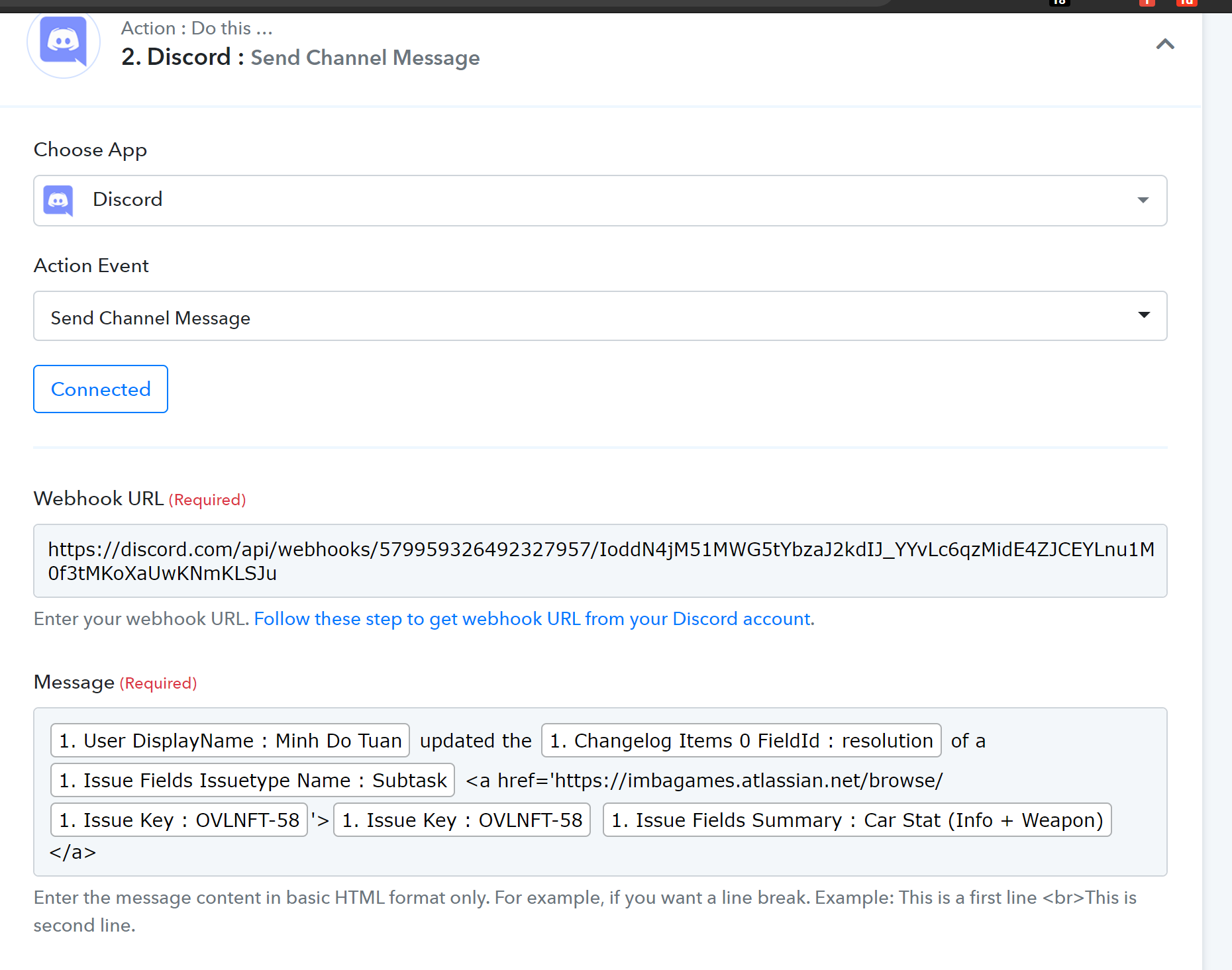
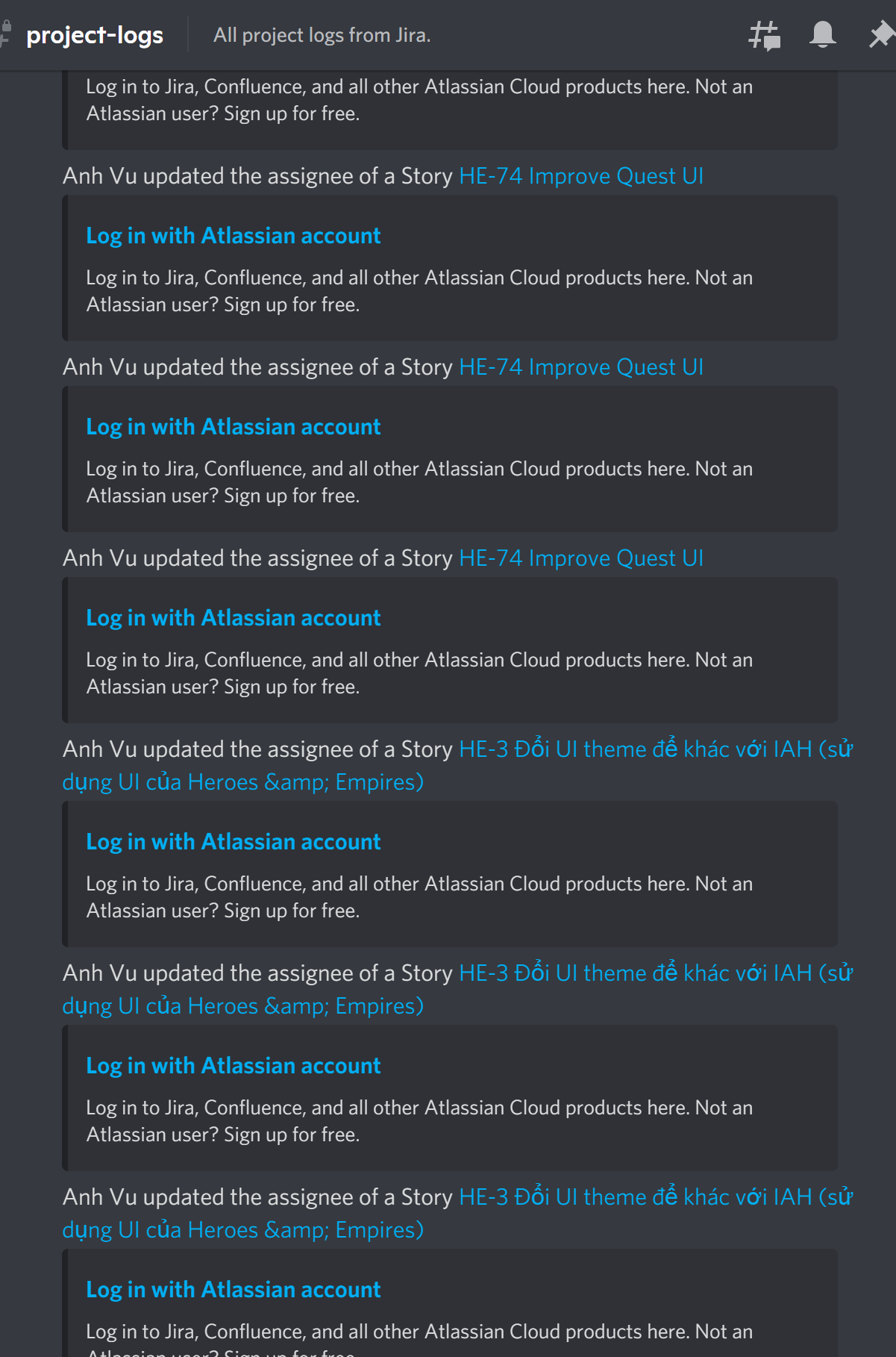
We reviewed your workflow history and tested the Jira triggers at our end as well.
For Issue Updated trigger event in Jira, data is pushing to your workflow from Jira very frequently. Even with small changes performed in any issue on Jira, it pushes the data to Pabbly Connect.
I would recommend you to contact Jira in this regard as we are just receiving the coming data from Jira. Maybe it needs the following filter changes for the trigger event that you have configured in Pabbly Connect trigger to limit the coming data.
(project = HNE AND issueType = Story) AND (Sprint in (futureSprints(),openSprints()) OR sprint = EMPTY)We reviewed your workflow history and tested the Jira triggers at our end as well.For Issue Updated trigger event in Jira, data is pushing to your workflow from Jira very frequently. Even with small changes performed in any issue on Jira, it pushes the data to Pabbly Connect.
I would recommend you to contact Jira in this regard as we are just receiving the coming data from Jira. Maybe it needs the following filter changes for the trigger event that you have configured in Pabbly Connect trigger to limit the coming data.
(project = HNE AND issueType = Story) AND (Sprint in (futureSprints(),openSprints()) OR sprint = EMPTY)
I'm sorry but I cannot agree with you. I tested the integration with that JQL on Integrately, Zapier and Integromat and none of them have this issue.
And no, I can confirm those messages come at once. They are duplicatted messages, not the same ones.
I'm sorry but I cannot agree with you. I tested the integration with that JQL on Integrately, Zapier and Integromat and none of them have this issue.
And no, I can confirm those messages come at once. They are duplicatted messages, not the same ones.
We are looking into this and will update you.
I'm sorry but I cannot agree with you. I tested the integration with that JQL on Integrately, Zapier and Integromat and none of them have this issue.
And no, I can confirm those messages come at once. They are duplicatted messages, not the same ones.
Please try setting up a new workflow or clone the existing workflow with Jira trigger using webhooks as shown below. It will resolve the multiple trigger issue.
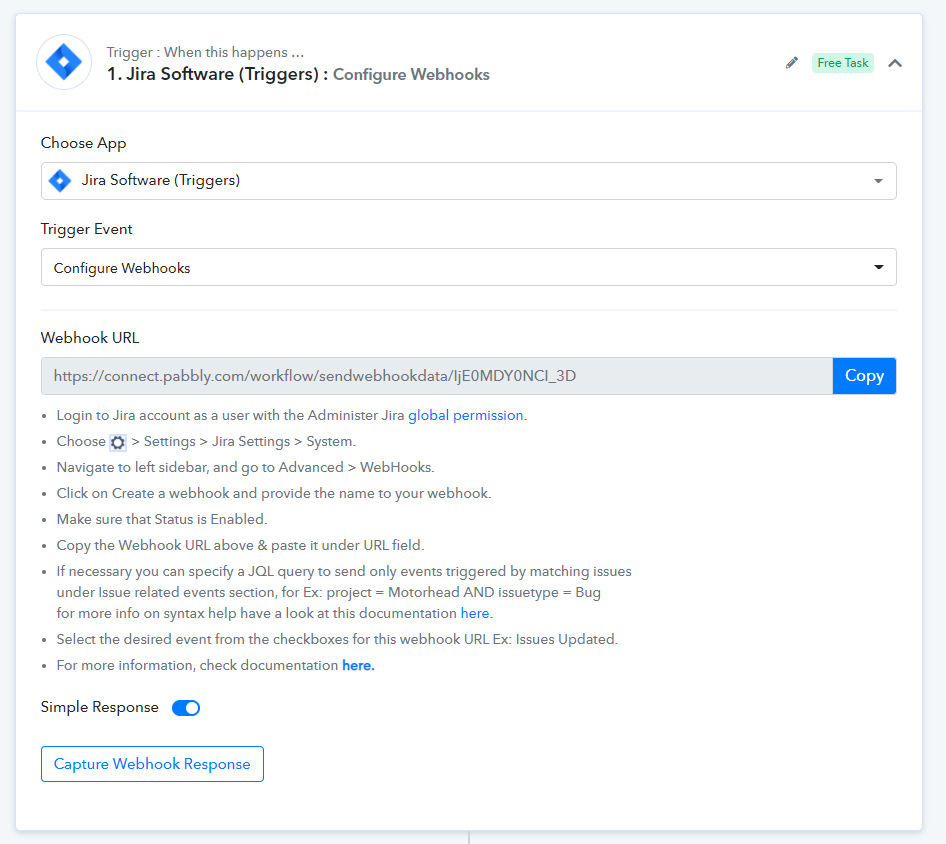
You need to add the webhooks in Jira account as shown below. Just make sure you're selecting only one event per webhook -
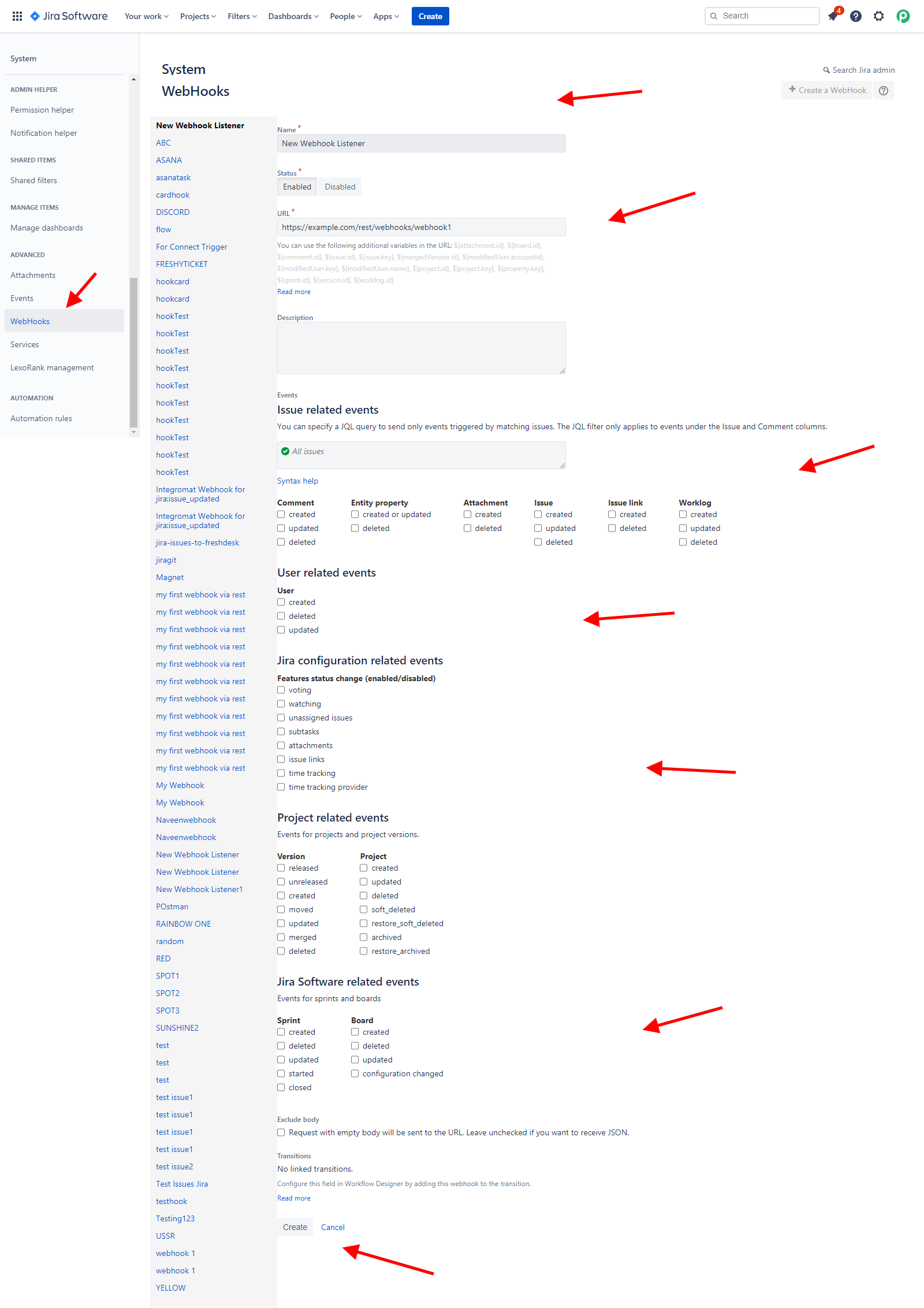
So I have to create like 30 webhooks for those 30 events?
Hey @JOY
So I have to create like 30 webhooks for those 30 events?
You have to use a unique workflow ( Webhook URL ) for each new webhook that you create.
If I understand correctly, that's a terrible idea. One workflow always have many event data.
Hey @JOY
One workflow always have many event data.
Unique Workflow ( Webhook URL ) will avoid the Duplicate issue. Further, if one workflow has many different event data that you can use a filter module or router to filter out a specific event
You don't understand my point.
Ex: I have a workflow named: Update issue in Jira -> Send Discord Notification.
But in Jira, there are kind of 100 things to updates: Status, Summary, Comment, Assignee, etc.
Now you told me to select 1 event per webhook. So I must create 100 webhook???
Hey @JOY
We've got your concern and would like to inform you that, you're are not restricted to create multiple workflows for different events.
You can select multiple events for a single webhook URL, along with a proper JQL query as per your requirements.
With the Issue Updated event, if you want other information like Comment, Assignee, Status, etc in the webhook response from Jira, then you need to select for Comment Created, Updated, Deleted event along with Issue Updated event and, JQL condition for Assignee & Status.
Moreover, we would recommend deleting your workflow with the older Jira trigger setup and kindly set the new workflow with a new webhook URL in your account to test your condition.