DropBox - Upload File
Status: Closed · Asked by DRadulescu on · 0 views
Hello all,
I am using a workflow to catch an email with an attachment, create a DropBox folder with a variable name and then upload a file to DropBox in that folder. Here is where I am stuck and need a little help...
- Email Parser - catches the inbound email - NO PROBLEM. I have confirmed that the file uploaded is accessible publicly.
- DropBox - Creates folder - NO PROBLEM
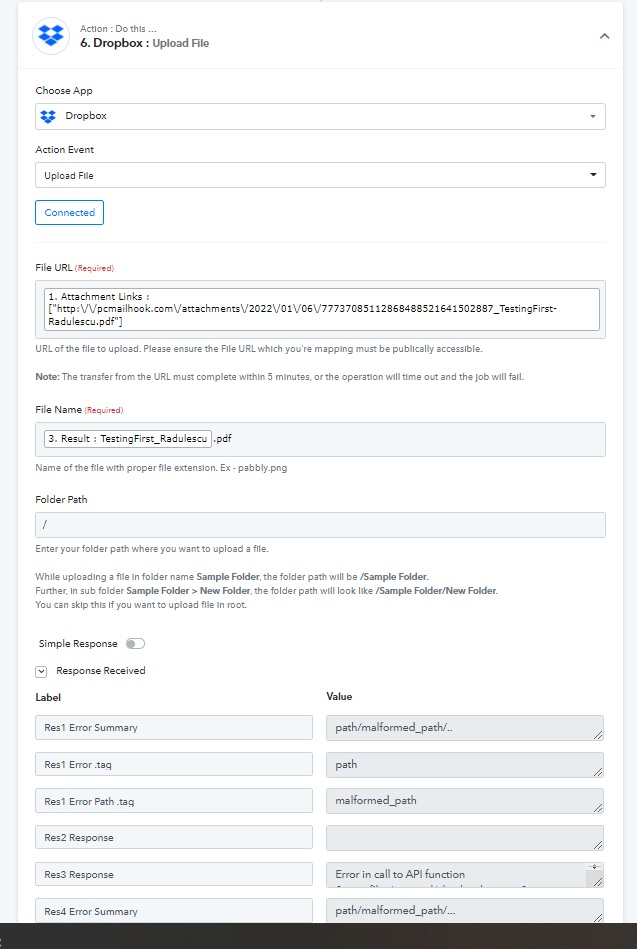
- DropBox - Will Not Upload a file. I'm sure it's user error, but from what I can see in the videos and online, the File URL is the single attachment field, File Name is basic field name with a .pdf (same as the original email attachment), and the path errors path/malformed_path/
I'm not sure what I am doing wrong, but I have confirmed connection with DropBox on both sides and even attempted to upload into the root. All failed attempts. Any advice? Thank you!
Attachments
Hey @DRadulescu
DropBox - Will Not Upload a file. I'm sure it's user error, but from what I can see in the videos and online, the File URL is the single attachment field, File Name is basic field name with a .pdf (same as the original email attachment), and the path errors path/malformed_path/
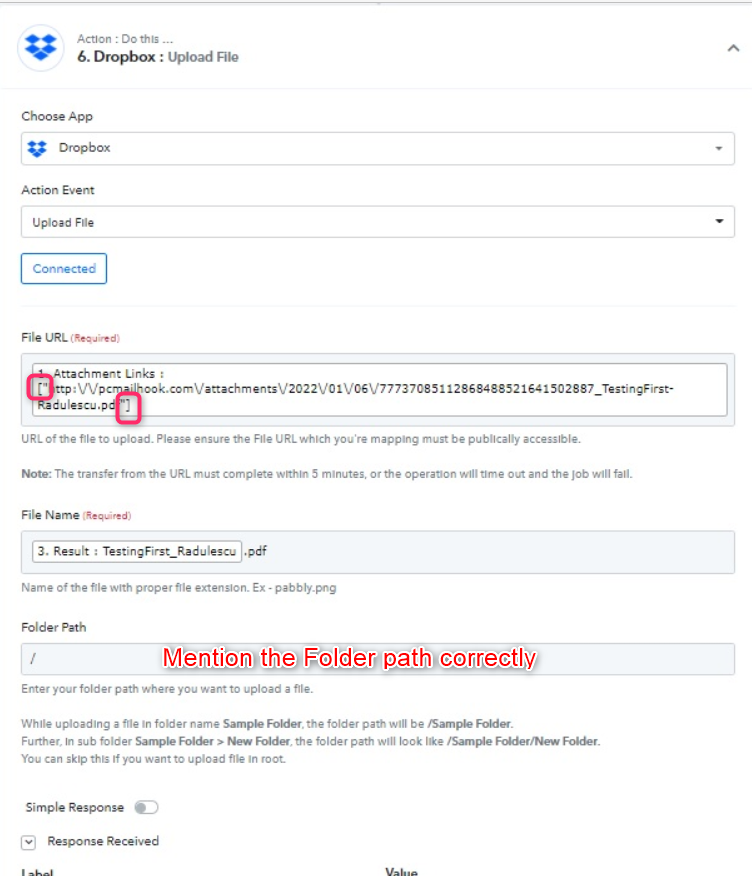
As we can see from your attachment the file URL contains [" and "] on the file before and after, which is not in the correct format to pass on the field.
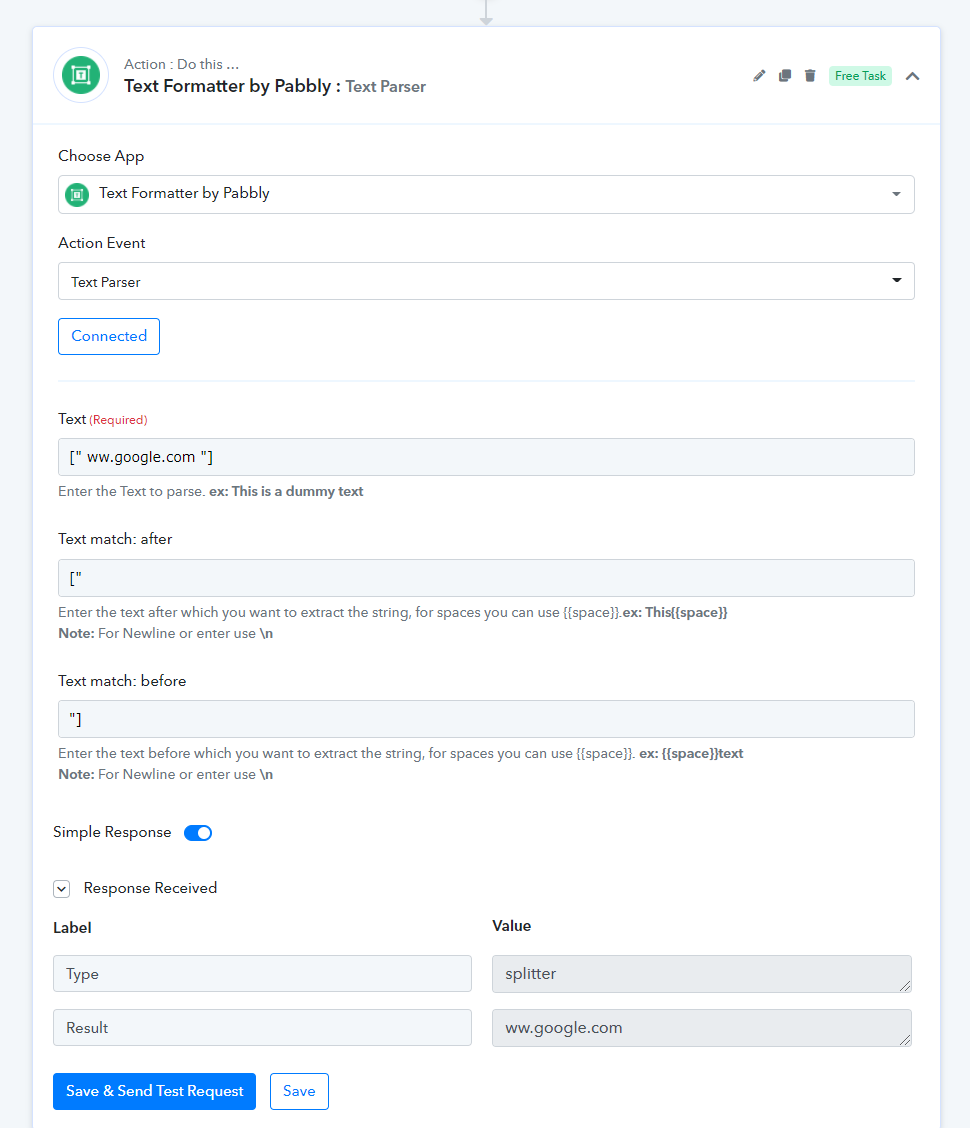
So, to remove this from the file URL, you can use Text Formatter's Text Parser action event. Please check out the following screenshot -