Due Date for Google Task missing Time
Status: Closed · Asked by mikejandreau on · 0 views
I'm working on an integration to copy Google Tasks to Google Calendar.
I created a test task in Google Task due at 6pm EST today.
When I get that Task through the Google Task in my Workflow, I only get the date, never the time:L

This creates the problem in that the task is always created on the Google Calendar at the wrong time.
This looks to be a Google API problem, not a Pabbly problem. Disregard.
Hey @mikejandreau
Thanks for the update, let us know if any problem persists.
It seems I am missing something here. Also, I tried to create this automation and the due date is loaded without time - I mean it loads it as 00:00:00.
Is there a way to get the time as part of the information?
Thanks!
Attachments
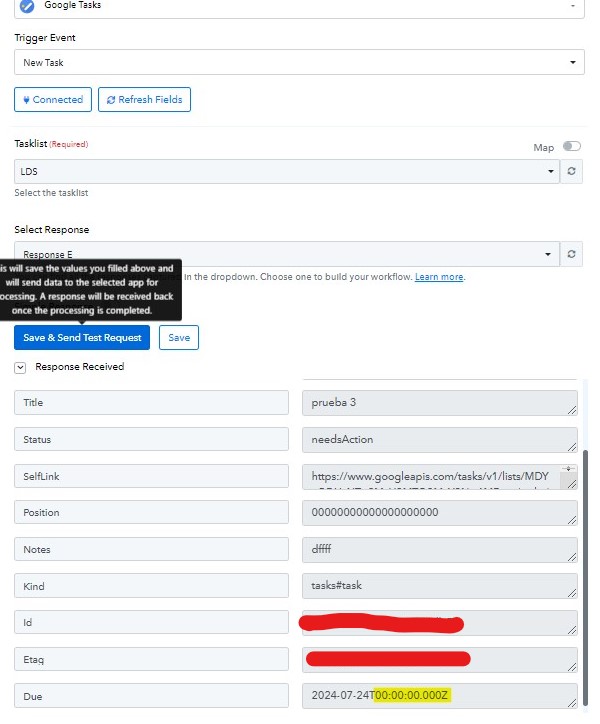
It seems I am missing something here. Also, I tried to create this automation and the due date is loaded without time - I mean it loads it as 00:00:00.
Is there a way to get the time as part of the information?
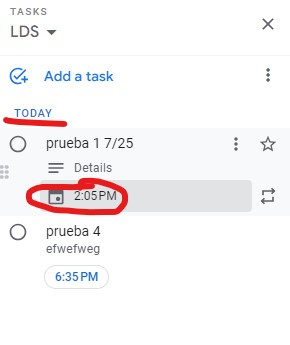
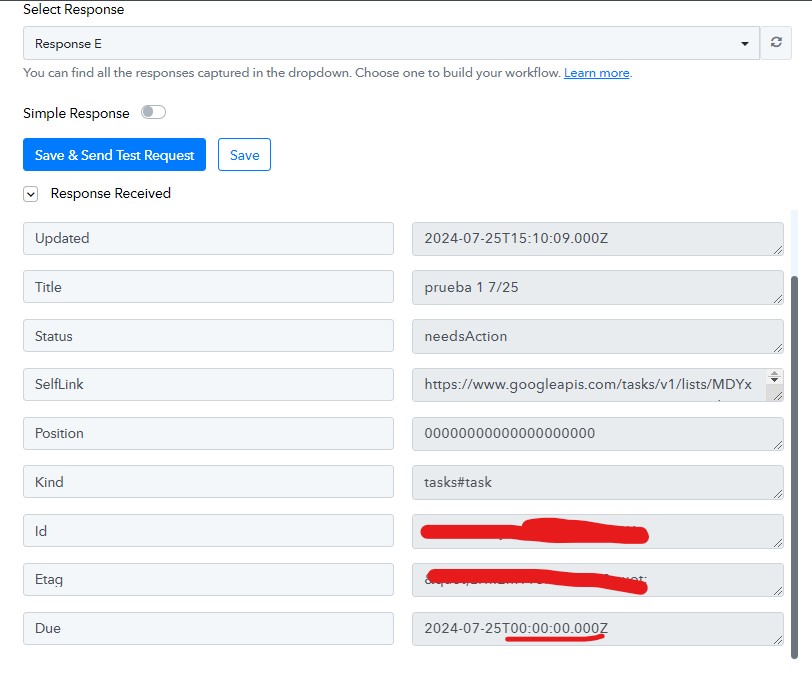
Please share the workflow URL where you have attempted this, and if you have selected 12 AM, it should appear as 00:00:00 in the time section of the due field.
Hey @Luis_Bol
It seems that Google Tasks provides the due date and time in the UTC timezone, which leads to a time difference.
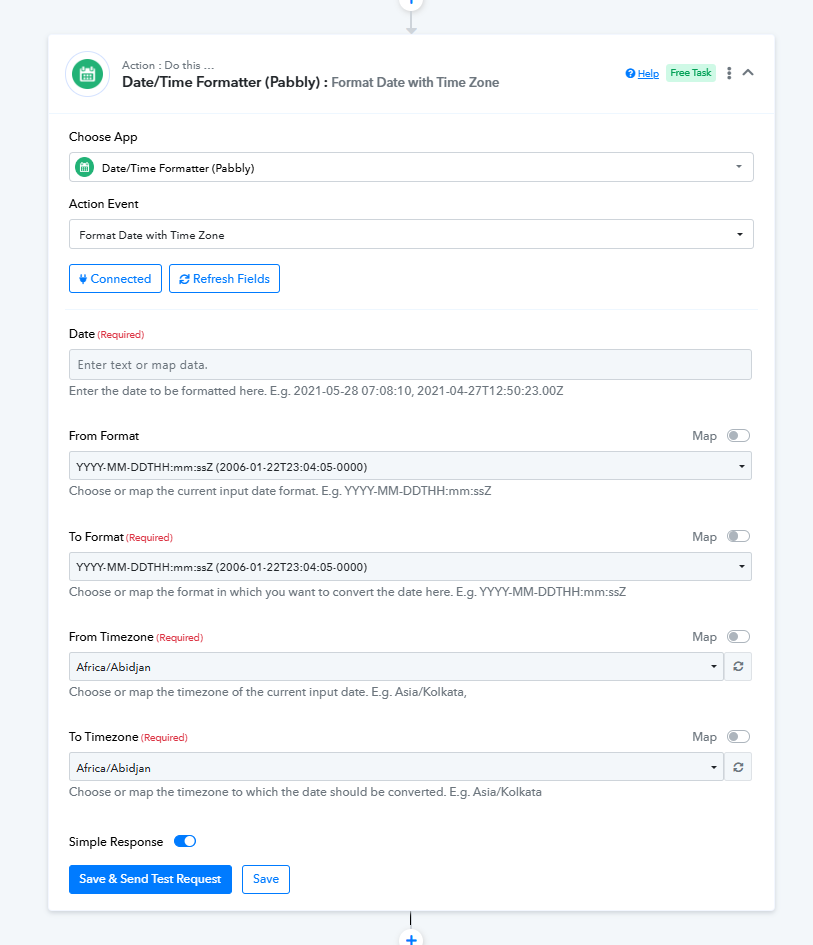
To address this issue, it is recommended to utilize the Date Time Formatter action step, which can adjust the date and time to your specific time zone.
Thanks!