Duplication of Events Issue in Pabbly due to Multiple Registration Forms in MailerLite
Status: Open · Asked by CDO LATAM on · 0 views
When doing automation in Pabbly, I've had an issue with event management. I host several events, both virtual and in-person, and create multiple registration forms for them. Previously I only had one event a month, which made it easy to set up the workflow in Pabbly.
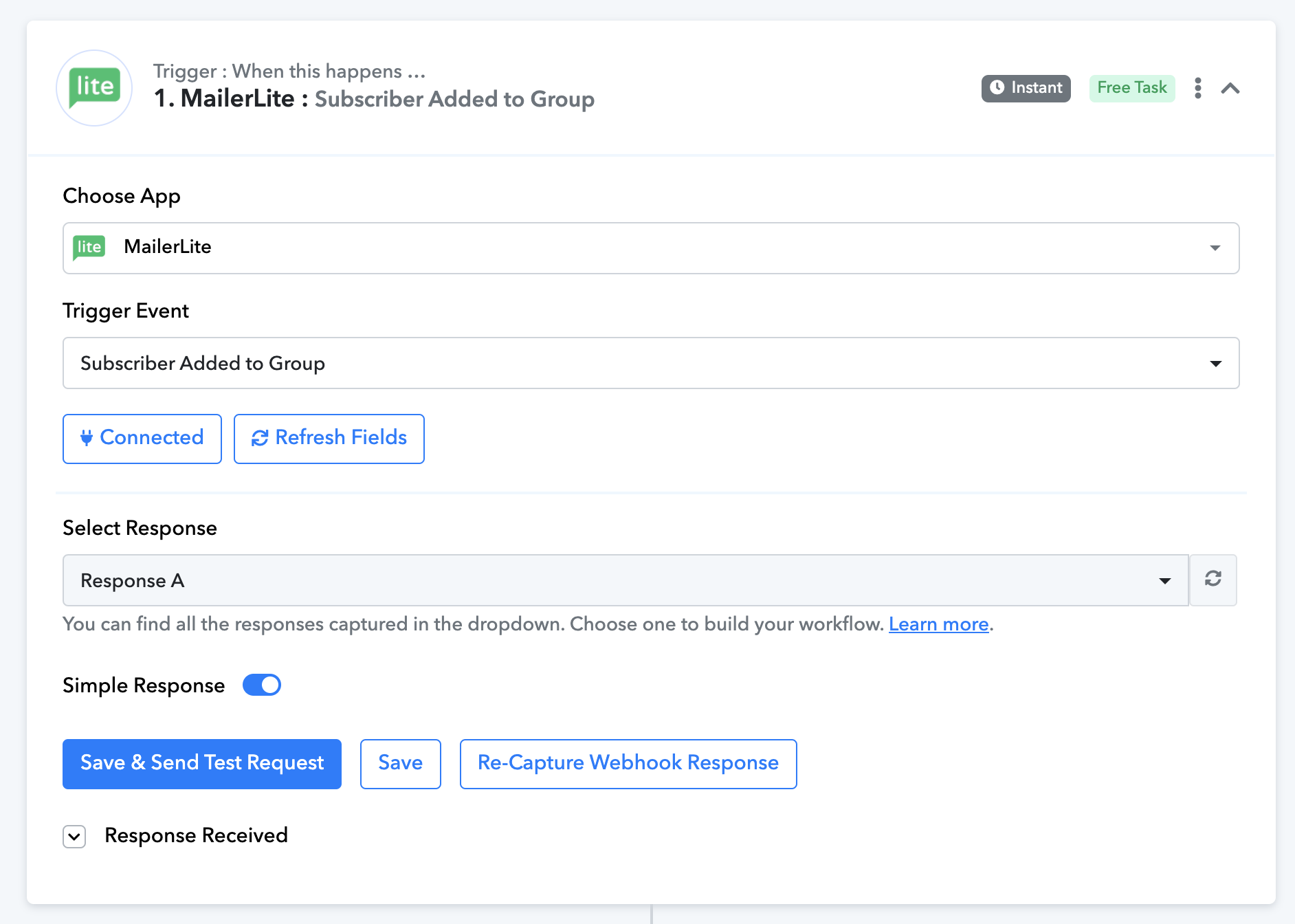
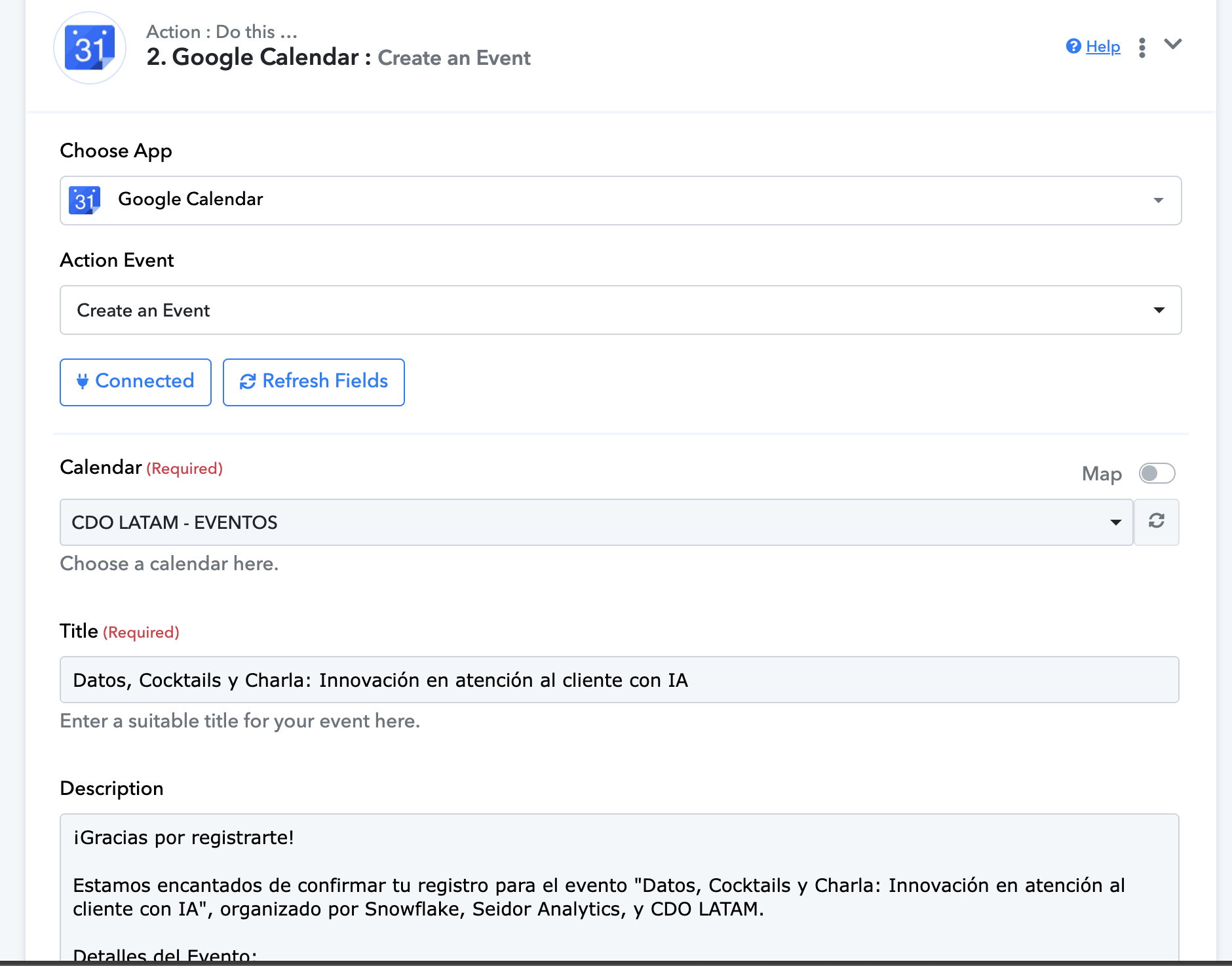
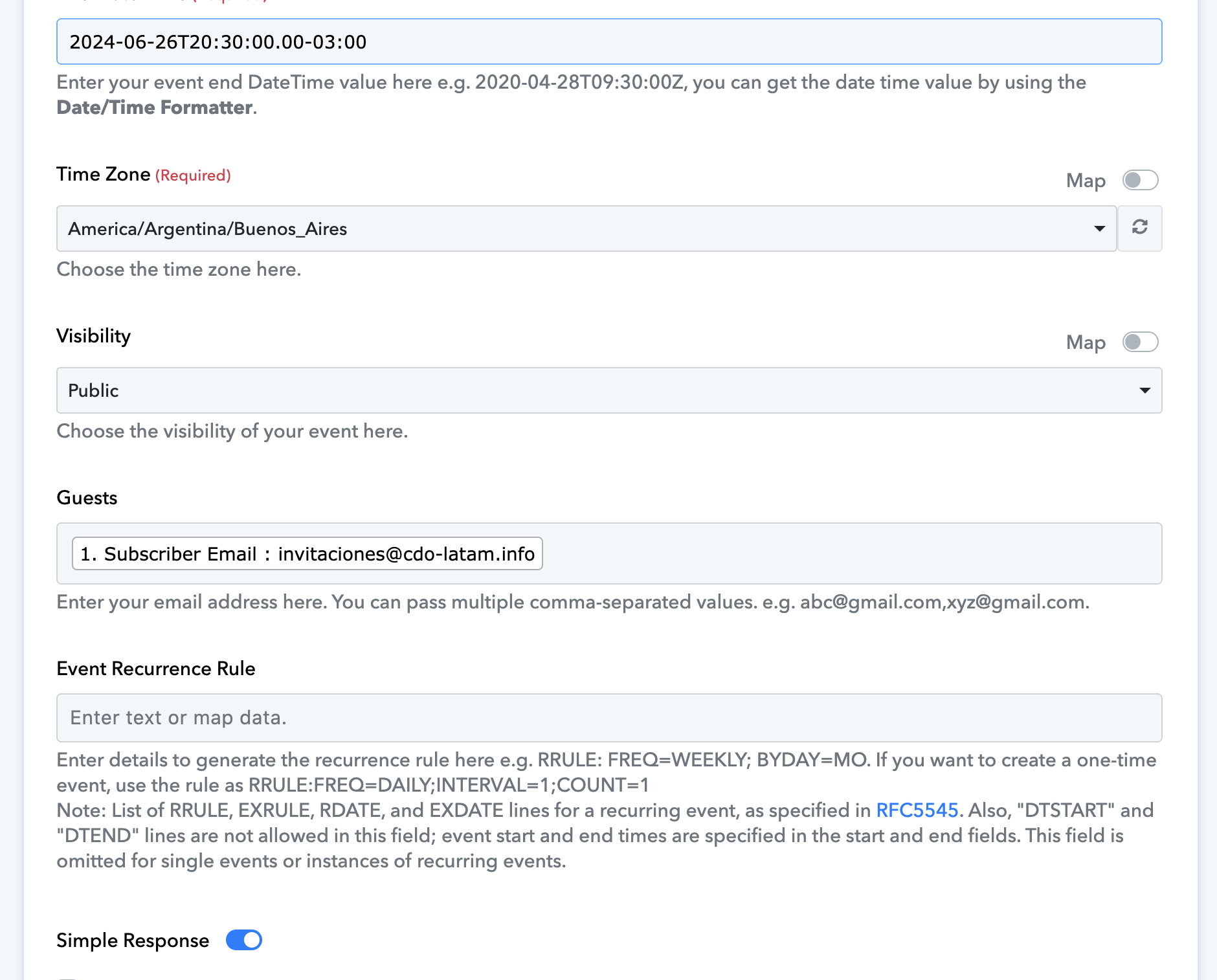
I use MailerLite to manage registration forms. When a user fills out a form, they are automatically added to a group in MailerLite. In Pabbly, I configure a workflow with a trigger that is activated when a subscriber is added to a group. Then, a second Google Calendar trigger creates an event in the user's calendar with all the necessary details (title, description, location, start and end time, and the guest's email).
The problem is that Pabbly does not allow you to specify which group should activate the trigger. This wasn't a problem with a single event, but now I have three simultaneous events and different workflows for each. As a result, when a user registers for an event, three events are created in their calendar, one for each event, regardless of which form they filled out.
I want each workflow to create an event in the user's calendar just for the specific event they signed up for. That is, if a user registers for webinar one, only that event should be created in their calendar, and not the other two.
I need a solution for this issue as we have been using Pabbly for a year and it is crucial that it works correctly for our multiple events. Thank you so much!
Hi @CDO LATAM,
https://connect.pabbly.com/workflow/mapping/IjU3NjUwNTY1MDYzNDA0Mzc1MjZlNTUzNTUxMzMi_pc
You can add a filter to your workflow in this manner. So, even if the workflow is triggered for every group, the Filter step will ensure that events in Google Calendar are only created if they pass the filter condition.
For example, this workflow will trigger when a subscriber is added to any group in your Mailerlite account. However, the event in Google Calendar will be created only if the user is added to the 'Argentina - Datos, Cocktails y Charla' group.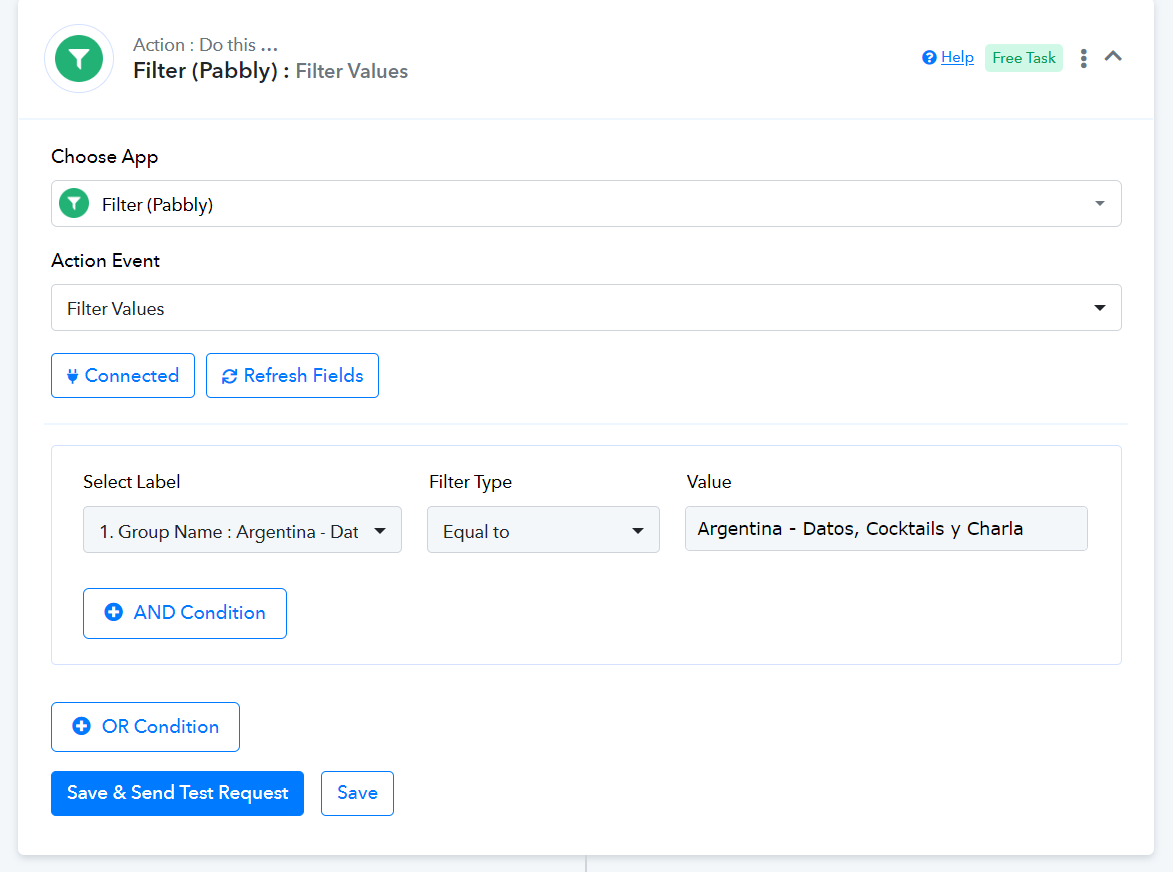
You can add a Filter in a similar manner to your other workflows as well, setting different group names as your filter condition.
Oh excellent, thank you very much for the explanation, they are the best!
Glad we were able to help. We'd love to hear your thoughts! If you have a moment, please rate us on Google. Your feedback helps us improve.