E-mail parser and recognizing patterns
Status: Closed · Asked by mvandooren on · 0 views
I am trying to create a workflow to extract data from an email source. Please note that in the example given attached I need point 1 to 4. So it should extract the data two times considering it’s 2 listings. Can this be accomplished? https://share.getcloudapp.com/BluDxklm
Hey @mvandooren
Could you please tell us that whether those 4 points which you are trying to extract from the email parser (https://share.getcloudapp.com/BluDxklm) will always be in the fixed position? The newsletter content will always come in a similar manner?
Hey @mvandoorenCould you please tell us that whether those 4 points which you are trying to extract from the email parser (https://share.getcloudapp.com/BluDxklm) will always be in the fixed position? The newsletter content will always come in a similar manner?
@Supreme, yes, it will always come in a similar manner (same structure), just with additional listings. Standing by,
Hey @mvandooren
We have tried a workaround in the workflow for your concern, kindly check that out and let us know if that works for you.
Thanks
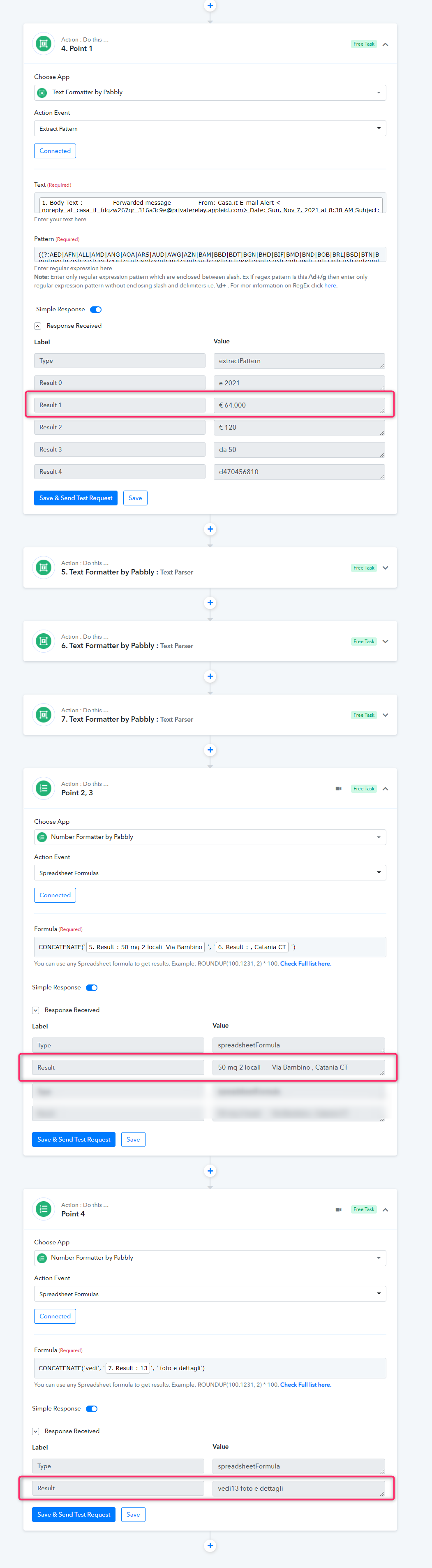
Hey @mvandoorenWe have tried a workaround in the workflow for your concern, kindly check that out and let us know if that works for you.
Thanks
Thank you. Is there a way for me to review this automation in my pabbly connect account ?
Hey @mvandooren
You can review the workaround in the workflow named "Gmail Casa.it in your Pabbly account.
Hey @mvandoorenYou can review the workaround in the workflow named "Gmail Casa.it in your Pabbly account.
Thank you Supreme.
I've now added a google spreadsheet to add the data to. Can you please try if this works correctly for you?
Here's the spreadsheet: https://docs.google.com/spreadsheets/d/1p9WC-sfH4TsPnS9FY2RpxFDTsrYaLdOFohftaa7bGSo/edit#gid=0
See screenshot > https://share.getcloudapp.com/4guPZdeJ
Can you try to push the data into the spreadsheet?
Hey @mvandooren
It seems like you haven't made the header(Column name) in the respective sheets to feed the data into the respective column row. Then reconnect your Google Sheets action step to map the respective entities to their respective column.
For better understanding, you can refer to our tutorial video -
(This video is just for understanding)
Hey @mvandoorenIt seems like you haven't made the header(Column name) in the respective sheets to feed the data into the respective column row. Then map the reconnect your Google Sheets action step to map the respective entities to their respective column.
For better understanding, you can refer to our tutorial video -
(This video is just for understanding)
Oke cool, will try this later and loop back. Thank you.