Editing values in cells
Status: Closed · Asked by akgshanmuga on · 0 views
Hi Pabbly Team,
I have done a workflow to remind my customers about the expiring car Insurance plan.
Reminder mails are sent as per configured dates ie 10 days prior to expiry of Insurance.
I wish to give a feature wherein the customer gets a link to update his new Insurance expiry date.
ie, in the reminder email (or Whatsapp) itself, the customer gets a link to update his new Insurance expiry date.
Can you guide me.
Thanks
Attachments
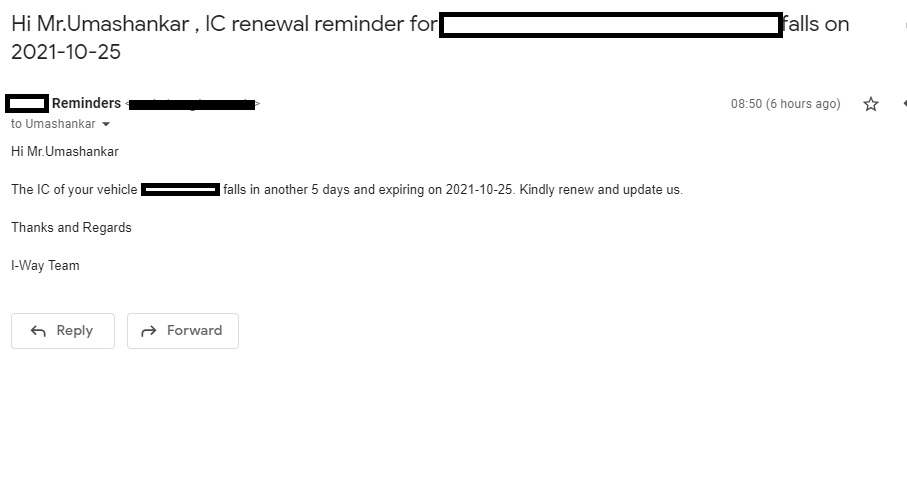
I wish to give a feature wherein the customer gets a link to update his new Insurance expiry date.
Create a Google form and share the form link with your customers for filling it with expiry date details and more. It should work out.
Create a Google form and share the form link with your customers for filling it with expiry date details and more. It should work out.
Sir,
Wish to automate the entire process.
Supposing one or two, we can do as per your suggestion of creating Google Forms and sending the link.
But if the data is huge, it certainly becomes tedious.
Moreover chances of "human error"
I wish to
1. Get the link of that particular cell (to be edited) and share with that customer.
My Workflow name is: Transport Operator IC Reminder
Supposing one or two, we can do as per your suggestion of creating Google Forms and sending the link.
You just need one form where you will ask the customer to fill in the IC number of the vehicle and the new expiry date if they have renewed it already. Then based on the IC number you can update the cell value. The workflow will be built as shown below -
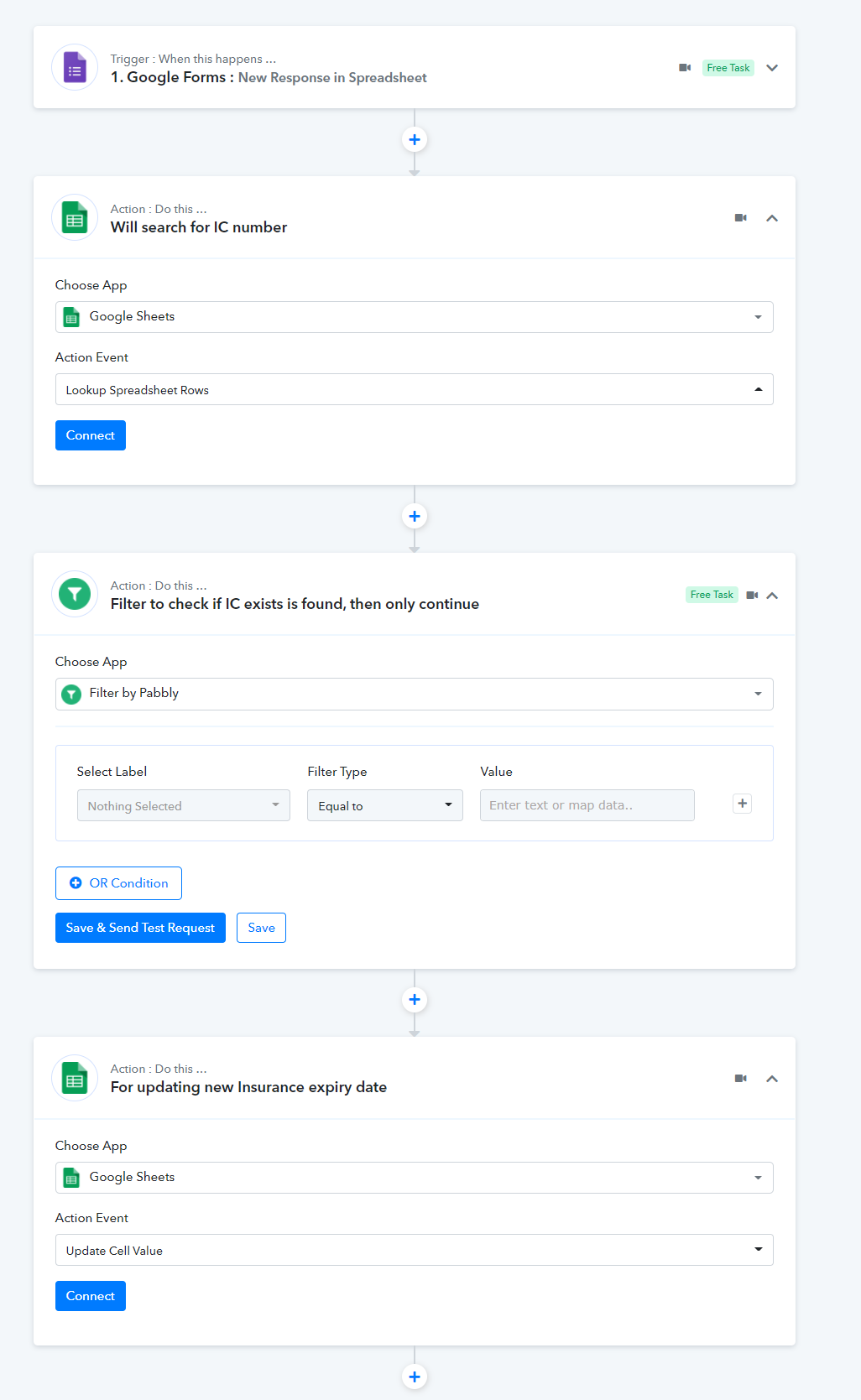
You just need one form where you will ask the customer to fill in the IC number of the vehicle and the new expiry date if they have renewed it already. Then based on the IC number you can update the cell value. The workflow will be built as shown below -
Sooper Sir,
Will try this workflow and update you.
Thanks