elementor to google contact
Status: Closed · Asked by Perugio1972 on · 0 views
Good morning, I have a question for you, a request for help on two aspects.
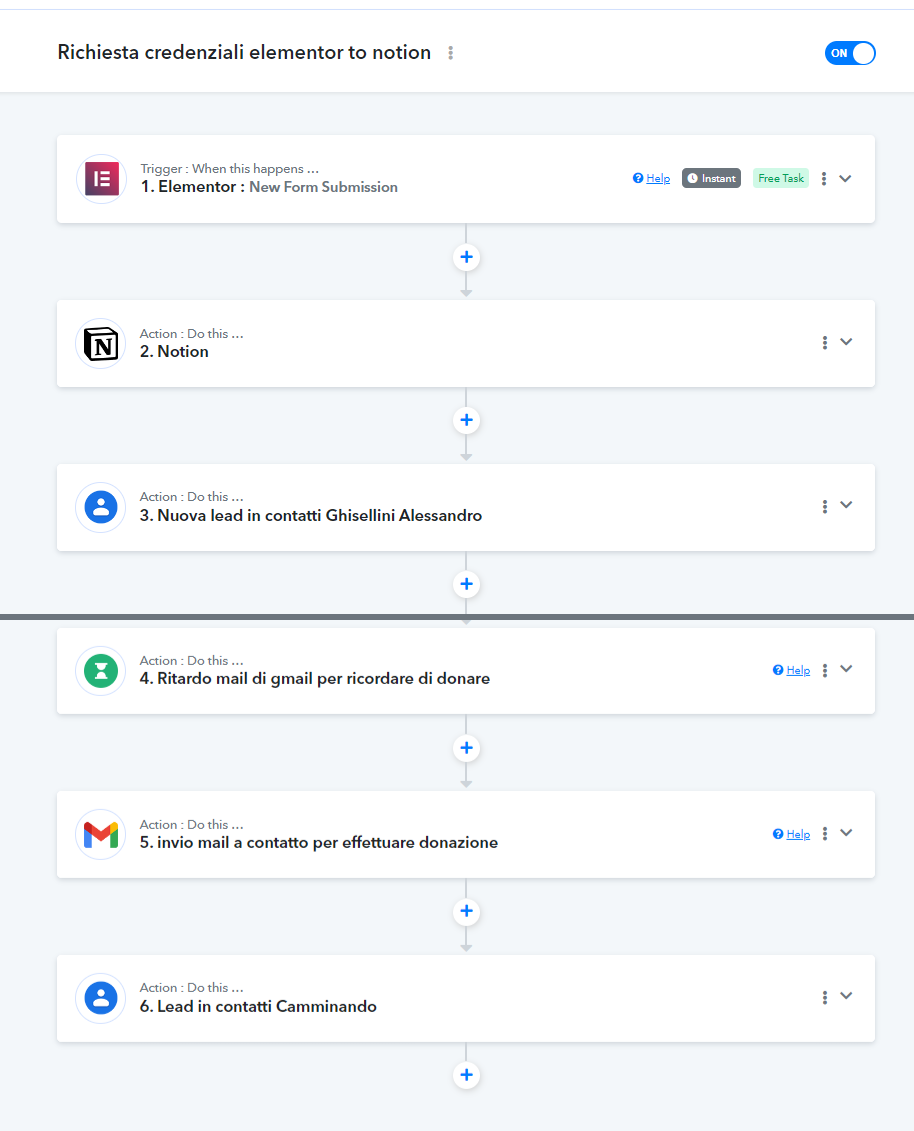
The workflow I created aims to collect data from an Elementor form and then create a contact in Google Contacts.
I wonder if it's possible:
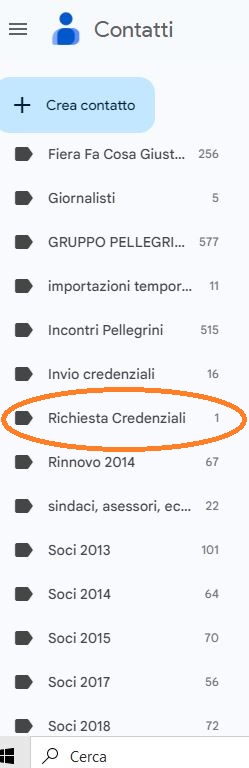
1) Once the contact has been created in Google Contacts, it can be marked with a label (the contacts that come from the Elementor form will all have the same label).
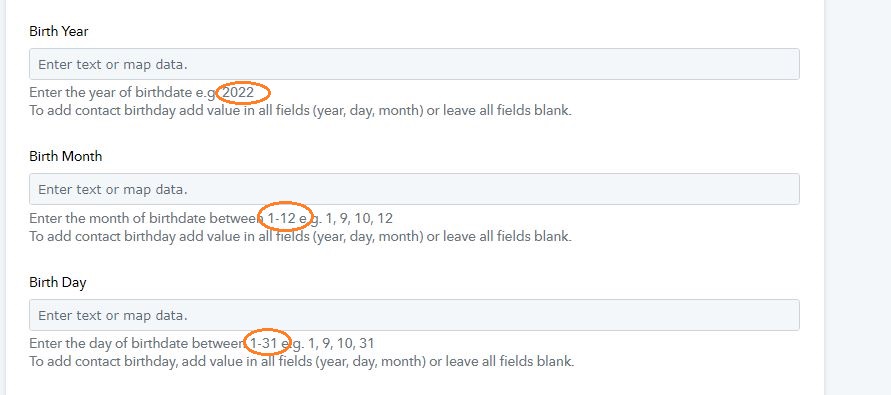
2) the "date of birth" field coming from the form is in this format: dd/mm/yyyy. How can I format it so that this field can also be inserted into Google Contacts?
Thanks if you want to help me
Attachments
Hey @Perugio1972
1) Once the contact has been created in Google Contacts, it can be marked with a label (the contacts that come from the Elementor form will all have the same label).
To address your concern, you can utilize the filter step. This way, whenever you receive a response from the Elementor form, you can label it accordingly.
youtube.com/watch?v=RVoCVvcdk4I
2) the "date of birth" field coming from the form is in this format: dd/mm/yyyy. How can I format it so that this field can also be inserted into Google Contacts?
To format the date, I request you to please use the Date/Time Formatter module in Pabbly Connect
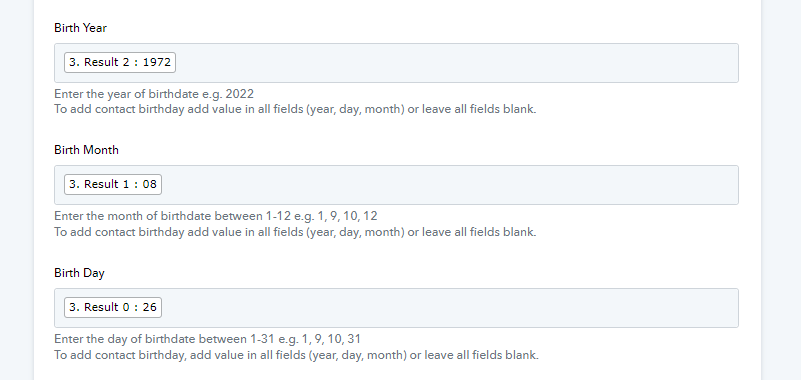
I apologize, I'll try to explain myself better. The first problem to solve is to ensure that the birthday date coming from the Elementor form in this dd/mm/yyyy format is divided by day, month and year as requested in the image to be inserted into Google Contacts.
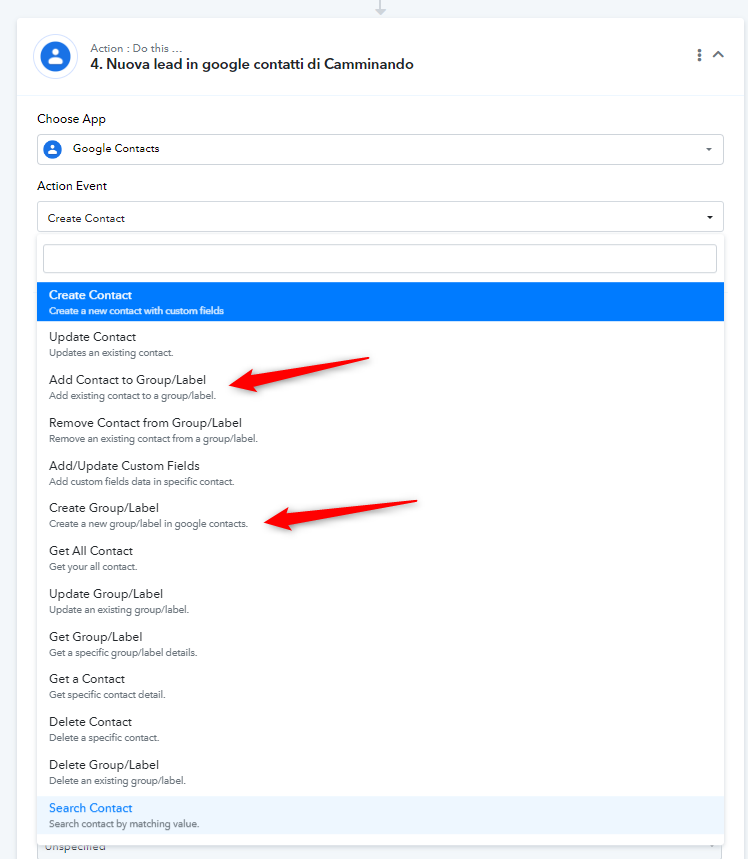
The second problem is to understand if a contact that is created in Google Form can automatically be given a label. For example "Request credential". image 2 Thank you
Attachments
I have checked your workflow and noticed that the date of birth is received from the Elementor form in a specific format.
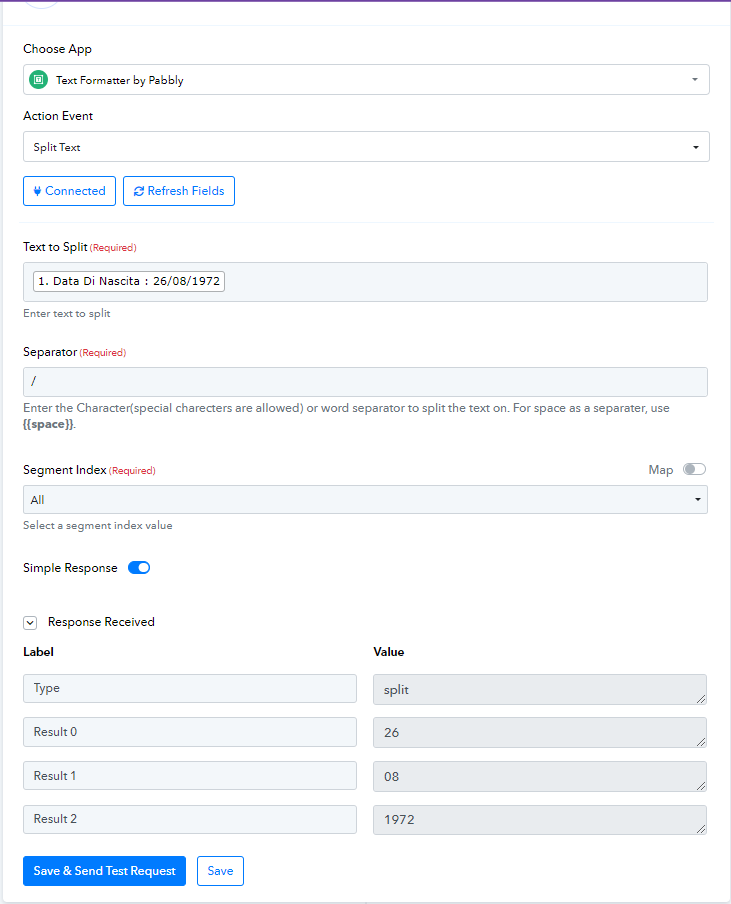
To pass this date of birth into the "Google Contacts: Create Contact" action step, you need to split the text. I have included a step of "Text Formatter: Split Text" in your workflow. Kindly review your workflow, and ensure that the details are correctly mapped in the "Google Contacts: Create Contact" action step.
The second problem is to understand if a contact that is created in Google Form can automatically be given a label. For example "Request credential". image 2 Thank you
If you wish to label the contact in the Google Contacts, we have included an action step for that purpose. I request you to review the Google Contacts action step related to labeling and add the step according to your requirements.
thanks Arshita I managed to solve it, you are fantastic.
Thanks for your help
???????