Email Capture
Status: Closed · Asked by Tirezyas on · 0 views
Hi Team, can someone help me with the email capture or look into it for me? when I manually forward the email to the @pcmailhook.com address everything works fine. But when I set a filter with a forwarding rule on my Gmail to the @pcmailhook.com address it does not work (and yes I have verified the forwarding address already)
I feel like I am getting blocked by a firewall on Pabbly's end or something. The reason I am saying this is if I change the forwarding address to another email address, it works fine.
Is there something that I need to do in Gmail? Or can someone help or point me in the right direction, please?
Thanks.
Hey @Tirezyas
Kindly configure the Email Parser trigger event in the Incognito mode of your browser and you can also refer to our video tutorial on how you can configure the Email Parser trigger event.
Hi, yeah that is what I am using. I use the email parser at the beginning. I discovered some errors in the history. Can someone help me look at my workflow? I see some partial errors in the history. (IjE2MDAyMzM2MCI_3D). I think that is the reason why it is not executing.
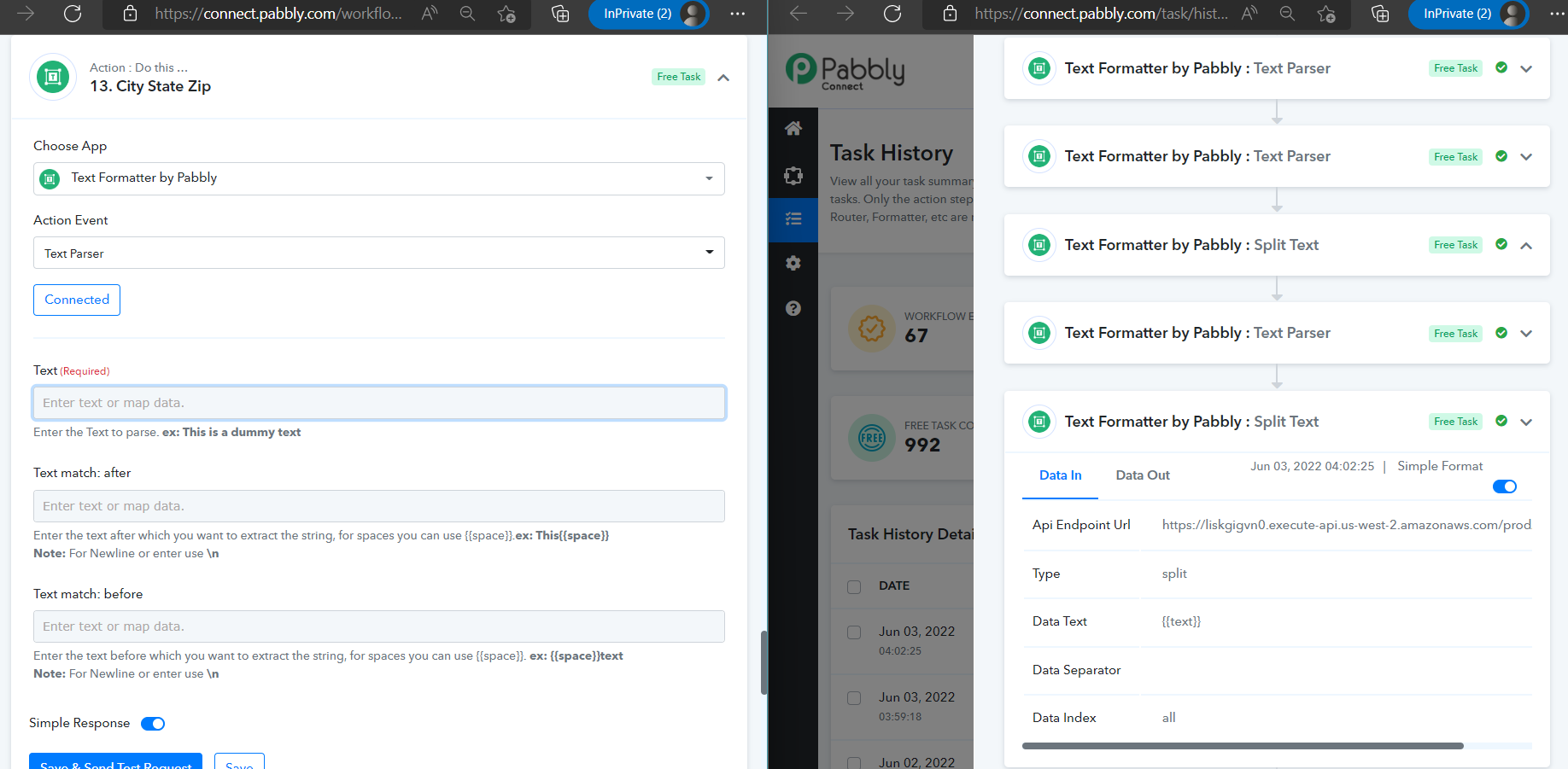
It looks like it is failing at step 13 but it worked when I created the workflow.
The workflow name is
eBay Item Sold Extraction
Thanks.
Hey @Tirezyas
It seems like your 13th step isn't configured correctly which leads the next action steps to break.
Kindly configure it correctly and trace your workflow along with the task history parallelly to check your flow.
Hi, below is part of the HTML version of the email body captured. Can you tell me how I can go about getting the text in red lettering, please? I am doing a similar process as I did for step 11 by using Text match after and text match before. The only difference is I am doing it from HTML body capture instead of the TEXT body capture. Any suggestions or help will be appreciated. Thanks.
ok steps are fixed now but it is not adding the data to the sheet. what am I doing wrong? In the workflow history, it is saying success but no data is being added to the google sheet. Do I need to do something extra to get the data to my google sheet?
Help, please!!!
Thanks.
[TABLE]
[TR]
[TH]DATE[/TH]
[TH]APPLICATION[/TH]
[TH]WORKFLOW NAME[/TH]
[TH]TASK CONSUMPTION[/TH]
[TH]TASK HISTORY ID[/TH]
[TH]TASK STATUS[/TH]
[/TR]
[TR]
[TD][/TD]
[TD]Jun 10, 2022
05:31:10 [/TD]
[TD] [IMG alt="Email Parser by Pabbly"]https://s3.us-west-2.amazonaws.com/connect.pabbly/images/1590489835035_1590663807-pabbly.png[/IMG]
[IMG alt="Text Formatter by Pabbly"]https://s3.us-west-2.amazonaws.com/connect.pabbly/images/1611236137587_1622963025-Text-Formatter.png[/IMG][/TD]
[TD] eBay Item Sold Extraction Home [/TD]
[TD]18 Steps Workflow
17 Free Tasks [/TD]
[TD] IjE2NzQ2MTAzMCI_3D [/TD]
[TD] [/TD]
[/TR]
[/TABLE]
Hey @Tirezyas
Kindly try reconnecting the Google Sheets action step once and re-map the fields again. Let us know if the issue still persists at your end.
Hi how do I do that? Should I just delete the step and re-do it again or just refresh? Thanks.
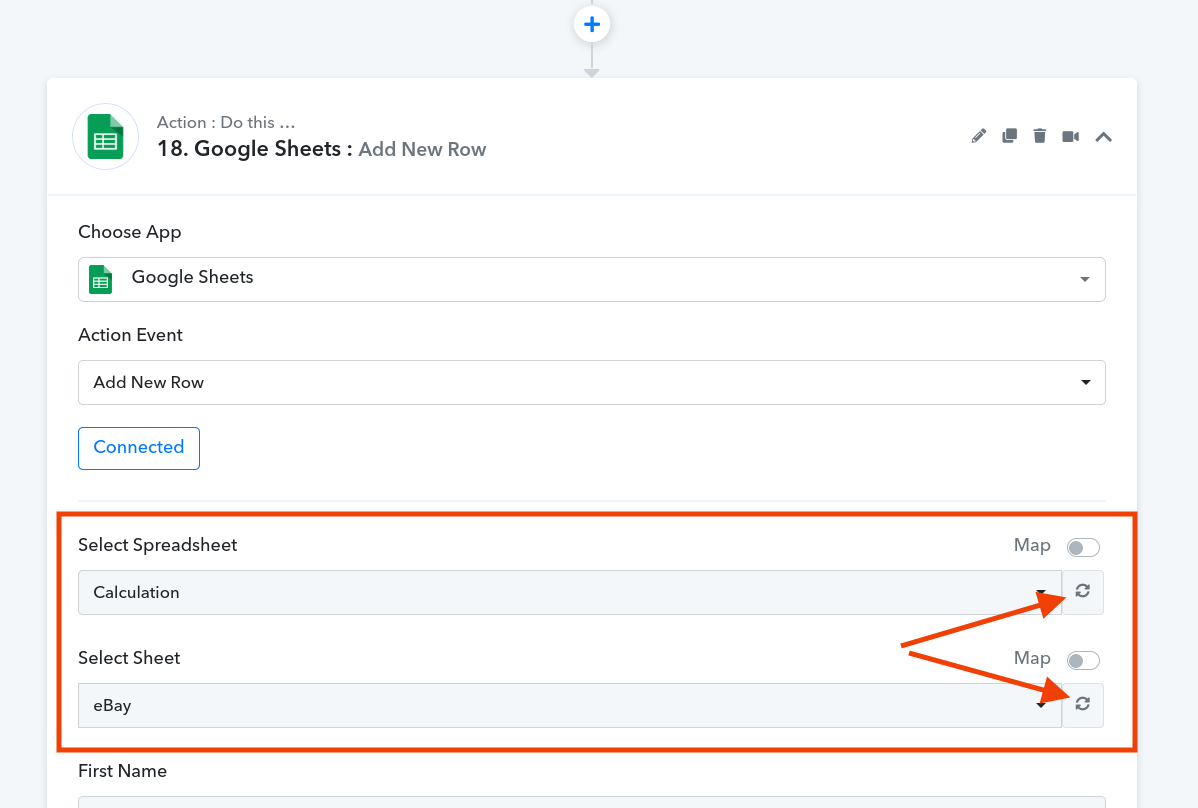
Ok it seems to be working now. I will monitor it to see.