Email Parser - Apostraphe issues
Status: Closed · Asked by Shadow on · 0 views
I am using the Email Parser -> Text Formatter -> Text Parser to pull text data from gmails to send to a google sheet.
One of my fields sometimes has apostraphes. When choosing a field from the text parser, I choose a field and the data in that field is displayed. Text with apostraphes is rendered correctly, showing apostraphes, BUT the extracted text has converted the apostraphes to escaped text ( ' ). This escaped text is what is sent to my google sheet.
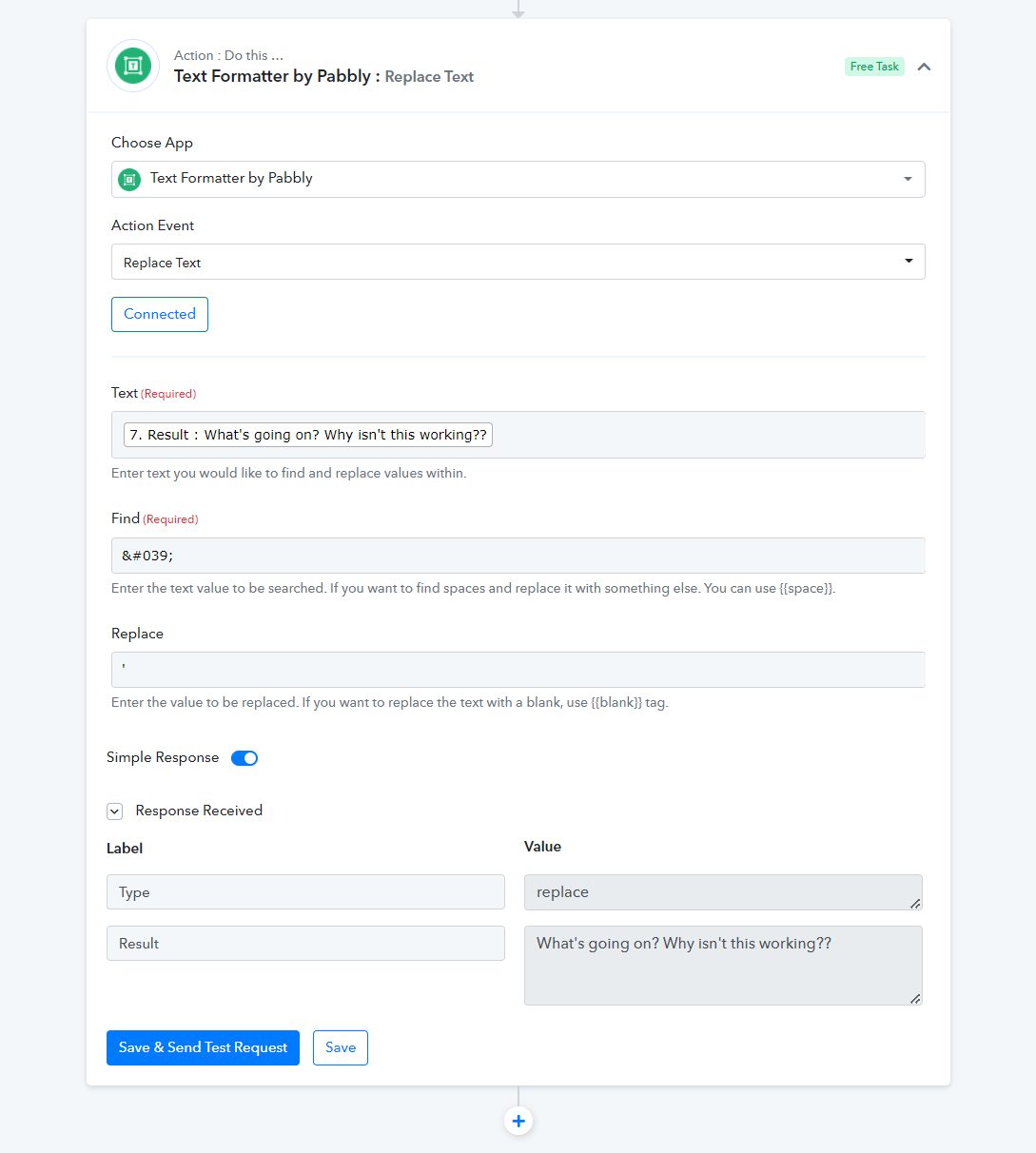
My first thought was to use the Text Formatter -> Replace Text to fix this, BUT because the apostraphe is rendered correctly when choosing a field to replace text from, my pattern match to fix this will fail because the escaped text isn't present.
So...how do I fix this so the data sent to my google sheet after pulling everything from the email using the email parser will actually show apostraphes instead of escaped text??
Attachments
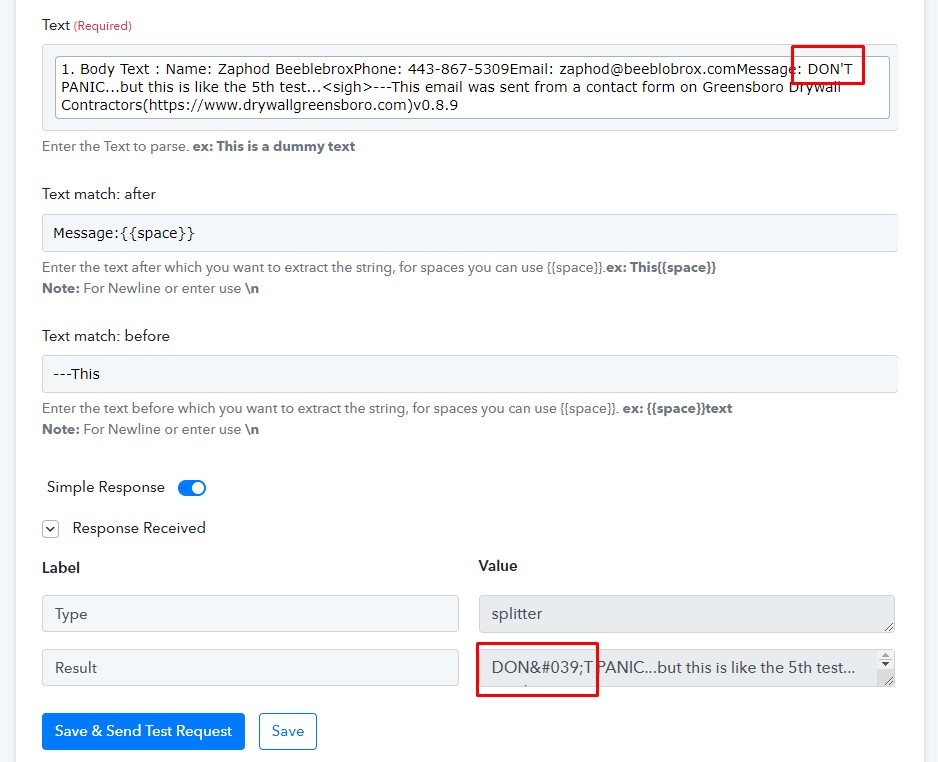
Hey @Shadow
Kindly refresh your workflow tab, remap the data field again and then try again. Though we have tested the same at our end and it is not converting Apostraphe into Unicode.
Kindly try again and let us know if the issue still persists.
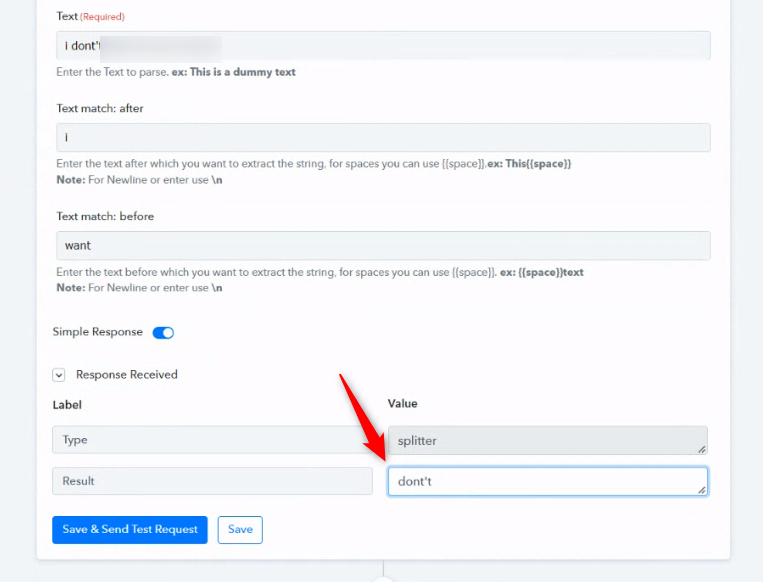
Thanks for your response, but it didn't work.
I recaptured the email response and deleted the step that parsed that filed and created a new step to do it...and got the same result. When capturing from the body text field from the email parser, I get the samething.
Here is a video showing me follow your instructions and you can see the error stays: https://drive.google.com/file/d/18sjYqABKbUKjOCsbwG2bTx4ZafgdkZkT/view?usp=sharing
The attached picture shows the same end result.
Attachments
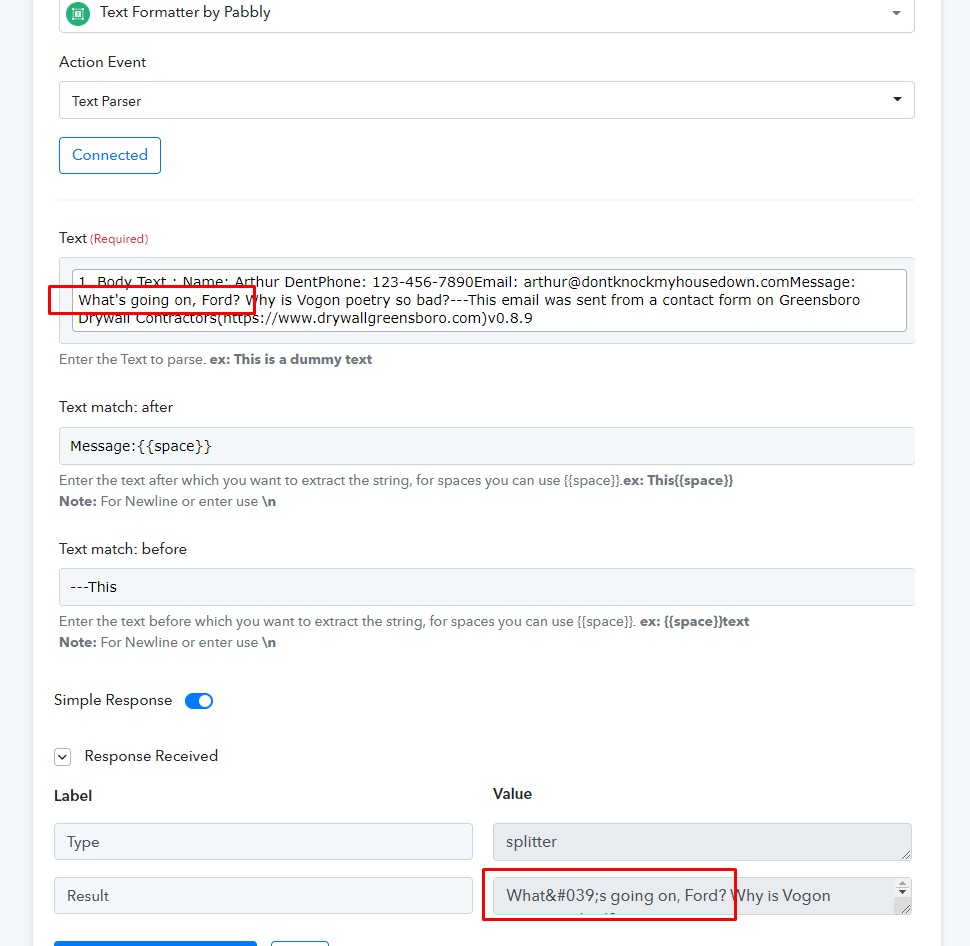
Hey @Shadow
We cehck the same at our end and it is working fine. But in your workflow, it is converting Unicode perhaps from the source it is taking the Apostrophe as Unicode.
Though as a solution you can use the "Text Formatter: Replace Text" action event to replace the Unicode with an Apostrophe.