email report - daily appointments
Status: Closed · Asked by aristosv on · 0 views
I would like to send an email every day at 00:00, containing the Google Calendar appointments for that day. Just the summary of each appointment will do fine.

I know how to read all the appointments in a Google Calendar and how send the email.
But I don't know how to limit the result for that specific day only.
Any guidance is appreciated.
no way to do this?
Hey @aristosv
I know how to read all the appointments in a Google Calendar and how send the email.But I don't know how to limit the result for that specific day only.
Could you please elaborate on the second part of your concern and let us know if you have any existing workflow where you have tried the same.
Basically I need a daily email, showing me the appointments for the day. A simple list with the "Summary" field for each appointment. I haven't created any workflow yet because I don't know which logic to follow to achieve my goal.
I don't know if I should pull all the events in a calendar and then filter the ones for the current date. Or somehow pull the events for the current date only.
Also, once I have the a list of events, how do I pick up only the summaries for all the events and email them? Do I put them in a Google sheet? Is there a way to email them directly?
I just need suggestions on the logic I must follow.
Hey @aristosv
Please check out the following shared workflow for your concerning use case. Kindly try this at your end and let us know if that works for you.
https://connect.pabbly.com/workflow/share/WxMHNVYZBC5TGlMHUxBQeAgdBQZVHwJUUzQJGw##
I connected my calendar and pulled all events
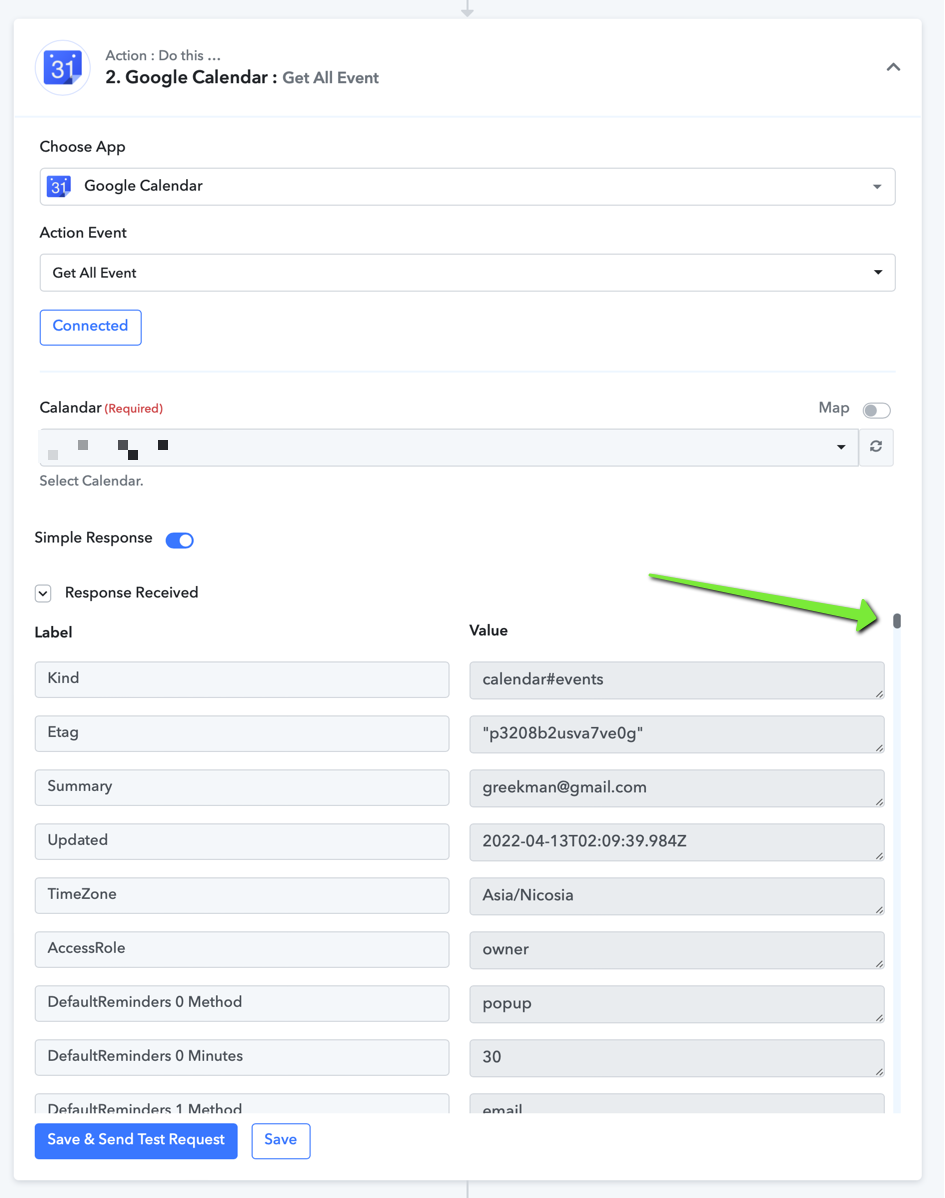
but the iterator is not pulling any information
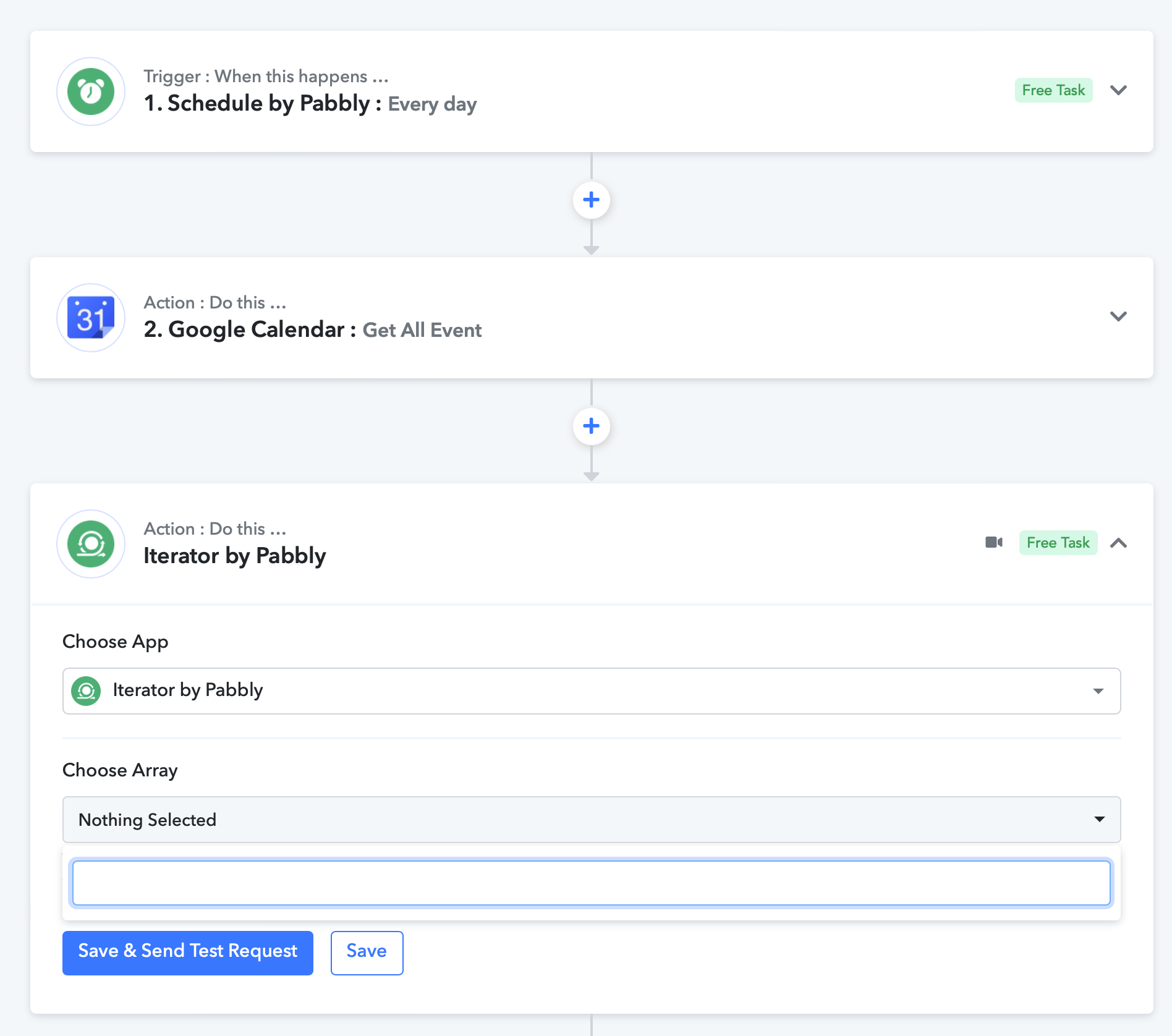
Hey @aristosv
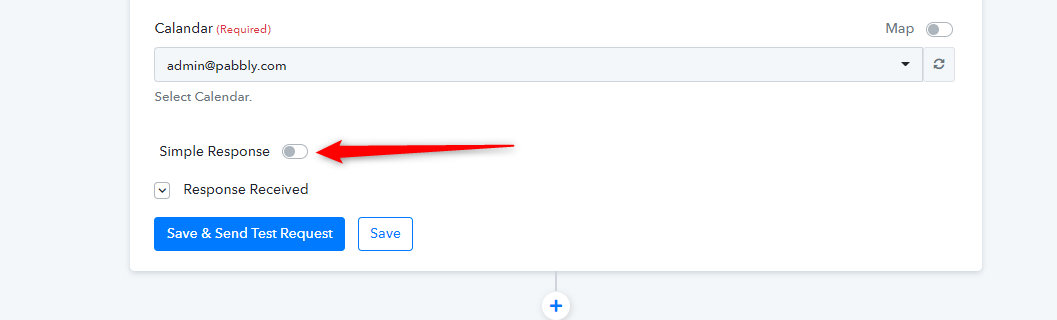
You have to capture the API response in Advance response by toggling the "Simple Response" button. Please check the shared workflow carefully.
It seems to be working, but in the email I receive, there's only one appointment, and it's the one detected when clicking on "Save and Send Test Request" on the iterator. The workflow name is "Report Testing". Can you have a look please?
When I let the schedule run the workflow, the task history shows that it's processing a lot more data. But it never reaches the part where it sends the email
Hey @aristosv
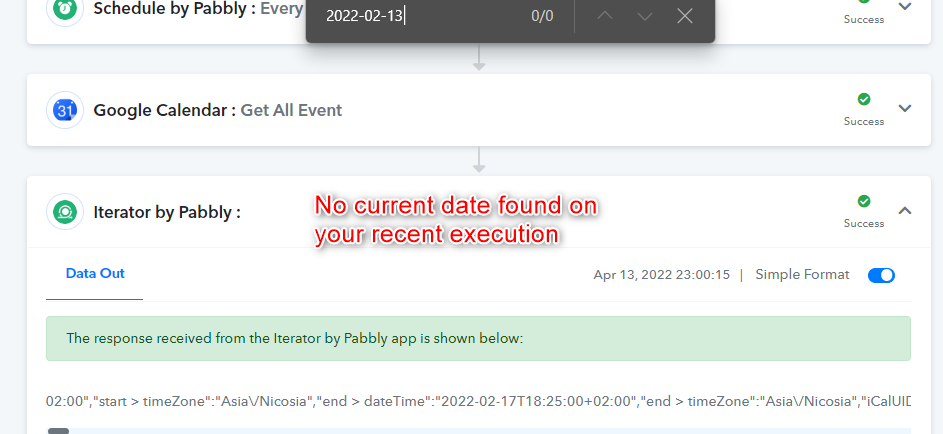
Perhaps you do not have the presents day's date event in your Google Calendar and because of that mail didn't send to anyone.
Kindly check the date in your Google Calendar and try again.
I didn't understand. Where is the information missing from? The calendar event? Or in my workflow?
I checked all the steps in the workflow and they all produce results.
Hey @aristosv
checked all the steps in the workflow and they all produce results.
Your workflow didn't send the notification because your respective Google Calendar didn't have any event on 13/04/2022.
Kindly make an event of the current days and then try again.
ok now I got an email, but, I received an email for each appointment of that day. So I have 6 appointments for today, I received 6 emails containing the information for each appointment. I need to receive 1 email containing the information for all the appointments of the day.
this method will not work because: as per the Google Calendar's API Google Calendar's Get All Event always retrieves the events from Old to new and it can only provide 250 events at a time.
Hey @aristosv
We have replied to your use case on your another thread, kindly check that out.
https://forum.pabbly.com/threads/get-all-events-doesnt-really-pull-all-the-events.5034/#post-23958