Email Word or PDF after uploaded to Google Drive
Status: Closed · Asked by IChild Company on · 0 views
hi
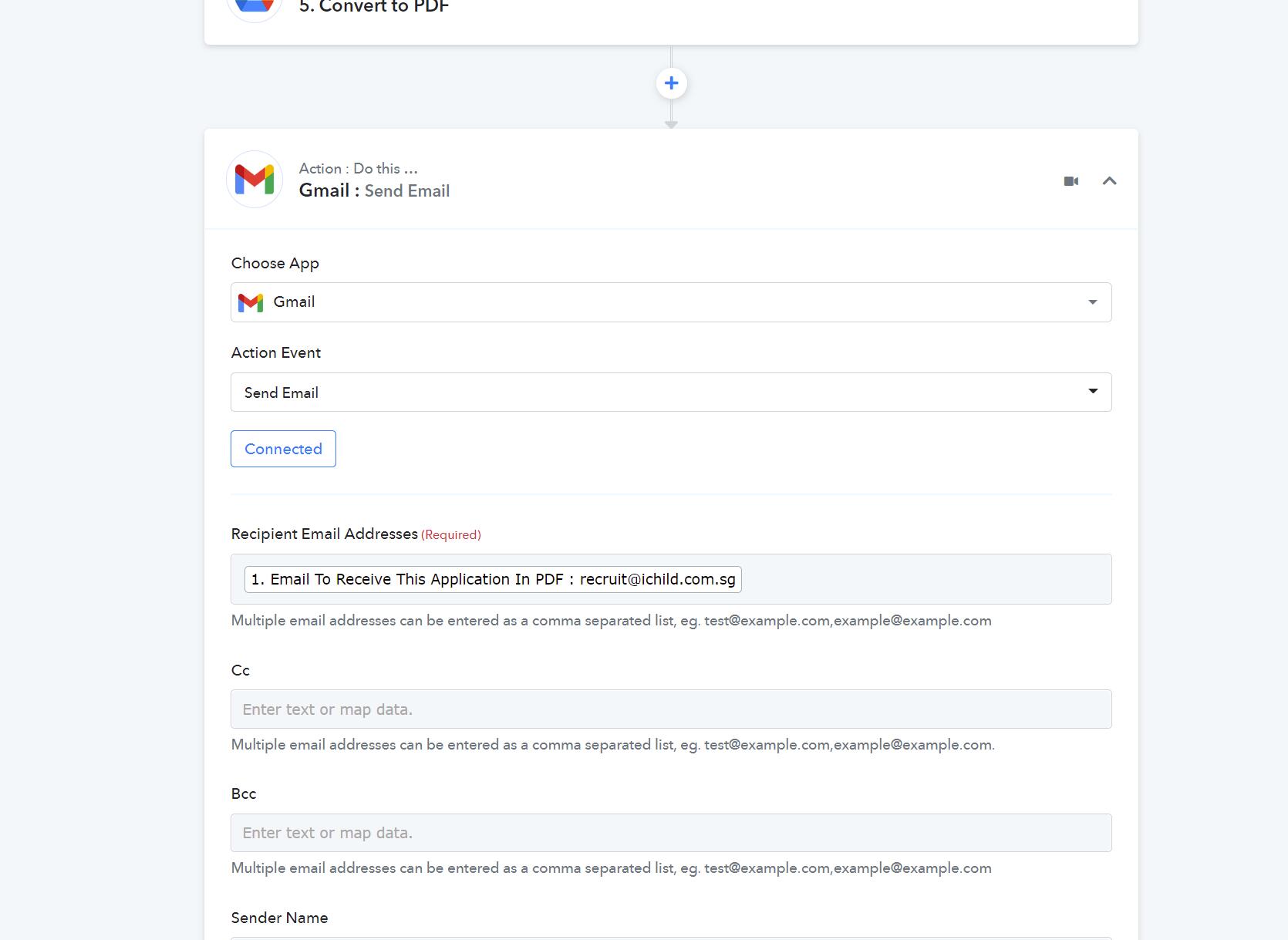
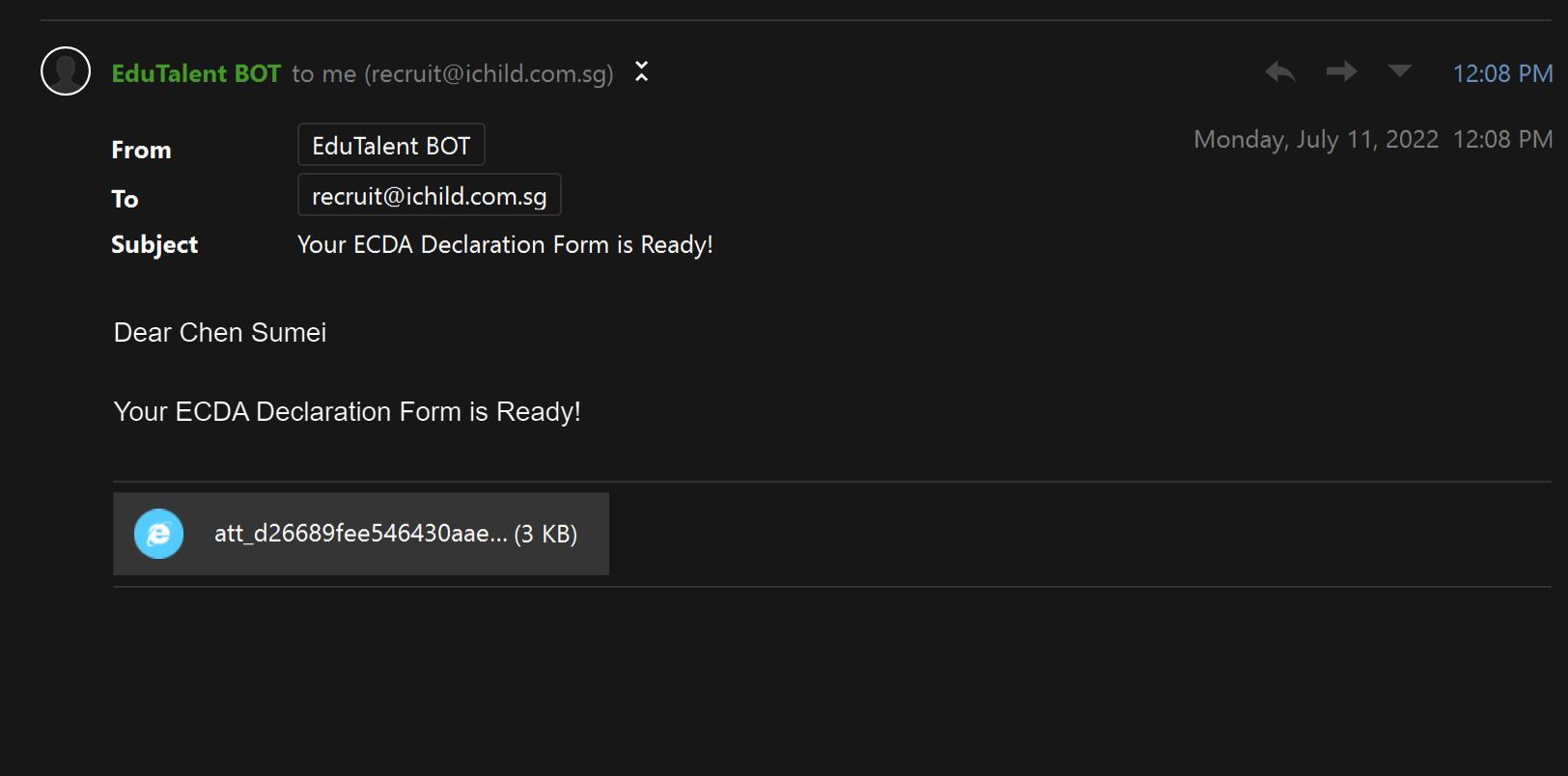
I have difficulties sending google word and pdf after creating from template and uploading to google drive.
All the google doc and pdf are created successfully and uploaded to the designated drive folder. When i tried to email these docs as attachment, i face the issues.
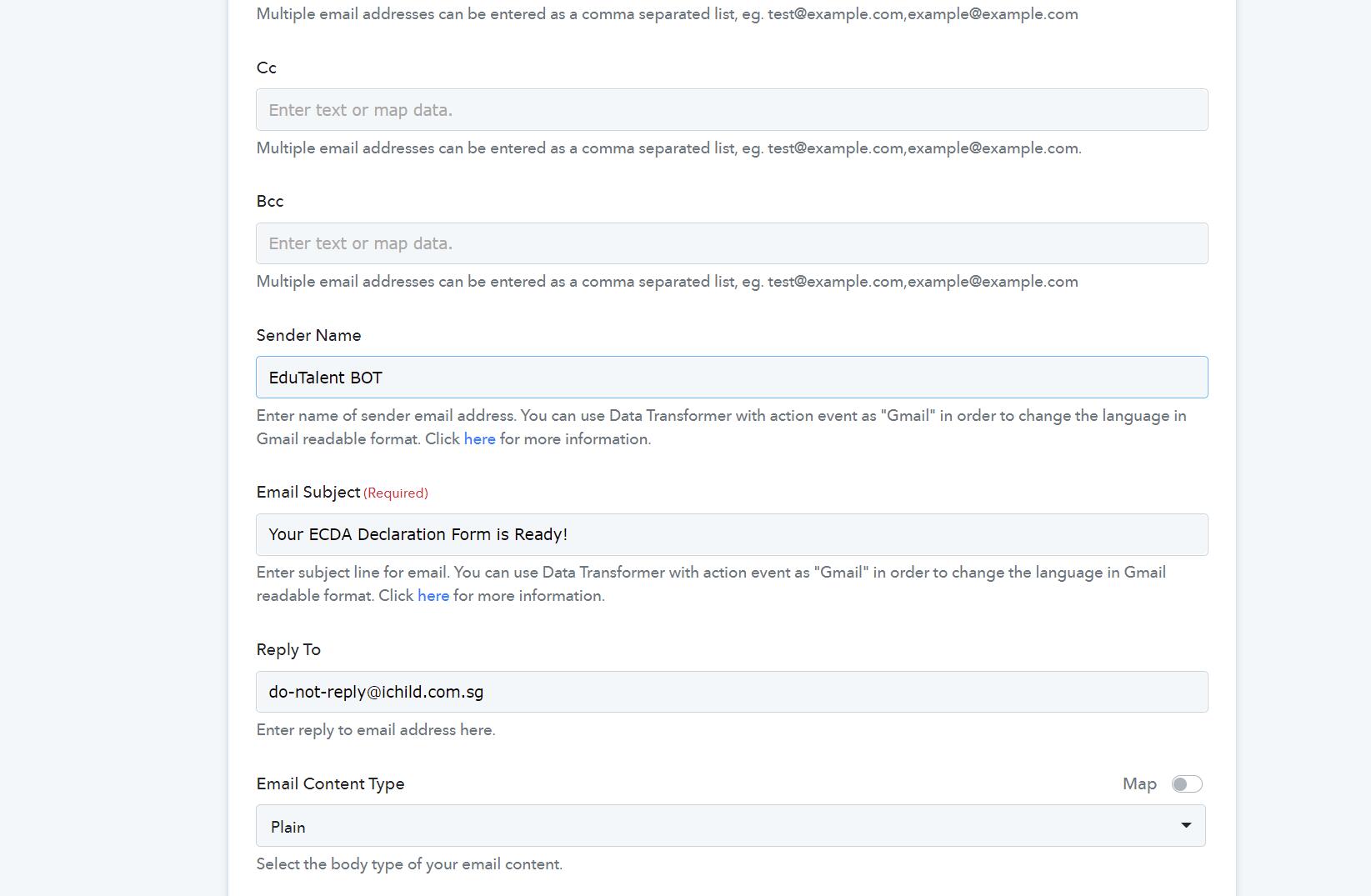
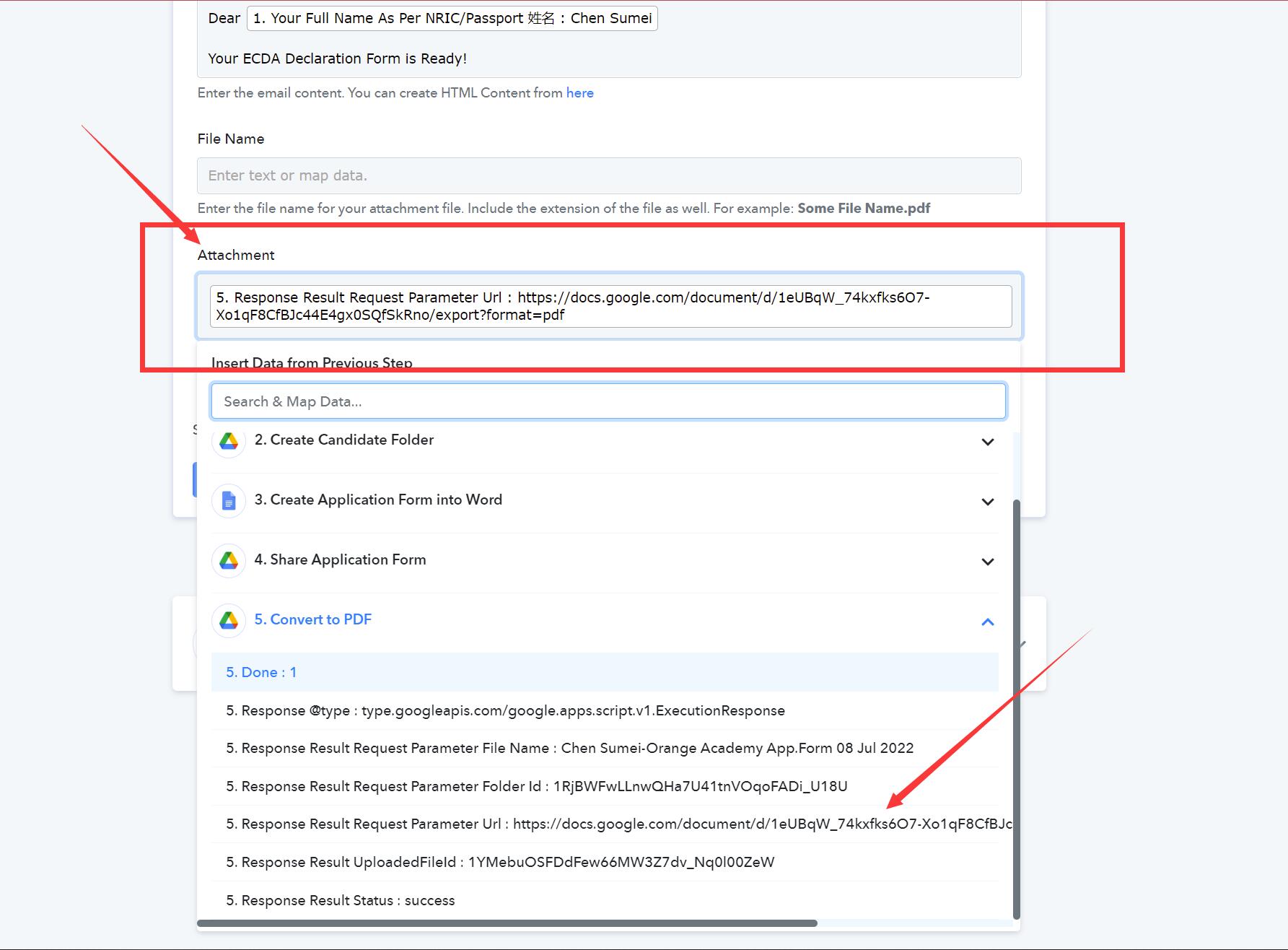
I have attached the workflow and the error seen in the email without the PDF (or word) Kindly advise which part has gone wrong?
Attachments
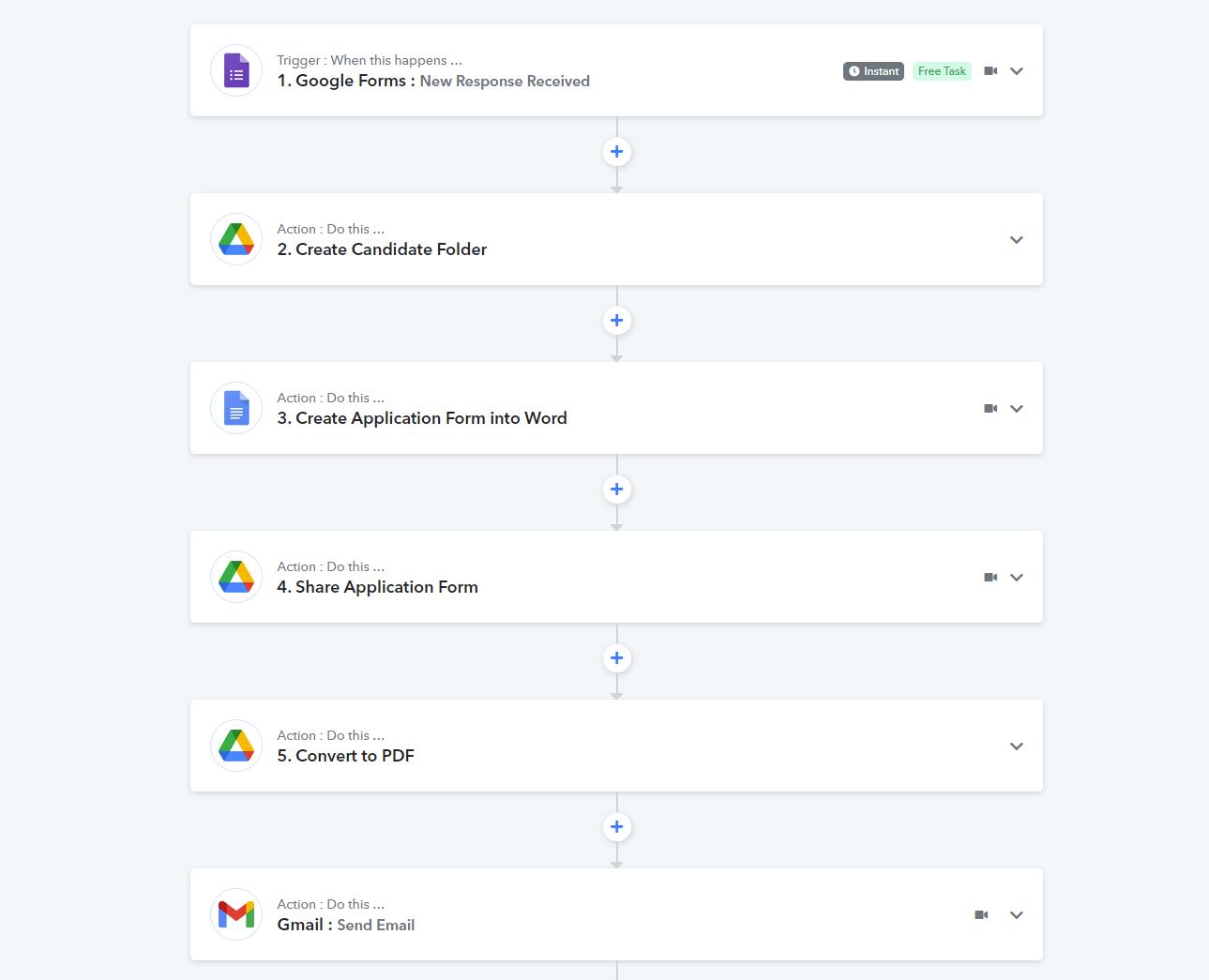
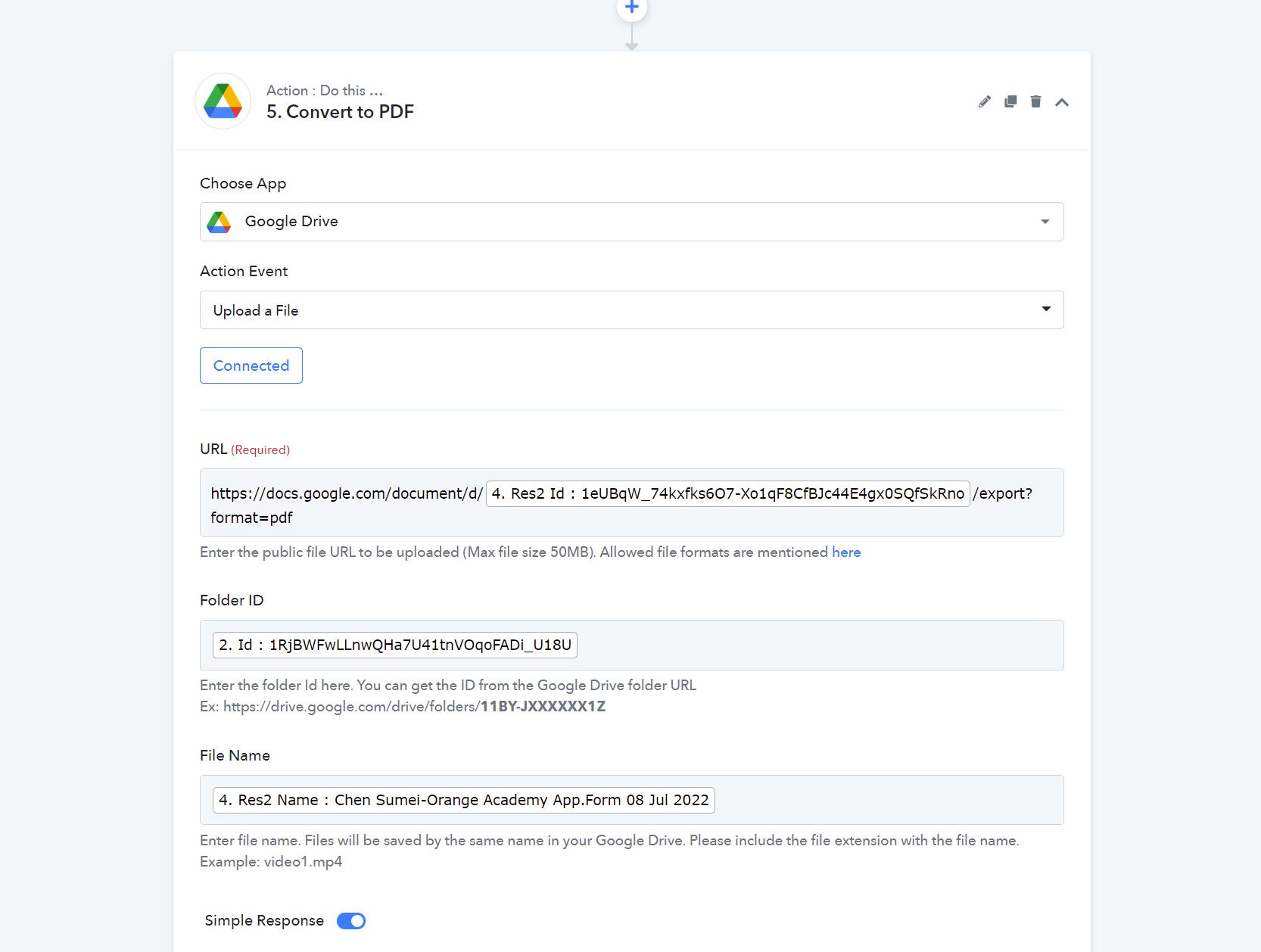
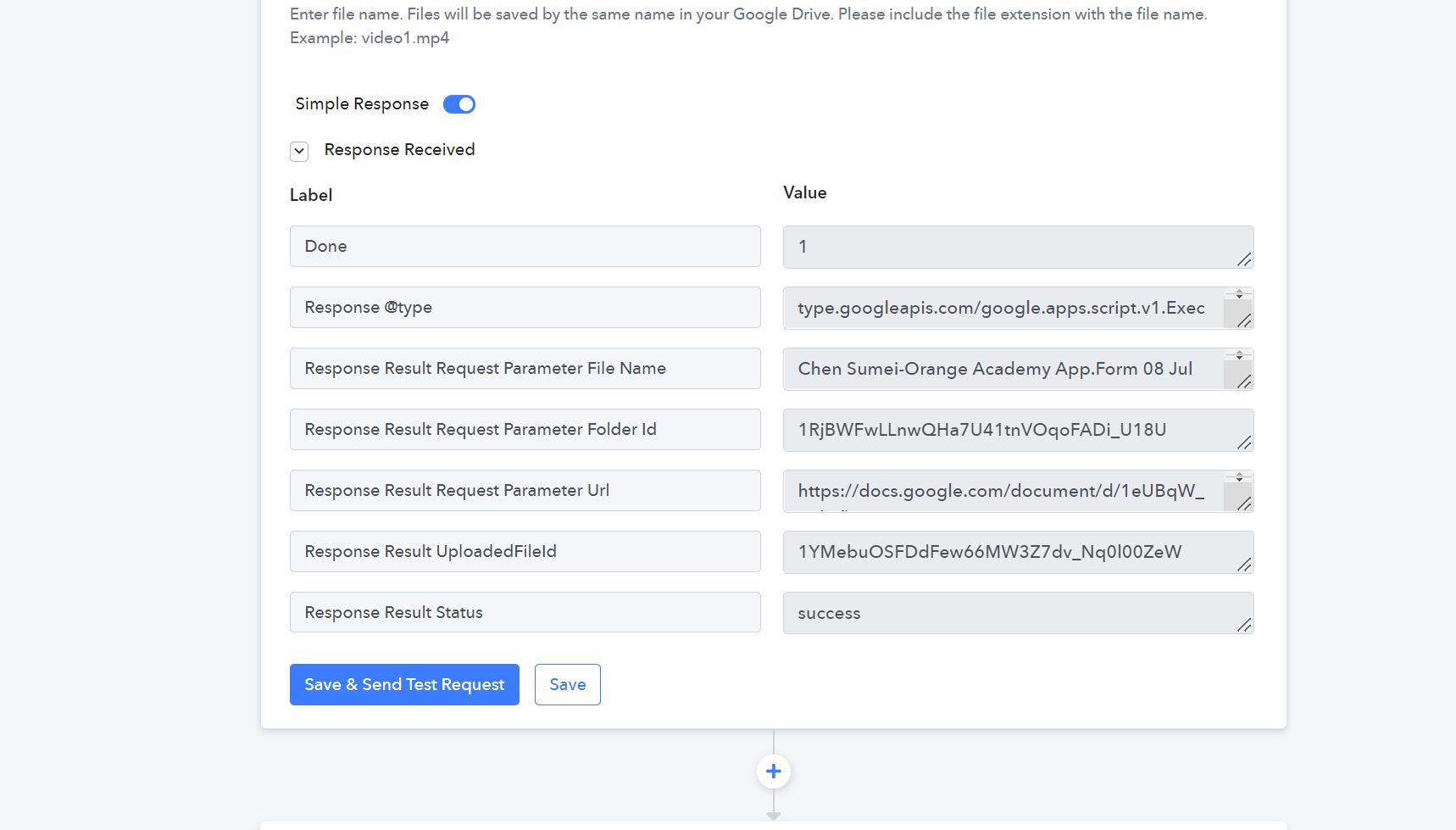
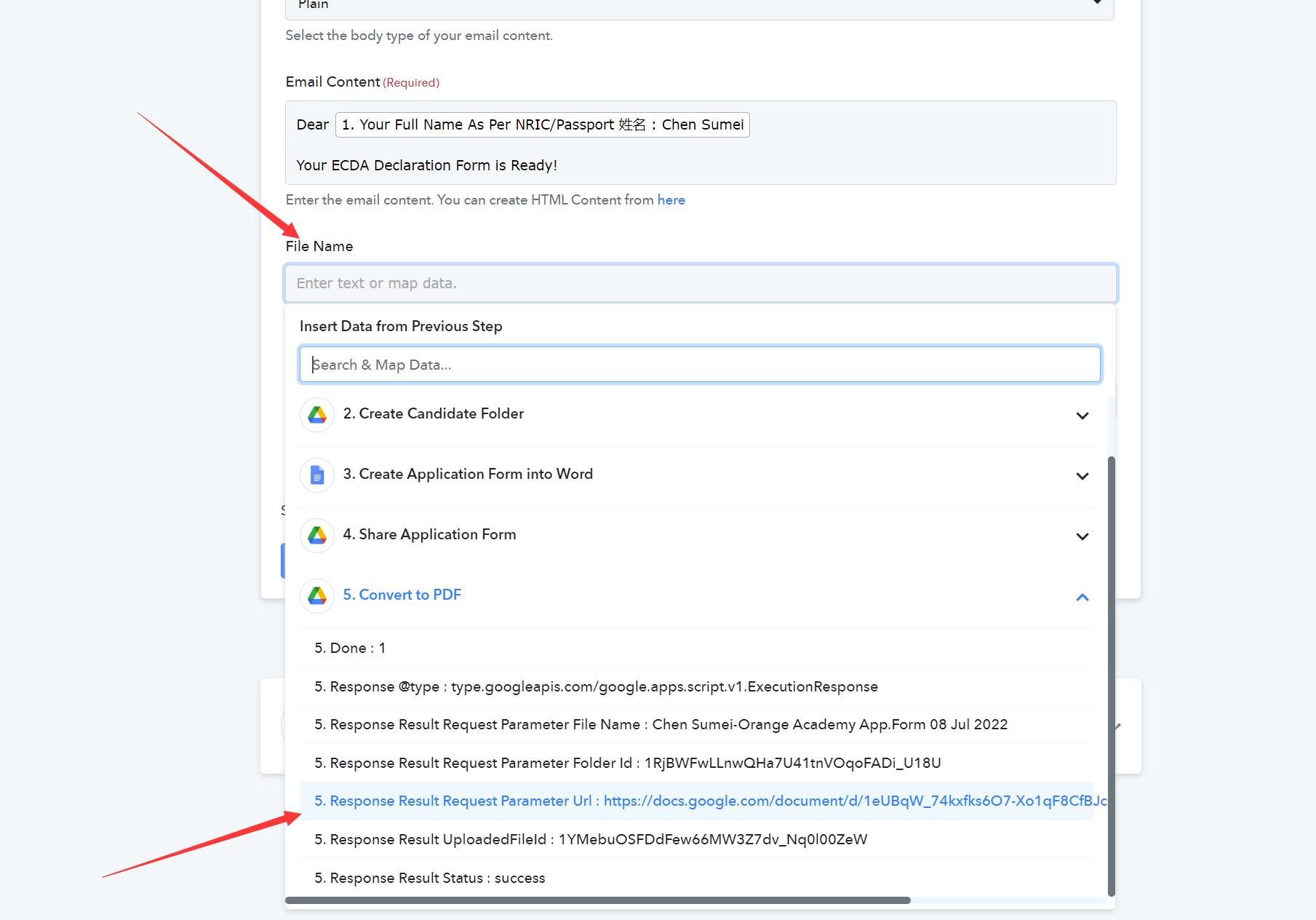
Hey @ichilddev
Kindly share the name of the workflow, so that we can look into it and guide you accordingly.
Hi
Hey @ichilddevKindly share the name of the workflow, so that we can look into it and guide you accordingly.
How do we share the name of the workflow? Orange Academy Online Application is the name anyway.
Hey @ichilddev
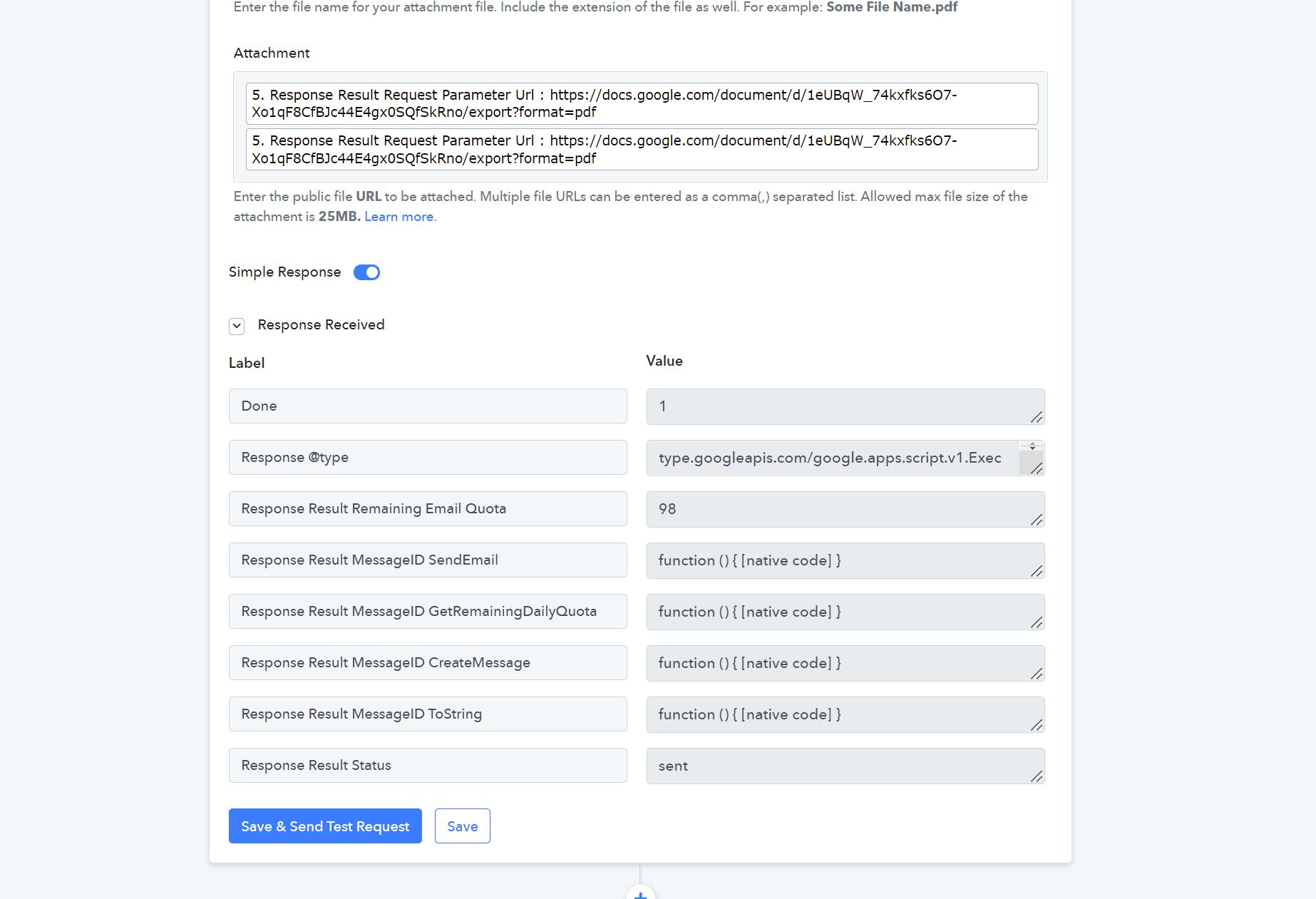
We could not find any Gmail action step in your workflow. Though we can see from the shared screenshot you haven't passed the comma between the attachment URL in the Gmail action step.
Kindly try passing the multiple attachments with commas separately.

Hey @ichilddevWe could not find any Gmail action step in your workflow. Though we can see from the shared screenshot you haven't passed the comma between the attachment URL in the Gmail action step.
Kindly try passing the multiple attachments with commas separately.
Hi Which field should we include from the earlier steps ? There's many different fields i.e 5. Responses Result?
What if the file is a google document as attachment?
Hey @ichilddev
Which field should we include from the earlier steps ? There's many different fields i.e 5. Responses Result?
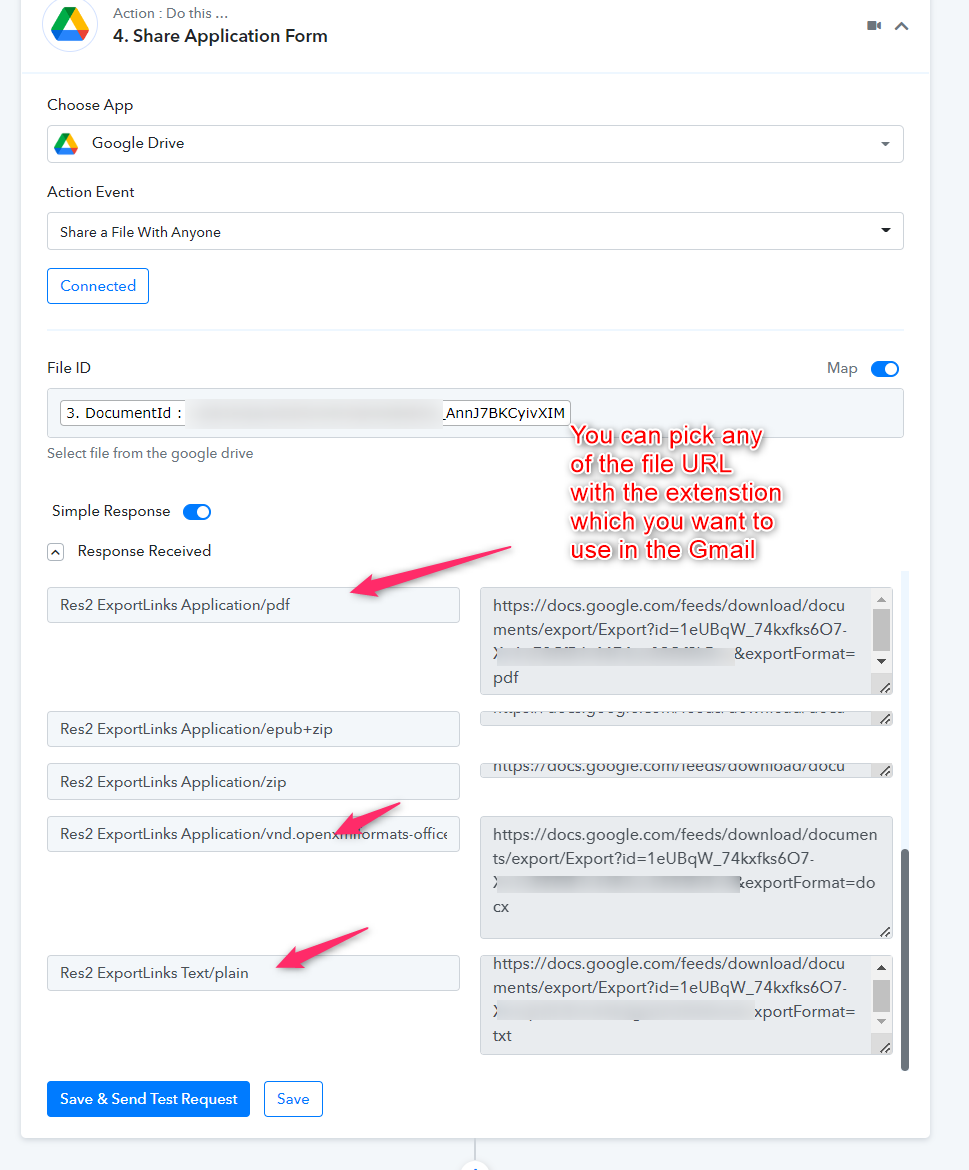
What if the file is a google document as attachment?
You can pass the Docx file URL in the attachment field.
Hi Which field should we include from the earlier steps ? There's many different fields i.e 5. Responses Result?What if the file is a google document as attachment?
Hi SUpport,
How can we set the sender email address to [email hidden] instead of the gmail account.
We are hosting [email hidden] in the gmail account.
Attachments
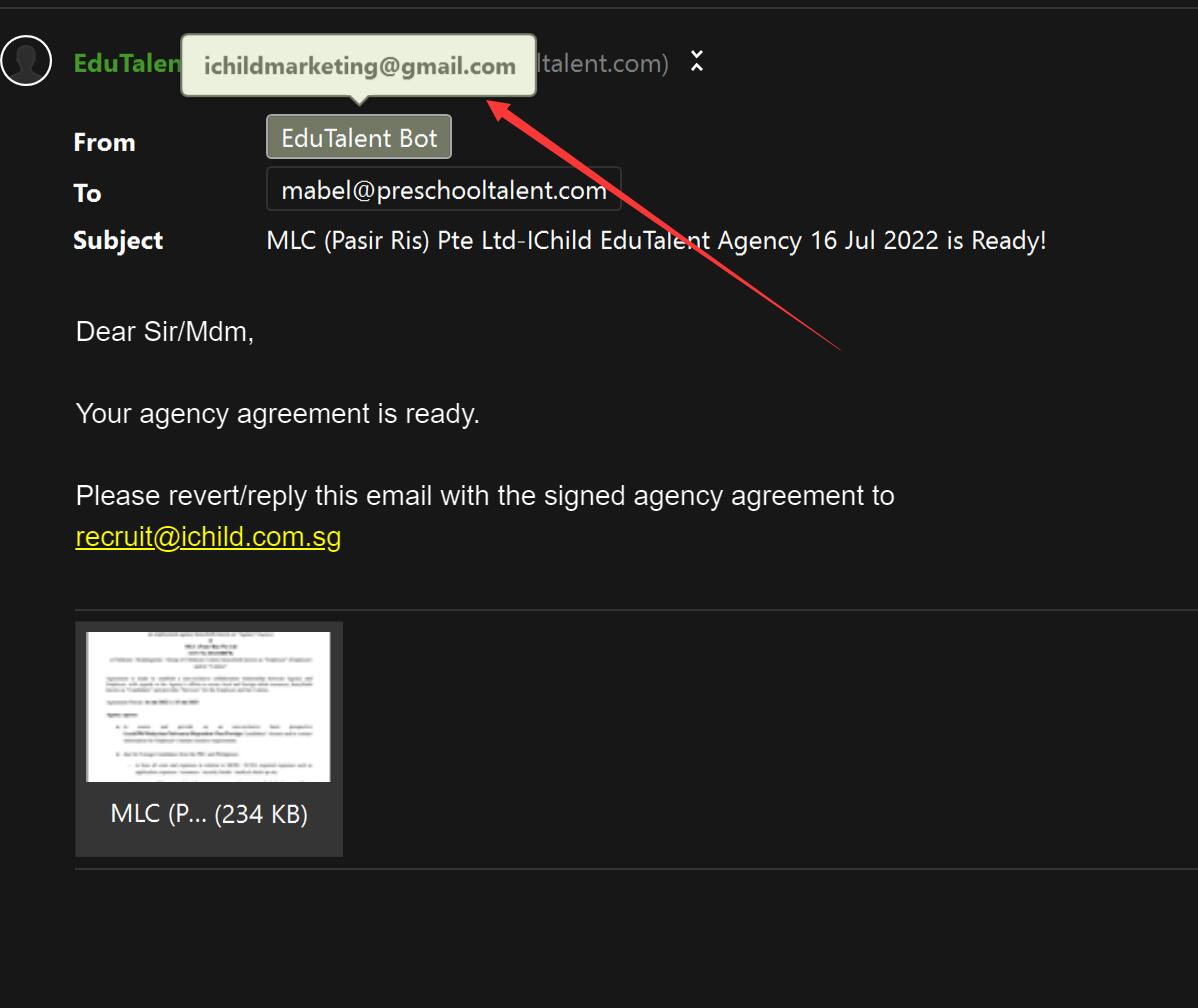
One of our client, Client 1, use the google form we have given, however she didn't receive and email or is the PDF created. What could be the reason when we have tested in 3 separate email (to receive) and it works.
Client 1:
1. Didn't receive email but PDF is created
2. Submission Form: https://d.edutalent.io/diyAA
3. WorkFlow name in Pabbly: DIY Employer Agency Agreement
4. Folder Link: https://drive.google.com/drive/folders/1ofBQzLzyC7Y_dQuaJ6LT6Kb5hhM8I5Zd?usp=sharing
Client 2:
1. Receive email and PDF is attached.
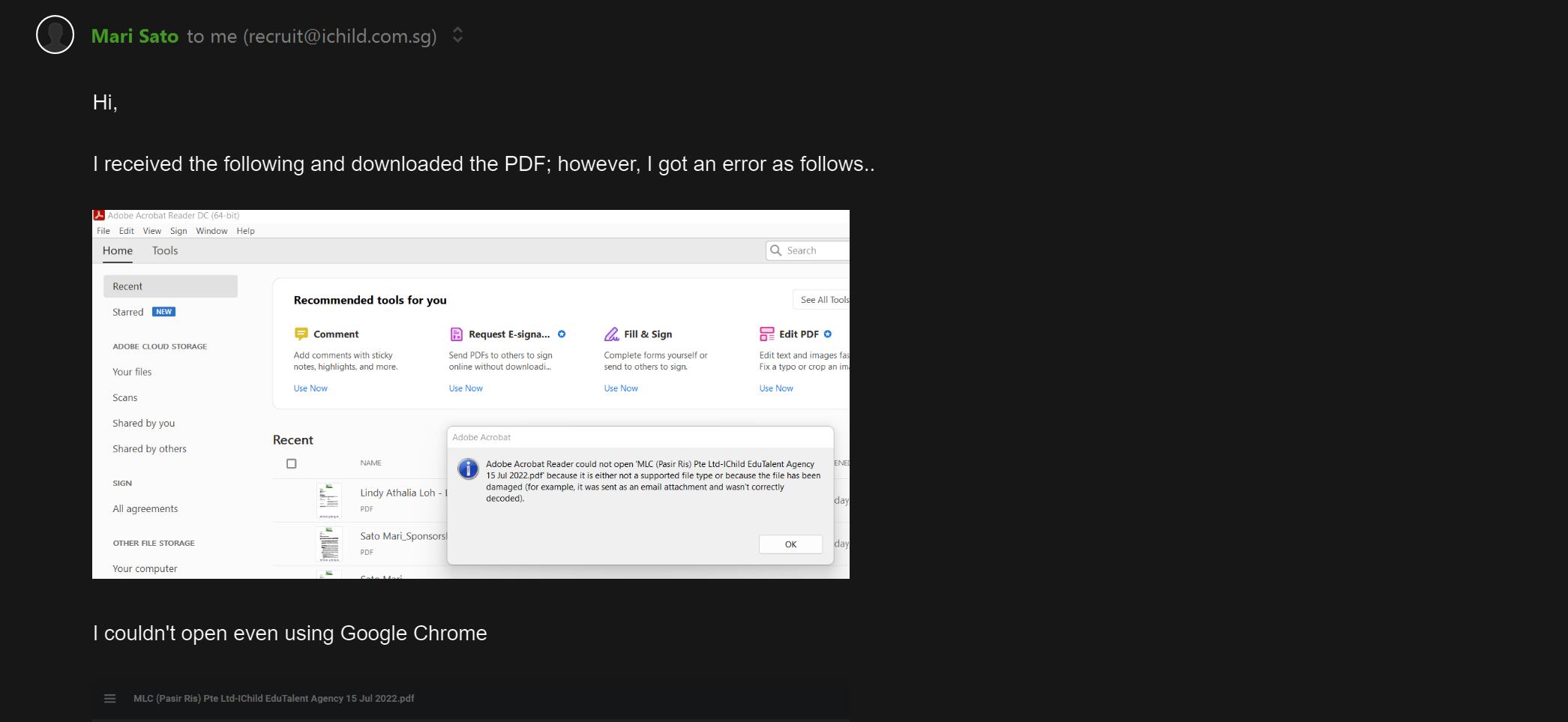
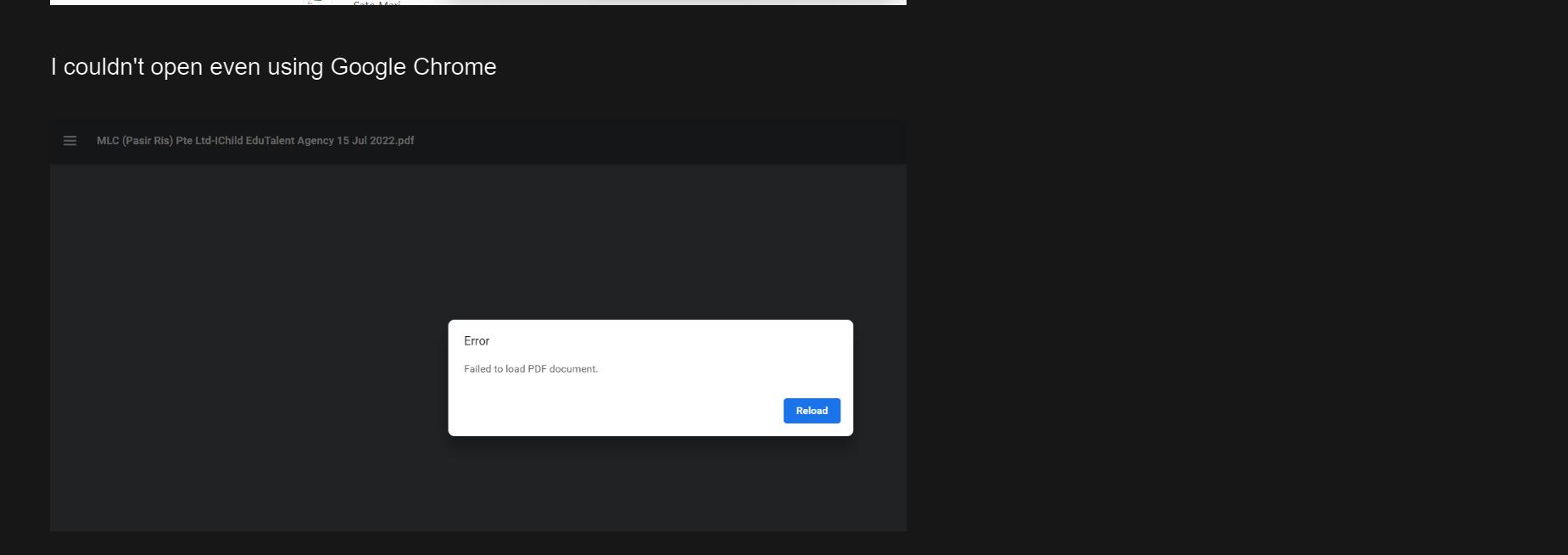
2. PDF cannot be opened, open with error.
2. Submission Form: https://d.edutalent.io/diyAA
3. WorkFlow name in Pabbly: DIY Employer Agency Agreement
4. Folder Link: https://drive.google.com/drive/folders/1j2LSZGW-miTLQsBcEjKqKGVcWp-2kZhN?usp=sharing
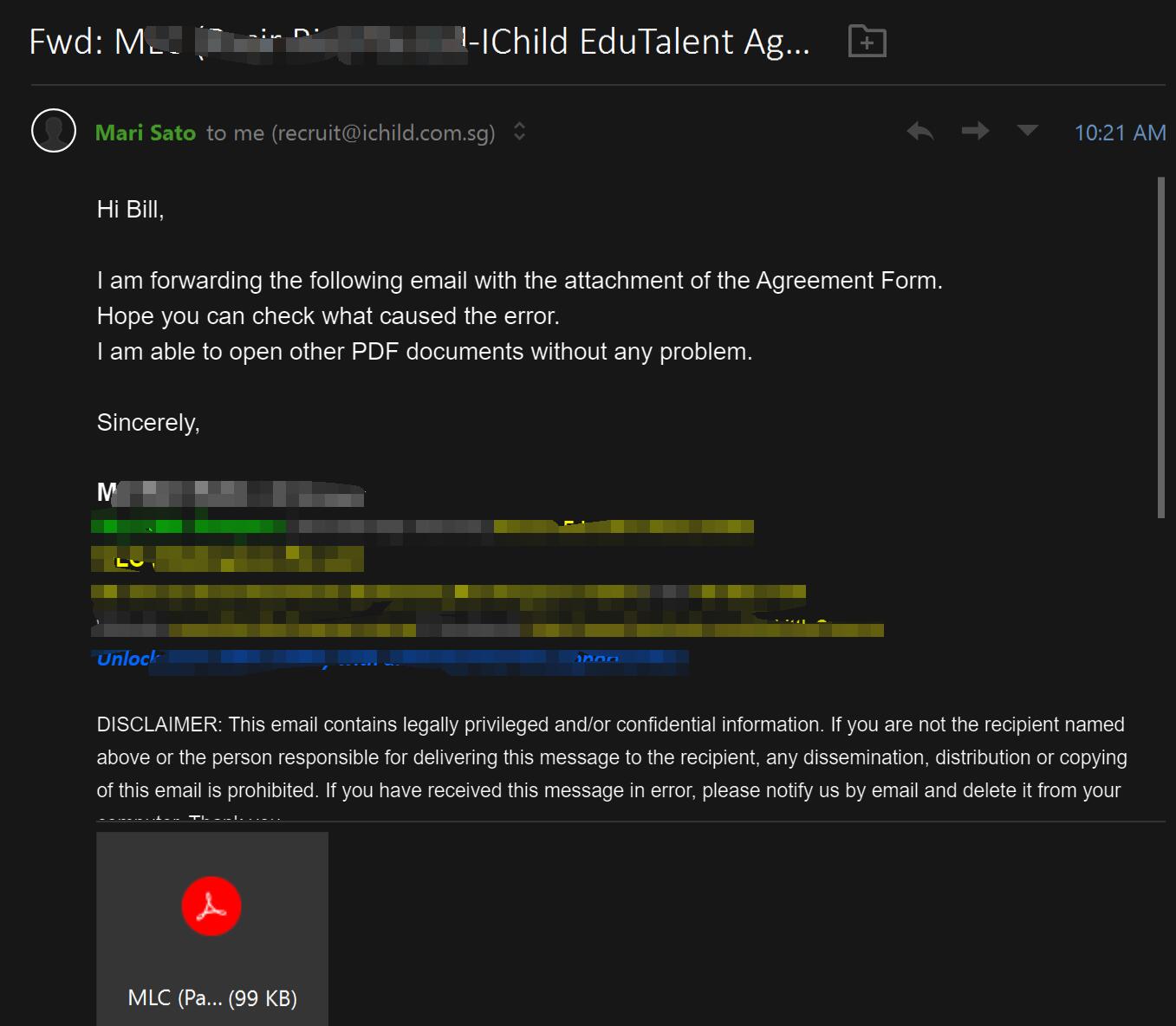
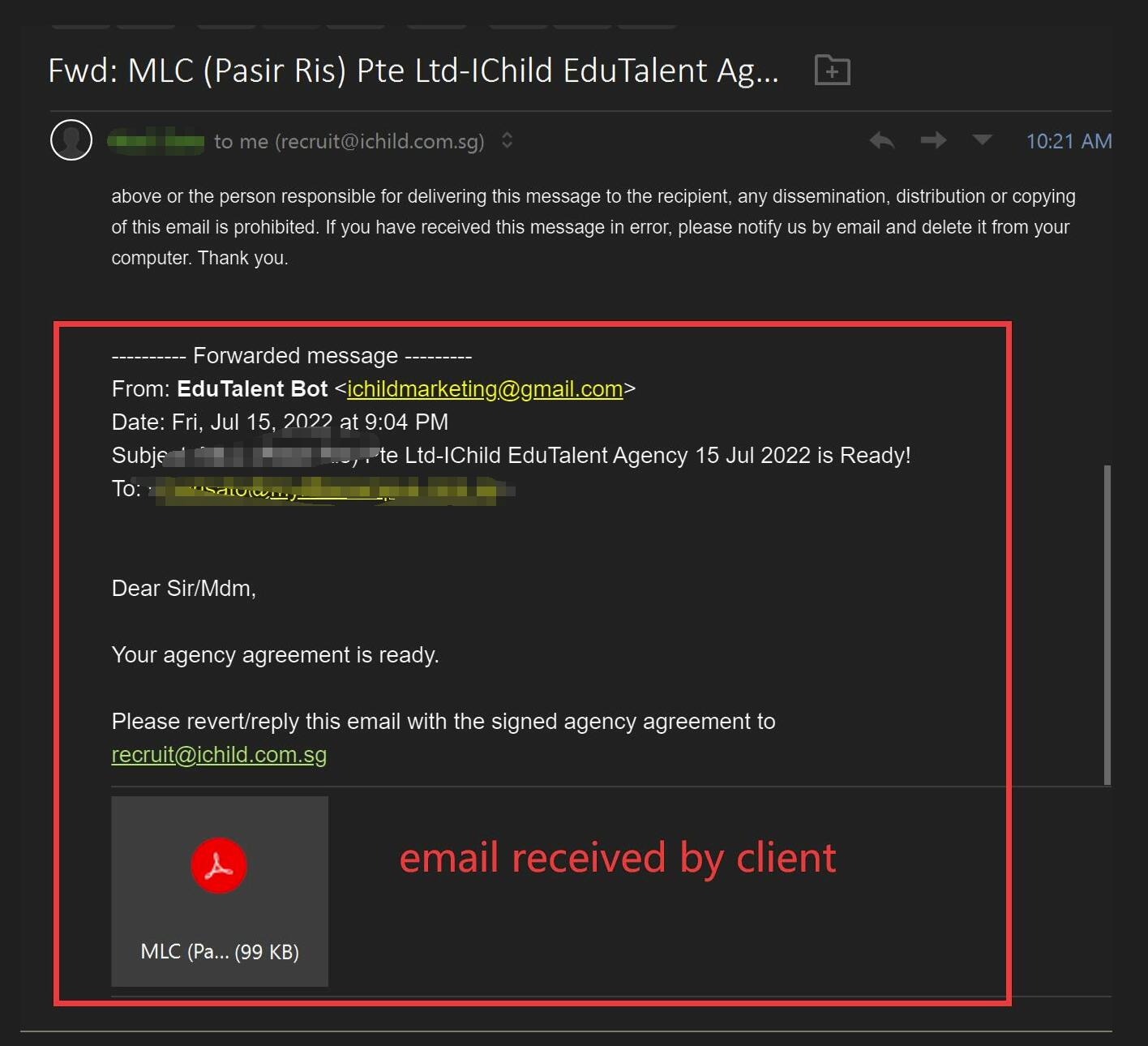
5. The attached screenshots and attachment are sent by the client
On this topic, is there any good online PDF signing platform we can use with Pabbly, that after sending the email with the pdf file or link to this agreement file, the user can click on the link and sign directly on the pdf, and then send back to our email.
Appreciate any good recommendation.
Hey @ichilddev
How can we set the sender email address to [EMAIL][email hidden][/EMAIL] instead of the gmail account.We are hosting [EMAIL][email hidden][/EMAIL] in the gmail account.
You cannot change the alias email address from the action step. You have to use that particular Gmail account to send the emails.
Client 1:
1. Didn't receive email but PDF is created
2. Submission Form: https://d.edutalent.io/diyAA 3. WorkFlow name in Pabbly: DIY Employer Agency Agreement
4. Folder Link: https://drive.google.com/drive/folders/1ofBQzLzyC7Y_dQuaJ6LT6Kb5hhM8I5Zd?usp=sharingClient 2:
1. Receive email and PDF is attached.
2. PDF cannot be opened, open with error.
2. Submission Form: https://d.edutalent.io/diyAA 3. WorkFlow name in Pabbly: DIY Employer Agency Agreement
4. Folder Link: https://drive.google.com/drive/folders/1j2LSZGW-miTLQsBcEjKqKGVcWp-2kZhN?usp=sharing
5. The attached screenshots and attachment are sent by the clientOn this topic, is there any good online PDF signing platform we can use with Pabbly, that after sending the email with the pdf file or link to this agreement file, the user can click on the link and sign directly on the pdf, and then send back to our email.
Kindly share the task history ID in which you are having such an issue.
Hey @ichilddevYou cannot change the alias email address from the action step. You have to use that particular Gmail account to send the emails.
Kindly share the task history ID in which you are having such an issue.
Hi
Client 2 Task History ID: IjE5NTA4OTE2MCI_3D
Client 1 Task History ID: IjE5NDk3MzE0MiI_3D & IjE5NTQ5NzEyNiI_3D
Hey @ichilddev
We have tested the same at our end and the Gmail action step is responding accordingly with the same type of data. Kindly try reconnecting the action step and then try again.