Emailoctopus Unsubscribe Email
Status: Closed · Asked by closethedeal on · 0 views
Hello,
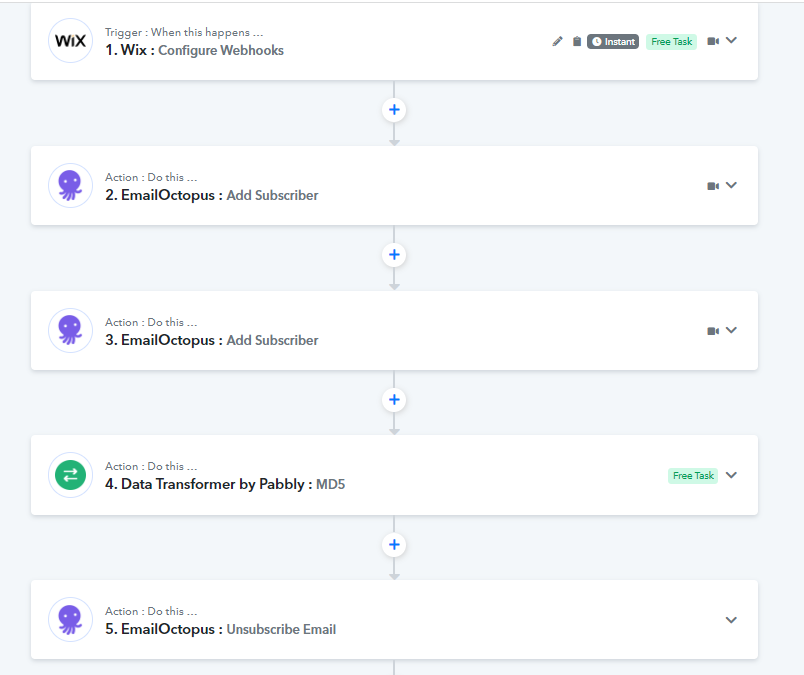
I have a workflow titled 'member signup' with one trigger (Wix webhook) and two actions (both in Emailoctopus).
1. Email collected successfully via webhook from Wix
2. 'New Subscriber' Emailoctopus action event adds the email to a specified list (see below image) 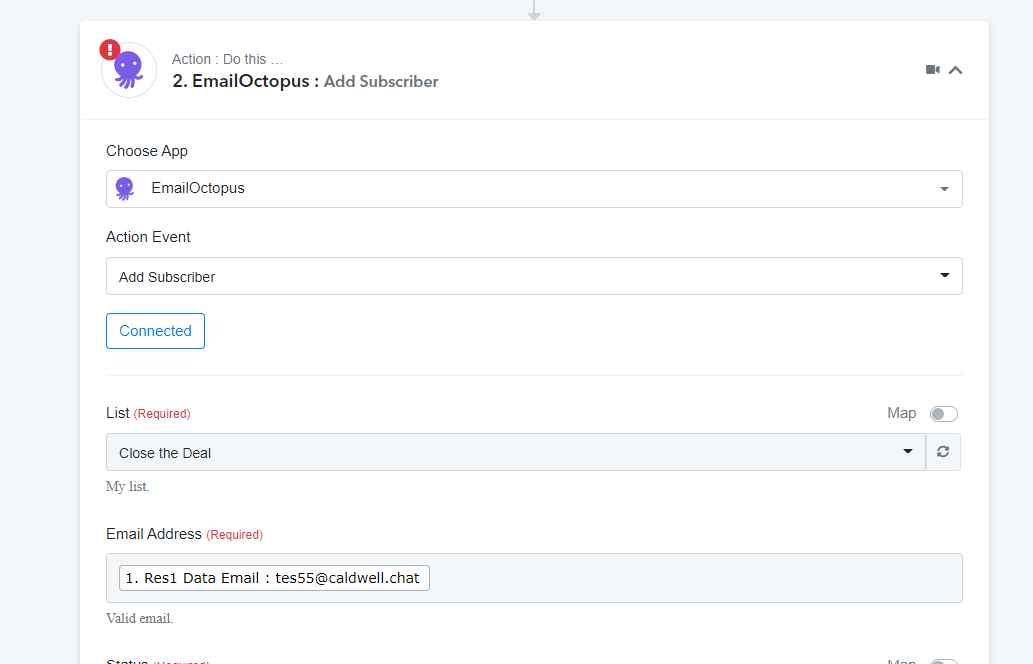
3. I want to unsubscribe the email collected via webhook from Wix in step 1 from another list in Emailoctopus.
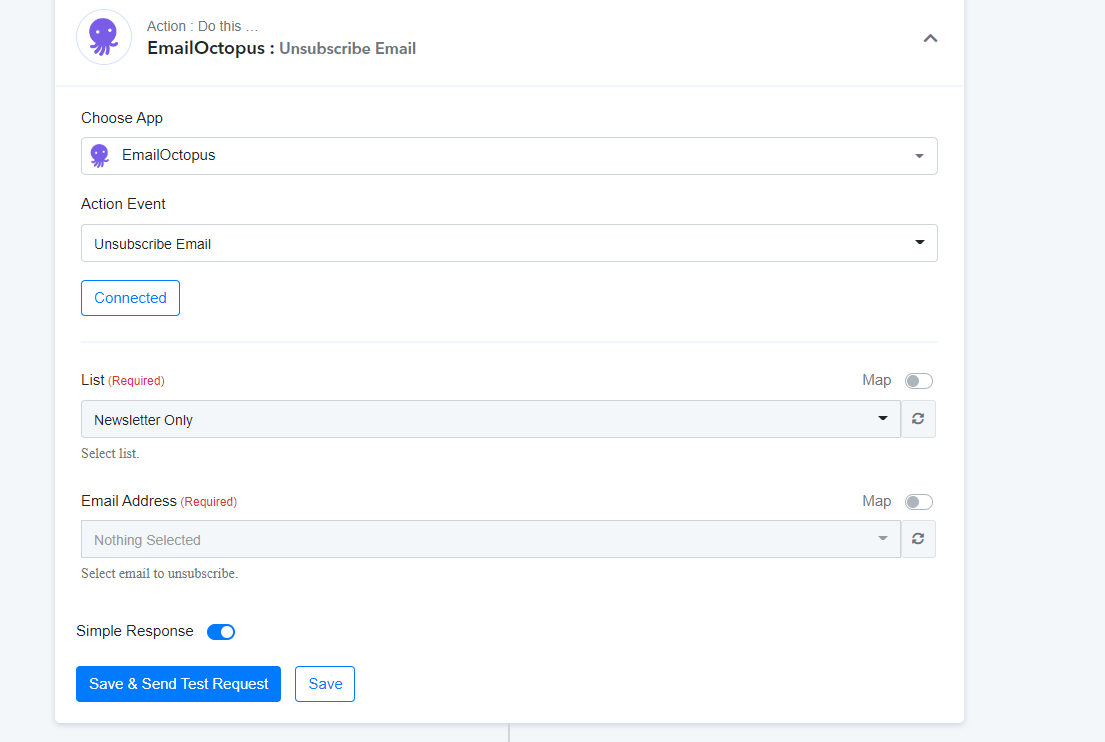
How do I go about doing this? The unsubscribe action event is only for specified emails so the Wix-linked email does not show up (see below)
I would appreciate any help. Many thanks
Hey @closethedeal
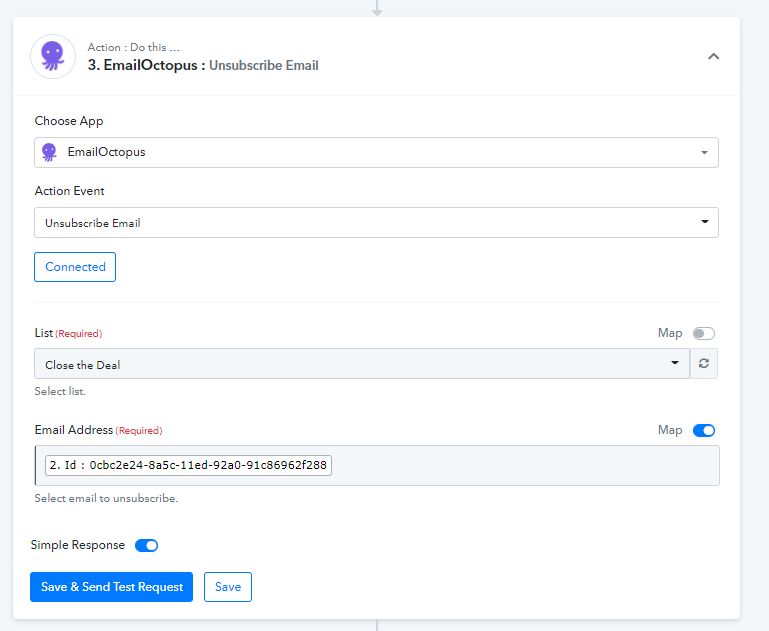
To unsubscribe the person from the list you need to pass the Id of the person in the email address from the above action step.
Please refer to the following screenshot, for the same.
Hi, many thanks for getting back.
Where can I retrieve the id from? I am not able to select anything on the dropdown.
Additionally, I don't think the id can be taken from the previous action step because that connects to a different list than the one I want to remove them from (i.e. it will have a different id).
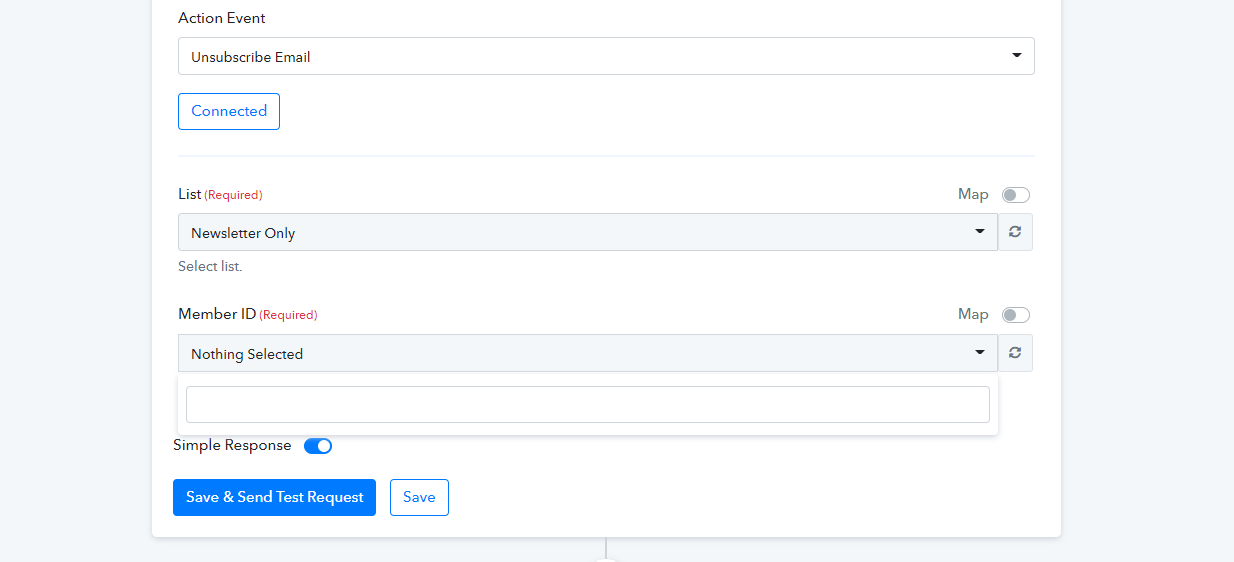
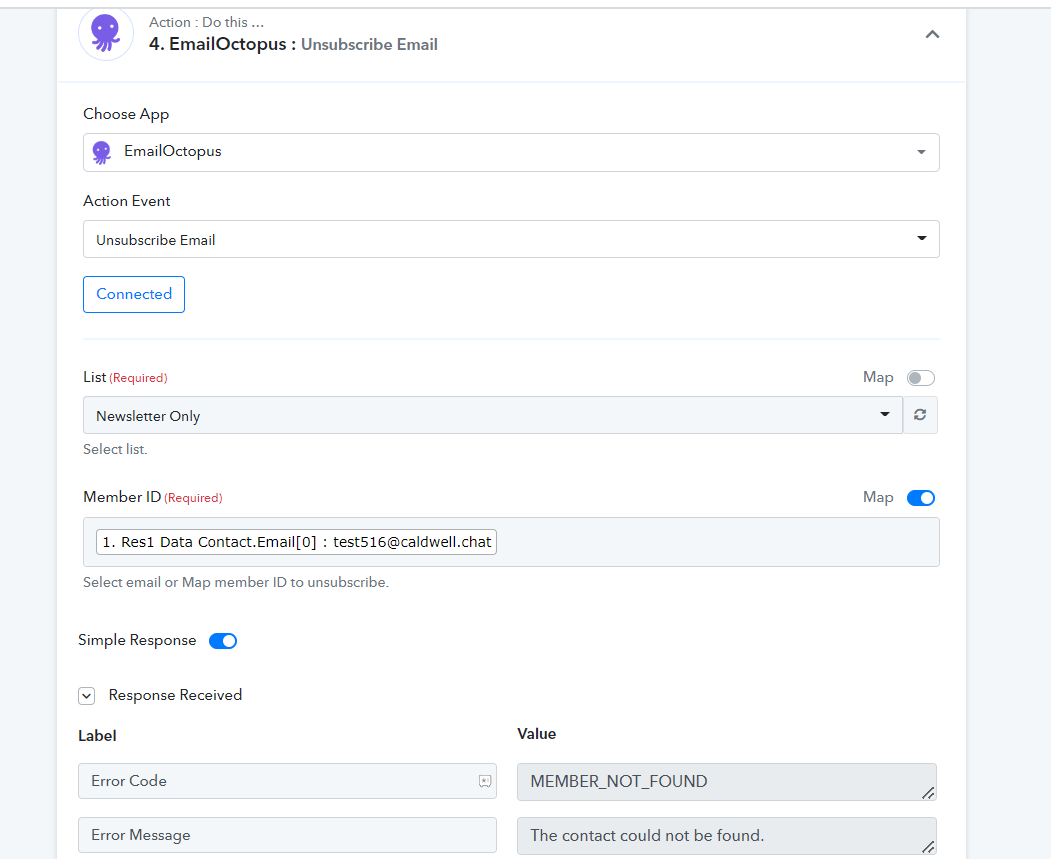
I have tried to map both ID and email from all steps but it does not find the member (they are definitely in my list on emailoctopus)
To unsubscribe the person from the list you need to pass the Id of the person in the email address from the above action step.Please refer to the following screenshot, for the same.
[IMG width="513px" alt="1672636671995.png"]https://forum.pabbly.com/attachments/1672636671995-png.19838/[/IMG]
As we have already stated that pick the subscribers Id from the above action step and map its Id in the field.
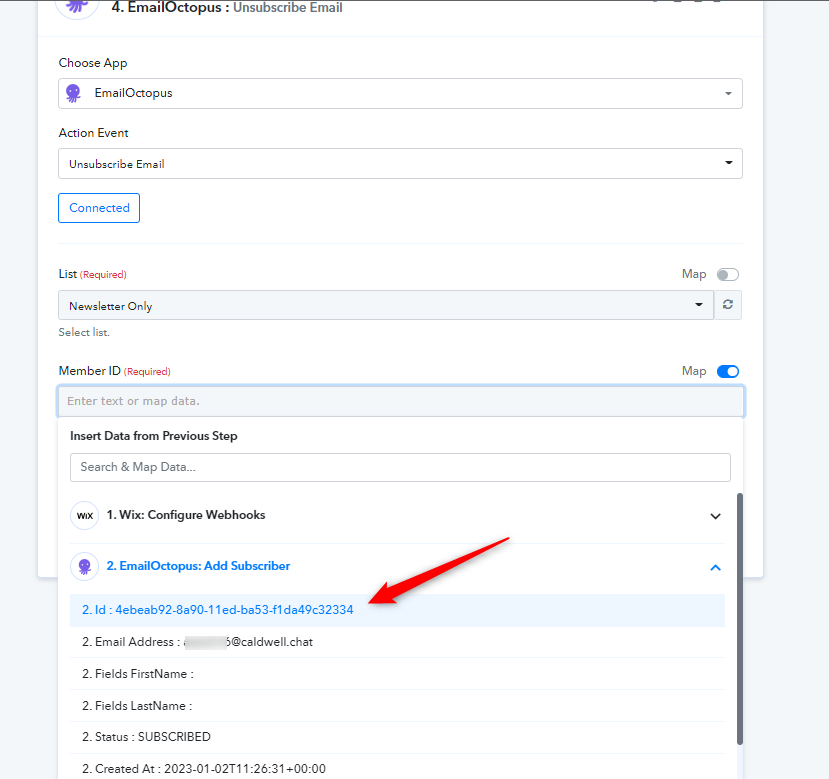
Thank you for this, I really appreciate the support.
However, when I select the id from the previous step, I get the following error and the email is not unsubscribed:
I think this is because the id from the previous step relates to the email under a different list (Site Member).
The list I am trying to remove the email from (Newsletter only) has a different id for the same email:
[TABLE]
[TR]
[TD]144c1d00-8a9f-11ed-8473-f1da49c32334[/TD]
[/TR]
[/TABLE]
Is there a solution to solve this?
If I could 'lookup' a contact from a list before, then your solution should work. However, I am not sure how to do this
Hey @closethedeal
It appears that you are pressing the "Save & Send Test Request " button multiple time and since it once already gotten a subscriber/unsubscribe you are again trying to do the same. In contrast, you are facing the same message from the application.
If I could 'lookup' a contact from a list before, then your solution should work. However, I am not sure how to do this
Regarding that, you can capture the webhook response again with a unique email address that wasn't on your list.
Many thanks for your help!
I was able to use the Text to MD5 transformer to get the email id in the correct form and the automation now works :)