Empty column with Google Form
Status: Open · Asked by Salvador on · 0 views
Hello everybody,
I have a Pabbly Conect Service from Google forms to twilio where the user has to add the email, name and phone number, when the user hits send form the data is written in a Google Sheet, this sheet runs a script with App script to generate a serial number based on the name. For some reason (I'm guessing related to asynchrony?) This row almost always is empty, it seems the job gets triggered before the script creates the serial number. Is there any way to fix this?. It's the "Registro" column:
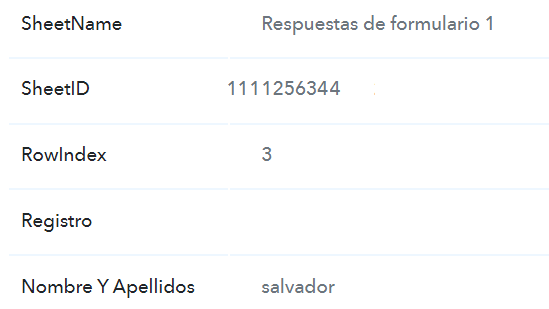
Is therea any way to call a workflow from the app script? That would be helpful.
Hey @Salvador,
Please grant me access to your workflow by adding me as a team member. This will allow me to gain a better understanding of your issue.
Once you have added me as a Team Member, do let us know the name of your workflow.
Email: arshil.ahmad@pabbly.com
Also, remember to revoke access once your query has been resolved.
Attaching a video for your reference:
Hey @Salvador,Please grant me access to your workflow by adding me as a team member. This will allow me to gain a better understanding of your issue.
Once you have added me as a Team Member, do let us know the name of your workflow.
Email: [EMAIL]arshil.ahmad@pabbly.com[/EMAIL]
Also, remember to revoke access once your query has been resolved.Attaching a video for your reference:
Thank you. You've been added as a team member and I've shared my workflow with you.
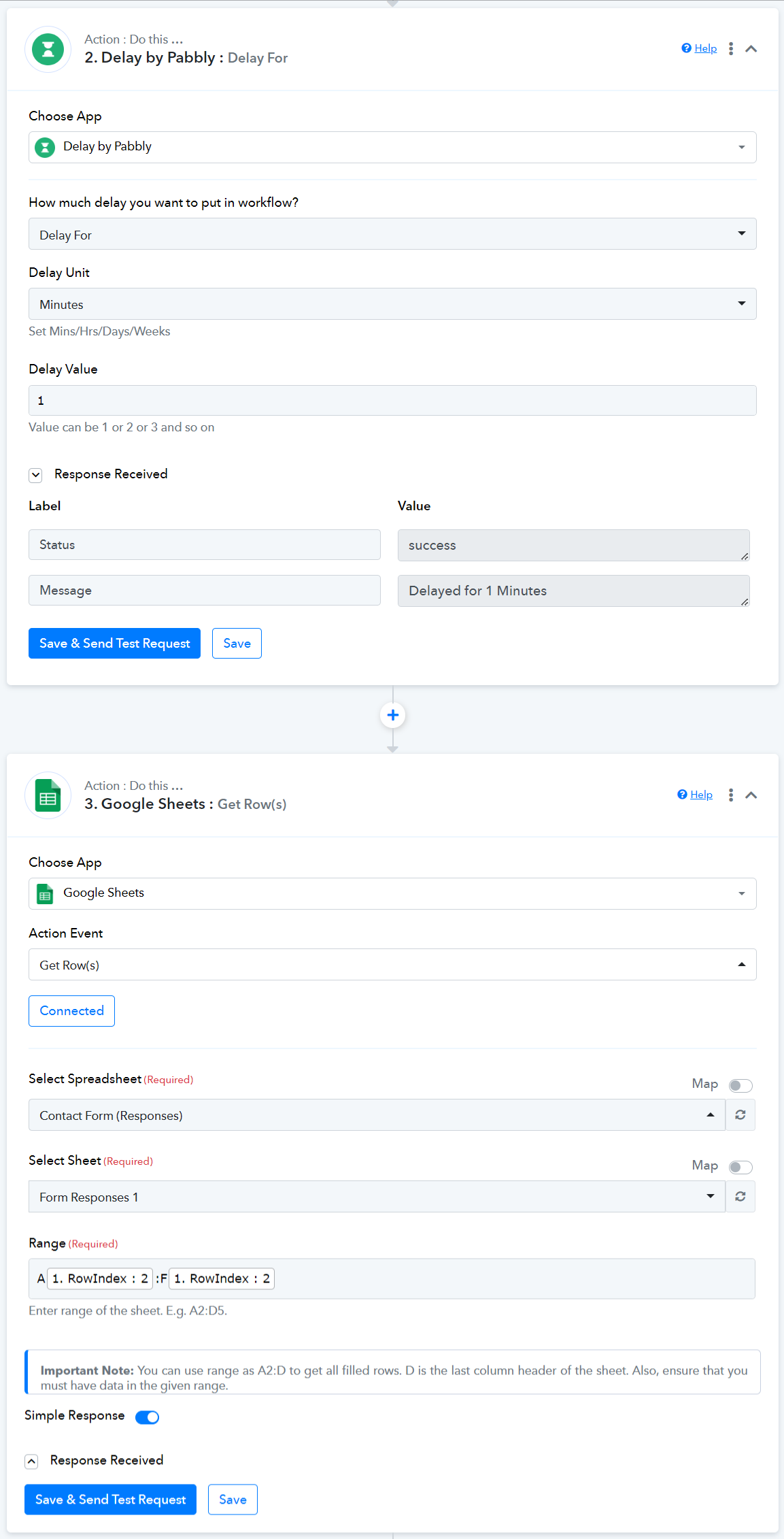
Slowing down the time to capture data from Google Sheets is not possible as the trigger gets executed instantly. As a workaround for this issue, you can add a delay of 1 minute, capture the responses using Google Sheets: Get Row(s), and map the captured responses in your message.