Encharge integration
Status: Closed · Asked by Premjit Pv on · 0 views
I need an urgent help.
I see this below when i choose encharge. There used to be a way to map names and emails. My old flows still have that. But when I create a new one, it is showing up like this. Please help as I have to set this up for the campaign.
@Supreme @Neeraj @Fagun Shah 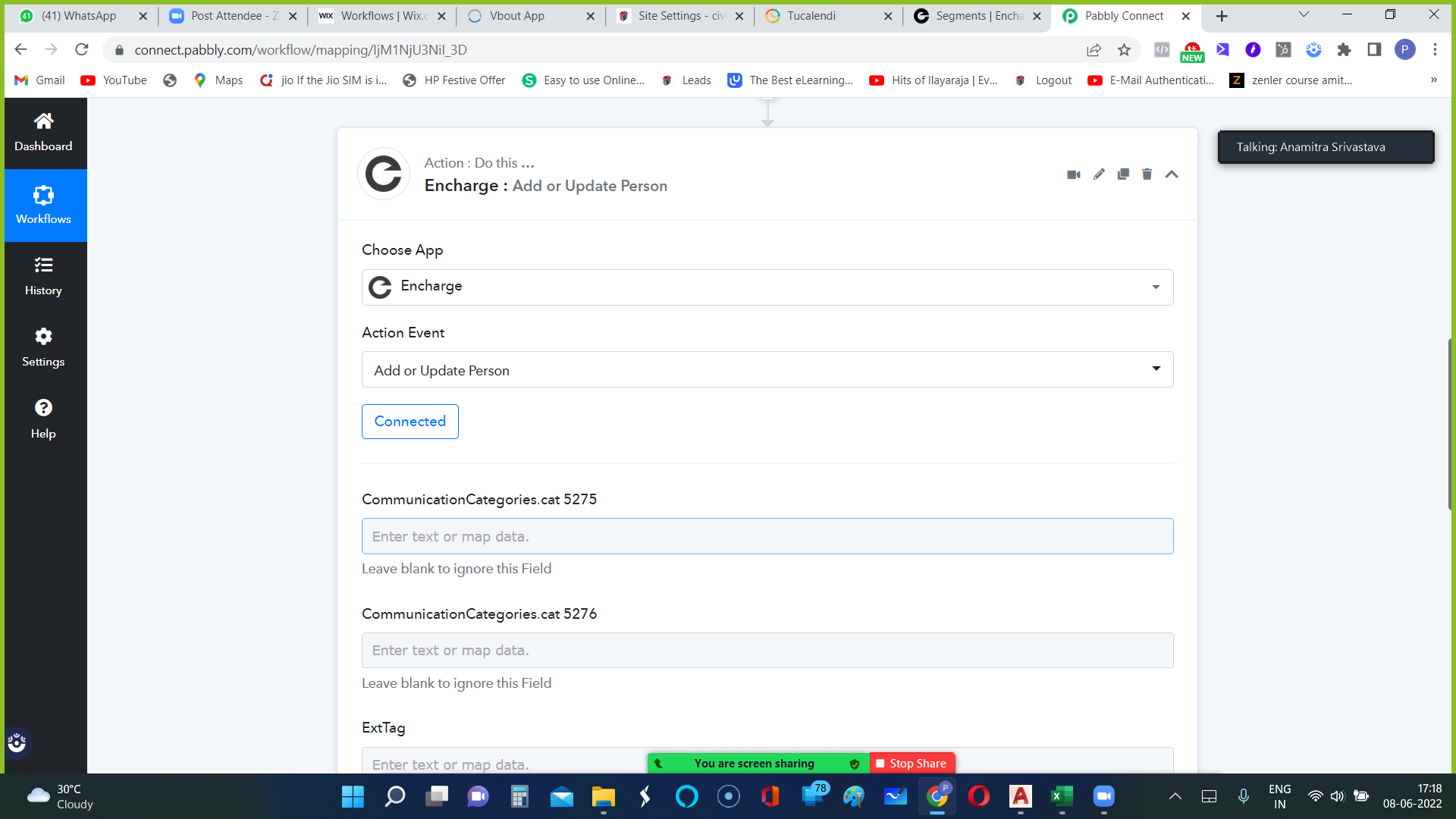
Hey @premjitpv
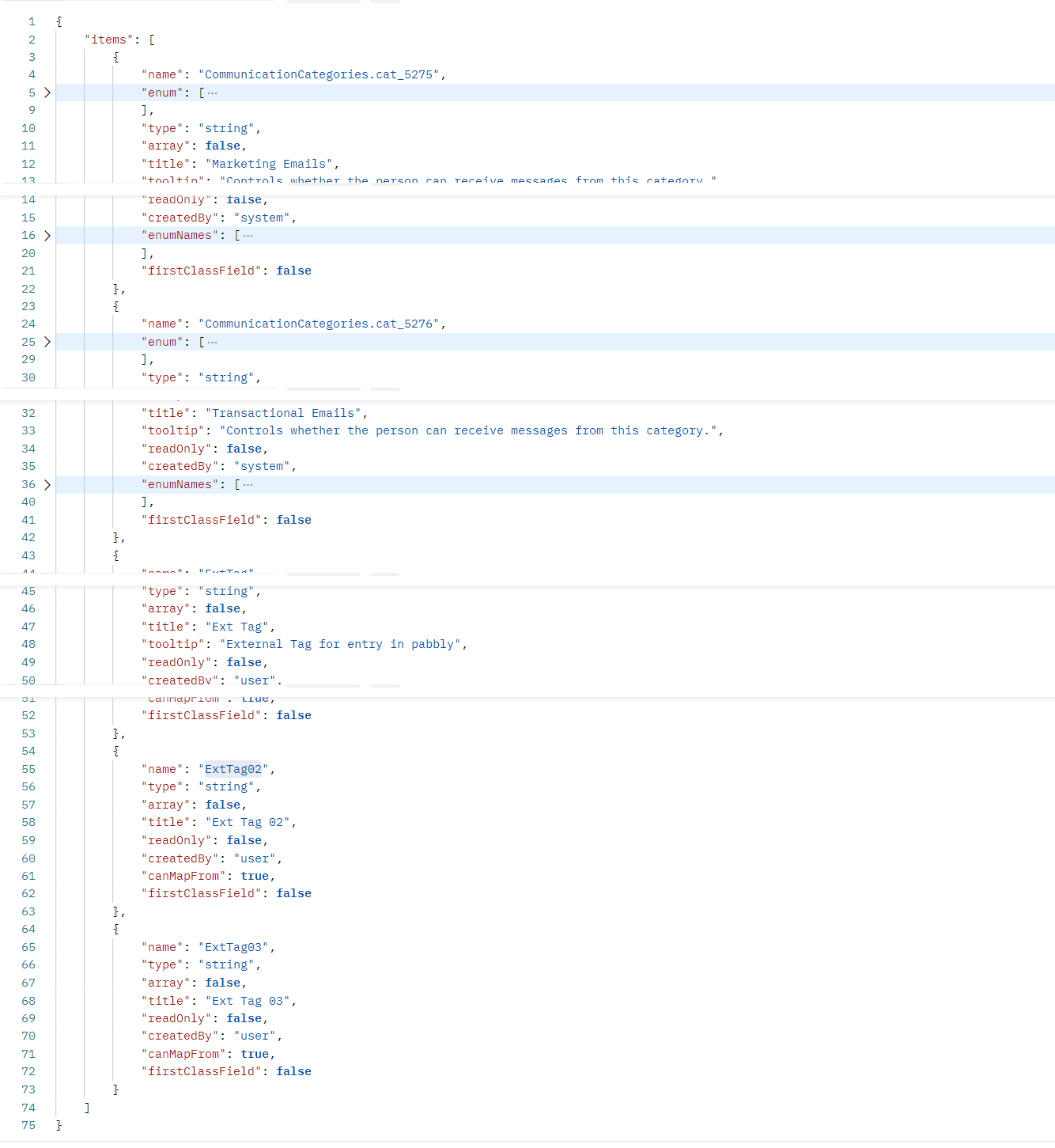
We looked into your concern and it seems like you might have changed the custom fields from your Encharge account because Encharge: Add or Update Person action step only takes the custom fields from the account. So cross-check the fields from your Encharge and then try again.
If the issue still persists, then kindly contact Encharge team.
I dint understand this. I have not changed any thing.
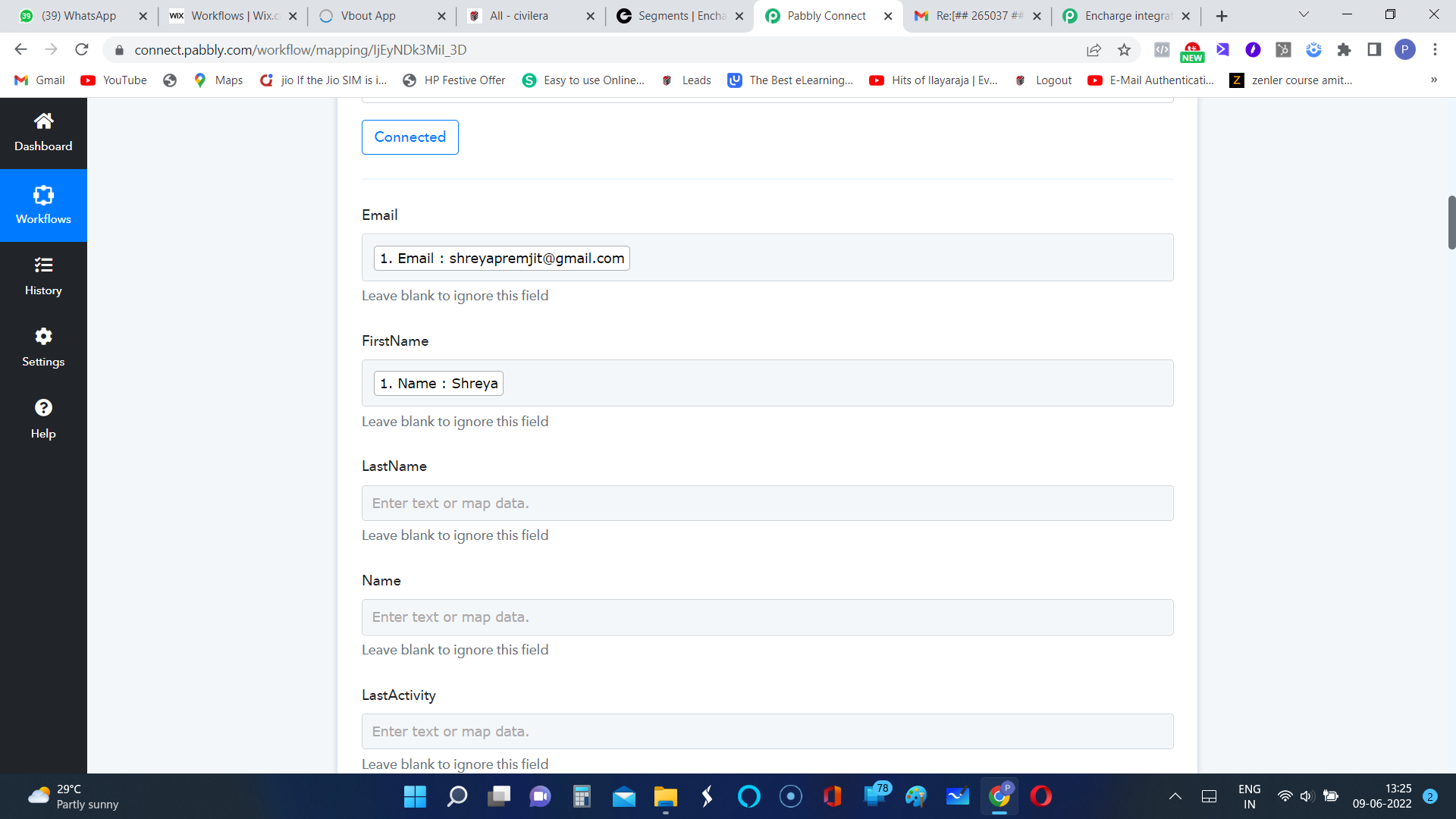
Here is a screenshot from my another existing workflow. It picks more data than custom field. Why are you saying it picks only custom fields? It used to pick all fields.
Hey @premjitpvWe looked into your concern and it seems like you might have changed the custom fields from your Encharge account because Encharge: Add or Update Person action step only takes the custom fields from the account. So cross-check the fields from your Encharge and then try again.
If the issue still persists, then kindly contact Encharge team.
@Supreme the issue client facing is he is not able to see Firstname, Lastname, Name and Email fields in the action step when he try to add a new action step in new workflow.
But in the old workflow(see the screenshot shared by client above) it is showing those fields.
Their APIs are not responding properly and only showing custom fields. We are contacting them regarding the same and will update you.
Same issue here and this is a blocker.
First, the Encharge connection is not allowing us to authenticate the right account as it is taking some default account. We are unable to change the account to the proper paid account. I suspect because of this, the right fields are not getting exposed.
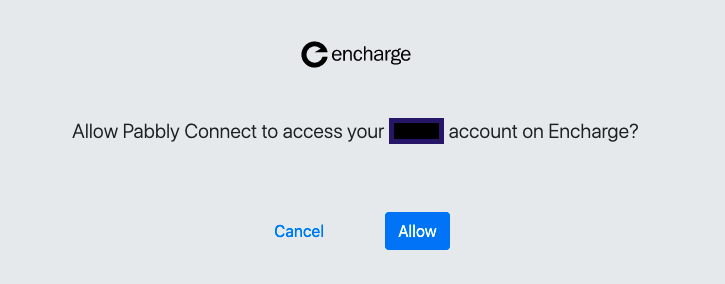
I am unconvinced with the answer given above. Even I have not changed anything on Encharge. Even if we do, Adding a user should expect an email and should privide options to update name, phone etc.
Currently it is not taking email address and exposing fields which are useless. As it is a blocking issue, would request Pabbly team to review and get this issue fixed please.
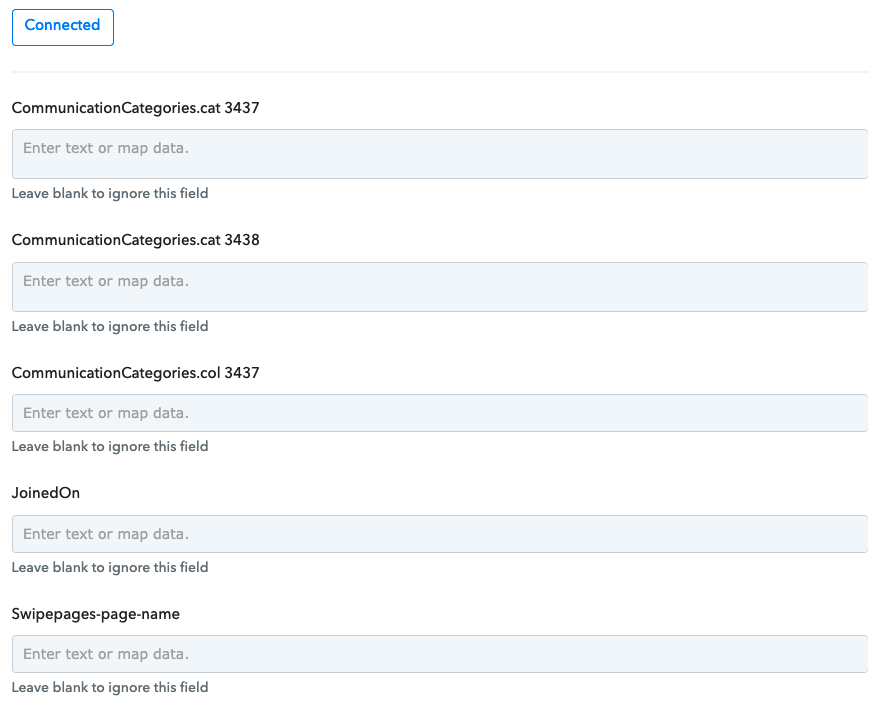
, Adding a user should expect an email and should privide options to update name, phone etc.
That's the issue. They are not showing the default fields like name, email address, phone number, and only showing custom fields.
We have informed the Encharge team about the same and they are working on it -
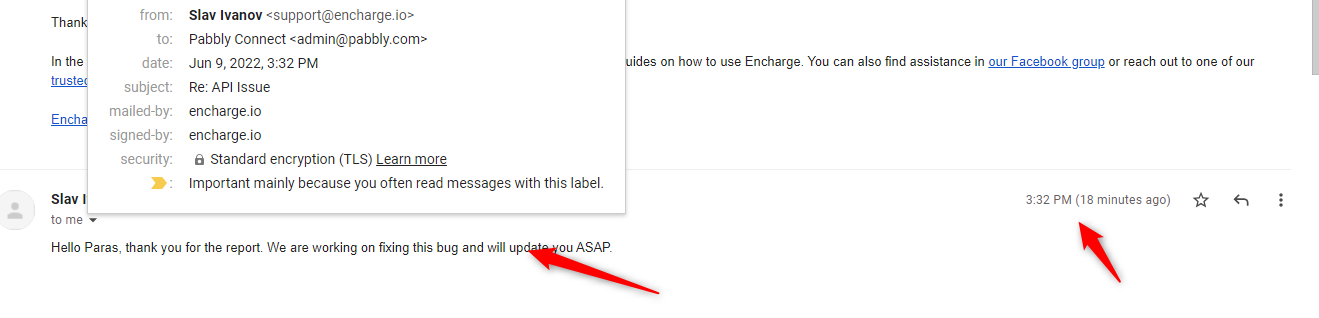
Hey @hmba2 @premjitpv
Encharge team has confirmed to us that they fixed the issue from their end, kindly try the action step at your end and let us know if that works.