Encharge - Select subaccount
Status: Closed · Asked by WebImap on · 0 views
Hello, I want to add people to an Encharge subaccount, but from Pabbly Connect it does not give a selection of which subaccount to add the person to and ends up adding it to the main one.
Any ideas?
Hey @WebImap
Could you please share a reference with the help of a screenshot on what you mean by adding people in a sub-account in Encharge?
Hey @WebImapCould you please share a reference with the help of a screenshot on what you mean by adding people in a sub-account in Encharge?
Maybe these screenshots help.
In the first screenshot, I select my profile to choose which account to view/manage.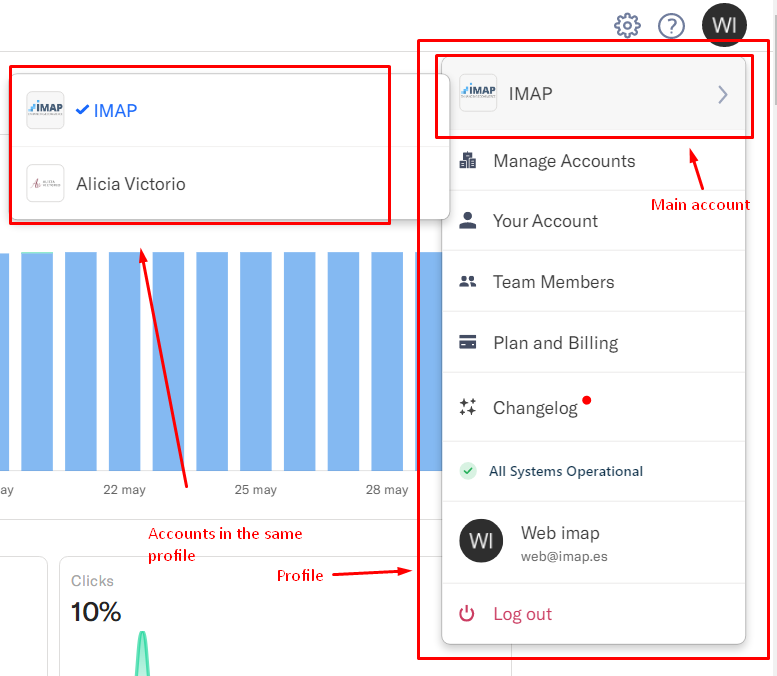
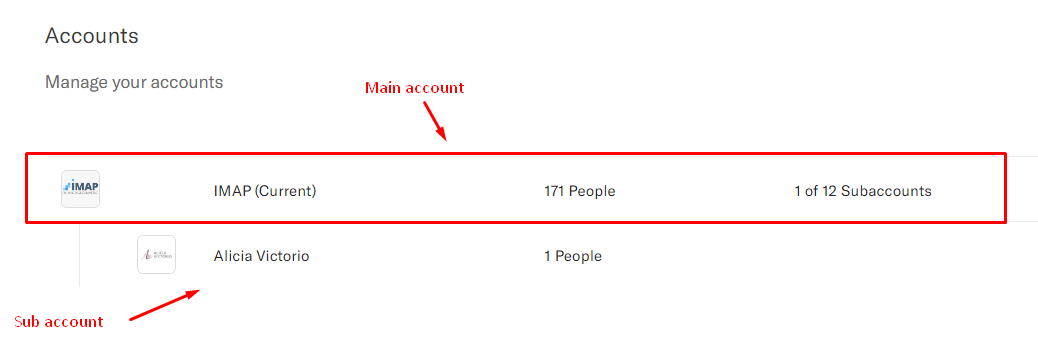
This second screenshot shows the accounts I have on my profile. We see that the "parent" account can contain up to 12 sub accounts. And one of those 12 subaccounts is the one I want to use in pabbly, instead of using the main account.
Hey @WebImap
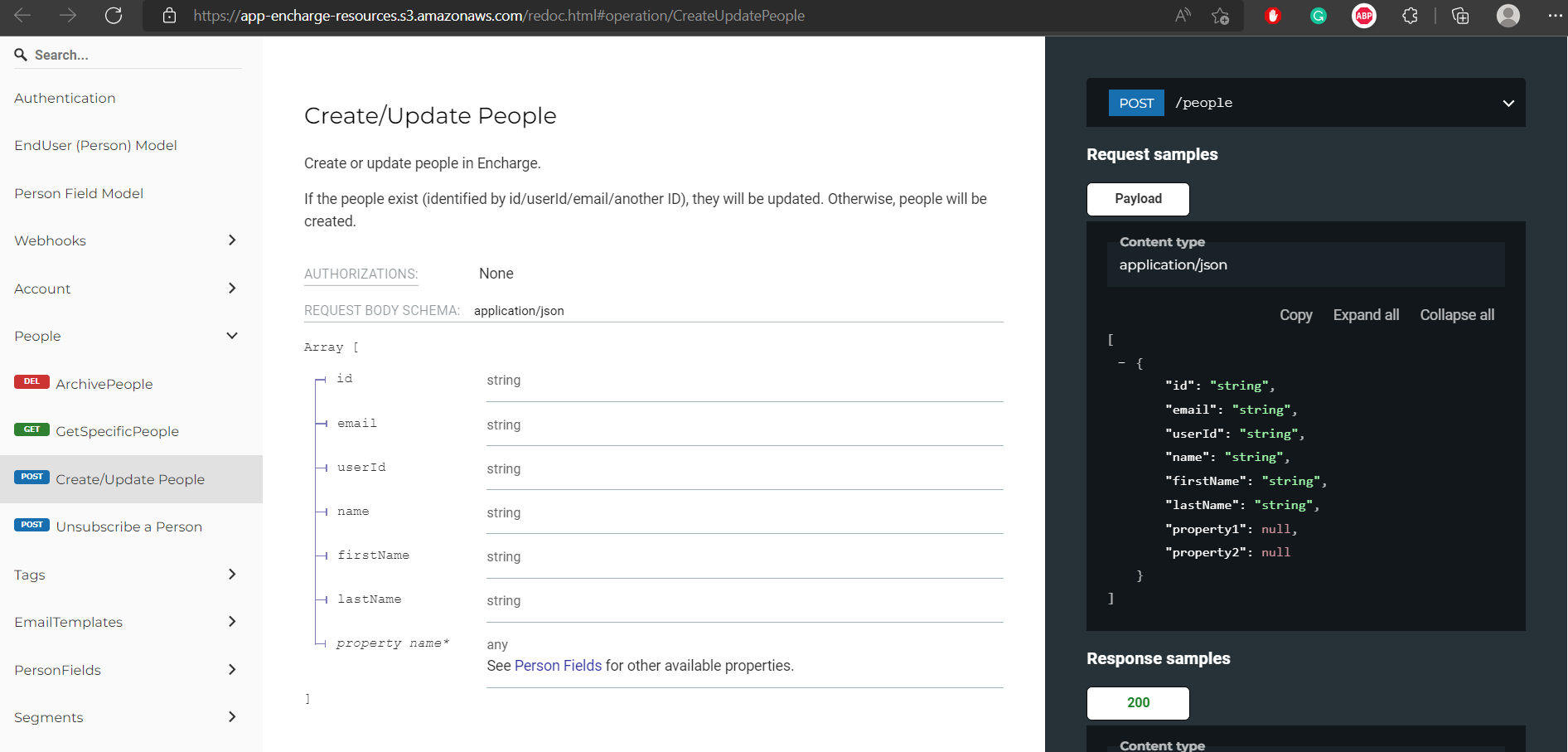
We looked into the API documentation of Encharge and they do not offer any action event or feature to add a subaccount while creating a contact.
https://app-encharge-resources.s3.amazonaws.com/redoc.html#operation/CreateUpdatePeople
Hey @WebImapWe looked into the API documentation of Encharge and they do not offer any action event or feature to add a subaccount while creating a contact.
https://app-encharge-resources.s3.amazonaws.com/redoc.html#operation/CreateUpdatePeople
Oh, thanks for the clarification.
I also find no option to select or validate a different account. Is the validation happening using the email id used for pabbly login? So, if Pabbly's and Encharges email matches, does it assume that thats the only connection possible?
Please help!
I also find no option to select or validate a different account. Is the validation happening using the email id used for pabbly login? So, if Pabbly's and Encharges email matches, does it assume that thats the only connection possible?Please help!
You can connect any encharge account to pabbly, for example:
In pabbly I have the account [email hidden]
In encharge I have several accounts:
[email hidden]
[email hidden]
In pabbly connect, when creating a workflow, when selecting the encharge application, it tells you to connect, and when connecting I can choose both the [email hidden] and [email hidden] accounts, but only from the menu to connect.
If it automatically logs you in and you can't add a new connection to encharge, you can try putting the browser in incognito mode, that's what I did.