Entering Date/Time into GoogleSheet automatically
Status: Closed · Asked by businessprofitgrowth on · 0 views
Hi, I would like to know how I can automatically enter the Date/Time into the Date/Time column inside a GoogleSheet. I have applied the Date/Time Formatter by Pabbly before the GoogleSheet. Thanks in advance. See below -

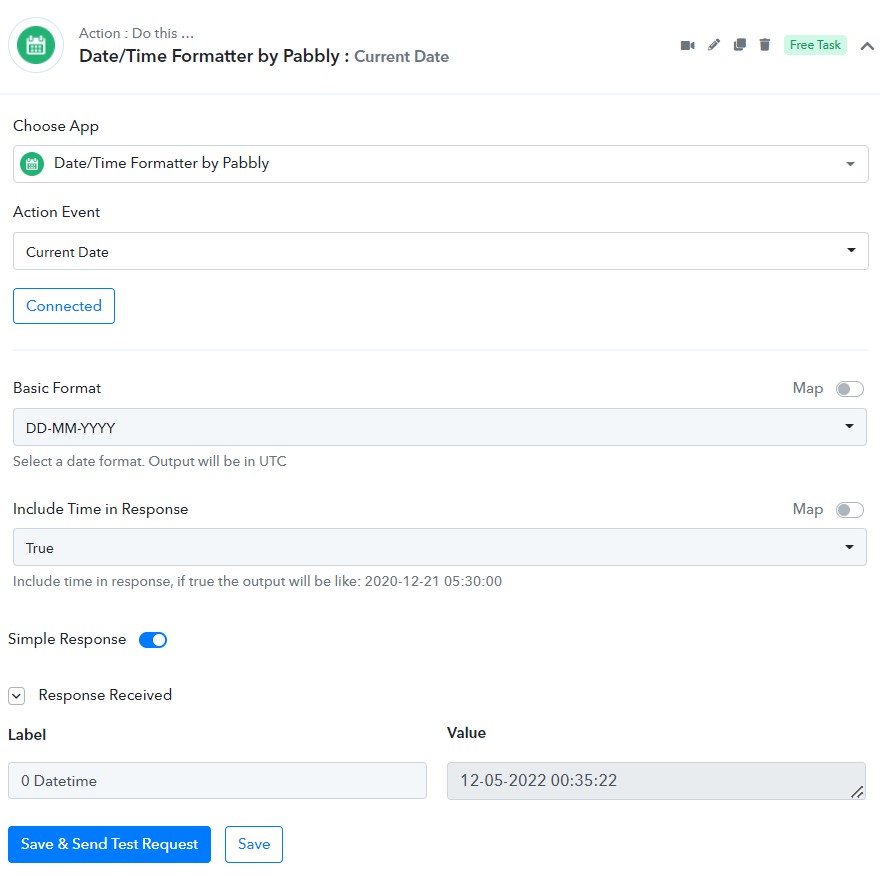
Hey @businessprofitgrowth
You can simply map the data label in the respective field of the "Google Sheets: Add New Row" action step.
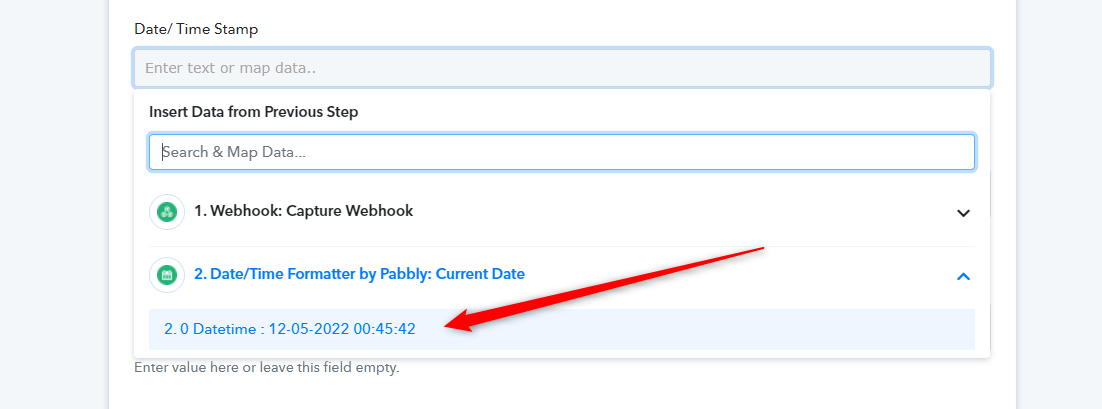
As I understand it, a date needs to be first transferred across to the Date/Formatter. How can I automatically enter a date in each new GoogleSheet row, when I am not receiving any date information via the Pabbly webhook? For example, I have tried "=NOW()" under the Date field in the Pabbly form but the problem is that it updates every previous row with the current date/time when a new date/time is added to a new row. Thanks in advance.
Hey @businessprofitgrowth
As per your use case, it will add a new row in your Google Sheets with the current DateTime, it will not update the previous row data with the current DateTime.
Please check again and if you still face any issues then kindly reconnect the Google Sheets action step and try recording a short video for the same.
You can check the functionality of DateTime Formatter in the following tutorial video -
(Just to check the basic functionality of the "Date Time Formatter- Modify current date" action step)
Can you confirm that I need to use Date/Time Formatter to enter a new date/time stamp in each new row? Can I use something like what Zapier has just to enter the date/time, as shown here - {{zap_meta_human_now}}
Can you confirm that I need to use Date/Time Formatter to enter a new date/time stamp in each new row Can I use something like what Zapier has just to enter the date/time, as shown here - {{zap_meta_human_now}}
Check this - https://forum.pabbly.com/threads/date-time-functions-to-fetch-current-date-and-time-in-different-formats.1492/
Excellent, Fagan. Thank you. This is exactly what I was looking for and it works 100%.