Erro - cannot have new-line/tab characters or more than 4 consecutive space -whatsapp clound api
Status: Closed · Asked by naimishranderi on · 0 views
Hi all
I have integration between the Elementor form and Whatsapp. Everything works well but we have an issue when customers send messages with multiple new line characters.
Please can anyone help me how to fix this issue? How can pabbly connect remove the new-line/tab characters?
{
    "Error Message": "(#131009) Parameter value is not valid",
    "Error Type": "OAuthException",
    "Error Code": 131009,
    "Error Error Data Messaging Product": "whatsapp",
    "Error Error Data Details": "Param text: Hi Naimish \n\nThis is Jack. Sorry for the short notice. Do you have any appt available for today for a haircut?\n\n\n\nThank you\n\Jack cannot have new-line/tab characters or more than 4 consecutive spaces",
    "Error Error Subcode": 2494073,
    "Error Fbtrace Id": "AgZSlfWIQasDZTPR_AxkV7D"
}
Thanks
Naimsh
Hey @naimishranderi
Please can anyone help me how to fix this issue? How can pabbly connect remove the new-line/tab characters?
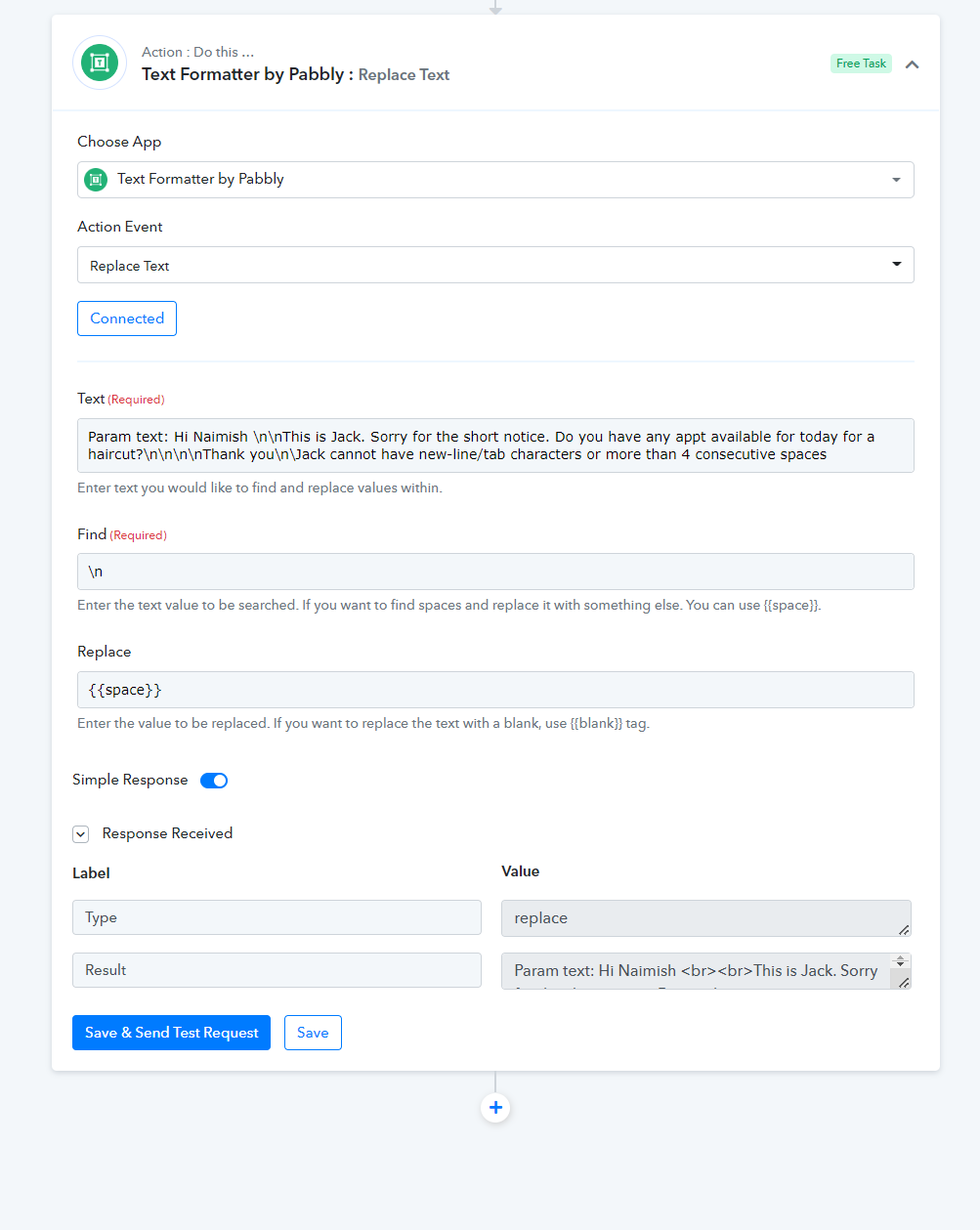
You can use the "Text Formatter by Pabbly: Replace Text" action step to replace the \n with the space or with
to avoid \n from your content.
Thank you very much for your help mate.
But I have elementor form and a whole lot of other fields.
Hey @naimishranderi
Then you can use the same action step to replace the \n from the contents and pass it along to the other action events.
Hello @Supreme,
I am also getting similar error. I am trying to send a whatsapp template message to the user who has submitted the elementor form. The mesage is not going through.
Please check attached screenshot
Thanks.
Attachments
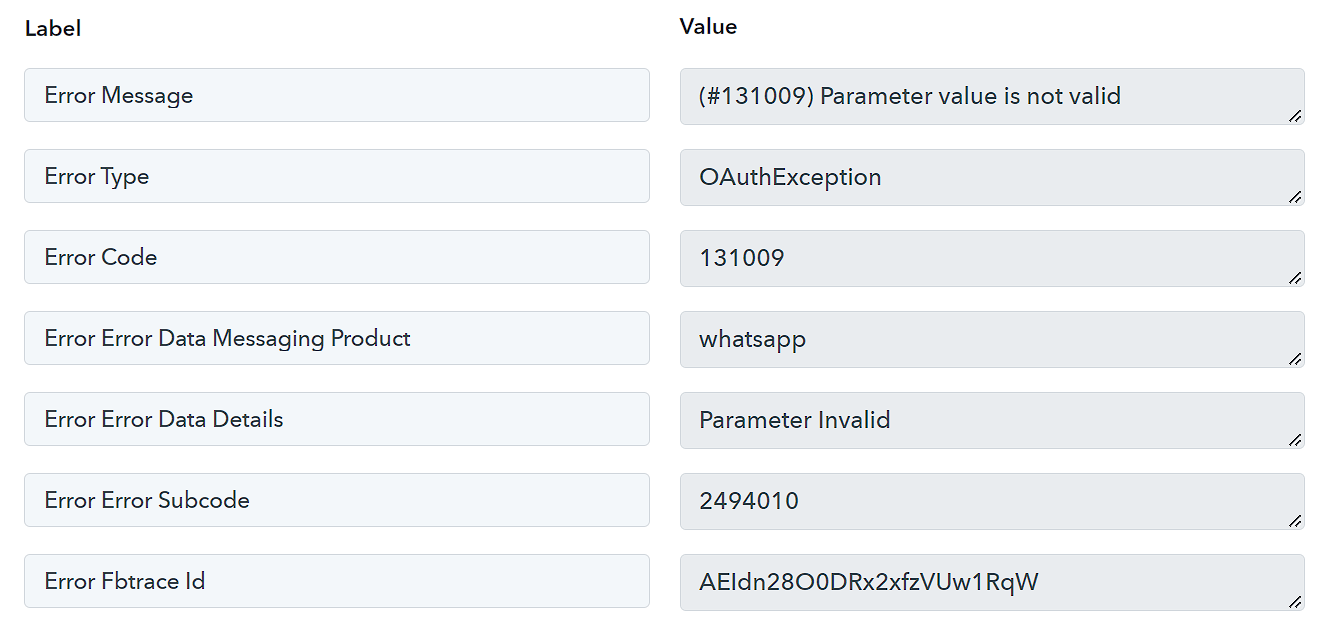
Hello @Supreme,I am also getting similar error. I am trying to send a whatsapp template message to the user who has submitted the elementor form. The mesage is not going through.
Please check attached screenshot
Thanks.
So I was able to get rid of this using number formatter. now everything looks good but still the whatsapp template message does not get delivered.
What could be the reason for it?
So I was able to get rid of this using number formatter. now everything looks good but still the whatsapp template message does not get delivered.
What could be the reason for it?
Please check the format of the phone number in which you need to pass, as we can see from your workflow you are not passing the phone number without + sign.
Kindly check the help text carefully and try again.
