error 401 Request is missing required authentication credential on google sheets
Status: Closed · Asked by Christo Tee on · 0 views
Hey everyone
New to Pabbly here. Ive been trying to complete a simple workflow of parsing some text from an email and creating a new line on google sheets but its consistently partially failing.
I get an error code 401 with this error message: "Request is missing required authentication credential. Expected OAuth 2 access token, login cookie or other valid authentication credential. See https://developers.google.com/identity/sign-in/web/devconsole-project."
Error details: type.googleapis.com/google.rpc.ErrorInfo
the reason is Credentials missing
Error Details 0 Domain: googleapis-com
Error Details 0 Metadata Method: google.apps.sheets.v4.SpreadsheetsService.AppendValues
I have no idea what I should do- anyone else has run into this issue?
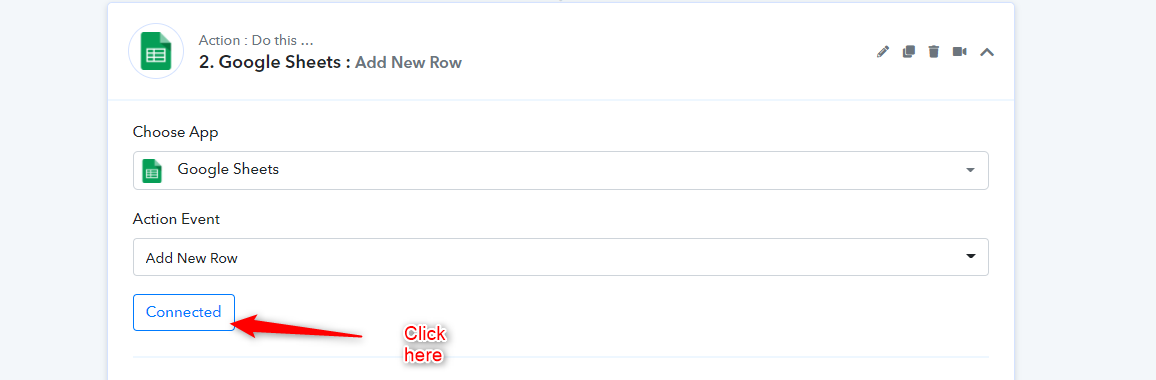
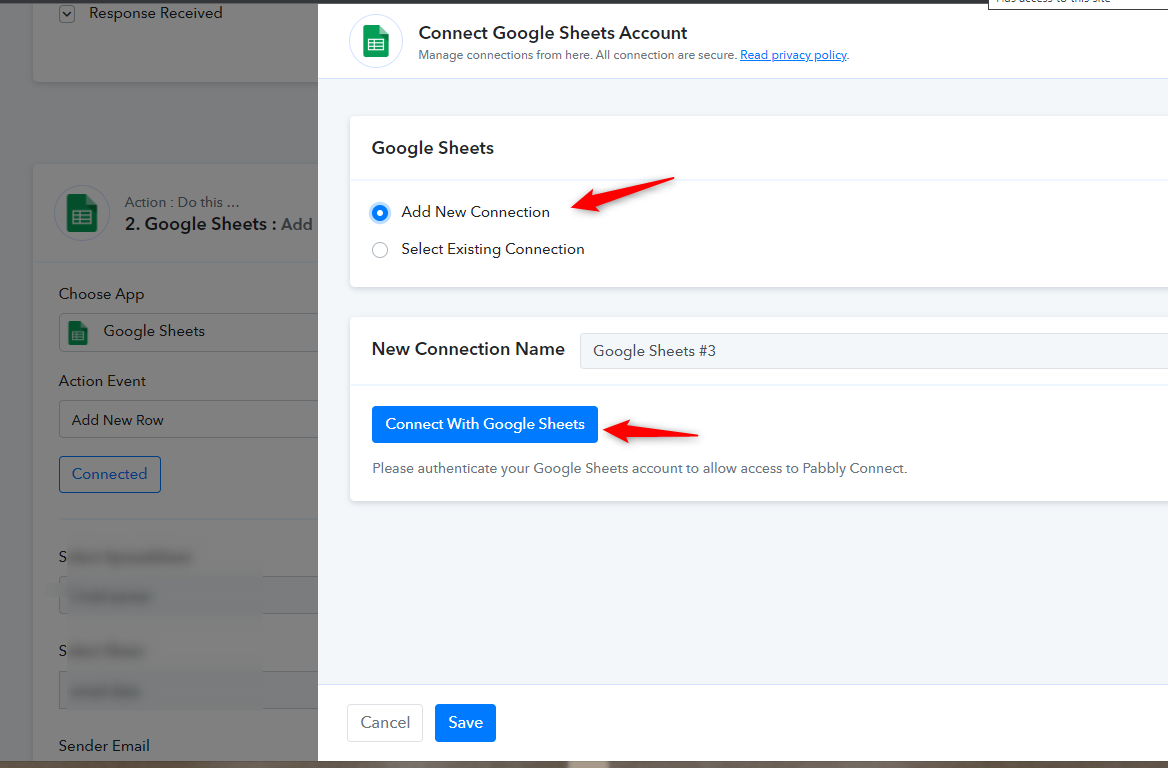
You need to reauthorize Google Sheets to fix this as shown below -
that helped
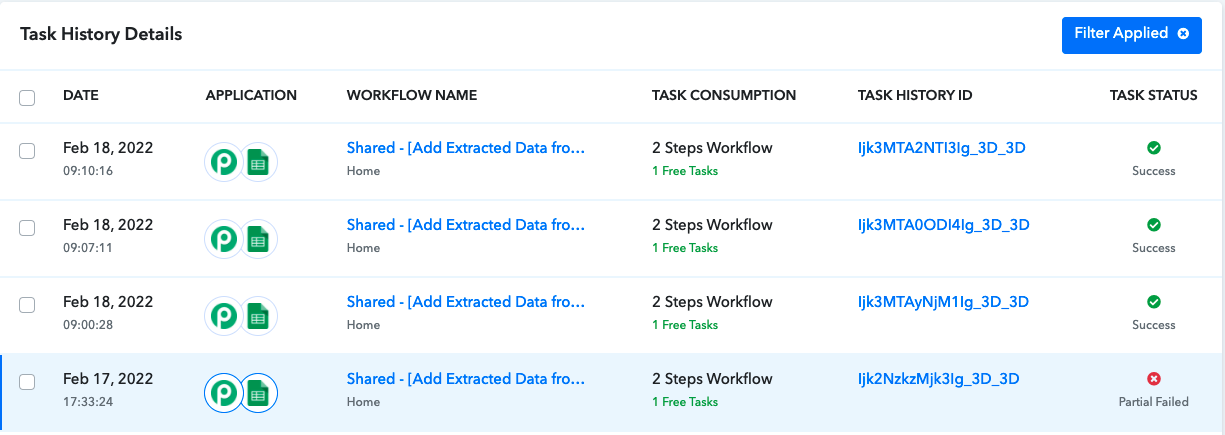
but even though the task is tagged as successful there is still no entry in google sheets
Attachments
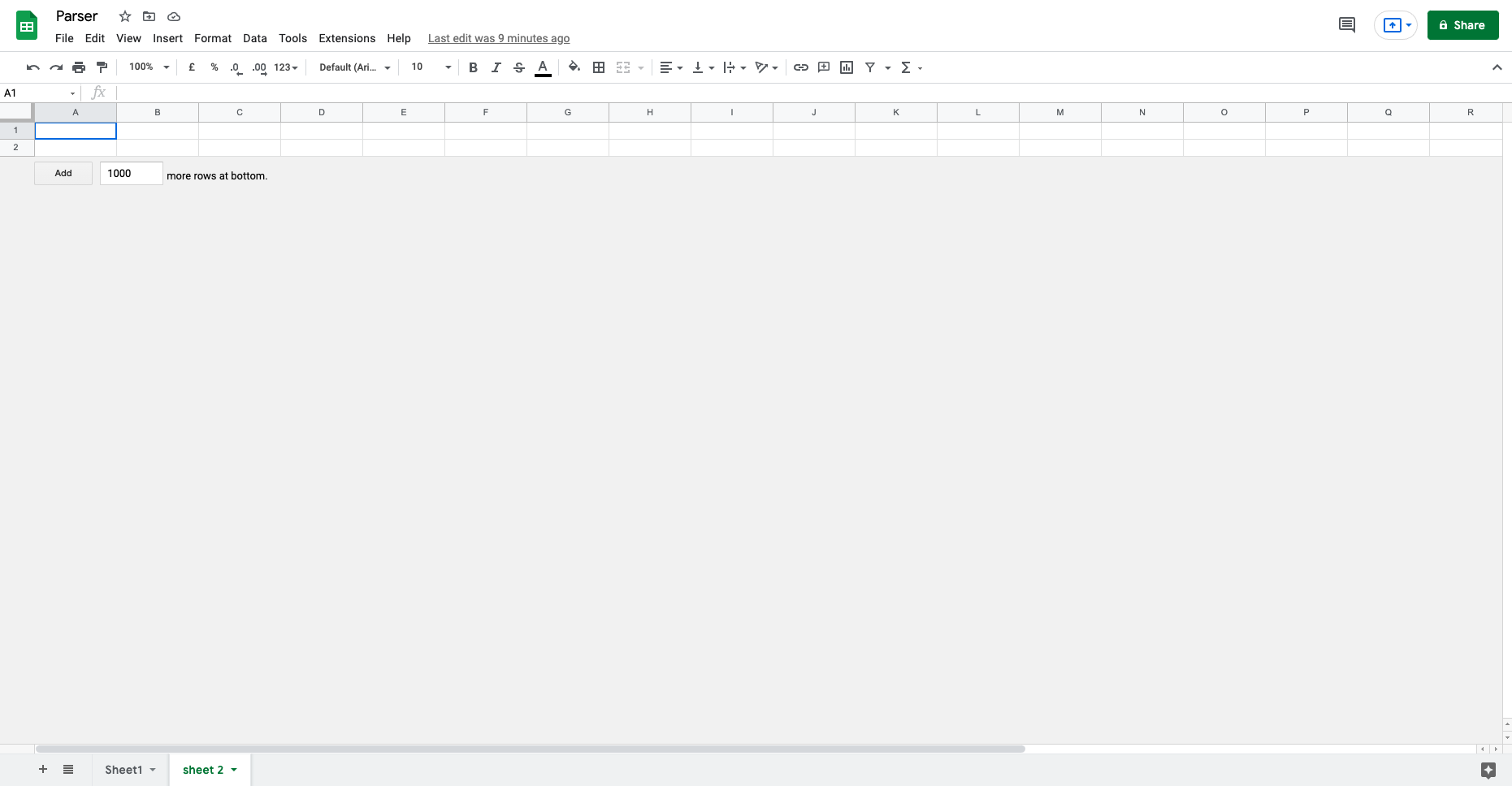
Can you confirm if your Google Sheet has header column defined something like this?
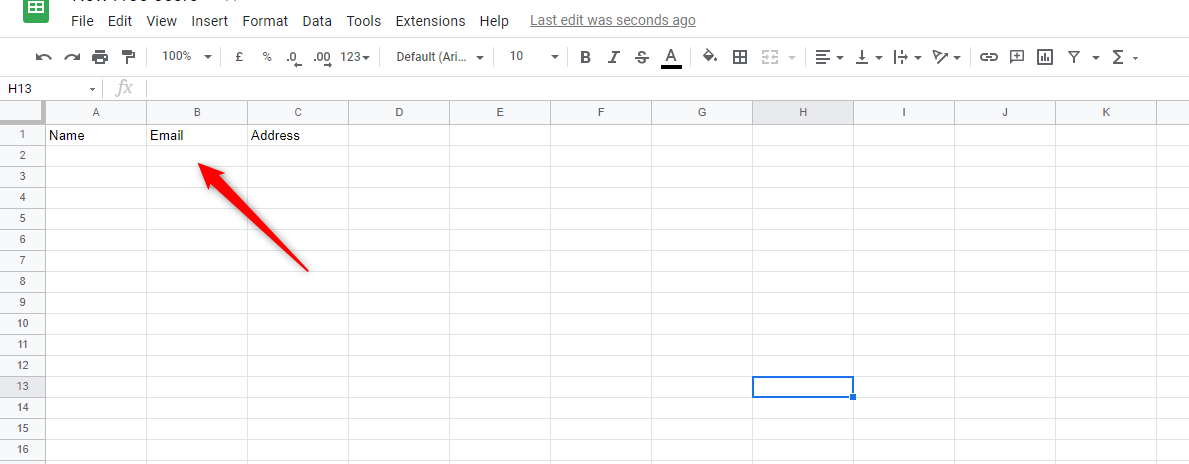
yes
Attachments
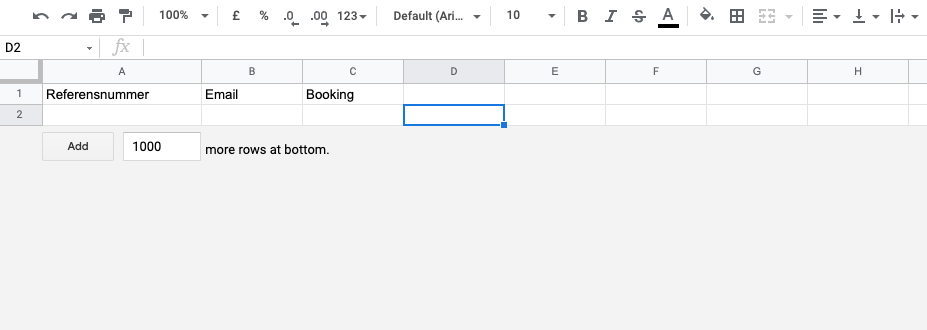
any idea anyone?
Hey @Christo Tee
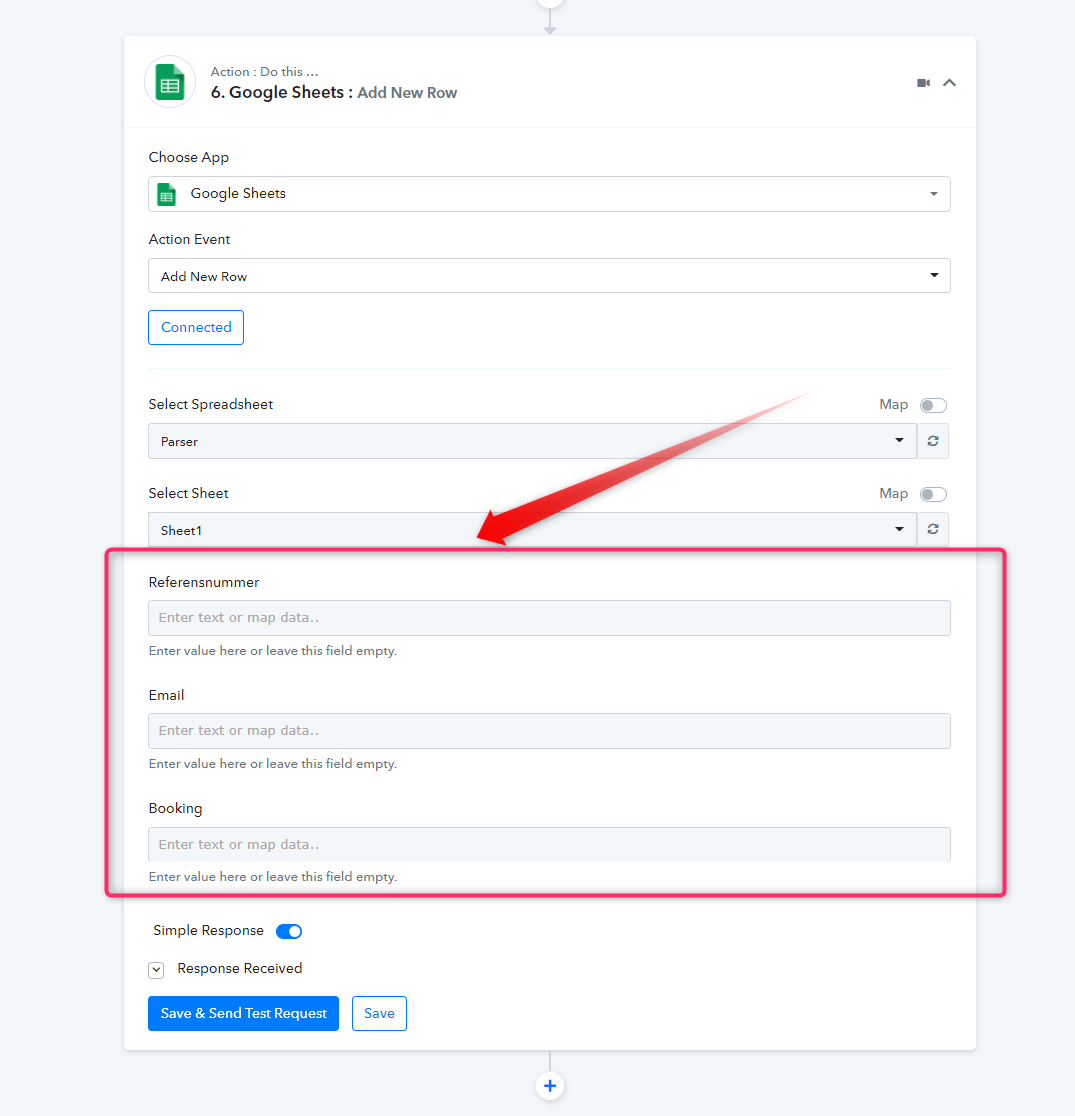
Kindly map the respective data in the fields of the " Google Sheets: Add New Row" action step to pass the data in your sheet in real-time.
that worked! thanks!