Error code 403 - Increasing the number of parents is not allowed - google forms to google drive
Status: Open · Asked by Pabbly_User_05 on · 0 views
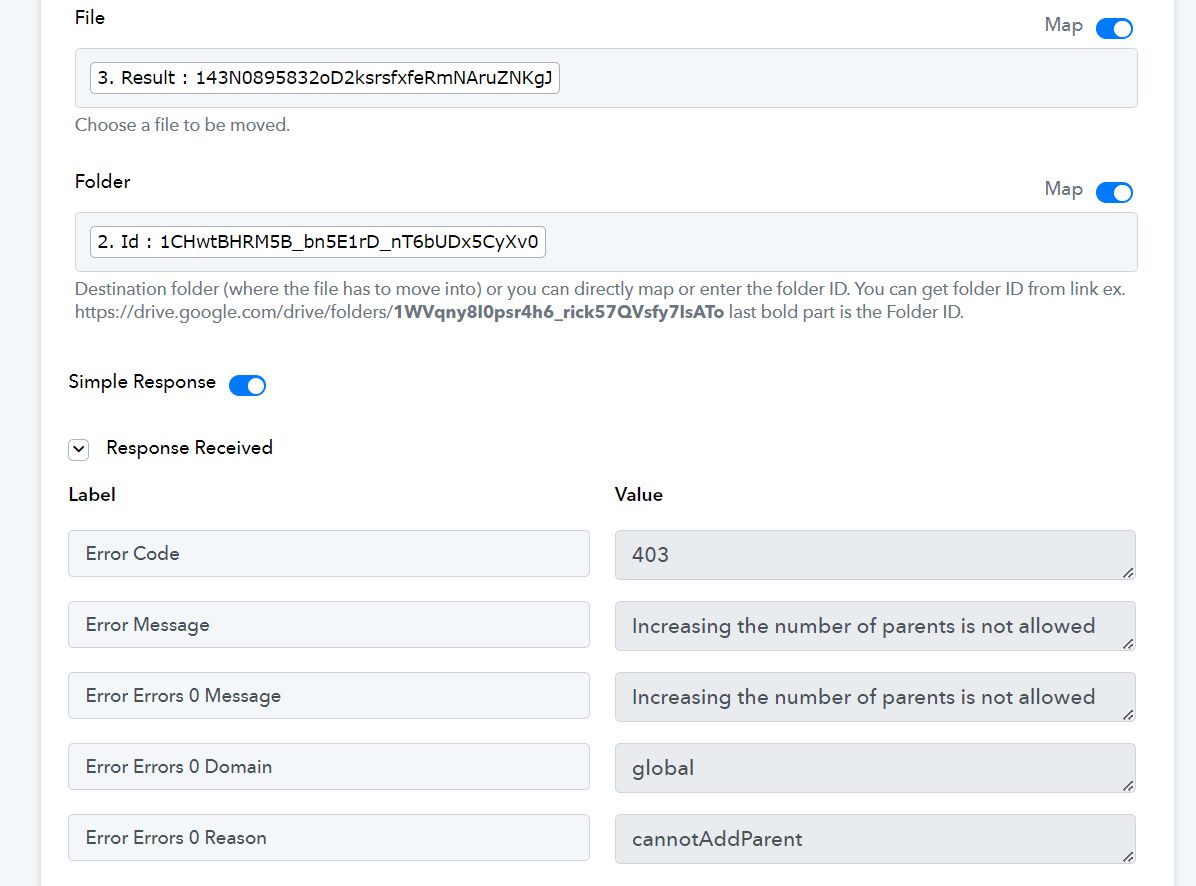
Hi, I watched the "How to create Google Drive Folders from New Google Forms Responses - Google Forms to Google Drive" and set up an automation. But, in the process of moving file from the google forms to the created sub folder after splitting the ID using text formatter, I'm facing an error. The file is not being moved into the sub folder. It throws an error 403. The error message is "Increasing the number of parents is not allowed" and the error reason is "cannotAddParent". How can I rectify it?
Attachments
Hi @Pabbly_User_05,
'Error 403 - Increasing the number of parents is not allowed' occurs when you try to place a file in multiple parent folders; every file must have exactly one parent folder location.
Please share your workflow with us at the provided email address so that we can gain a better understanding of your issue.
Email: arshil.ahmad@pabbly.com
Also, remember to revoke access once your query has been resolved.
Attaching a video for your reference:
Hello @Pabbly_User_05
It appears that you are experiencing an error while trying to move files into a single folder in Google Drive.
This error could be occurring because the Google Drive API has a limit on the number of files that can be moved to a single folder. This limit is in place to prevent the folder hierarchy from becoming too complex.
To resolve this issue, it is recommended that you review the current folder hierarchy and ensure that you are not attempting to move a file or folder to a location where it would exceed the maximum number of allowed parent folders.
In this case, I suggest that you try moving the file to another folder and see if it works. If the issue persists, please let me know.
Hi @Pabbly_User_05,'Error 403 - Increasing the number of parents is not allowed' occurs when you try to place a file in multiple parent folders; every file must have exactly one parent folder location.
Please share your workflow with us at the provided email address so that we can gain a better understanding of your issue.
Email: [EMAIL]arshil.ahmad@pabbly.com[/EMAIL]
Also, remember to revoke access once your query has been resolved.Attaching a video for your reference:
Hello, thank you for your reply. I've shared you the workflow. Kindly, look into it and help me resolve the issue at the earliest
Hello @Pabbly_User_05It appears that you are experiencing an error while trying to move files into a single folder in Google Drive.
This error could be occurring because the Google Drive API has a limit on the number of files that can be moved to a single folder. This limit is in place to prevent the folder hierarchy from becoming too complex.
To resolve this issue, it is recommended that you review the current folder hierarchy and ensure that you are not attempting to move a file or folder to a location where it would exceed the maximum number of allowed parent folders.
In this case, I suggest that you try moving the file to another folder and see if it works. If the issue persists, please let me know.
I checked it out but I still could not resolve it
Hey @Pabbly_User_05
Based on the information provided, it appears that there is an issue with the file that you are attempting to move into a folder.
We have tested this by creating a new file and attempting to move it into the same folder in which you are moving the folder, and it was successful. Therefore, we suggest that you create a new file and attempt to move it into the desired folder to capture the response.
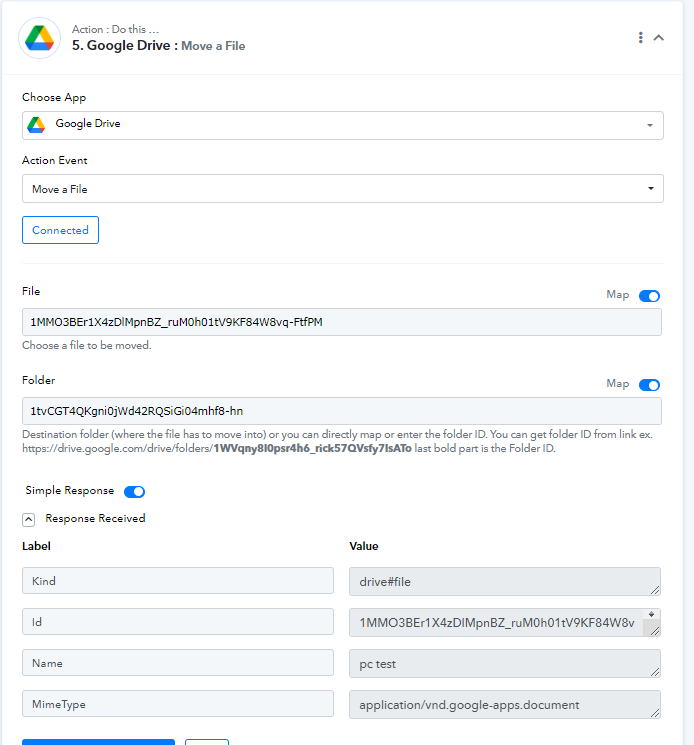
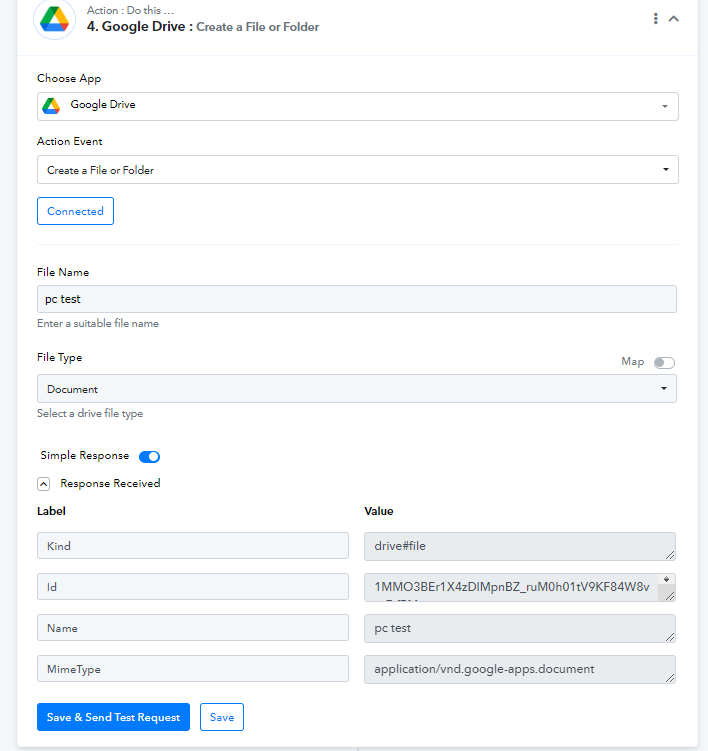
Please let us know if this resolves the issue.
Hey @Pabbly_User_05Based on the information provided, it appears that there is an issue with the file that you are attempting to move into a folder.
We have tested this by creating a new file and attempting to move it into the same folder in which you are moving the folder, and it was successful. Therefore, we suggest that you create a new file and attempt to move it into the desired folder to capture the response.
Please let us know if this resolves the issue.
Thanks for the reply. I want to upload a response file in a google form to the subfolder. So, how does creating a new file help me with my use case?
Hey @Pabbly_User_05
Can you please check your "SVS Platform Automation " workflow once and let us know if that changes work for you?
Hey @Pabbly_User_05Can you please check your "SVS Platform Automation " workflow once and let us know if that changes work for you?
Hello, thank you for your reply. I updating some stuff in the workflow but still I'm facing the same issue. Can you check it once again and help me out? Thanks in advance.
Hey @Pabbly_User_05
Please allow us some time. We are currently looking into it.
Hey @Pabbly_User_05Please allow us some time. We are currently looking into it.
Hello, any updates on the workflow issue?
Our integration team is currently working on, it since it might require a new action step to pass the file in a subfolder.
Our integration team is currently working on, it since it might require a new action step to pass the file in a subfolder.
Hello! When will it be resolved? It's kind of a business requirement for my work team. Kindly, look into it. Thanks in advance.
Hello! Any updates on the issue? Kindly, do let me know at the earliest.
Hey @Pabbly_User_05
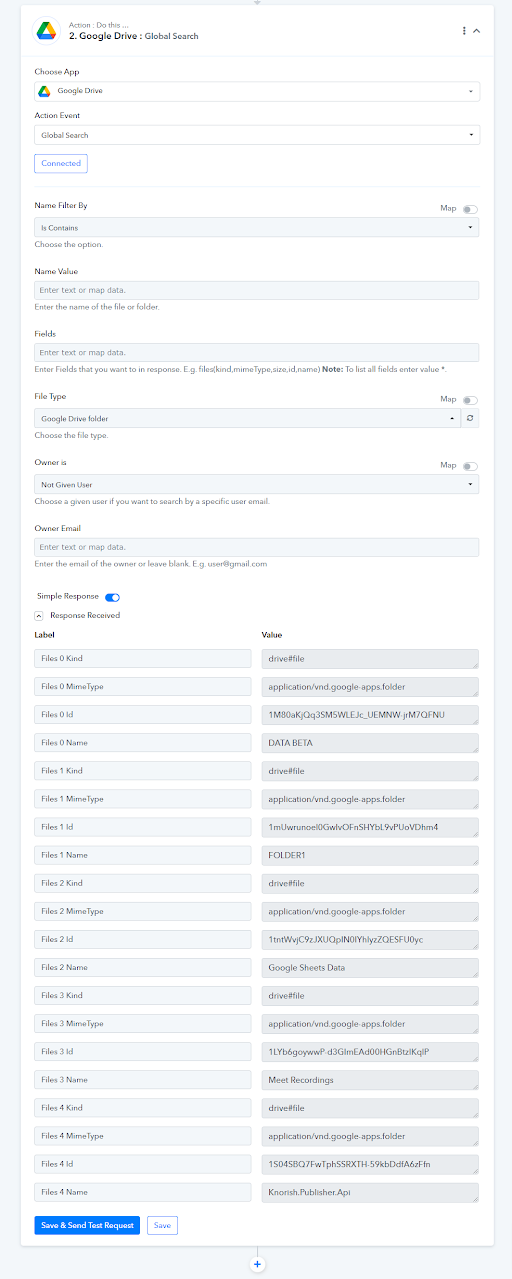
We have added the desired action step of Google Drive in the current integration.
Please use that for your need and let us know if that works for you.
Hey @Pabbly_User_05We have added the desired action step of Google Drive in the current integration.
Please use that for your need and let us know if that works for you.
Thanks, I just have a query. Where do I add this in my integration?
It is already in the current integration of Google Drive.
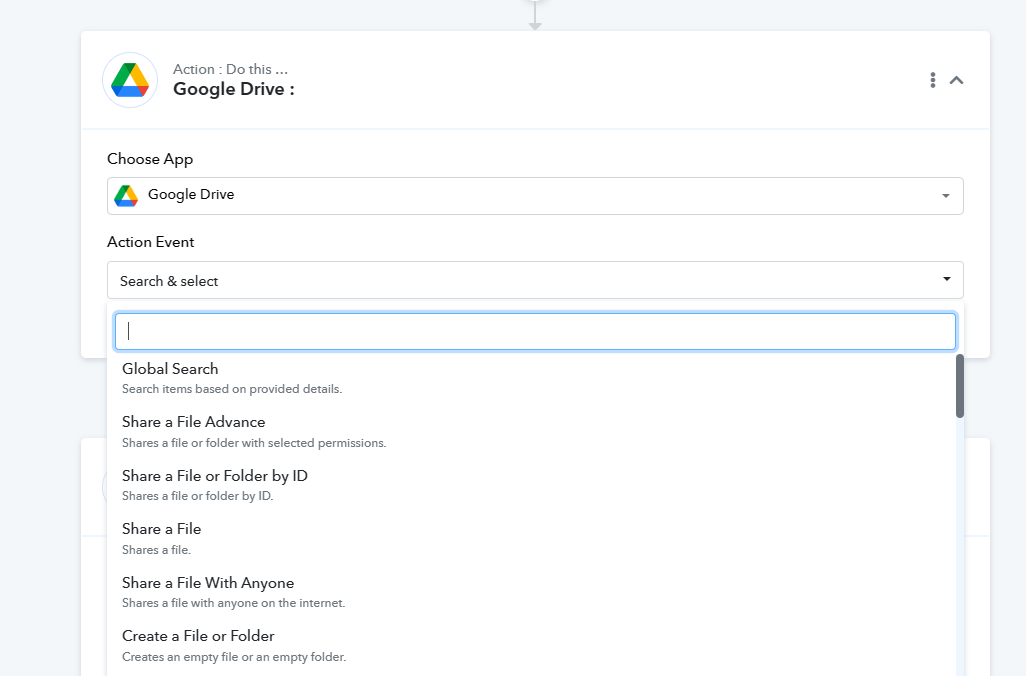
It is already in the current integration of Google Drive.
I am not able to find this action step. Can you check if this is the workflow you are mentioning - https://connect.pabbly.com/workflow/share/D0dQYlQDB2RXHVc6UgUGIQEVBABTCgRhBx5URlNcAXkHSgR_BUQJYwBMVHYCYwRlURhTOQNfVGgOGgUBUAZVJgYIUkdXSFwBAzAEQQBfCSMPbQ## ?
We have made the new changes in the action step from our end in the "Move a File" action step and the error is still coming from your Google Drive.
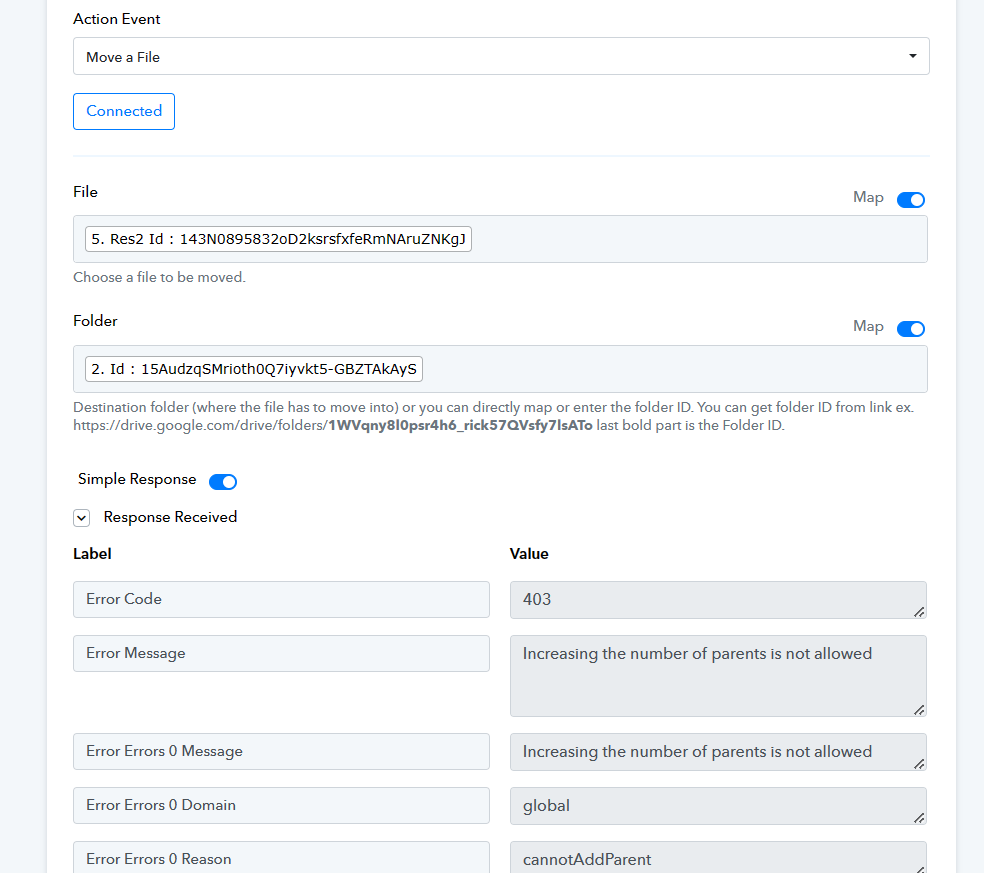
So, we recommend you once check the issue with the Google Workspace team or the Google support team.