Error Code 500 (internal error encountered) in my Workflow with Google Sheets
Status: Closed · Asked by El Café de los Sentidos S de RL de CV on · 0 views
Task History ID: IjU3NjIwNTZiMDYzMDA0M2Q1MjZhNTUzNTUxMzI1MTY3NTQzNSI_3D_pc
Hi!
I had an issue regarding a workflow that was working correctly.
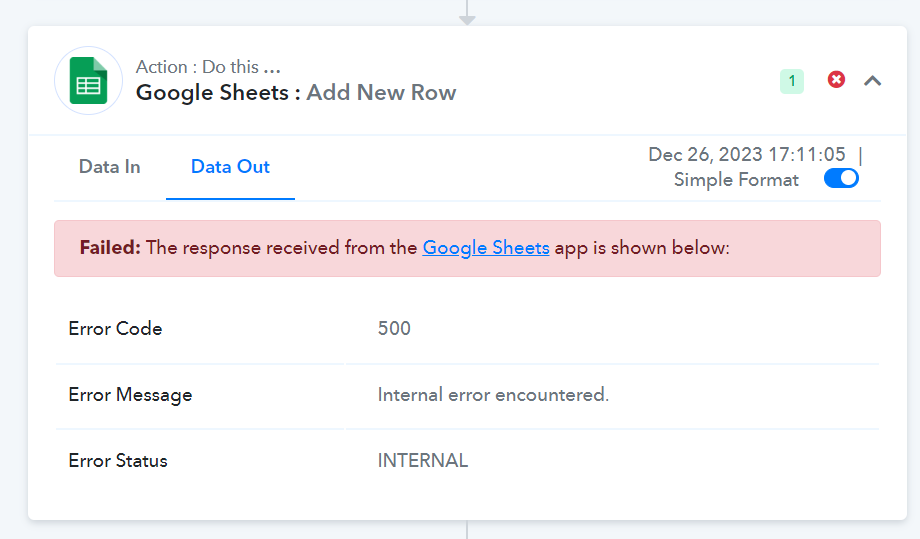
Can you please explain me what happened and what should I do to avoid any future situation like this one :) ?
Can you please explain me what happened and what should I do to avoid any future situation like this one :) ?
During such occurrences, it's important to note that Google Sheets might face difficulties in processing your request, leading to the appearance of the "Internal server error" message. This indicates a temporary issue where Google Sheets might not be able to handle or fulfill your request due to a problem within their systems or infrastructure.
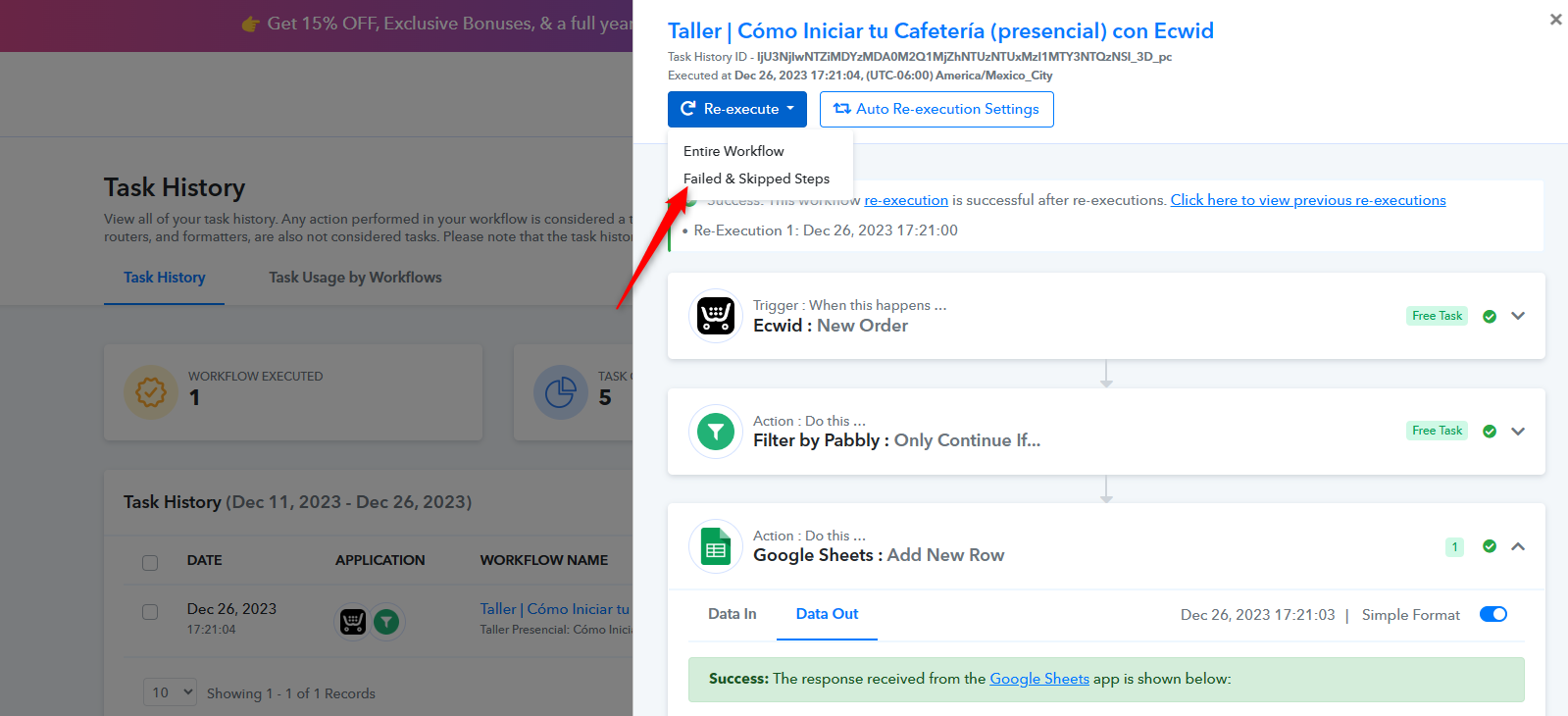
To avoid such instances you can simply re-execute the failed task with the Re-Execute option that will rerun the workflow and process action step.
Perfect!! Thank you very much ?