Error in Text-Formatter -> Truncate ?
Status: Open · Asked by Ulf on · 0 views
When I select "End: True" in Text-Formatter-Truncate it still works from the beginning of the string. Is this correct? I am trying to isolate the file extension at the end of a URL, but it is still returning the first 4 characters...
See attached image
Thank you
Ulf
Attachments
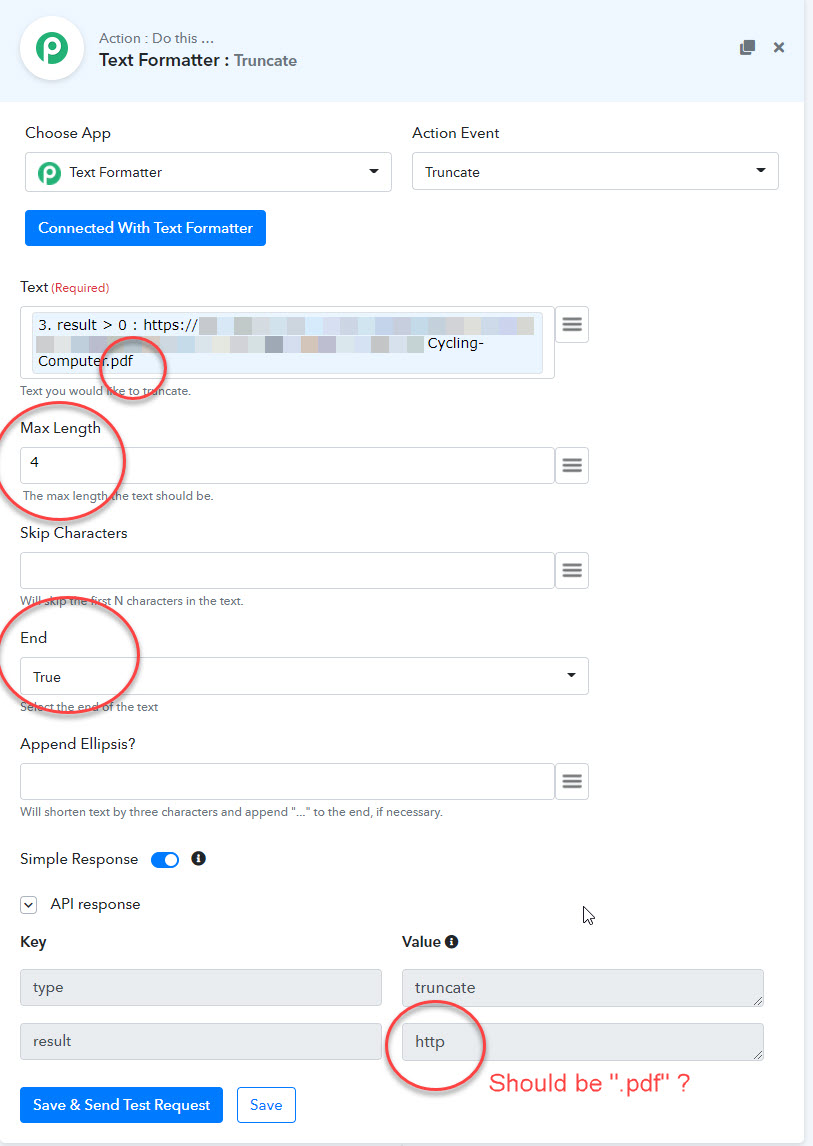
When I select "End: True" in Text-Formatter-Truncate it still works from the beginning of the string. Is this correct? I am trying to isolate the file extension at the end of a URL, but it is still returning the first 4 characters...See attached image
Thank you
Ulf
Just an alternative that you can use to fetch 4 characters from the right using Spreadsheet Formulas.
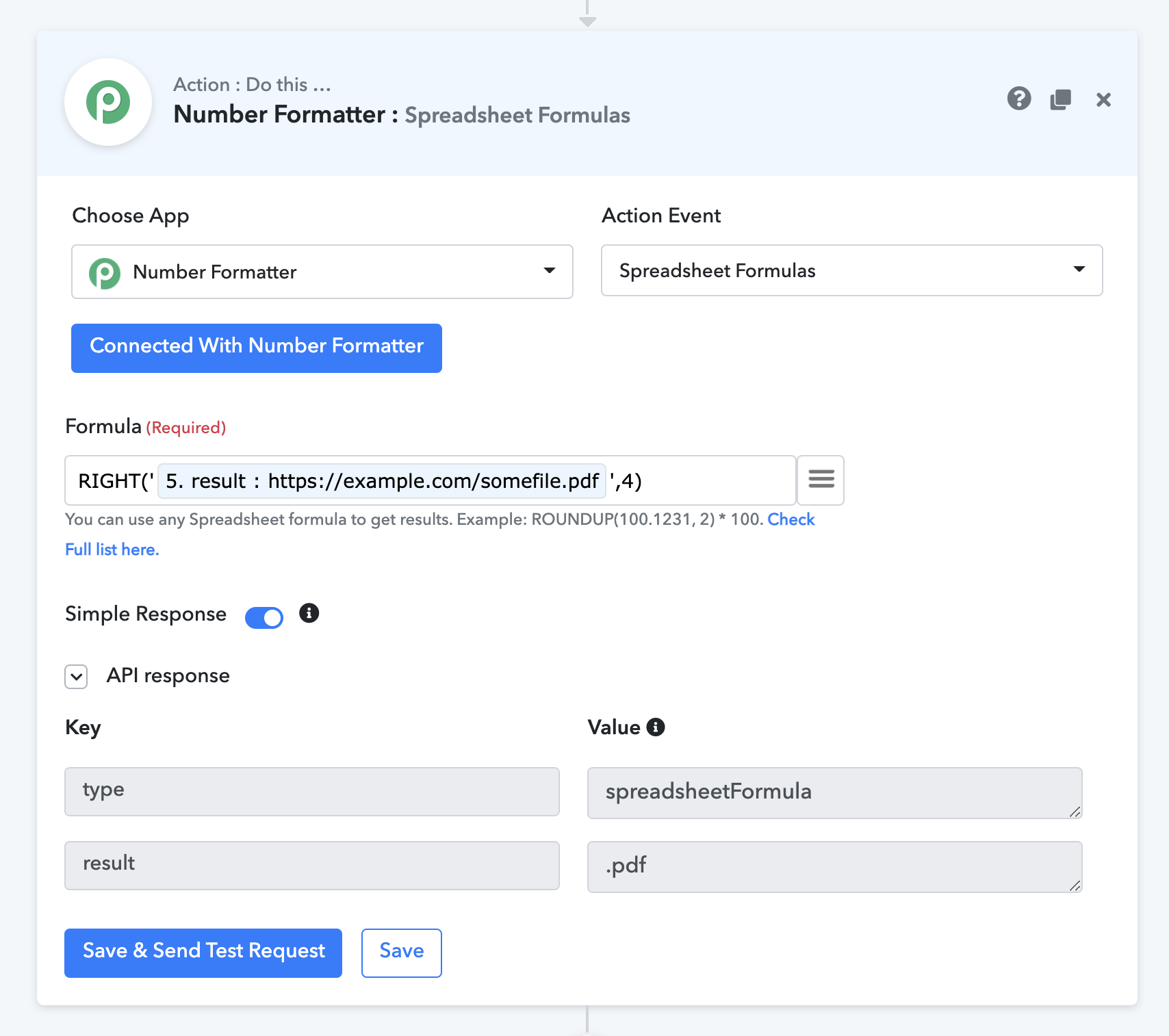
When I select "End: True" in Text-Formatter-Truncate it still works from the beginning of the string. Is this correct? I am trying to isolate the file extension at the end of a URL, but it is still returning the first 4 characters...See attached image
Thank you
Ulf
Hello Ulf,
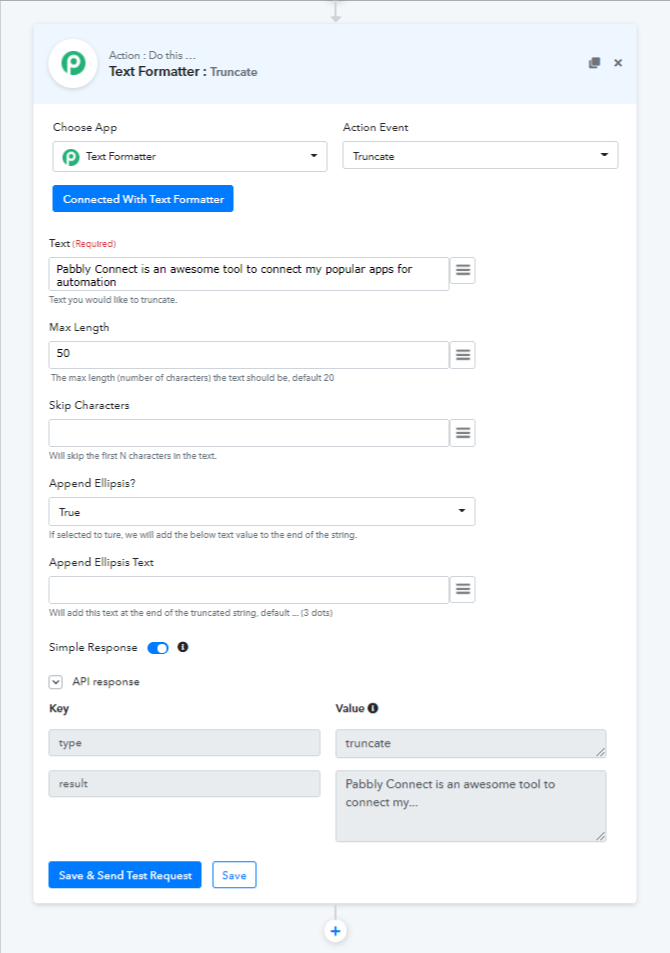
Just to inform you that, truncate string always reads your string from left to right and truncates the given string from the left to the given number of characters, you can pass the number of characters to skip along with the ending ellipsis text. eg: ... (3 dots)
We have updated the help text of the same. Please check the attached image
Attachments
Hello Ulf,Just to inform you that, truncate string always reads your string from left to right and truncates the given string from the left to the given number of characters, you can pass the number of characters to skip along with the ending ellipsis text. eg: ... (3 dots)
We have updated the help text of the same. Please check the attached image
Ok, thanks for the clarification! To be picky, there's a typo in the new help text: "ture" should be "true" ;):cool:
Just an alternative that you can use to fetch 4 characters from the right using Spreadsheet Formulas.
Great, thank you for the rescue! :)
Ok, thanks for the clarification! To be picky, there's a typo in the new help text: "ture" should be "true" ;):cool:
Thanks, Just corrected the same.