Error integrating Formaloo with Hubspot due to formatting
Status: Closed · Asked by TheSessions on · 0 views
Hello,
One of my form fields in Formaloo is a multiple checkboxes. However the response received by Pabbly via formaloo uses commas ex: Hockey, Football, Cricket
As per the message below on the pabbly connection page hubspot requires semi-colons, hence I get an error message when try to run the integration test.
Important Note: Pass semi-colon(;) separated values for checkbox (Multi-Select) field types e.g. Hockey;Football;Cricket.
Help would be appreciated!
Thanks,
Samir
Hey @TheSessions
In the "Relationship Status" field you are passing multiple values where it takes one value at a time.

is it not possible to have multiple values? I thought if there were semicolons inbetween the values then this would be permitted. Is there no way to change it so that multiple values would have semicolons inbetween them?
unless there's another way to map multiple values? the specific property I'm mapping to in hubspot can accept multiple values as per this message:
Pass semi-colon [;] separated values for checkbox (Multi-Select) field types e.g. Hockey;Football;Cricket.
is it not possible to have multiple values?
If you have multiple type fields, then you may pass the value by semi-colon-separated values.
Hi @Supreme,
I think I'm not understanding you. Is it possible for me to pass multiple values for the "Relationship Status" field using semi colons? If so, how can I do it?
Hey @TheSessions
We have made a slight workaround in your workflow to pass the multiple checkbox fields and semi-colon-separated fields.
Please check that once and try again.
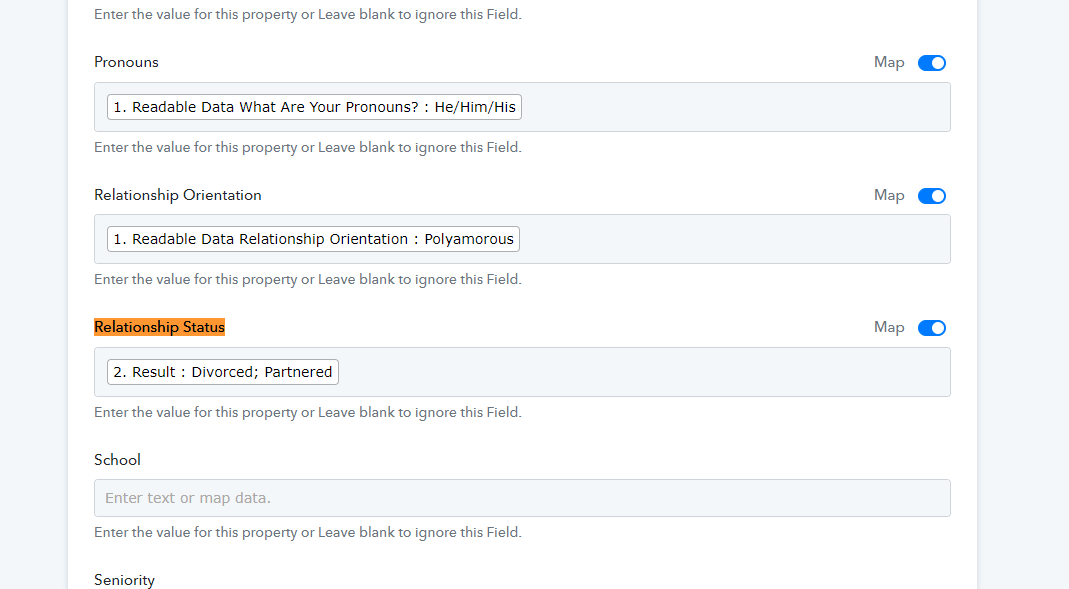
Thanks so much @Supreme ! this worked very well.
I've run into another problem for the same workflow.
If you look at the pic below is it possible to replace "result: No Data" with a blank?
In the form submitted in formaloo people can select one of two people by their full name. In Pabbly I used text formatter twice to replace the person's name with their corresponding owner ID from hubspot. I was hoping that if i selected both results in the Hubspot "Contact Owner" field it would use a blank for the person who wasn't selected. Is there another way of doing this? I used this method for a couple other questions as well and it's leading to Red No Data errors.
Thank you!

in an attempt to be more clear, I'm trying to map two formaloo fields to one Hubspot field. One of the two formaloo fields will always have no data. Is this possible? I don't think I can pass a default value (blank field) because I'm selecting data from either a google translate trigger or pabbly replace text trigger.
Thanks again @Supreme
I think a solution would be that when using Replace Text the input value can be optional and if it's empty the output is just a blank value. Can you make this happen?
Hey @TheSessions
If your mapped contact ID in the field didn't appear in live automation, it will be considered blank.
In case you need any other value to pass then you can use the Default Value action step.
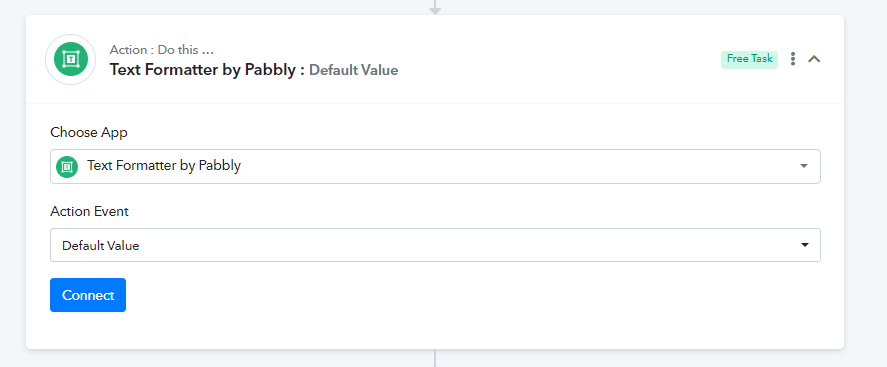
Hi @Supreme ,
The default value acting step doesn't work in my case. Let me explain
Step 1. Customer fils out the form and selects one of two employee names.
Step 2
Depending if they filled out the form in English or Dutch the employee name field is either rendered data #7 or #26 (just example numbers as I'm not behind my work pc at the moment)
Step 3
I want to map these employee names to hubspot's contact owner field, but this field only accepts the employee id number.
Step 4
I passed a replace text action to replace the employee name from the English form to their employee ID number
Step 5
I passed a second replace text action to replace the employee name from the Dutch form to their employee ID number
Step 6
When mapping the contact owner field in hubspot I select both results from step 4 and step 5, but this results in a no data error because depending if the form was filled in English (step 4) or Dutch (step 5) one of the values will always be empty.
Possible solution: in the replace text action is it possible to remove the input text requirement? This was if it's blank the result will b also be a blank. If the result is a blank then when mapping the result in hubspot it will be a blank value instead of a no data error.
Hey @TheSessions
We advise working with an automation specialist that can create this automation for your workflow and take care of everything for you: https://forum.pabbly.com/threads/pabbly-connect-experts-and-consultants.22
In our Facebook group at https://www.facebook.com/groups/formget.deals, you can even find automation experts.
I'll check it out. thank you for all your help