Error response when task was executed for Radaar.
Status: Closed · Asked by Nidzam on · 0 views
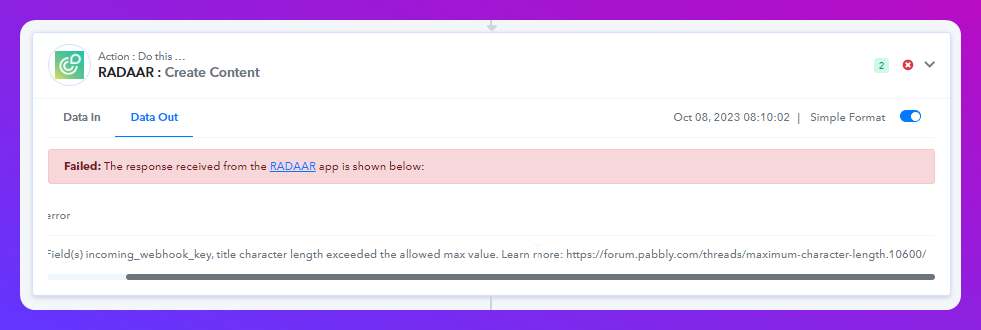
Dear Pabbly, I encountered this error response when task was executed for Radaar. Never had this issue before. How can we fix this?
Field(s) incoming_webhook_key, title character length exceeded the allowed max value.
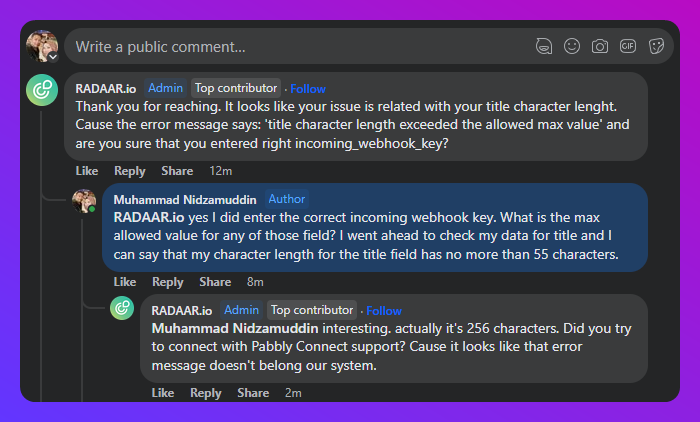
Tried seeking support from FB Group, but was referred to the forum for your attention instead.
https://www.facebook.com/groups/pabbly.connect/posts/1463983674381250
Please advise. Thank you.
Attachments
Hi @Nidzam,
Please allow us some time to look into this concern. We will get back to you with an update soon.
Hey @nizam,
We have conducted a thorough examination on our side and have confirmed that everything is functioning as expected. Regarding the extension of the length, we kindly request that you contact directly with the RADAAR team's integration experts, as they are responsible for managing the application's integration. You can contact them at [email hidden] for assistance in this matter.
Rest assured, we have also forwarded your inquiry to the RADAAR team from our end.
Thank you for reaching out to us, and please feel free to contact us if you encounter any further issues. We are here to assist you.
Best regards,
Nivesh
Hi @Nivesh please refer to my attached image. It seems that my problem is still not resolved. Same error message still comes out. I have checked with Radaar and they say there is nothing wrong on their end. They also informed that their max character allowed is 256 which is way more than any of the fields that I have in the input.
Please advise.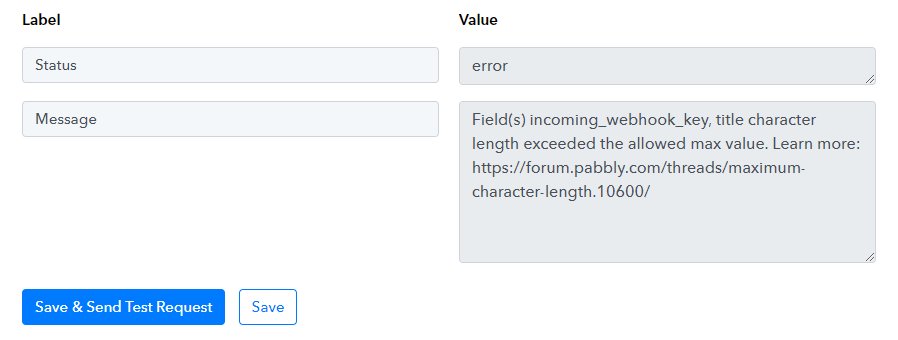
Hey @Nidzam,
Thank you for updating us.
I don't know why the team has said this but as of now, we would like to tell you that we have made the necessary adjustments with the integration and successfully executed your workflow, which is now functioning smoothly.
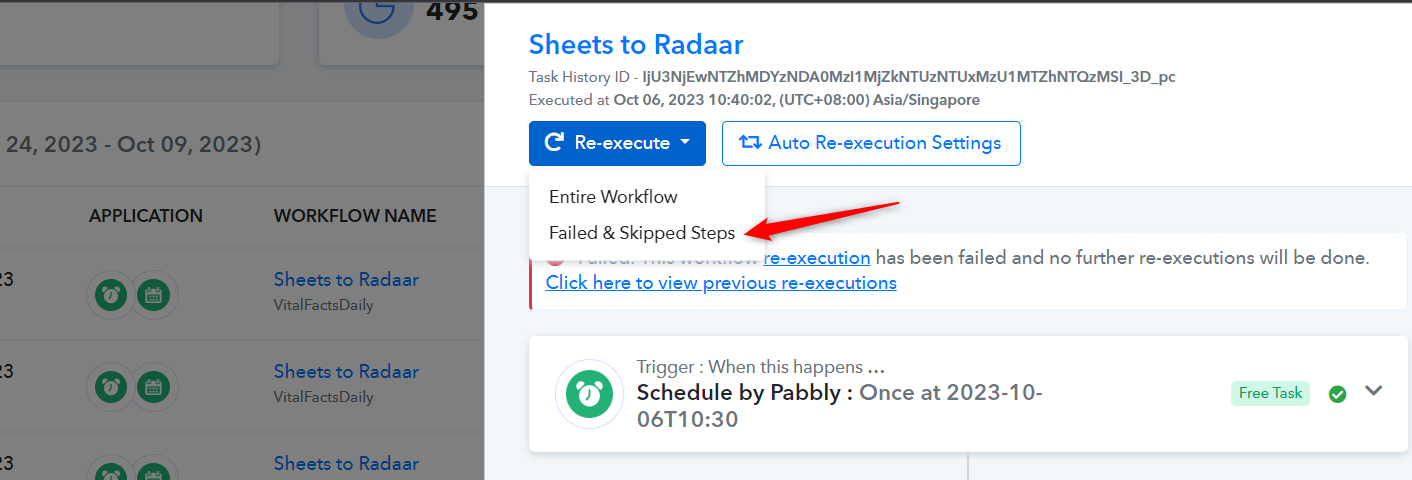
Additionally, we have raised the limit. Kindly Re-execute workflows that were previously encountering errors, as they should execute without any issues now. I have provided you with the screenshot for your reference.
If you require further assistance from our end do let us know.
Best regards,
Nivesh
Attachments
Hey @Nidzam,Thank you for updating us.
I don't know why the team has said this but as of now, we would like to tell you that we have made the necessary adjustments with the integration and successfully executed your workflow, which is now functioning smoothly.
Additionally, we have raised the limit. Kindly Re-execute workflows that were previously encountering errors, as they should execute without any issues now. I have provided you with the screenshot for your reference.
If you require further assistance from our end do let us know.
Best regards,
Nivesh
Thank you @Nivesh
I have tried once again, and it executed successfully.