"Error when using RapidAI's Google Translate API in Pabbly Connect"
Status: Closed · Asked by avi917 on · 0 views
need help with it
im getting a response message: "The API is unreachable, please contact the API provider"
but at the same time, the api is reachable and works when i use it directly on RapidAI's site..
Hey @avi917
We have reconfigured the API by the Pabbly action step by changing the payload type and it is working fine.
Please check carefully and then try again.
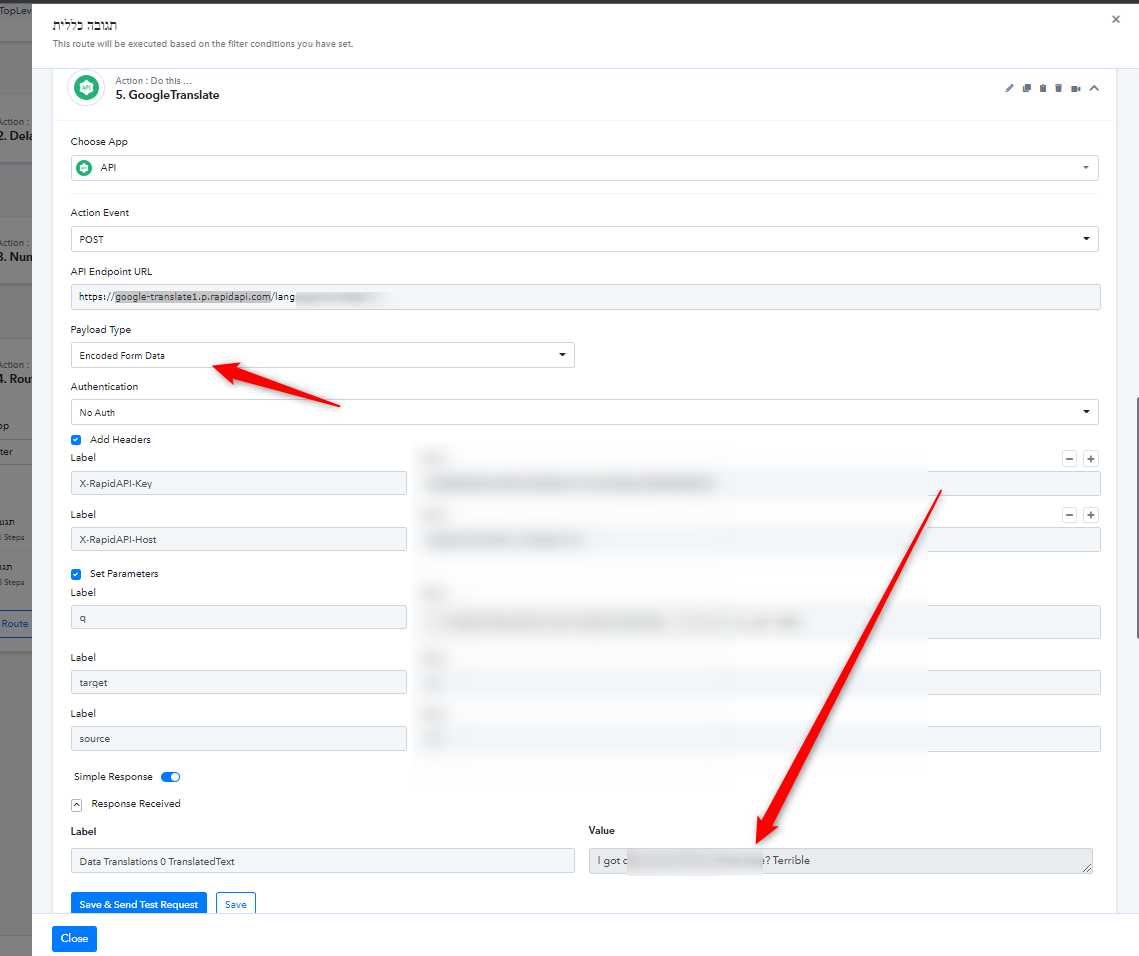
Thanks, and there is the same problem with the Microsoft Translate api, even though i tried now all the possibilities in "payload type"...
Hey @avi917
We have tried some changes in the action step and looks like it is responding.
Hey @avi917We have tried some changes in the action step and looks like it is responding.
thanks, only how do i work with this? if i want to designate a different lang to translate to?.. where and how to do that?
if i want to designate a different lang to translate to?.. where and how to do that?
You can try passing the language coming from your trigger or action step's response and can convert it accordingly.
Further, regarding your concern we would recommend you contact the application's support team, perhaps they might help you with your question and further API request.
You can try passing the language coming from your trigger or action step's response and can convert it accordingly.Further, regarding your concern we would recommend you contact the application's support team, perhaps they might help you with your question and further API request.
the right answer (which i found by looking at the step and trying to understand how it knew to translate to english specifically) is to change the "to=en" in the API Endpoint URL (https://microsoft-translator-text.p.rapidapi.com/translate?to=en&api-version=3.0)