Errors with Formcan to AgencyJoy connection
Status: Open · Asked by Zerrow Studios on · 0 views
Hi @ArshilAhmad So I tried a temp fix: I changed the multi-select options to single select on the Formcan side. I just ran a test and the error message comes up again.
Are you able to see what the issue is now?
Hi @Zen2023,
Please select only one option and try again.
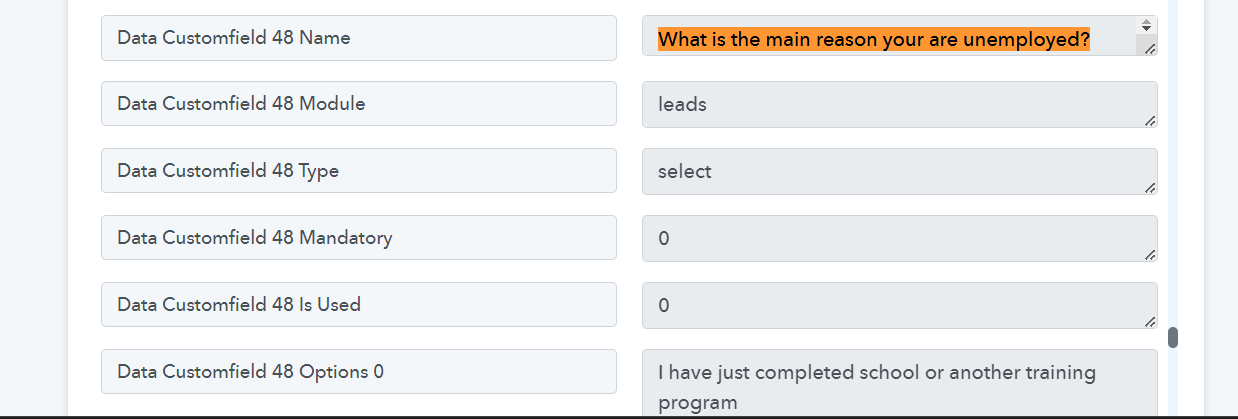
Additionally, kindly take a moment to review the attached video below. It will provide you with insights on how to identify and address the issue from your end. As your Agencyjoy account encompasses over 80 custom fields, regrettably, I might not be able to provide assistance for each new field. Your understanding is greatly appreciated.
https://drive.google.com/file/d/1DykPQYXg5alY41NGjyl7E0YAHU8mfX6G/view?usp=sharing
Thanks @ArshilAhmad and the screenshots with the specific error field is very helpful. The main challenge I have is finding the specific error and details. Is there a tool/method I can use to help me narrow down the source of the error(s)?
Hey @Zen2023
As we can see from your AgencyJoy's API error response, we can understand that the option you are passing from the Fromcan response for the individual question is not getting matched inside the AgencyJoy's setup multi-select option and because of that, the error is getting generated.
So, can you please make all the options exactly the same as mentioned in the AgencyJoy, kindly ensure that the space and the letters are in a case-sensitive manner.