Eventbrite to Sales CRM and Google Sheets
Status: Closed · Asked by Carilyn Tolentino on · 0 views
When creating a workflow for eventbrite, does it only capture a specific event or does it capture all events? Do we need to create a separate workflow for EACH event or can we create one workflow that will capture the attendee information and transfer it over to google sheets and our sales crm? Thank you.
Hey @Caryl
You can check the trigger events description for which trigger event will capture the response.
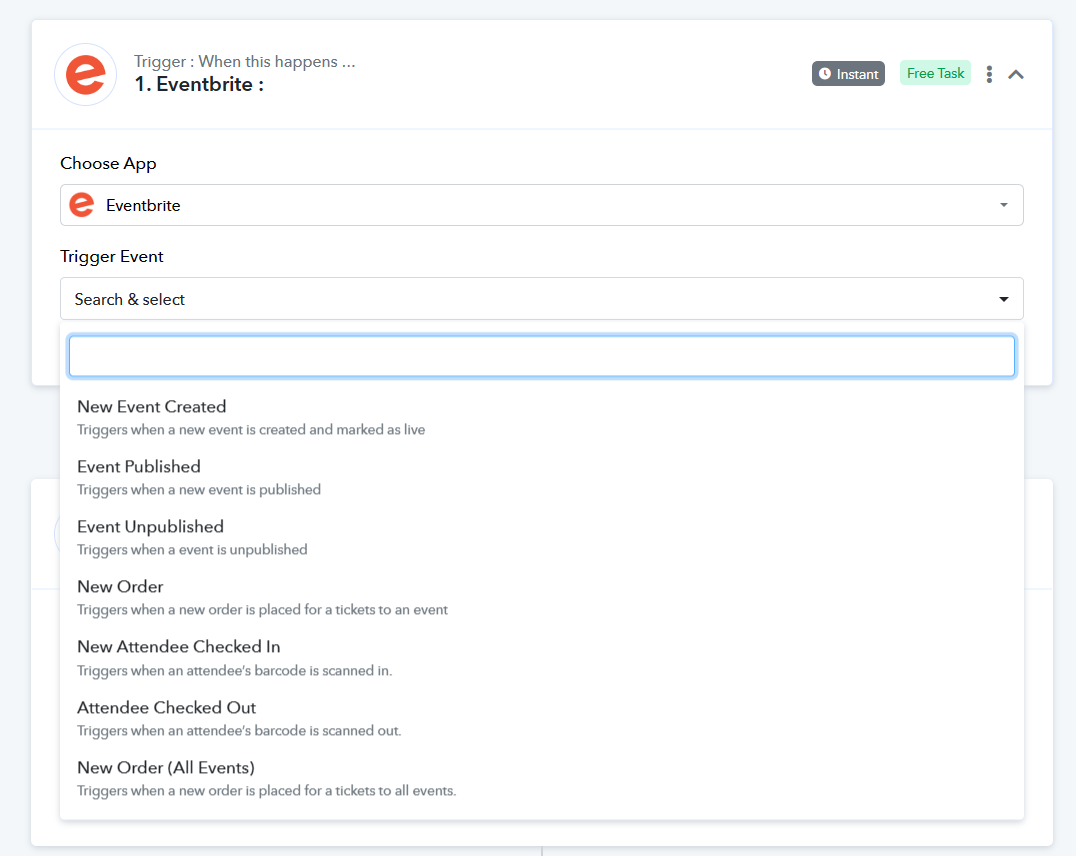
Do we need to create a separate workflow for EACH event or can we create one workflow that will capture the attendee information and transfer it over to google sheets and our sales crm?
Further, we will recommend you create an individual workflow for specific webhook events.
Hello. Okay so we need to create a separate workflow for each event. Can you show me how to transfer the captured data to Google sheets from Eventbrite?
You may refer to the following video lesson on how you can capture the trigger response from Eventbrite to Google Sheets.