Excel - accessing files from groups & sharepoint?
Status: Closed · Asked by lio on · 0 views
Hello,
I can't open a shared excel file in Pabbly connect.
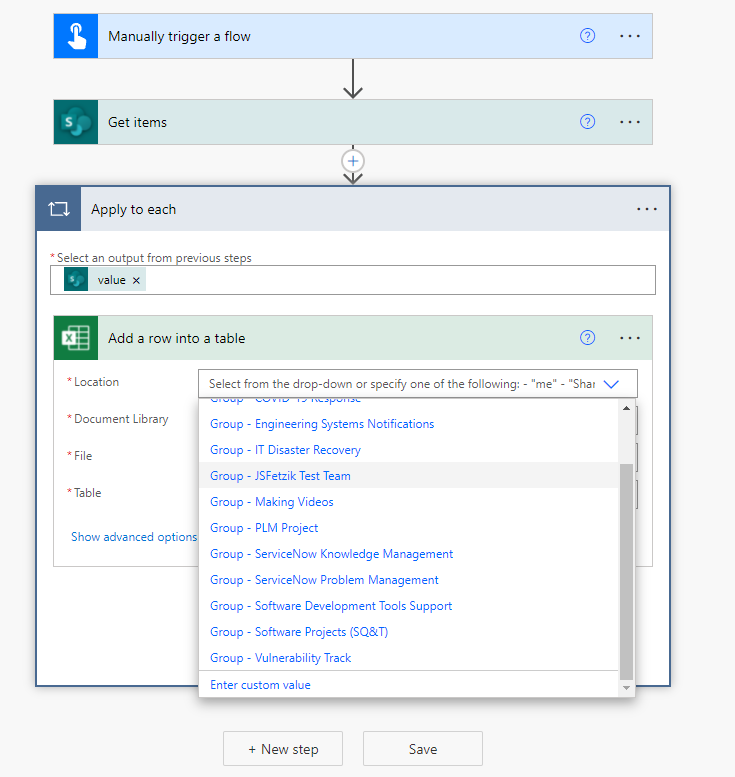
I can't see team documents too >> I've got no options to select that. >> Only a dropdown list of probably my own file only. (my onedrive docs maybe and not the team files maybe)
I would like to have those options (as seen on power automate) look at the screenshot attached.
But maybe there is already a way to do open team or shared docs in pabbly with excel?
Thank you.
Attachments
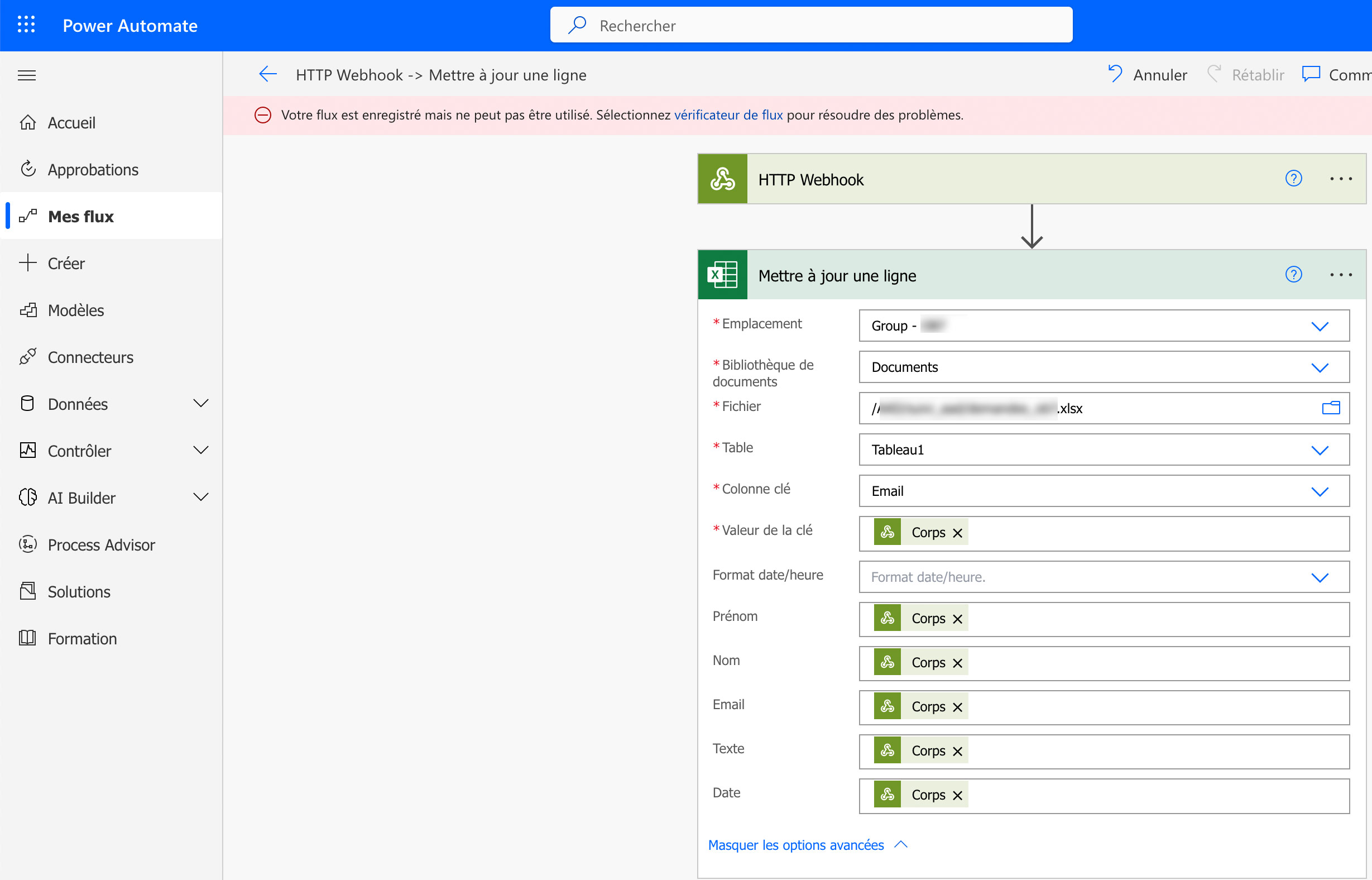
Hey @pixluser
NOTE: In this, if one user has a premium subscription and shares the file with a user with no subscription and if the second user wants to access the file, then MS Excel integration will not work for this user.
Hey @pixluserNOTE: In this, if one user has a premium subscription and shares the file with a user with no subscription and if the second user wants to access the file, then MS Excel integration will not work for this user.
That's strange because the user login I'm using get a subscription.
Does this feature : accessing file of sharepoints from excel is feasible from Pabbly? Because I see no option to select groups or folders of sharepoint?
We are currently looking into it, so kindly allow us some time. Once we get any update on it we will let you know soon.
We are currently looking into it
That's a very good new! Thanks can't wait to see your thread reply! ;)
Hey @pixluser,
We wish to communicate that the changes you requested have been successfully implemented. Action Added-"Create Worksheet & List Worksheet"
Your valuable feedback through testing the updated functionality from your end would be greatly appreciated.
Best regards,
Nivesh
Thank you Nivesh for uppdating me the infos.
I still see no options (on my config) to select groups or folders (and so files) from a sharepoint (using Create worksheet (beta) or List worksheet).
(As it's possible with power automate).
It's like it's still local files for me.
Can you share me a screenshot of what you have?
Hey @pixluser,
To mitigate any potential confusion, we have introduced a new action called "Add Row To Worksheet." We have thoroughly tested this function from our end and everything appears to be functioning as expected.
We kindly request that you also perform a test and inform us if you encounter any issues or difficulties. We have attached the screenshot for your reference.
Best Regards,
Nivesh
Attachments
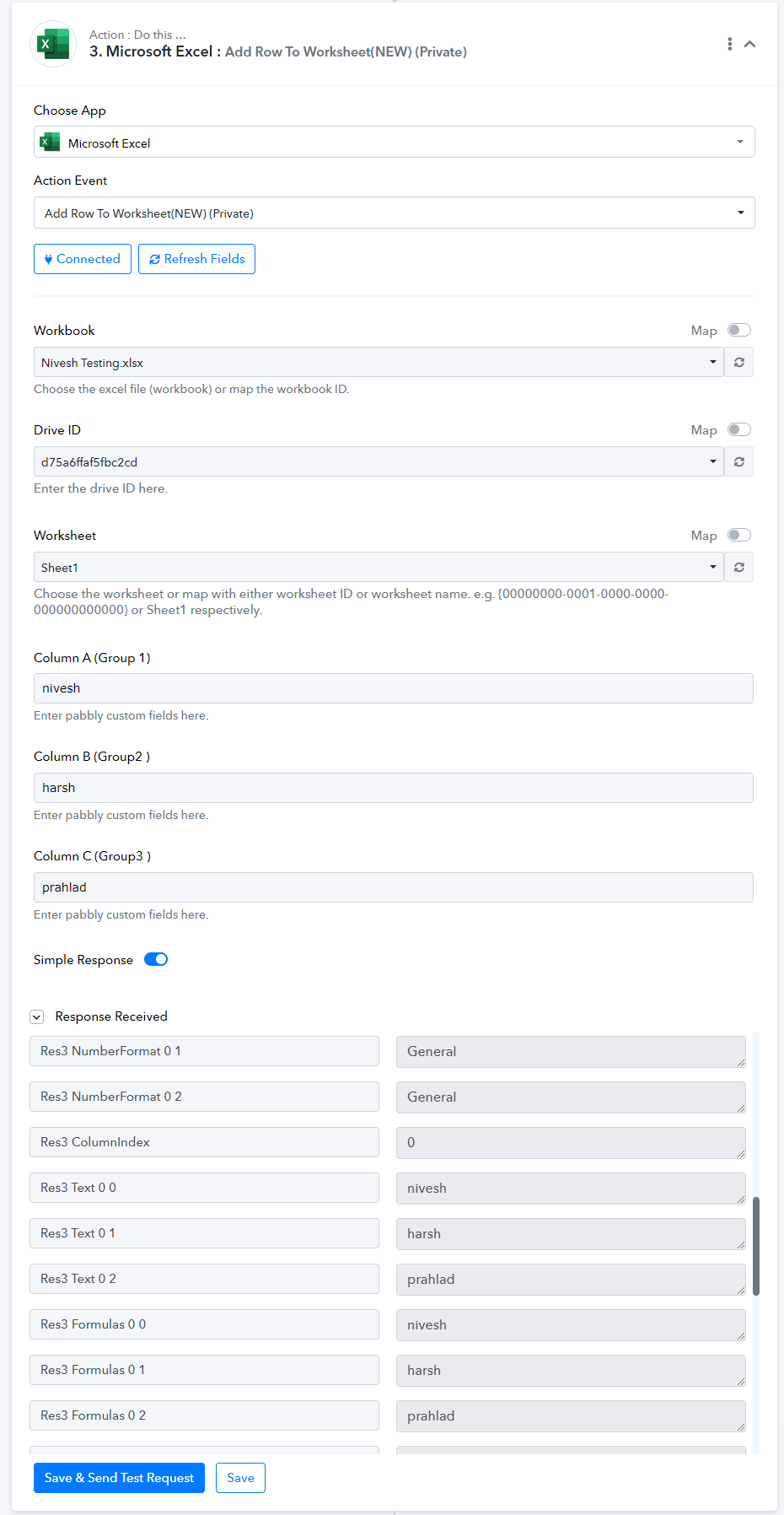
Hey @pixluser,To mitigate any potential confusion, we have introduced a new action called "Add Row To Worksheet." We have thoroughly tested this function from our end and everything appears to be functioning as expected.
We kindly request that you also perform a test and inform us if you encounter any issues or difficulties. We have attached the screenshot for your reference.
Best Regards,
Nivesh
Hello thank you, that's good.
Anyway my need was to a way to access the "Microsoft 365 groups" or 'sharepoints' directly from the 'location' dropdown as it is in powerautomate when people use those groups, with teams by example:
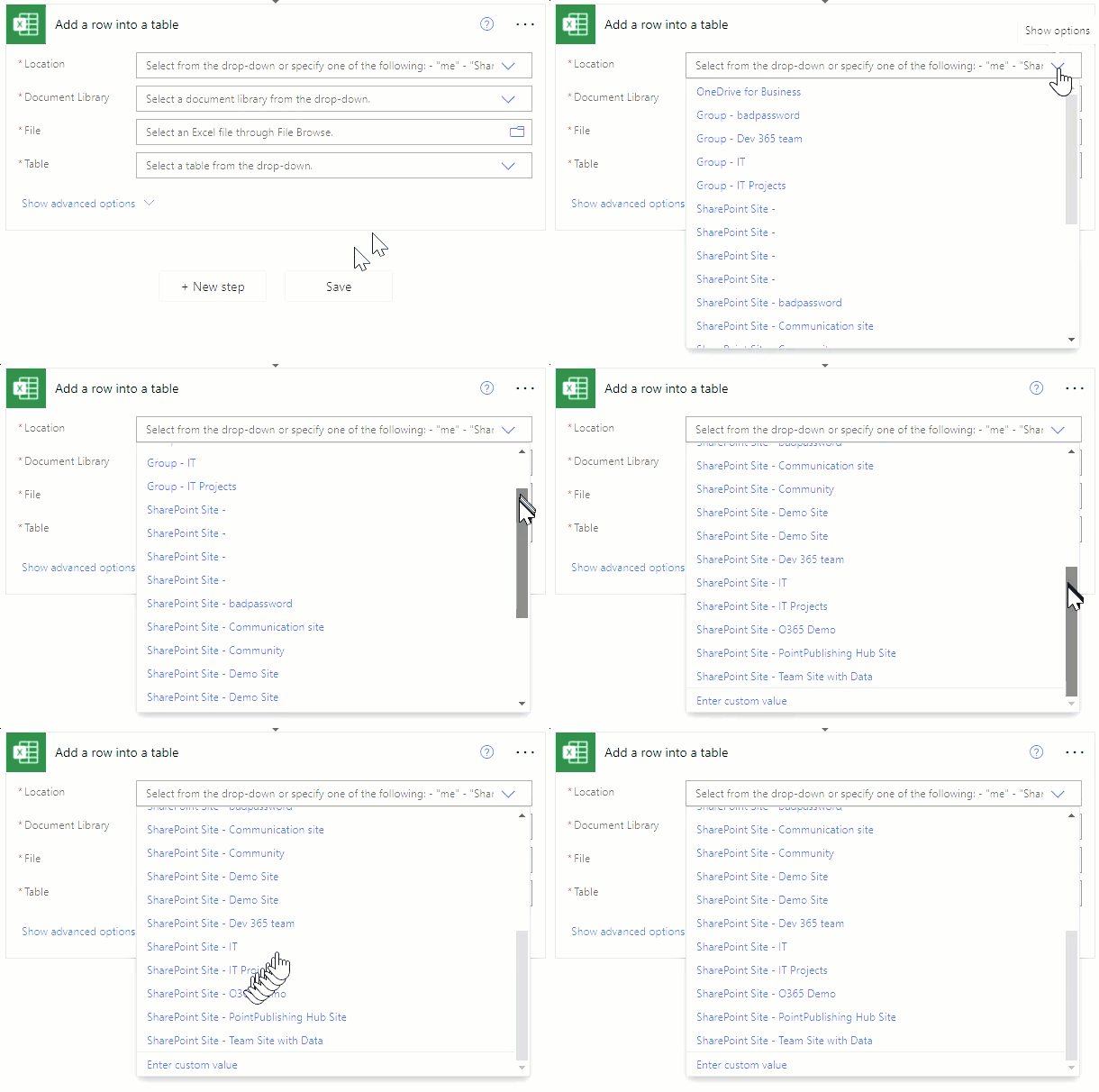
we can see there is multiples things in this dropdown : first local files, onedrive, then the groups I need, then sharepoints files.
we can see here there is the groups, the microsoft 365 groups used also by teams :