Excel Responde 0
Status: Closed · Asked by Mktg on · 0 views
Hi
Microsoft Excel automation with a trigger for new row in worksheet, but I get response 0. Microsoft account is correctly connected the sheet is populated but the capturing response is 0 which makes me not proceed with the next step. I tried adding a response before connecting even after connecting but still not working.
Kindly assist
Workflow: https://connect.pabbly.com/workflow/mapping/IjU3NjUwNTY1MDYzMDA0M2Q1MjZkNTUzNjUxMzQi_pc
Hi @Mktg,
Please make sure the Excel Sheet you are trying to connect with has Headers.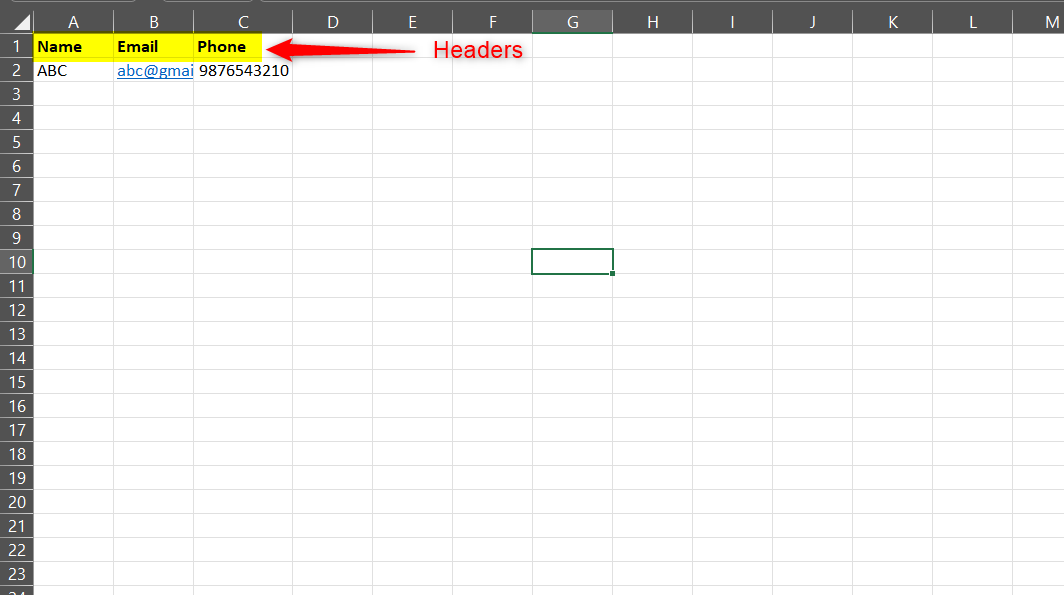
yes it has headers but still not working
Hey @Mktg
Can you please make a new connection and then try again?
(Watch the first part of the video)
It now worked using the old and the new connection. Not sure why it didn't before,
Does it have anything to do with the trigger time?
No, the trigger interval time is not related to the issue you were encountering. It does not affect your workflow setup. Nevertheless, we are glad that the issue is now resolved.
I want the automation to send email to everyone in Excel not just check for the last row in 4hr or 90 mins. Cause this is what is happening currently. Is this achievable?
It is not possible to send emails to existing data in your Excel worksheet.
You would need to use Google Sheets to achieve this.
Schedule by pabbly is no longer available. Which one should I use now?
Hey @Mktg
The schedule trigger is available on the platform. Please check the following screenshot and try again.
youtube.com/watch?v=4fSNuwlWRew
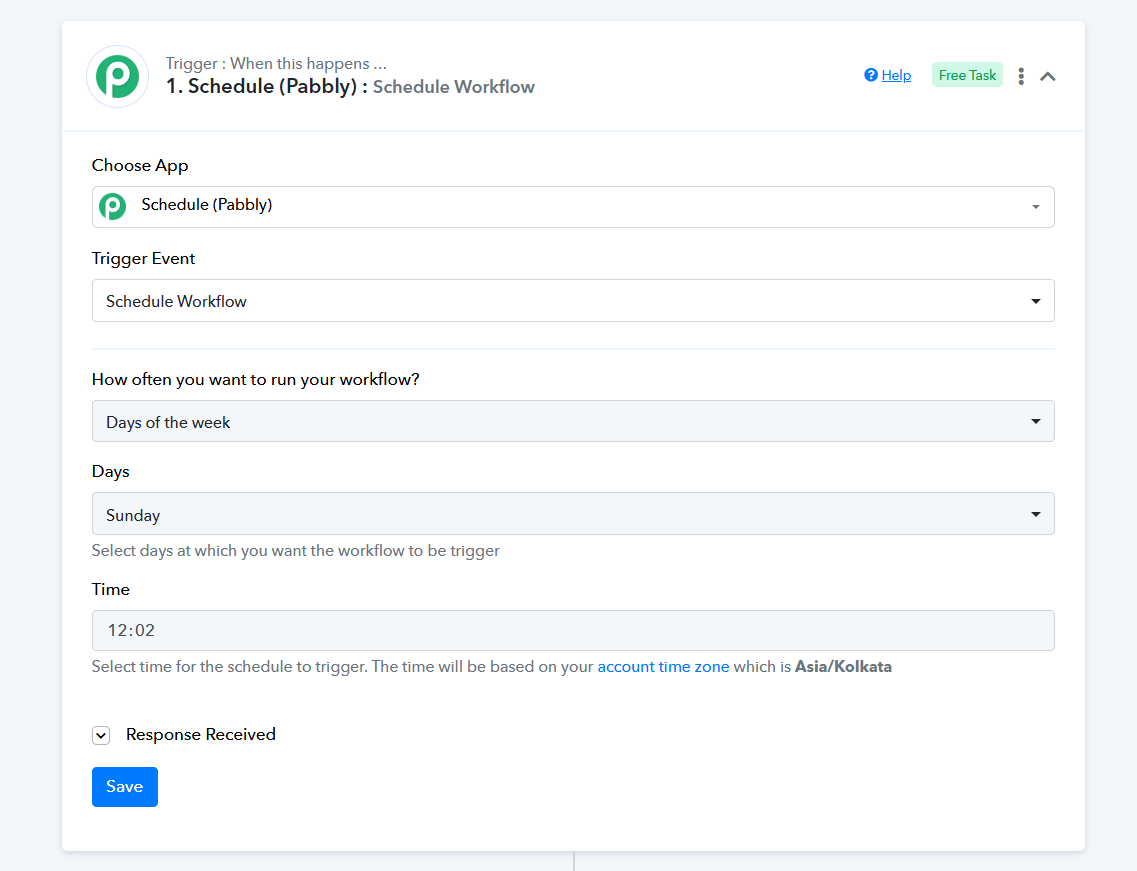
Found it. My problem was trying to use it in the second step