Expand window of text I want to search through?
Status: Closed · Asked by slaven.grizelj@googlemail on · 0 views
Hi, I would like to parse a text. How can I expand the window of the required text in order to find text match before and after? I can only see 6 lines of text. How can i expand the window to see all lines or how can I jump in and scroll through in order to read evrythung an pickup my before and after?
Hey @slaven.grizelj@googlemail
Can you please explain your situation clearly on which action step you are referring, to so that we can check on it and help you?
Yes, I want to parse an email. I put in the "Body Text" as Text to parse (which is a required field. Then I go ahead and want to define the "Text match after" and "Text match before". My problem regaarding this step is, that I can not see or parse the text which I have defined as the "Text to parse". I can see 6 rows only.
I want to parse an email. I put in the "Body Text" as Text to parse (which is a required field. Then I go ahead and want to define the "Text match after" and "Text match before". My problem regaarding this step is, that I can not see or parse the text which I have defined as the "Text to parse". I can see 6 rows only.
For that, you can check for the content from the trigger response and set the condition, if you want to see all the text.
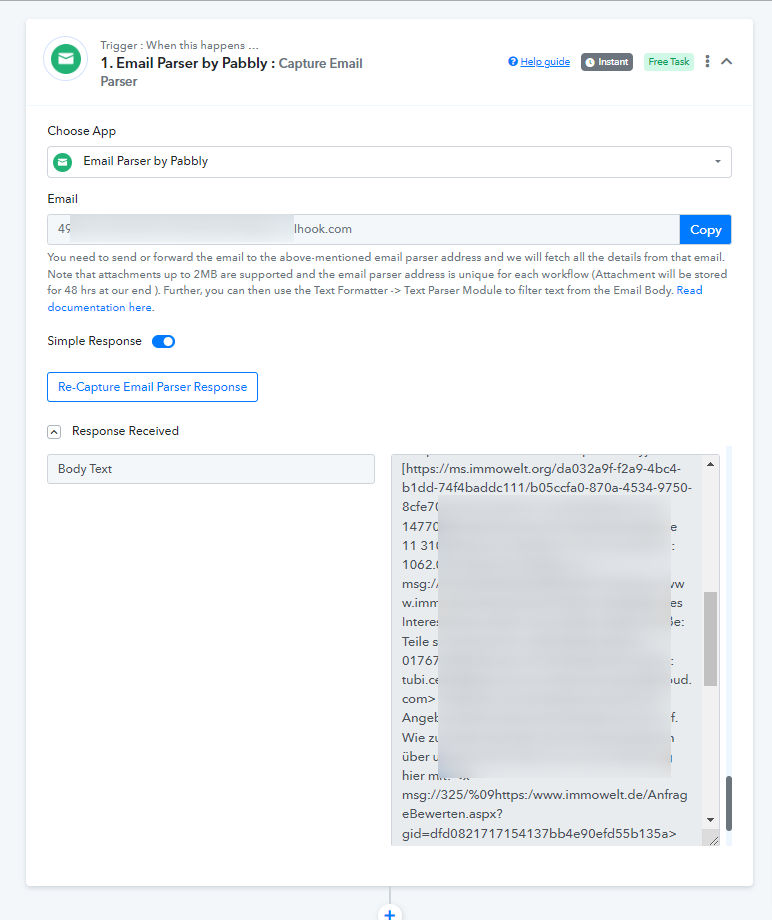
Further, we highly recommend hiring an automation expert who can design such email content for your workflow and manage everything for you - https://forum.pabbly.com/threads/pabbly-connect-experts-and-consultants.22/
And can even find automation experts in our Facebook group as well - https://www.facebook.com/groups/formget.deals/